Quick answer
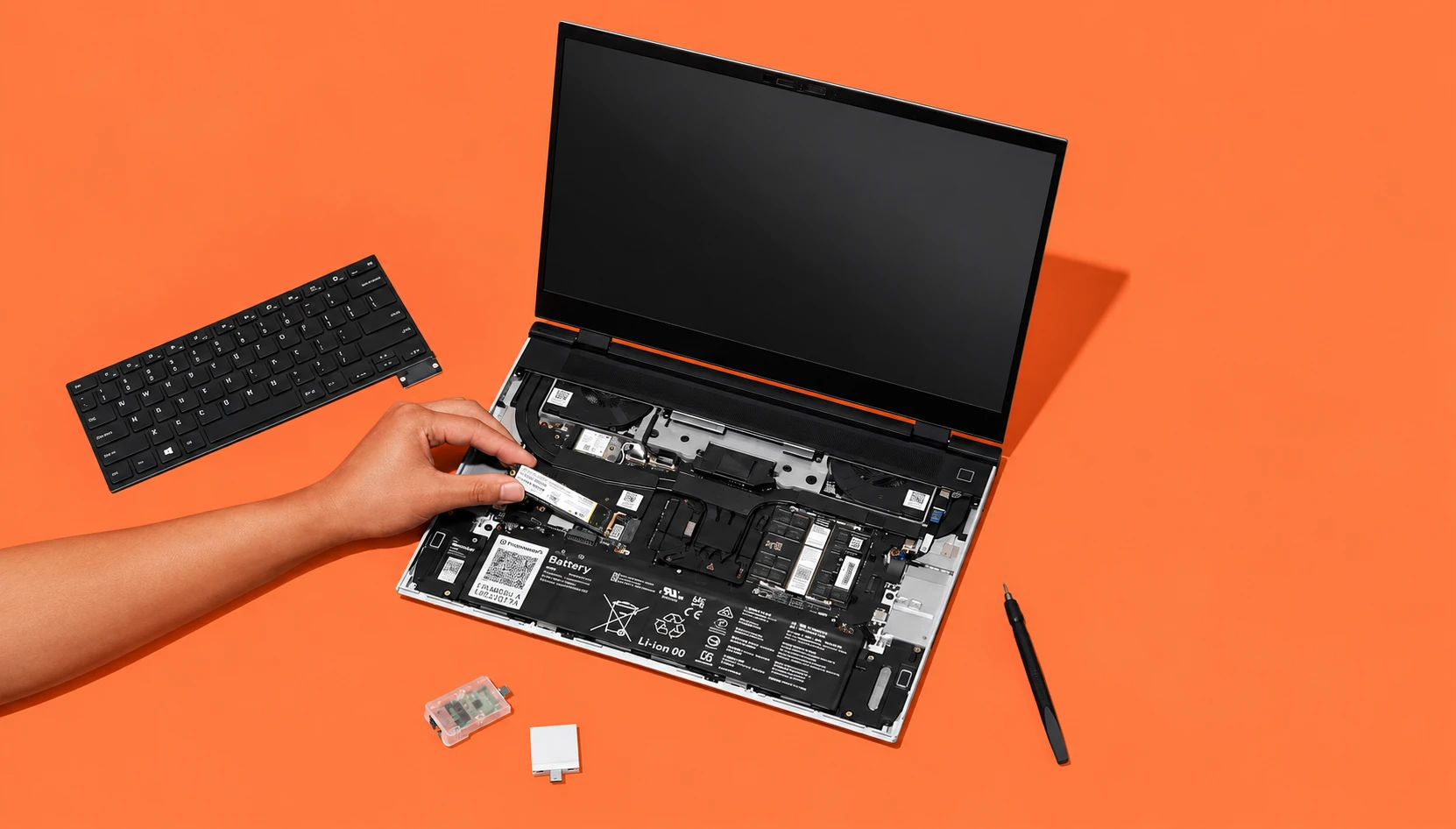
Yes, if you plan to keep one laptop for five years or more. The Framework Laptop 16 is the only 16-inch laptop where you can slide out the graphics card, swap the mainboard, and replace the keyboard yourself with the screwdriver that ships in the box. Prebuilt models start at $1,839, and the DIY Edition starts at $1,249 before you add memory, storage, and an operating system.
Buy it if you game on weekends, work in Linux, or hate the idea of binning a whole machine because one part aged. Skip it if you want the most frames per dollar. A conventional RTX 5070 laptop from Lenovo or ASUS costs less and runs the same GPU at higher power.
Framework Laptop 16 at a glance
| Category | Specifications |
| Price | DIY Edition from $1,249 Prebuilt from $1,839 (Ryzen AI 5 340, 16GB, 512GB) to $3,158 (Ryzen AI 9 HX 370, 64GB, 2TB) before a GPU |
| Processors | AMD Ryzen AI 5 340, Ryzen AI 7 350, Ryzen AI 9 HX 370 (up to 12 cores, 50 TOPS NPU) |
| Graphics | Integrated Radeon, or a swappable RTX 5070 Laptop GPU module in 8GB or 12GB GDDR7 (100W on AC, 50W on battery) |
| Display | 16-inch 2560×1600 matte, 165Hz, 500 nits, 100% DCI-P3 |
| Memory & Storage | Two SO-DIMM slots, up to 96GB DDR5-5600; one M.2 2280 plus one M.2 2230 slot |
| Battery | 85Wh, rated for 80% capacity after 1,000 cycles |
| Weight | 2.10kg without GPU, 2.40kg with the graphics module |
| New for 2026 | RTX 5070 12GB option, One Piece Haptic Touchpad, One Piece Keyboard |
| Standout Feature | A GPU you can upgrade without buying a new laptop |
| Main Drawback | You pay a clear premium over fixed RTX 5070 laptops |
What stands out
A graphics card you can swap out
The rear of the Framework Laptop 16 is an Expansion Bay that connects over PCIe x8. You either fit a slim shell with two fans, which keeps the laptop at 17.95mm thick, or slide in a graphics module that adds its own cooler and brings the rear to about 21mm.
Framework promised GPU upgrades when the first Laptop 16 shipped in 2023, and plenty of people doubted it would follow through. It did. The original module used an AMD Radeon RX 7700S. The RTX 5070 module replaced it in late 2025, and in 2026 Framework added a 12GB version of the same chip. If you bought a 2023 machine, you can buy the new module on its own and slide it in. The RX 7700S module sold for $350, the RTX 5070 8GB for $699, and the 12GB version lists at $1,199 according to launch coverage.

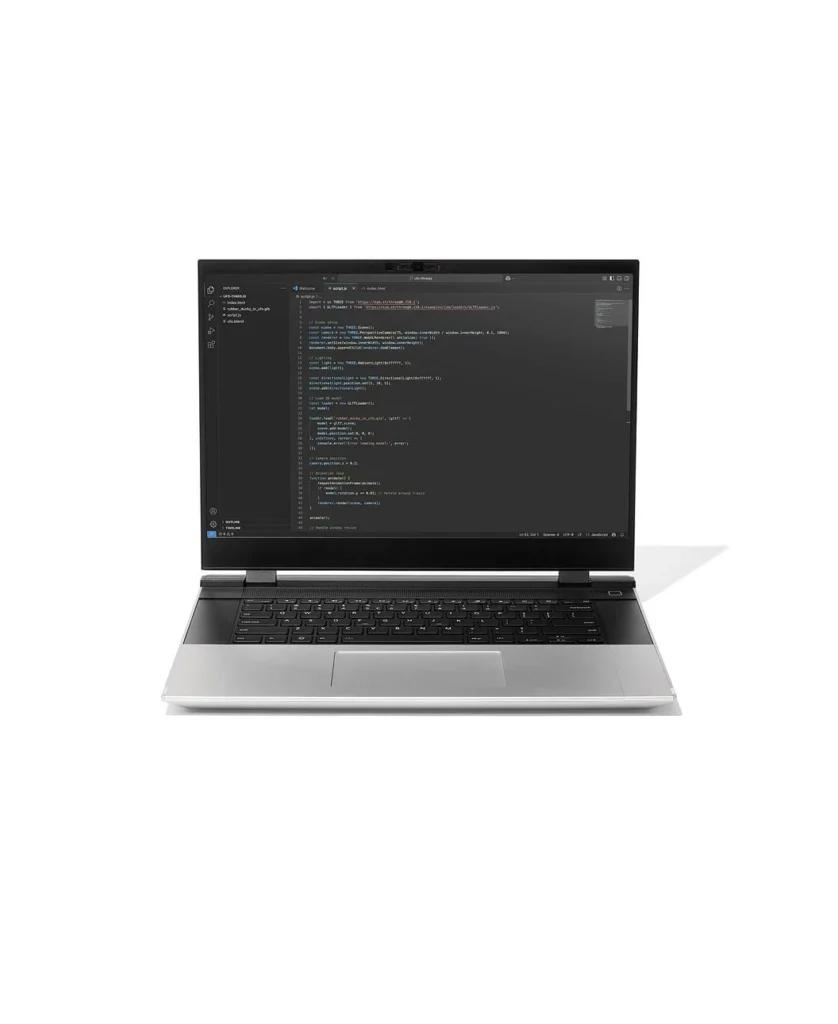
The NVIDIA module also carries its own rear USB-C port that handles charging up to 240W and DisplayPort output. That frees one of your six side slots, since you no longer need a side USB-C card for power.
A real jump in gaming performance
The Verge measured a 36 to 50 percent increase in average frame rates over the old RX 7700S module in Cyberpunk 2077 and Black Myth: Wukong. Framework’s own numbers, run with a Ryzen AI 7 350, line up with that.
On Framework’s gaming page, a Ryzen AI 7 350 paired with the RTX 5070 averages 96.76 fps in Cyberpunk 2077 against 69.68 fps for the same CPU with the RX 7700S. Framework does not list every setting, so read that as a direction of travel. The 12GB card does not add speed. Its value is headroom: newer games at 2560×1600 and local AI models run out of 8GB of VRAM fast, and the extra 4GB keeps more textures and model weights on the card.
Strong CPU results, especially on Linux
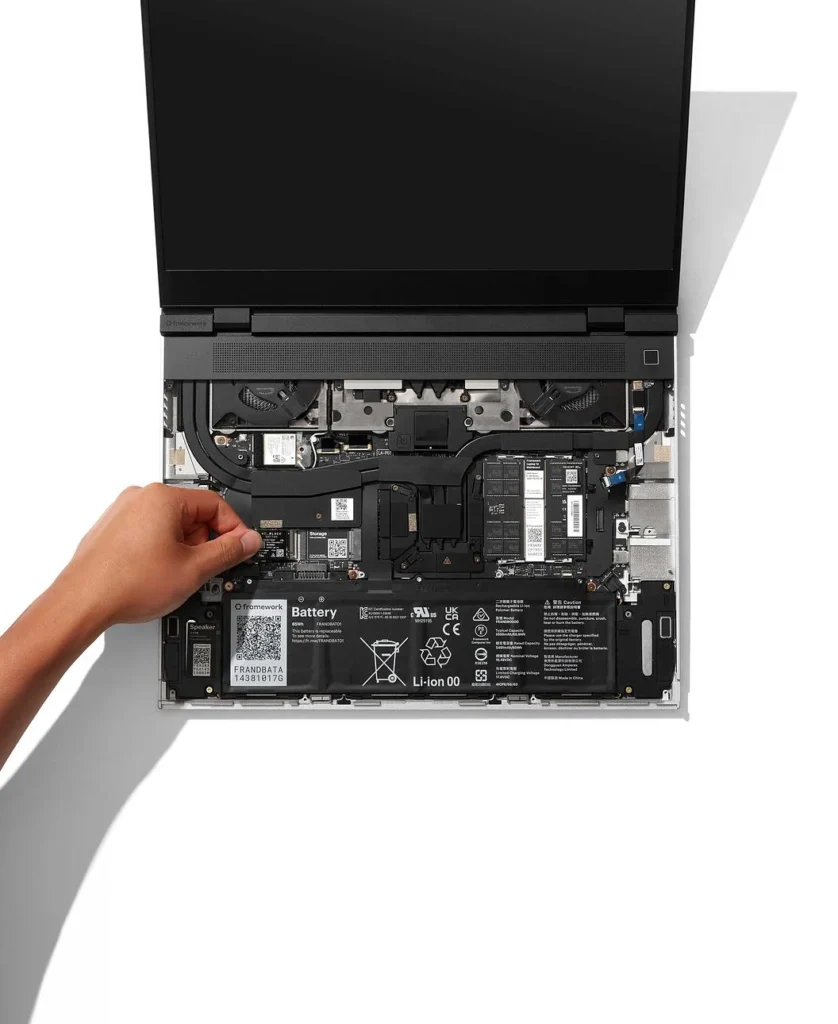
Phoronix ran more than 200 Linux benchmarks on a Ryzen AI 9 HX 370 unit with the RTX 5070 12GB module in August 2026. The Framework 16 beat every other HX 370 laptop in its test pool, which Phoronix credits to the larger chassis and better cooling. The fastest machine in that test, a Razer Blade 18 on Intel’s Core Ultra 9 290HX Plus, led by 1.32x on average but drew three times the processor power. Phoronix’s conclusion is that the Framework 16 remains a strong pick for Linux developers who need a discrete GPU.
Framework sells the DIY Edition with no operating system, publishes recommended Linux distros, and its fingerprint reader works with libfprint. Few laptop makers treat Linux as a first-class option at this size.
The 2026 input upgrades fix an old complaint
The original Laptop 16 let you place the keyboard left, centre or right, and filled the gaps with small spacer pieces. Owners liked the flexibility but some disliked the seams. The 2026 One Piece Haptic Touchpad does the same for the top row with an aluminium lattice. Every keyboard still runs open-source QMK firmware with 1.5mm of key travel. Phoronix called the pairing a clear improvement in daily use.
Parts you can buy and fit yourself
RAM sits in two SO-DIMM slots, so you can start at 16GB and move to 64GB later without paying Framework’s markup. The battery, display, hinges, ports, webcam and speakers are all sold as spares. Framework rates the 85Wh battery to keep 80% of its capacity after 1,000 cycles, and 85Wh sits under the 100Wh carry-on limit most airlines apply. The six Expansion Card slots let you choose your own mix of USB-C, USB-A, HDMI, DisplayPort, Ethernet, SD and audio.
Where it falls short
You pay for modularity
Framework’s launch price in August 2025 was $1,499 for the DIY Edition, and the RTX 5070 module added about $700. Today a prebuilt Ryzen AI 7 350 model with 32GB and 1TB lists at $2,058 before you add the GPU. Several reviewers point out that a fixed RTX 5070 laptop from a mainstream brand costs hundreds less for similar gaming performance. The 12GB module at $1,199 drew pushback on Framework’s own forum, where one owner noted you could buy two Framework Laptop 12s for the price of the card. Other forum members argued that the higher-density 12GB VRAM chips cost more to source, so part of the gap may sit with suppliers rather than Framework.
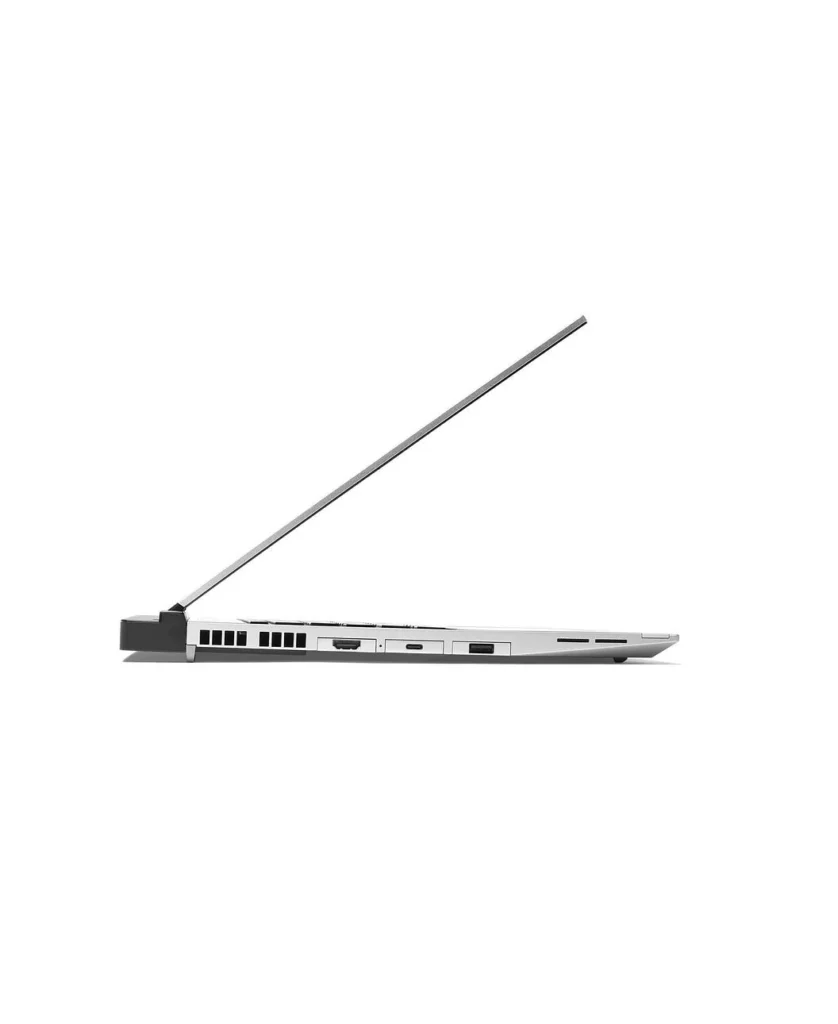
The maths only works if you use the upgrade path. If you never swap the GPU or mainboard, you have paid extra for a feature you did not use.
The RTX 5070 runs at 100W
Framework caps the RTX 5070 at 100W on AC and 50W on battery. Many fixed gaming laptops run the same chip with a higher power ceiling once you add NVIDIA’s Dynamic Boost. A watt cap does not make the Framework slow, but it means you leave some frames on the table compared with a thicker 16-inch gaming laptop using the same GPU. Unplugged, the 50W limit halves the GPU’s power budget, so plan to game near a socket.
Battery life depends on what’s in the back
The 85Wh cell is large, but a 2.4kg laptop with a discrete GPU drains it faster than a thin ultrabook. On the original model, TechRadar recorded 8 hours 49 minutes in a web-browsing test, while RTINGS said the 2023 machine would not last a full workday. Owners on Framework’s forum and on Lemmy describe sleep drain as a recurring annoyance on earlier boards. If battery life matters most, configure the Expansion Bay Shell for travel days and fit the GPU module at home. That swap takes a few minutes and is the most practical way to use this laptop’s design.
It’s heavy, and the GPU adds a bulge
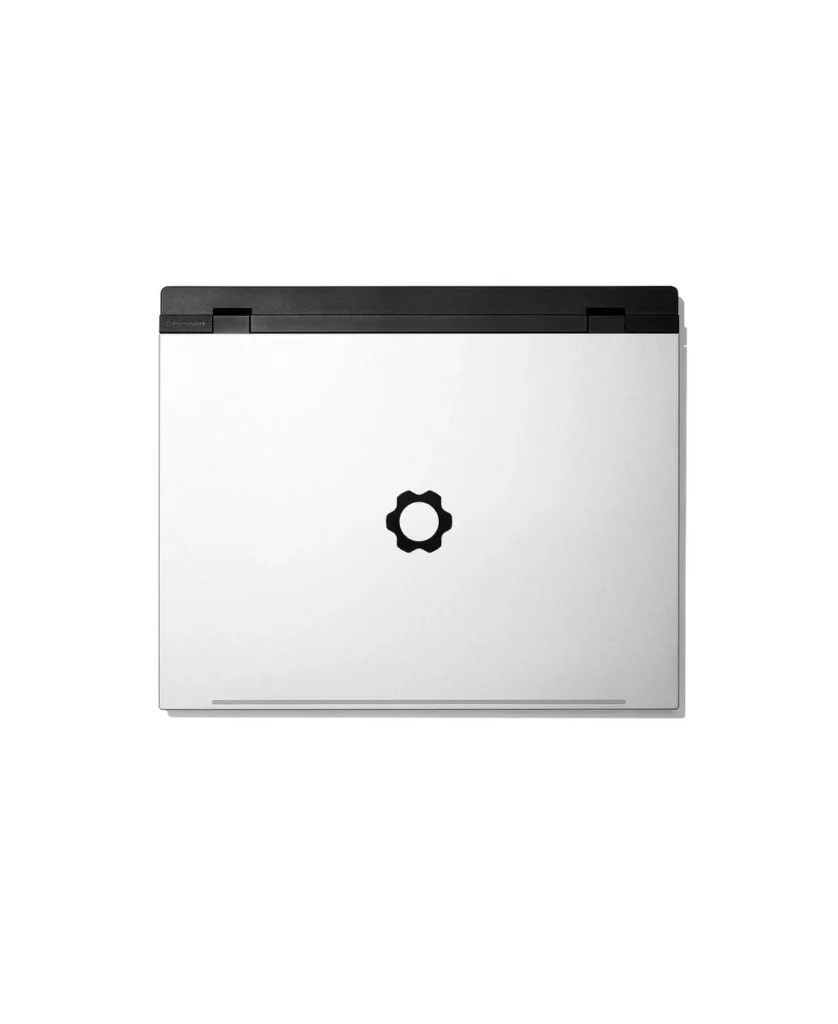
At 2.40kg with the graphics module, the Framework 16 weighs about the same as a mid-range gaming laptop, not a slim 16-inch workstation. The module also pushes the depth from 270mm to 290mm and adds a raised section at the rear. Check that your backpack sleeve fits a 290mm-deep machine before you order.
Small gaps that cost extra
There is no built-in headphone jack. You use an Audio Expansion Card ($19), which takes one of your six slots. Shipping dates also slip: the 12GB GPU batches on the configurator moved from June to August 2026. Some owners also report firmware bugs and say Framework is slow to acknowledge them, and a few forum users running the Ryzen AI 300 board under Linux report touchpad lag that the older 7040 board did not show. These are owner reports, not lab findings, but they come up often enough to note.
The 2026 touchpad has a layout catch
The One Piece Haptic Touchpad sits centred. If you use the Numpad or RGB Macropad with an offset keyboard, owners on Framework’s forum point out that the centred pad ends up off-centre relative to your hands. Framework does not sell an offset version yet.
How it compares with the Lenovo Legion Pro 5, ASUS ROG Zephyrus G16 and Framework Laptop 13 Pro
The Framework 16 wins on what you can change after purchase. It loses on screen tech, weight and price per frame.
| Feature / Model | Framework Laptop 16 (2026) | Lenovo Legion Pro 5 (Gen 10) | ASUS ROG Zephyrus G16 (2025) | Framework Laptop 13 Pro |
| Top GPU Option | RTX 5070 12GB, 100W | Up to RTX 5080 | Up to RTX 5090 | Integrated only |
| GPU Upgradeable Later | Yes, slide-in module | No | No | No |
| RAM | 2x SO-DIMM, up to 96GB | 2x SO-DIMM | Soldered | Check current spec |
| Display | 2560×1600 IPS, 165Hz, matte | 2560×1600 OLED, 240Hz | 2560×1600 OLED, 240Hz | 13.5-inch 3:2 touch |
| Weight | 2.10kg to 2.40kg | About 2.5kg | About 1.9kg | Lighter, 13-inch class |
| Mainboard Upgradeable | Yes | No | No | Yes |
| Ports | 6 swappable slots plus GPU USB-C | Fixed | Fixed | 4 swappable slots |
Better for gaming per dollar: Legion Pro 5
If you want the most frames for your money and plan to replace the laptop in three or four years, the Legion Pro 5 is the safer buy. It offers faster GPU tiers, an OLED screen with a higher refresh rate, and Lenovo’s thermals give the GPU more power than Framework’s 100W cap. You keep upgradeable RAM too. You lose the option to drop in a new GPU in 2028.
Better for portability: Zephyrus G16
The Zephyrus is about half a kilo lighter than a GPU-equipped Framework 16 and offers up to an RTX 5090. Its RAM is soldered, so the memory you buy on day one is the memory you keep. Pick it if you carry your laptop daily and won’t open it up.
Better for travel and Linux coding: Framework Laptop 13 Pro
Framework pitches its new 13 Pro as a “MacBook Pro for Linux users.” If you don’t game and don’t need CUDA, the 13 Pro gives you the same repair-friendly design at a size you can carry all day. Choose the 16 only if you need the discrete GPU or the bigger screen.
Better for longevity: Framework Laptop 16
No other 16-inch laptop on sale lets you replace the GPU, the CPU board, the keyboard and the ports yourself. If you bought the 2023 model, you can already move to Ryzen AI 300 and an RTX 5070 without replacing the screen, chassis or battery. That track record is the strongest argument for buying one now.
Who should buy the Framework Laptop 16?
Linux developers who need a GPU. Phoronix’s results and Framework’s Linux support make this the easiest 16-inch Linux laptop to recommend. The RTX 5070 12GB module also gives you CUDA for local AI work.
Gamers who upgrade in stages. Start with the Expansion Bay Shell and integrated graphics, then add the RTX 5070 module when your budget allows. You can sell the old module later and fit whatever Framework ships next.
Anyone tired of replacing a whole laptop for one dead part. A cracked keyboard deck, a worn battery or a broken USB port is a parts order, not a new machine.
Who should skip it: buyers chasing the best frame rate per dollar, anyone who wants an OLED screen, and people who carry a laptop all day and care about every 100 grams.
Picking your configuration
For most readers, the Ryzen AI 7 350 is the sweet spot. The HX 370 adds four cores, which helps with code compilation and rendering but does little for gaming at 100W. Buy the DIY Edition if you are comfortable with a screwdriver; Framework rates assembly at 10 to 20 minutes, and you can bring your own RAM and SSD to cut the price. Choose the 12GB RTX 5070 only if you run local AI models or play recent games at full resolution with high textures. For everything else, the 8GB module saves you hundreds.
Frequently asked questions
Q. Can you upgrade the GPU in the Framework Laptop 16?
A. Yes. The graphics module slides into the rear Expansion Bay and connects over PCIe x8. Owners of the 2023 model can buy the RTX 5070 module on its own and install it.
Q. Is the Framework Laptop 16 good for gaming?
A. With the RTX 5070 module, yes. The Verge measured 36 to 50 percent higher average frame rates than the previous RX 7700S module. A conventional RTX 5070 laptop with a higher power limit will still run a little faster.
Q. How much does the Framework Laptop 16 cost in 2026?
A. The DIY Edition starts at $1,249 and prebuilt models start at $1,839 without a discrete GPU. A Ryzen AI 9 HX 370 build with 64GB of RAM and 2TB of storage lists at $3,158 before the graphics module.
Q. What is the battery life of the Framework Laptop 16?
A. It has an 85Wh battery. TechRadar measured 8 hours 49 minutes of web browsing on the original model. Runtime drops with the GPU module in use, and independent figures for the 2026 board are still limited. On battery the RTX 5070 drops to a 50W limit.
Q. Does the Framework Laptop 16 have a headphone jack?
A. No. You add an Audio Expansion Card in one of the six slots.
Q. Can I run Linux on the Framework Laptop 16?
A. Yes. The DIY Edition ships without an OS, Framework lists recommended distributions, and the fingerprint reader works with libfprint.
Q. Is the Framework Laptop 16 worth it over a regular gaming laptop?
A. It is worth it if you will use the upgrade path. If you plan to replace your laptop every three years anyway, a fixed gaming laptop gives you more performance for the same money.