
 Shikha Kumari
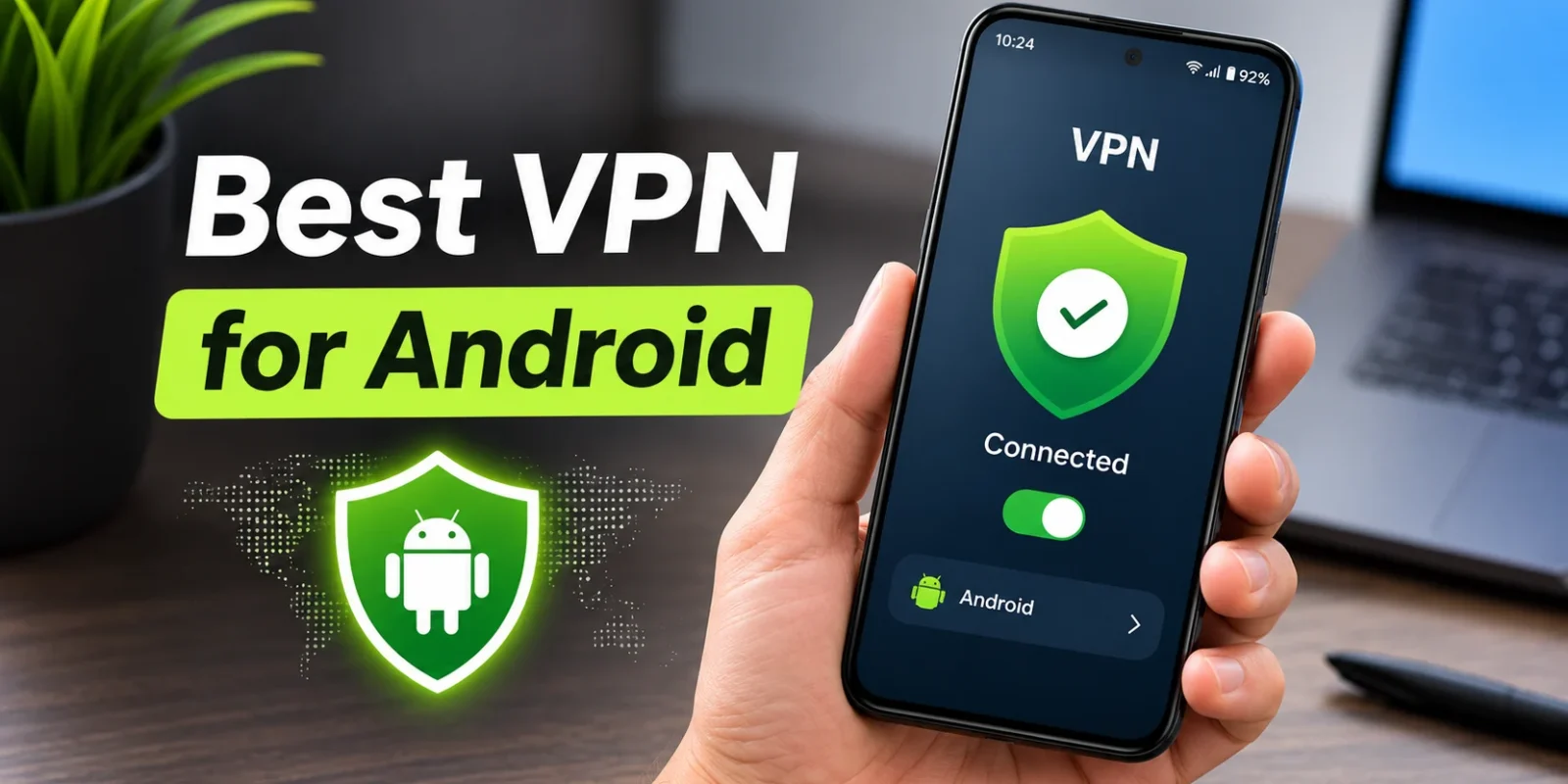
For most people, the best VPN for Android is Surfshark: it’s cheap, covers unlimited devices, and has an app reviewers rate highly. NordVPN scores highest overall in several reviews, and Proton VPN is the best free VPN for Android because it has no data cap and no ads.
Picking well is worth a few minutes on a phone you also use for banking, shopping, and email. In 2025, researchers from Arizona State University and Citizen Lab found that some of Google Play’s most-downloaded VPN apps, with more than 700 million downloads between them, were secretly linked and shared serious security flaws. This guide covers the six VPNs reviewers trust most on Android, both paid and free, plus how to set one up, what it does to your battery, and how to spot a risky app.
We checked prices and features on each provider’s site and on Google Play in November 2026, and we credit test results to Security.org, PCMag, and TechRadar.
| Pick | Best for | Price from (Nov 7, 2026) | Free plan? |
|---|---|---|---|
| Surfshark | Best value, unlimited devices | $2.49/mo (2-year plan) | No, 7-day trial and 30-day refund |
| NordVPN | Best overall features and privacy | $3.49/mo (2-year plan) | No, 30-day refund |
| ExpressVPN | Easiest to use | $2.99/mo (2-year plan) | No, 30-day refund for new users |
| Proton VPN | Best free VPN (no data cap) | Free; Plus from $3.49/mo | Yes |
| Windscribe | Best free VPN for several devices | Free (10GB a month); Pro $5.75/mo yearly | Yes |
| Private Internet Access | Best value for customisation | $2.03/mo (3-year plan) | No, 30-day refund |
The Best VPNs for Android in 2026
Each pick below has the same details, so you can compare them quickly: who it’s best for, the price, its Android features, what reviewers found, and the catch.
1. Surfshark: Best Value VPN for Android
Best for: Anyone who wants a premium VPN on a budget, or a household with lots of phones, tablets, and TVs.
Price: $2.49 a month on the 2-year Starter plan, billed as $67.23 for the first 27 months, then $79 a year (Surfshark pricing).
Android features:
- Unlimited devices: One subscription covers every phone, tablet, and TV in the house.
- Android TV app: A dedicated app for Android TV and TV boxes, available on Google Play.
- CleanWeb: Blocks ads and trackers before they load.
- Bypasser: Lets you keep chosen apps, like your banking app, off the VPN.
- Kill switch and obfuscation: The kill switch cuts your connection if the VPN drops, and obfuscation helps the VPN work on networks that try to block it.
- Dynamic MultiHop: Routes your traffic through two servers for extra privacy.
What reviewers found: Security.org scores Surfshark 9.5 out of 10 and names it the “best app performance” pick for Android in its Android VPN guide. TechRadar goes further and calls it the best Android VPN overall, praising its home-screen widgets and low price. On Google Play, it has a 4.6 rating from about 325,000 reviews, and the app was last updated on October 26, 2026. In r/androidapps, one Android user calls it solid for both battery and speed.
Watch out for: The price rises at renewal, from about $2.49 a month to $79 a year. Surfshark is also based in the Netherlands, part of the 14 Eyes intelligence-sharing alliance, which CNET notes can concern people with critical privacy needs. Its Deloitte-audited no-logs policy is why most reviewers still rate Surfshark safe for everyday use.
With low long-term pricing and unlimited connections, Surfshark VPN suits Android households that want every device covered on one plan, and unlimited devices are also its main edge in Surfshark vs ExpressVPN.
2. NordVPN: Best Overall Features and Privacy
Best for: People who want the most complete privacy toolkit and don’t mind paying a bit more.
Price: $3.49 a month on the 2-year Basic plan, billed as $94.23 for the first 27 months, then $139.08 a year, for up to 10 devices (NordVPN pricing).
Android features:
- NordLynx: NordVPN’s fast protocol, built on WireGuard.
- Kill switch: Stops traffic if the connection drops.
- Malicious site blocking: The app blocks dangerous websites. NordVPN says the Google Play version can’t block ads because of Play Store rules, while the version downloaded from its own site can.
- Android TV app: Available on Google Play for TVs and TV boxes.
- Android support: Works on Android 9.0 or later.
What reviewers found: Security.org ranks NordVPN first overall for Android with a score of 9.7, labelling it “best privacy features”. TechRadar names it the best VPN overall, and PCMag picks it as the best Android VPN for experienced users. It has the most Google Play ratings of any pick here, at 4.6 from about 1.38 million reviews. An r/androidapps user who has run it on Android for over a year describes it as stable with no battery drain, and finds its Threat Protection feature handy.
Watch out for: The renewal price is the highest on this list at $139.08 a year. On the question “why avoid NordVPN?”, critics usually point to a 2018 incident: NordVPN confirmed in October 2019 that one server it rented at a Finnish data center had been accessed without permission, and said the server contained no user activity logs (TechCrunch).
NordVPN is built for people who want reliable performance, strong privacy and extra security features, while the choice between Surfshark vs NordVPN mostly turns on price and device count.
3. ExpressVPN: Easiest Android App
Best for: First-time VPN users who want one tap to connect and no settings to learn.
Price: $2.99 a month on the 2-year Basic plan, billed as $83.72 for the first 28 months, then $99.95 a year (ExpressVPN pricing).
Android features:
- Lightway protocol: ExpressVPN’s own protocol, designed for fast, stable connections.
- Advanced Protection: Blocks ads, trackers and malicious sites on every plan.
- Simple app: CNET calls ExpressVPN’s apps the easiest to use on virtually any platform.
- Audited no-logs policy: KPMG confirmed ExpressVPN’s no-logs policy as of February 28, 2025.
What reviewers found: Security.org rates ExpressVPN 9.1 and names it the “best encryption” pick, and PCMag calls it the best Android VPN for location spoofers. It has a 4.6 Google Play rating from about 497,000 reviews, and its app was the most recently updated of these six, on November 6, 2026.
Watch out for: It costs more than Surfshark on long plans, and it covers 10 devices on Basic, 12 on Advanced, and 14 on Pro. It also used the most battery in Security.org’s tests, at 5.2% an hour.
ExpressVPN puts consistency and simplicity ahead of extra features, which is why it suits first-time users.
4. Proton VPN: Best Free VPN for Android
Best for: Anyone who wants a trustworthy VPN without paying, or a privacy-first paid option.
Price: Free, or $3.49 a month for VPN Plus on the 2-year plan, billed as $83.76 for the first 24 months, then $83.88 a year (Proton VPN pricing).
Free plan: No data cap and no ads, with one device, medium speeds and servers in 10 countries. The app picks a free server for you instead of letting you choose one.
Android features:
- Open-source apps: Anyone can inspect the code.
- Kill switch: Included on the free plan.
- NetShield: An ad and tracker blocker on paid plans.
- Swiss base: Proton is based in Switzerland, which has strong privacy laws.
What reviewers found: PCMag names Proton VPN the best Android VPN overall and calls it the only genuinely free VPN on its list because there’s no data limit. Security.org rates it 9.4 as the best free VPN for Android, and it used the least battery in Security.org’s tests, at 4.0% an hour. It also has the highest Google Play rating of the six, 4.7 from about 1.49 million reviews.
Watch out for: The free plan covers one device only, and you can’t pick your server, so it’s not ideal for streaming.
An audited no-logs policy, open-source apps and a usable free plan make Proton VPN the privacy-first pick on this list.
5. Windscribe: Best Free VPN for Several Devices
Best for: People who want free protection on a phone, a tablet, and a laptop at the same time.
Price: Free, or Pro at $9 a month or $69 a year ($5.75 a month), according to Windscribe’s help center.
Free plan: 10GB of data a month once you confirm your email address (2GB without), servers in 10 countries, and unlimited devices, with no time limit.
Android features:
- Unlimited devices, even on free: Rare among free VPNs.
- Protocol choice: WireGuard, OpenVPN and IKEv2 on Pro.
- R.O.B.E.R.T.: An ad, tracker, and malware blocker on Pro.
What reviewers found: PCMag picks Windscribe as its best Android VPN for company transparency. On Google Play, it matches Proton’s 4.7 rating, from about 329,000 reviews, with an update on November 3, 2026.
Watch out for: 10GB a month runs out fast if you stream video. It’s best for browsing, maps, and public Wi-Fi, but not nightly Netflix.
6. Private Internet Access: Best Value for Customisation

Best for: People who like to tweak settings and want the lowest long-term monthly price.
Price: $2.03 a month on the 3-year plan, billed as $81.20 for 40 months, then $81.20 every three years; or $47.88 for one year (PIA pricing).
Android features:
- Unlimited devices: One plan covers every device you own.
- Split tunnelling: Choose which apps use the VPN.
- Advanced kill switch: Blocks traffic whenever the VPN isn’t connected, even if you switch it off yourself.
- Protocol choice: WireGuard or OpenVPN, with servers in 113 countries.
What reviewers found: Security.org rates PIA 9.4 and calls it the “best value” VPN for Android. Security.org named IPVanish its fastest Android VPN (9.3), but PIA scores higher overall and adds unlimited devices.
Watch out for: Its Google Play rating, 4.4 from about 109,000 reviews, is the lowest of the six, and the lowest price needs a three-year commitment.
Other Free Android VPNs Worth Knowing
Two more free options come up often:
- PrivadoVPN Free: 10GB a month on unlimited devices, according to PrivadoVPN. TechRadar lists it among its Android picks.
- Hide.me Free: No data cap, eight server locations, and one device, according to hide.me.
Free vs. Paid: Is a Free VPN Good Enough on Android?
A trusted free VPN like Proton is fine for browsing and public Wi-Fi. Paid VPNs are faster, work with more streaming services, and let you choose your server.
| Trusted free VPN | Paid VPN | |
|---|---|---|
| Data | Unlimited (Proton) or about 10GB a month (Windscribe) | Unlimited |
| Speed | Medium, often on busier servers | Full speed |
| Server choice | Limited or automatic | Every location |
| Streaming | Unreliable | Usually works |
| Devices | 1 (Proton) to unlimited (Windscribe) | 10 to unlimited |
| How it’s paid for | Paid users fund the free plan | Your subscription |
So, is there a 100% free VPN? Yes, a few trustworthy ones exist, with limits: Proton VPN and Hide.me have no data cap, and Windscribe gives 10GB a month. In r/androidapps, Proton VPN is the free option Android users recommend most, often because its free plan is truly unlimited, with Windscribe’s 10GB plan as the usual second choice. The same threads carry a plain warning about the rest: free and reliable rarely go together, and if an unknown app costs nothing, your data may be what pays for it. Several users who rely on a VPN every day say they ended up on a paid plan and kept a free one for occasional use.
Unknown free VPNs are a different story. Running servers costs money, so a free app from a company you can’t identify has to earn it somewhere, often from ads or your data. The 2025 “Hidden Links” study by Arizona State University and Citizen Lab researchers showed how some popular free apps hid their ownership and shared weak security, which is why the brand behind a free VPN counts as much as the price.
How to Choose the Best VPN for Your Android Phone
To find the best VPN app for Android, check five things: an audited no-logs policy, a modern protocol (WireGuard or similar), a kill switch, how many devices it covers, and the real price after renewal.
- Audited no-logs policy: An outside firm has checked the company’s claim that it doesn’t record your activity.
- Modern protocol: WireGuard, NordLynx, or Lightway are faster and easier on your battery than older protocols.
- Kill switch: Stops your traffic from leaking if the VPN drops, for example, when you move from Wi-Fi to mobile data.
- Device count: Count your phones, tablets, TVs, and laptops before you buy.
- Renewal price: The headline monthly price often only lasts for the first term.
Two extra checks for Android:
- An Android TV app: If you stream on an Android TV or a Fire TV Stick, make sure the VPN has a dedicated TV app.
- Google Play rating and update date: A high rating from hundreds of thousands of reviews and an update in the last month show the app is actively maintained.
Does Android Have a Built-In VPN?
Android has built-in VPN settings, including “Always-on VPN” and “Block connections without VPN”, but on most phones it doesn’t come with a free VPN service. You still need a VPN app or provider.
The exception is Google’s own phones. According to Android Help, Pixel 7 and later phones and the Pixel Tablet include the built-in VPN by Google at no extra cost, in countries where it’s available. It replaced the Google One VPN, which ended in 2024.
You’ll find the settings under Settings > Network & internet > VPN on Pixel and many other phones. The wording varies by maker, and Samsung’s menu is laid out differently, so search your settings for “VPN” if you can’t find it.
How to Set Up a VPN on Android
Installing a VPN from Google Play takes about two minutes:
- Install the app: Download it from Google Play, and check that the developer name matches the official company.
- Sign in: Log in with your account, or start the free plan.
- Allow the connection request: Android asks once for permission to set up a VPN. Tap OK.
- Pick a server: Choose a country, or tap “fastest” or “quick connect”.
- Turn on the kill switch: Find it in the app’s settings.
- Turn on Always-on VPN: Go to Settings > Network & internet > VPN, tap the gear next to your VPN, and switch on “Always-on VPN” and “Block connections without VPN”.
On Android TV and Fire TV, install the same provider’s TV app from the device’s app store and sign in with the same account.
If the VPN keeps disconnecting, Android’s battery saver is the usual cause. Set the VPN app’s battery use to Unrestricted in its app settings, and keep Always-on VPN switched on. Users in r/androidapps note that other apps can still compete for the phone’s resources, so if the drops continue, contact the VPN’s support team.
Will a VPN Drain Your Android Battery?
A little. Most of the extra drain comes from the protocol you use and from keeping the VPN always on.
In Security.org’s battery testing, the six apps used between 4.0% and 5.2% of the battery per hour: Proton VPN used the least and ExpressVPN the most. Security.org found VPNs drained phones 10% to 15% faster than normal use, and estimated that Always-on VPN adds about 1% to 2% an hour while your phone is idle. Owners in r/ProtonVPN describe a similar picture in daily use: one Galaxy S23 Ultra owner saw 0.3% drain after eight hours, and another puts it at about 7% a day.
Two tips keep the drain down:
- Use WireGuard: Security.org found it the most battery-efficient protocol, and OpenVPN the heaviest.
- Turn off Always-on at home: If battery life comes first, switch it off on your trusted home Wi-Fi and back on when you leave.
How to Avoid Unsafe VPN Apps on Google Play
Stick to VPNs with an audited no-logs policy and a known company behind them. Google Play lists hundreds of VPN apps, and the “Hidden Links” researchers found that the store treated linked apps as separate products, so the listing alone doesn’t tell you who runs the service.
Watch for these red flags:
- No company name or address: A real provider tells you who it is and where it’s based.
- No privacy policy: Or one that’s vague about what’s collected.
- “Unlimited free” with heavy ads: The ads usually pay for the service, and the data often does too.
- Permissions it doesn’t need: Security.org warns about VPNs asking for contacts, SMS, call logs or the microphone. A VPN only needs network access.
- A copycat developer name: Fake apps imitating big brands have appeared, so match the developer to the official company.
Avoid “MOD APK” VPN downloads completely. These are modified copies of paid apps shared on third-party sites, and NordVPN warns they can’t be updated and can be used to steal your login details.
What’s the Best VPN for Android Gaming and Streaming?
For streaming on your phone or Android TV, ExpressVPN is the top overall pick, and Surfshark is the best budget pick among the best VPNs for streaming. For gaming, pick a VPN with a fast modern protocol and connect to the nearest server, since a VPN adds a little ping. The best VPN for gaming keeps that added ping low with servers close to you.
So, Which VPN Should You Use on Android?
Surfshark for most people on value, NordVPN for the most features, and Proton VPN if you want free.
- Choose Surfshark if you want the best price and every device in the house covered.
- Choose NordVPN if you want the strongest privacy features and the top Security.org score.
- Choose ExpressVPN if you want the simplest app and don’t mind paying more.
- Choose Proton VPN if you want a free VPN with no data cap.
- Choose Windscribe if you want free protection on several devices.
- Choose Private Internet Access if you like to customise settings and want the lowest long-term price.
[Get Surfshark]
Conclusion
The best VPN for Android depends on what you need, but the choice is simpler than the Play Store makes it look. Pick Surfshark for value, NordVPN for features, or Proton VPN for free. Whichever you choose, turn on the kill switch and Always-on VPN so nothing leaks when your connection changes. And skip unknown free apps and modded APKs, because a VPN you can’t trust is worse than no VPN at all.
Prices, features, and free-plan limits were confirmed in November 2026 and change often. TechZeeno did not test these apps hands-on; test results are credited to the outlets that ran them. This page contains affiliate links.
Frequently Asked Questions
Q. What Is the Best VPN for Android?
Surfshark is the best VPN for Android for most people, because it’s cheap, covers unlimited devices, and is TechRadar’s top Android pick. NordVPN scores highest overall at Security.org (9.7), and Proton VPN is the best free option.
Q. What Is the Best Free VPN for Android?
Proton VPN is the best free VPN for Android. Its free plan has no data cap and no ads, and it includes a kill switch. The limits are one device and no choice of servers. Windscribe is the best free pick for several devices.
Q. Does Android Have a Built-In VPN?
Yes and no. Android has built-in VPN settings, like Always-on VPN, but most phones don’t include a free VPN service. Pixel 7 and later phones and the Pixel Tablet are the exception, with Google’s VPN built in at no extra cost.
Q. Is There a 100% Free VPN?
Yes, a few trustworthy free VPNs exist. Proton VPN and Hide.me have no data cap, and Windscribe offers 10GB a month. Each has limits on devices, servers, or speed, and none matches a paid VPN for streaming.
Q. Are Free VPNs Safe on Android?
Yes, if they come from a known company with an audited policy, like Proton VPN or Windscribe. Unknown free apps are riskier: a 2025 study found popular free VPNs on Google Play with hidden owners and weak security.
Q. Does a VPN Slow Down an Android Phone?
Only a little for most people. A VPN can cut your internet speed slightly and add some battery drain, about 4% to 5% an hour in Security.org’s tests. Using WireGuard and a nearby server keeps the impact small.
Q. Can I Use One VPN Subscription on My Android Phone and Other Devices?
Yes. Every pick here covers several devices: Surfshark, Windscribe, and PIA allow unlimited devices, NordVPN and Proton VPN Plus allow 10, and ExpressVPN allows 10 to 14. Surfshark and ExpressVPN also rank among the best VPNs for iPhone, so one subscription can cover both phones.