
 Shikha Kumari
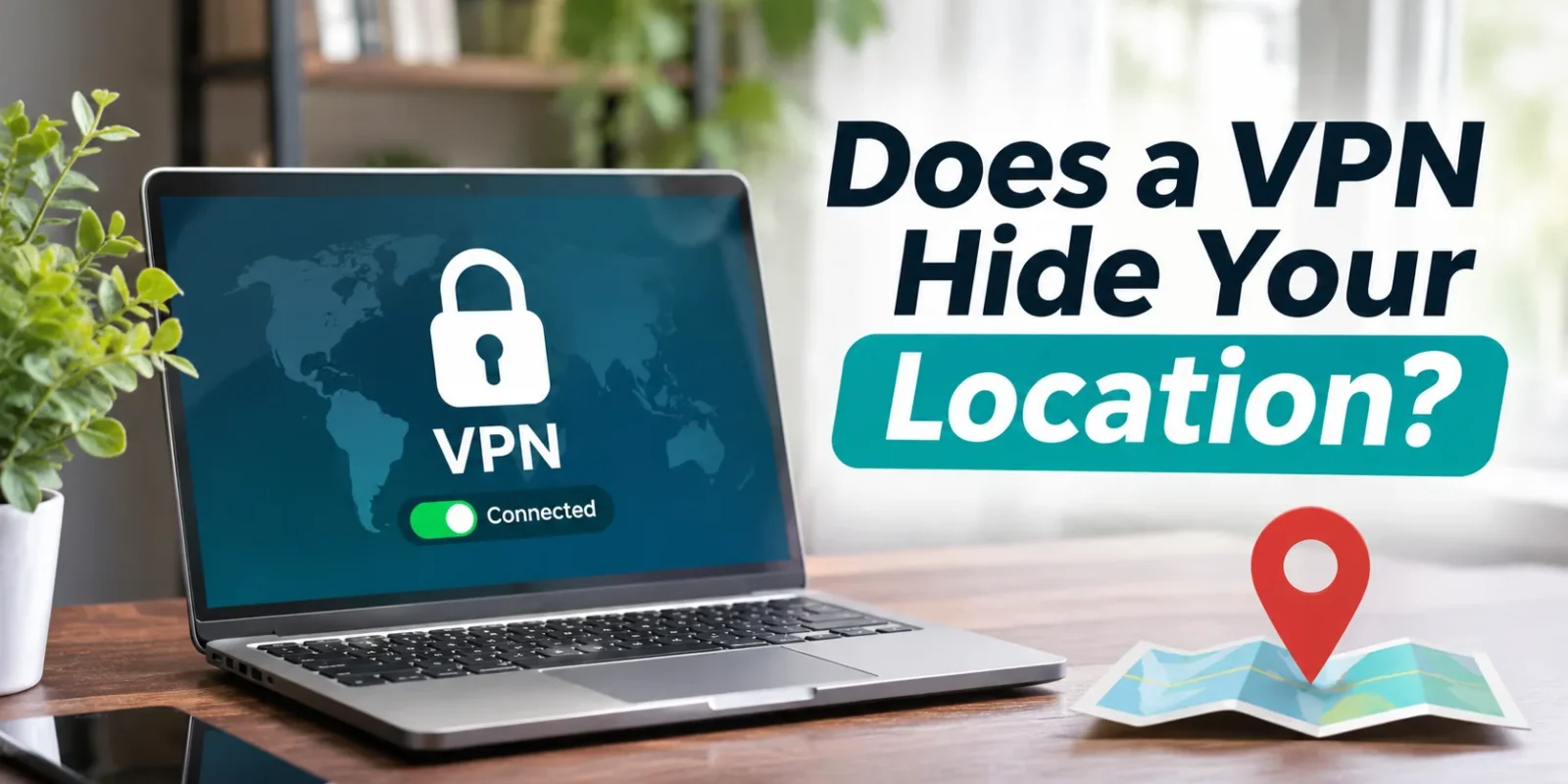
You’ve switched on your VPN and picked a server in another city, so does a VPN hide your location now? Partly. A VPN hides your IP-based location, so websites see the VPN server’s city or country instead of yours. It doesn’t hide your GPS location, your logged-in accounts or the other signals that apps and Google use.
That’s why a streaming site can think you’re in another country while Google Maps still drops the blue dot on your own street. So can a VPN hide your location from Google? Only the part that comes from your IP address. Your account, nearby Wi-Fi and your phone’s GPS keep talking.
Key facts: who can see your location with a VPN on
| Who’s looking | Does a VPN hide your location? | Why |
| Websites | Yes, mostly | They see the VPN server’s IP location |
| Your internet provider (ISP) | Your activity yes, your home no | They know where your connection is |
| Google (logged in) | No, not fully | Account history, GPS, Wi-Fi data |
| Phone apps with location permission | No | They read GPS directly |
| Streaming services | Yes, if the VPN isn’t detected | They use IP location |
| Your VPN provider | No | It sees your real IP (choose a no-logs VPN) |
| Mobile carrier | No | Cell towers locate your phone |
Checked against Apple Support and Google Account Help location pages.
How does a VPN hide your location?
A VPN sends your traffic through one of its servers, so websites see that server’s IP address and location instead of yours. Every site needs an IP address to send data back to, and that address is the main clue a website gets about where you are.
An IP address points to a rough area, usually a city or region, and never to your front door. MaxMind, one of the largest IP-location databases, says it places 60% of US IP addresses within 50 km of the right spot. Another 32% land in a city more than 50 km away, and 8% get no city at all.
With a VPN on, your data takes this route:
- Your device: The VPN app encrypts your traffic.
- Encrypted tunnel: The scrambled data travels to the VPN server, so your ISP or the café Wi-Fi can’t read it.
- VPN server: The server sends your request on using its own IP address.
- Website: The site replies to the server, which passes the answer back to you.
Say you’re in Austin, Texas and connect to a New York server. A weather site, store locator or news page now sees a New York IP address and shows you New York results.
What does a VPN hide, and what doesn’t it?
A VPN hides your IP address and the location tied to it; it doesn’t hide anything your device or accounts report directly. Here’s how the two lists look side by side.
What a VPN hides
- Your real IP address: Sites, apps and game servers see the VPN server’s address.
- Your IP-based city and region: IP lookups place you wherever the server is.
- Your browsing from your ISP and Wi-Fi owners: They see an encrypted link to the VPN, so they can’t tell which sites you open.
What a VPN doesn’t hide
- GPS and Location Services: Your phone works out its position from satellites and hands it to any app you’ve allowed.
- Wi-Fi and Bluetooth scanning: Phones match nearby networks and Bluetooth signals to known spots, which works indoors.
- Cell tower location: Your phone talks to your carrier’s towers outside the VPN tunnel.
- Logged-in accounts and their saved addresses: Google, Amazon and Uber already know your home address and order history.
- Cookies and browser fingerprinting: A site that saved your location in a cookie still remembers it, and fingerprinting recognizes your browser from details like fonts and screen size.
- Your device’s time zone and language: A laptop set to Central Time and US English tells a site something your IP can’t.
- The fact that you’re using a VPN: Many sites keep lists of known VPN server IPs, and r/Android users have complained that any Android app can ask the system whether a VPN is running.
Cookies catch out a lot of people. In one r/VPN thread, a user on a wired desktop with Bluetooth off was still located by a browser geolocation test, and the top reply blamed a location permission they’d granted earlier that was saved in cookies.
Can someone find your location if you use a VPN?
A website or another user usually can’t find your real location from your IP when a VPN is on, but apps with location permission, the services you’re logged into and your mobile carrier still can.
| Who | What they see with a VPN on |
| Websites, other players and peers | The VPN server’s IP and its city |
| Apps with GPS permission | Your real location |
| Services you’re signed into | Your account, saved places and history |
| Your mobile carrier | Your real location, from cell towers |
| Your VPN provider | Your real IP address |
The last two rows surprise people most. A reply in the Purism community forum puts the carrier point bluntly: “the service provider knows where you are, period.” The same thread adds that you’re trusting your VPN company with your real IP, which is why its logging policy is the thing to check before you subscribe.
Can anyone see what I’m looking at with a VPN? Your ISP can’t see the pages you visit, because it only sees encrypted traffic going to the VPN server. The websites themselves still see everything you do on them, along with any account you’re signed into.
What can leak your real location even with a VPN on?
A few technical leaks can expose your real IP even while the VPN looks connected. Each one is a side door around the tunnel:
- DNS leak: Your device asks your ISP’s DNS server (the internet’s address book) to look up sites, which reveals your ISP and rough area.
- WebRTC leak: WebRTC powers video calls in your browser, and its STUN request, which MDN describes as a way to find your public address, can hand that address to a site.
- IPv6 leak: If your connection has an IPv6 address and the VPN tunnels only IPv4, the IPv6 traffic goes out unprotected.
These leaks have been documented for years. In a peer-reviewed paper for the Privacy Enhancing Technologies Symposium, researchers from Sapienza University of Rome and Queen Mary University of London examined 14 popular commercial VPNs and found “the majority of VPN services suffer from IPv6 traffic leakage.”
The fix is a VPN with leak protection plus a kill switch, which cuts your internet if the tunnel drops. Surfshark’s security page lists blocking for DNS, IPv6 and WebRTC leaks and an automatic kill switch. Your browser can leak too: when a new r/ProtonVPN subscriber’s WebRTC test failed on day one, other users traced it to the browser. The 3-minute test below checks your own setup.
Does a VPN hide your location from Google?
Not completely. Google can still use your account, GPS, Wi-Fi data and browser location even with a VPN on. A VPN changes the IP address Google sees, but Google’s location policy says your location can also come from “your device, and also your saved activity on Google sites and services.”
How Google still knows
- Your signed-in account and Timeline: Timeline (formerly Location History) saves your visits and routes to your device when it’s switched on. Google Account Help says it’s off by default.
- GPS and Location Services: Google apps with location permission read your phone’s position directly.
- Wi-Fi and cell data: Nearby networks and towers place your phone, even indoors.
- Browser location permission: If you’ve let google.com use your location, Chrome asks Google Location Services where you are.
- Cookies: Search results can be “Based on your past activity” or your saved Home and Work addresses, per Google Search Help.
You can see Google’s guess at the bottom of any search results page, along with where it came from. Owners who test this find that account signals can beat the IP. One r/VPN user said Google kept placing them in their home region even in a Firefox private window with no leaks showing. In the Google Search Community, a Redmond, Washington user whose account was signed in on a partner’s phone in Egypt kept getting Egyptian results after clearing cookies and logging out. Only a Seattle VPN server fixed it.
Does a VPN change your location on Google Maps?
No. Maps uses GPS and Wi-Fi, so it shows where you physically are. On a computer, Google Maps Help says Maps estimates your spot from your web browser’s location info. A Canadian user in the Google Maps Community found Chrome stuck on Washington, DC with a VPN on, while an incognito window showed the right place.
How to limit what Google knows about your location
- Timeline: In your Google Account, open the Timeline section and turn it off at the top.
- Web & App Activity: Review it in Activity controls, which can store location from your “general area and IP address.”
- Browser: In Chrome, go to Settings > Privacy and security > Site settings > Location and choose “Sites can ask for your location.”
- Private window: Use one for searches you don’t want tied to your account.
Does a VPN hide your location on iPhone?
It hides your IP-based location, not your GPS location. Location Services, Find My and Maps still know where you are.
What changes: Websites and apps that rely on your IP address see the VPN server’s location instead.
What doesn’t change:
- Apps with location permission: Apple says Location Services uses GPS, Bluetooth, crowd-sourced Wi-Fi hotspots and cell towers.
- Find My: Apple’s Find My network uses over a billion nearby Apple devices and Bluetooth to report a lost device’s location.
- Emergency services: Apple’s Emergency SOS privacy page says your location “will be shared even if you have not enabled Location Services.”
To review which apps get your location, go to Settings > Privacy & Security > Location Services.
How do I make my iPhone location appear somewhere else? A VPN changes your IP location only. A VPN app, such as one of the best VPNs for iPhone, will move websites to whichever server you choose, but your weather and Maps apps stay put, as r/VPN users told one person who asked whether a German server would fool their iPhone. Changing GPS takes other tools that can break app rules, so we don’t recommend any.
Does a VPN hide your location on Android?
It works the same way as on iPhone: a VPN hides your IP location, and your GPS location stays visible to apps you’ve allowed.
Android also leans hard on its Location Accuracy service. Android Help says it combines Wi-Fi access points, cell towers and GPS with sensor data like the accelerometer and gyroscope, which helps “particularly in areas where GPS may be unavailable or obscured, such as indoors.” A VPN can’t touch any of those signals.
To check which apps can read your location, Google’s Android Help gives this path: Settings > Location > App location permissions. Samsung, OnePlus and other phone makers word the menus a little differently, so look for “Location” in Settings if your phone’s path differs.
Does a VPN change your location for streaming and apps?
Yes for services that use your IP address, and no for apps that read GPS.
Streaming: Most streaming services decide what you can watch from your IP location, which is why the server you pick changes the library you see. Services also spot known VPN addresses. In an Apple Community thread, replies explained that when a site detects a VPN, the safe move for it is to block access, and the poster found that pausing the VPN let them back in. Each service has its own terms of use, so read them before you connect. For buffer-free viewing, NordVPN, Surfshark and ExpressVPN are among the best VPNs for streaming.
Pokémon GO and similar games: These games read GPS, so a VPN doesn’t change your in-game location. Faking it breaks the game’s rules: the Pokémon GO Gameplay Fairness Policy from Scopely lists GPS location spoofing as cheating under a three-strike system.
Will a VPN hide your location from your employer, school or ISP?
It hides your browsing from your ISP or the network’s owner, but not the fact that you’re connected, and nothing on a work-managed device.
Your ISP and the school or office Wi-Fi still see that your device is online and sending encrypted traffic to a VPN server. Work laptops and phones are a different case: they may run monitoring software that records activity on the device itself, before anything reaches a VPN. Follow your employer’s or school’s policy on these devices, and keep personal browsing on your own phone or computer.
How to check that your VPN is hiding your location
It takes about 3 minutes, and it’s the best way to know your setup works.
- Note your real details: With the VPN off, open BrowserLeaks IP and write down your IP address, city and ISP.
- Connect: Turn the VPN on and pick a server in another city, say Chicago if you’re in Dallas.
- Check again: Reload the IP page. It should show the server’s IP and city, and none of your earlier details.
- Run leak tests: Use DNS Leak Test and the BrowserLeaks WebRTC test. ipleak.net runs IP, DNS and WebRTC checks on one page. Note that DNS Leak Test is run by VPN company IVPN and ipleak.net by AirVPN; both tests are free.
- Fix what shows up: If your real IP or ISP appears, turn on leak protection or the kill switch in your VPN app, or contact your VPN’s support.
A result that disagrees with your app is the signal to act. One r/VPNAdvice_ user’s app said it was connected to a UK server, yet an IP checker still showed their real location, which is exactly the mismatch step 3 catches.
How to hide more of your location (beyond a VPN)
A VPN covers your IP, and these settings cover most of what’s left:
- Limit location permissions for each app: Set apps to “While Using” or “Never,” and turn off Precise Location for apps that don’t need it.
- Turn off Location History: On Google, that setting is now Timeline.
- Set browser location to “Ask”: In Chrome, that’s “Sites can ask for your location.”
- Use a privacy-focused browser or block third-party cookies: This cuts down how much sites remember between visits.
- Log out of accounts you don’t need: Signed-in accounts carry your saved places with them.
- Keep the kill switch on: Your real IP stays hidden if the VPN drops.
Even with all of these, your carrier and the accounts you use can still place you. Wi-Fi alone can do it too: an r/GlInet user who ran a VPN on their travel router found sites still knew their exact spot, and the top reply pointed to nearby Wi-Fi networks. No single tool hides you completely, so the aim is to share less.
Can the police or government track you through a VPN?
Yes, through other routes. Authorities can request data from services such as your carrier, email or VPN provider through legal process, and your carrier always knows your phone’s location from its towers. A no-logs VPN has little browsing data to hand over, because it doesn’t store what you do.
VPNs are legal in the US. Bitdefender confirmed in October 2026 that VPNs are legal in most countries, including the United States, though anything illegal stays illegal with or without one.
So, does a VPN hide your location?
It hides your IP-based location from websites and your ISP, which is what most people need; it doesn’t hide GPS, logged-in accounts or your carrier.
That makes a VPN a strong pick for three groups: people on public Wi-Fi at airports and cafés, anyone who doesn’t want every site to see their city, and travellers who want their usual US services to behave as they do at home.
Pick an audited no-logs VPN with leak protection. Surfshark says its no-logs policy was assured by Deloitte in 2023 and 2025, per its no-logs page, which is why most reviewers rate Surfshark safe for everyday use. Surfshark VPN also covers unlimited devices on one plan. Proton VPN is another option, with an independently audited no-logs policy.
Conclusion
A VPN does one job well: it swaps your IP address, so websites and your ISP lose your IP-based location. Your phone’s GPS, Wi-Fi scanning and carrier keep working as before.
Run the 3-minute leak test after you install any VPN and again after big updates, because one DNS or WebRTC leak puts your real IP back on show.
Then tighten the settings a VPN can’t reach: app location permissions, Google Timeline and Web & App Activity, and your browser’s location setting.
Frequently asked questions
Q. Does a VPN hide your location completely?
No. A VPN hides your IP address and the city tied to it. GPS, Wi-Fi scanning, cell towers, signed-in accounts and cookies can all still reveal where you are, so pair the VPN with tighter app and browser location settings.
Q. Can someone find my location if I use a VPN?
Partly. Websites, game opponents and people on the same network see only the VPN server’s IP. Apps with location permission, accounts you’re logged into and your mobile carrier can still find your real location without needing your IP.
Q. Does Google still know my location if I use a VPN?
Yes, in most cases. Google uses your signed-in account, saved Home and Work addresses, past searches, GPS and nearby Wi-Fi on top of your IP. A VPN changes only the IP part, so check the location note at the bottom of Google search results.
Q. Does a VPN hide your location on iPhone?
Partly. Websites and IP-based apps see the VPN server’s location. Location Services, Find My, Maps and emergency calls keep using GPS, Wi-Fi and cell towers. Review app access in Settings > Privacy & Security > Location Services.
Q. Does a VPN change your location on Google Maps?
No. Google Maps on a phone uses GPS and Wi-Fi, and on a computer it uses your browser’s location info. Your blue dot stays where you physically are, whichever VPN server you connect to.
Q. Can my internet provider see my location with a VPN?
Yes. Your ISP knows where your home connection or service address is, because it provides the line. With a VPN on, it sees an encrypted connection to the VPN server and loses sight of the websites you visit.
Q. Is using a VPN legal in the US?
Yes. Using a VPN is legal in the United States for individuals and businesses. What you do while connected still has to follow the law, and streaming and gaming services can set their own rules about VPN use.
This article is general information, checked in November 2026. Phone and app settings change with updates, so check Apple’s and Google’s current help pages. This page contains affiliate links.