 Shikha Kumari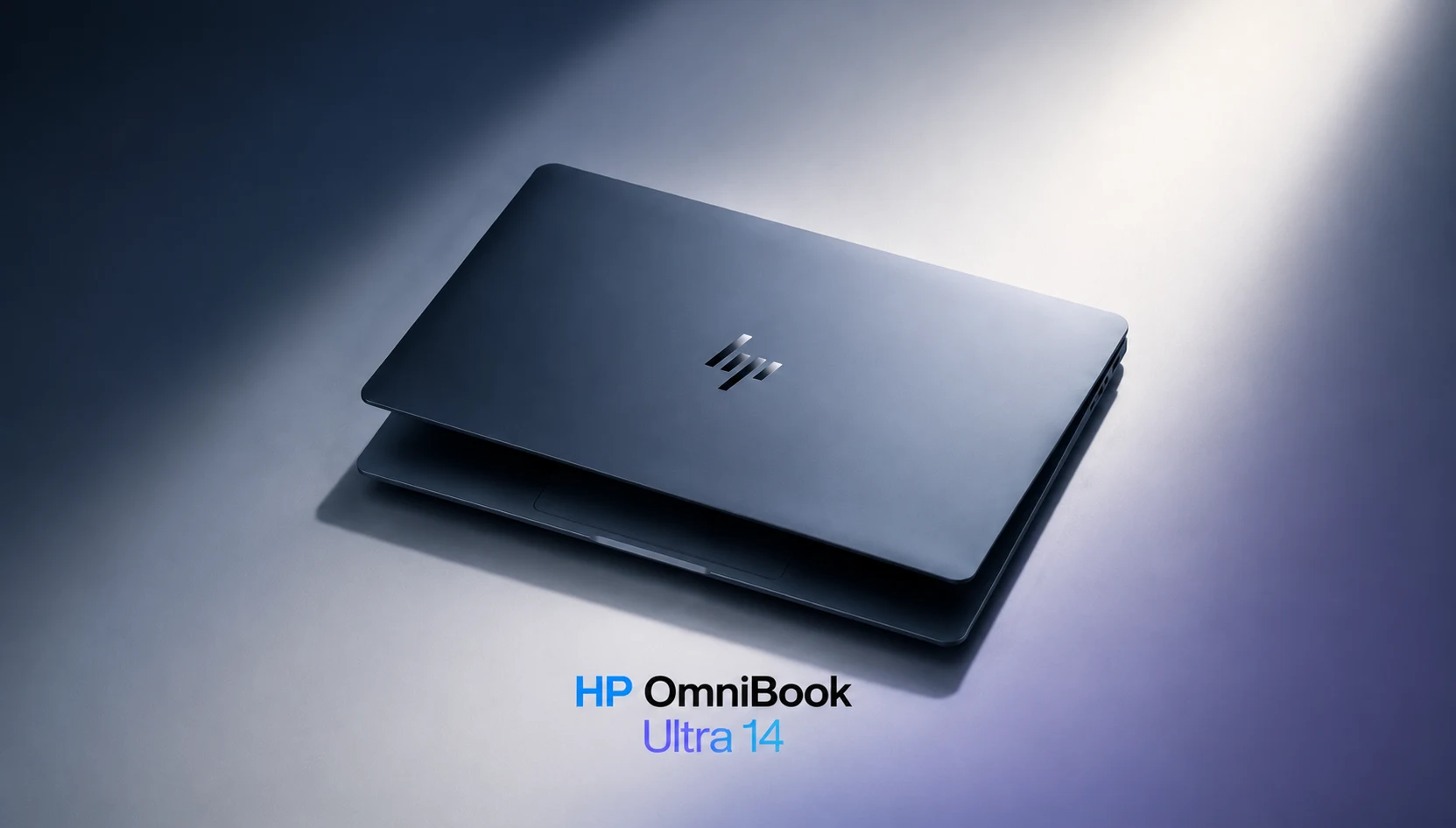
Two weeks ago I replaced my daily driver with the HP OmniBook Ultra 14, and I wasn’t sure. HP dismantled laptop names that people actually knew for two years. Spectre, gone. Envy, gone. Pavilion, gone. Everything was folded into one OmniBook family, and for a while the lineup had no real flagship, nothing you would place next to a MacBook Pro without a small apology. This laptop is HP’s answer to that. I have opinions after fourteen days of writing, photo editing, video calls, and two airports. Some of them surprise me.
Short version: The HP OmniBook Ultra 14 is the best consumer laptop HP has made in years and one of the two or three best Windows ultraportables you can buy in 2026. The longer version has caveats you should know about before spending upwards of $1,899, and that’s what this HP OmniBook Ultra 14 review is for.
HP OmniBook Ultra 14 at a Glance
| Spec | Details |
| Display | 14-inch 2880 × 1800 OLED, 120Hz, touch, glossy |
| Processors | Intel Core Ultra X9 388H or Qualcomm Snapdragon X2 Elite / X2 Plus |
| RAM | 16GB to 64GB LPDDR5x |
| Storage | Up to 2TB PCIe SSD |
| Battery | 70Wh battery with a compact 65W GaN USB-C charger included |
| Weight | 2.8 lbs (approximately 1.27 kg) |
| Thickness | 0.42 inches claimed (closer to 0.65 inches with feet when placed on a desk) |
| Durability | Passed MIL-STD 810H testing |
| Wireless | Wi-Fi 7 |
| Starting Price | $1,899, with frequent discounts bringing mid-range configurations close to $1,300 |
Unboxing and First Impressions
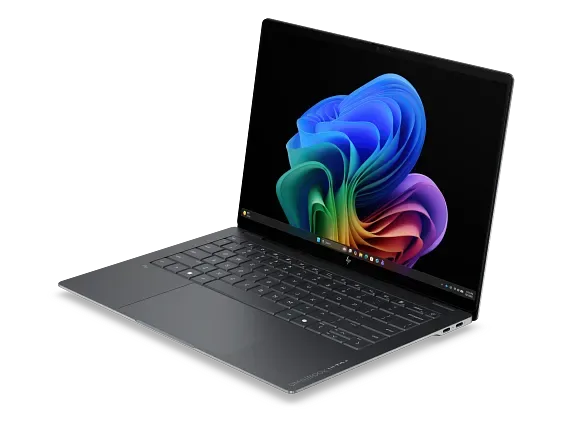
The box is nondescript, which I mention only to point out because what’s inside is not. When I first took the HP OmniBook Ultra 14 out for the first time, my honest thought was that HP had shipped a display model with the battery removed. At 2.8 pounds, it undercuts a 14-inch MacBook Pro by more than half a pound.
Setup took twenty minutes, and I’ll be blunt about the lowest point of the whole two weeks: it occurred here. Windows setup was fine. HP’s layer on top of it was not. A McAfee trial nag, an HP account prompt, pop-up tips, and system alerts have been popping up until I took twenty minutes to uninstall and silence them. A laptop at this price should not advertise to me. It is fixable, but you shouldn’t have to fix it.
After that was done, the machine got out of my way completely, which is the best compliment I can pay a work laptop.
HP OmniBook Ultra 14 Design and Build: Thin, Light, and Tougher Than It Looks
HP went with forged, stamped aluminum instead of the machined unibody approach Apple had made popular, and it looks like a cost decision on a spec sheet that reads like a cost decision in the hands. It doesn’t feel like one in the hand. The chassis barely flexes when I pick it up one-handed by a corner, the lid doesn’t twist, and the diamond-cut edges catch the light in a way I kept seeing at my desk. “OMNIBOOK ULTRA” is etched into the brushed hinge bar, and it’s subtle enough that I like it.
My review unit was Silk Sand, a warm off-gold that photographs beautifully. Eclipse Gray and Stone Blue are the other two, but the colors are tied to the chip you pick, which is a strange restriction. Want Intel? You get gray or sand. Want blue? Snapdragon only.
HP calls this “the world’s most durably slim consumer notebook,” which is marketing-speak, but there’s substance behind it. The laptop passed a battery of MIL-STD 810H tests that included shock, drops, extreme temperatures, and humidity. In fact, four screws, one at each corner, and you’re inside the machine for upgrades or repairs. Repairability like that has nearly disappeared from thin laptops, and HP deserves real credit for it.
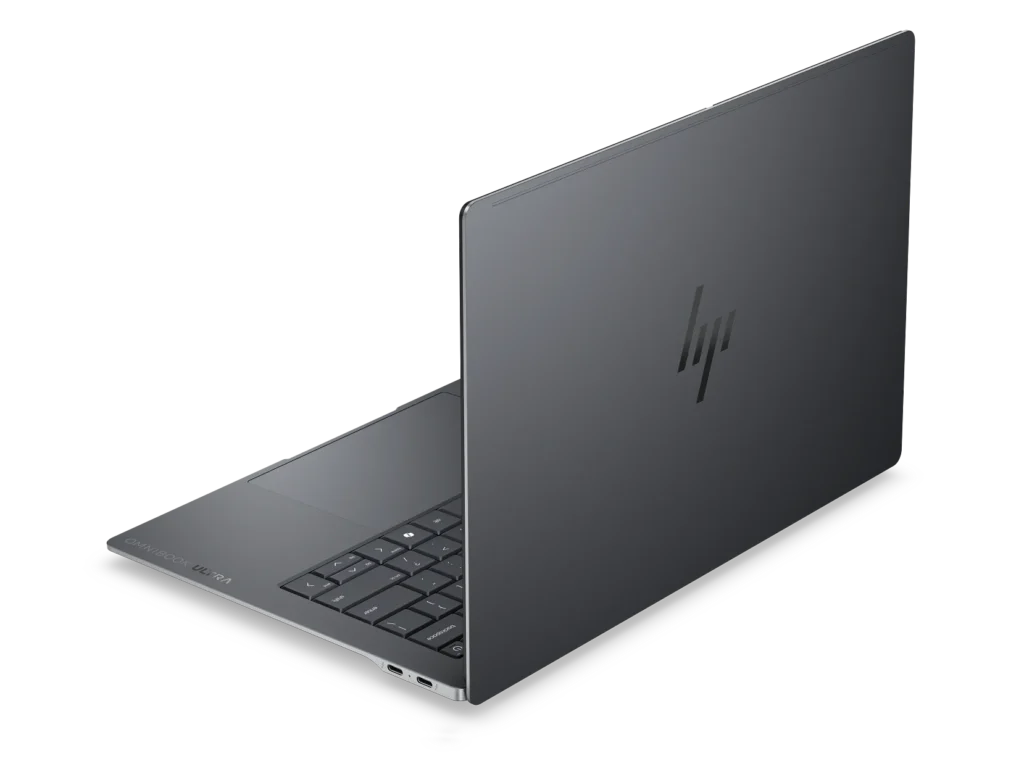
One warning from my own carelessness: the matte finish picked up a faint scratch after sharing a bag pocket with my keys. Use a sleeve. And a note on the thinness claim: HP’s 0.42-inch figure excludes the rubber feet. On a desk, lid closed, the true profile is closer to 0.65 inches. Still thin. Just not spec-sheet thin.
The HP OmniBook Ultra 14 OLED Display Is the Star
If there’s one thing that sells the HP OmniBook Ultra 14, it’s the screen. The 2880 x 1800 OLED display runs at 120Hz, supports touch, and measured over 400 nits in independent testing, which is really bright for an OLED panel. Color coverage is around 122% sRGB and 87% of DCI-P3, so photographers and video editors get accurate and saturated output without having to look for an external monitor in most jobs.
I edited a batch of RAW photos on it one evening, and you could tell that my desktop monitor was washed out. Blacks are real black, as opposed to the dark gray of IPS displays, and scrolling at 120Hz is smooth in a way you only appreciate when you go back to a 60Hz machine and everything feels like it is dragged through syrup.
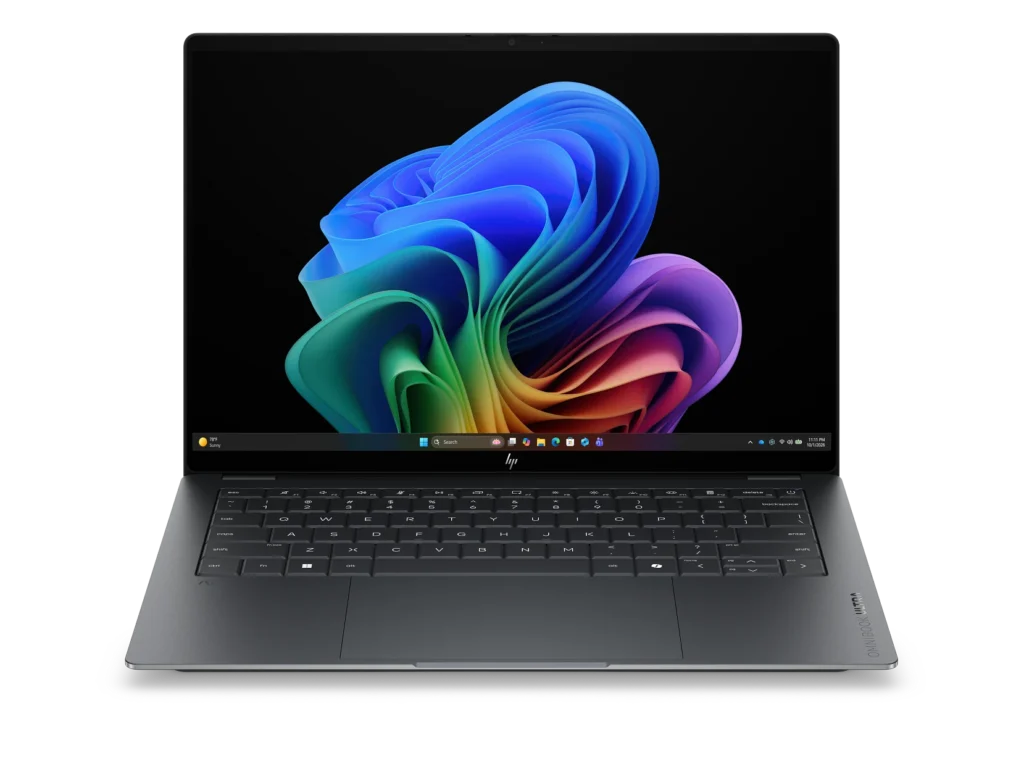
The panel is glossy, and I had expected reflections to bother me. At full brightness next to a window, they mostly didn’t. On a train with the sun streaming through the glass, they did. That’s the OLED trade, and I’d do it again. And the 16:10 aspect ratio is something I’d do as well, one more paragraph of a document, a few more spreadsheet rows. Small things. It adds up over a workday.
Performance: Snapdragon X2 vs Intel Core Ultra
Here is where the buying decision actually happens, because the HP OmniBook Ultra 14 has two different flavors, and if you decide to get the wrong one, you will be stuck with it for three years.
| Spec | Snapdragon X2 Elite Model | Intel Core Ultra X9 388H Model |
| Architecture | Arm | x86 |
| Best For | Battery life and on-device AI | App compatibility and balanced performance |
| NPU | Hexagon, up to 85 TOPS | Strong NPU performance, slightly behind Qualcomm |
| Software Quirks | Rare Arm compatibility gaps | Essentially none |
| Colors | Stone Blue | Eclipse Gray, Silk Sand |
Snapdragon X2 Elite model Intel Core Ultra X9 388H model Architecture Arm x86 Best for battery life, on-device AI app compatibility, balanced performance NPU Hexagon, up to 85 TOPS Strong, slightly behind Qualcomm software quirks Rare ARM compatibility gaps Essentially no colors Stone Blue Eclipse Gray, Silk Sand
My unit ran Snapdragon X2 Elite with 32GB of RAM, and it was HP OmniBook Ultra 14’s performance that impressed me so much. It is the first OmniBook with a small vapor chamber inside, and it shows under sustained pressure. Long exports and big batch jobs don’t fall off a performance cliff after two minutes the way they do on thermally starved ultraportables. In productivity benchmarks, this machine trades blows with anything in its weight class, and independent testing has shown it beating other laptops running the same Snapdragon silicon, which tells you HP’s cooling is doing real work. The Gen 5 SSD in higher configurations is quick enough that I never once thought about storage speed.
Arm compatibility, the old Snapdragon worry, didn’t show up at all. Everything I use every day, browsers to Office to Photoshop to Slack, runs natively or through emulation that I couldn’t detect. If your workflow is comprised of niche engineering tools or legacy enterprise software, check compatibility first before buying the Intel Core Ultra X9 version and avoid the question entirely.
Thermals stayed civilized. During a stress test, the keyboard deck warms up to the mid-90s Fahrenheit between the G and H keys, warm enough to feel and nowhere near enough to think about. The trackpad stays cool, and fan noise is a low whoosh I only heard in a quiet room.
The honest weak spot with HP OmniBook Ultra 14 graphics performance is the integrated GPU on either chip, which manages casual games, older games at low settings, and GPU-accelerated creative filters without complaint. AAA gaming at native 3K resolution is not what this laptop is for, and any review telling you otherwise is selling something. Creators doing heavy 3D work or long-form 4K color grading should shop for a machine with discrete graphics.
A Week of Real Work
Benchmarks are one thing. Here’s what an actual Tuesday looked like.
Morning: forty browser tabs, two Word documents, Spotify, and a two-hour video call with background blur running on the NPU. No fan noise, no heat, battery at 74% by lunch. Afternoon: ninety minutes of RAW photo editing in Lightroom, the hardest thing I threw at it all week. The fans woke up, exports finished faster than on my old machine, and the OLED made culling photos almost pleasant. Evening: 2,000 words on the sofa, unplugged, lid closed at 31%.
That is all the review, really. The rest are details.
HP OmniBook Ultra 14 Battery Life: Two Work Days, No Charger
HP quotes up to 44 hours, which is no. But the real figures are still excellent. In controlled video playback tests the Snapdragon version has reached about 22 hours and the Intel version around 18, and both outlast major rivals like the Dell XPS 14. I myself mixed writing, browsing, Slack, and music and finished 8-hour days with 35 to 40% of my battery life. HP OmniBook Ultra 14 battery life comfortably covers a full workday and most of the next one, and only Apple’s MacBook Air reliably beats it in this class.
The charger is worth a paragraph. It is a 65W GaN brick about the size of a large ice cube, roughly half of the size of the Dell and Lenovo products, and it goes from empty to 50% in 45 minutes. Two weeks later I stopped carrying a backup charger. And that’s not a habit that I can easily break.
HP OmniBook Ultra 14 Keyboard, Trackpad, Webcam, and Speakers
The redesigned keyboard is one of my favorite things about this laptop. Travel is shallow but crisp, and with a firm bottom-out, fast typing is not mushy. After two weeks, I type much faster on it than on the machine I replaced. The glass trackpad is large, precise, and rejects palm touches properly.
It’s great, the webcam’s good, it makes a decent exposure, and Windows Hello face unlock is fast enough that you don’t have to type in your PIN. But at this price I expected better output. NPU-powered auto-framing and background blur are a little better, and because they run on dedicated silicon, they don’t dent the battery.
Speakers are good for a laptop HP OmniBook Ultra 14 thin, which is a category with a low ceiling. Voices and mids are clear; top volume fills a room for a call or podcast, and bass is polite rather than present. Standard thin-laptop physics.
HP OmniBook Ultra 14 AI Features and Copilot+ PC Tools
As a Copilot+ PC, the HP OmniBook Ultra 14 unlocks the fully fledged set of on-device Windows AI features: Live Captions with real-time translation, Studio Effects for calls, image generation in Paint, and Recall if you select it (I didn’t). The Snapdragon model’s 85 TOPS Hexagon NPU eats through everything, and fans are sleeping.
In translation, captions earned their keep. I watched a foreign-language press event with live English captions generated entirely on-device: no cloud round-trip and no lag worth mentioning. That’s the first Copilot+ PC feature that seemed like more than a demo to me.
HP layers its own AI Companion app on top, summarizing documents and adjusting system settings through simple language requests. It’s sometimes helpful and sometimes in the way, and it’s pinned on the taskbar whether you asked or not.
HP OmniBook Ultra 14 Ports: The One Real Compromise
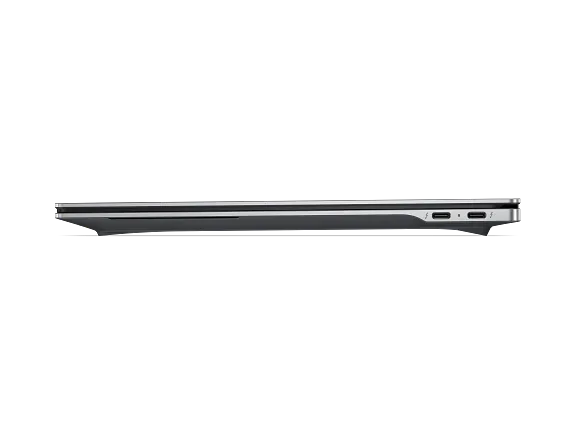
All ports on this machine are USB-C. Fast USB-C with 40 Gbps USB4, DisplayPort 1.4 output, Power Delivery, but USB-C only. No HDMI. No SD card slot. No USB-A. There’s a headphone jack, so we haven’t lost everything.
For me, that meant a dongle for my camera’s SD card every single time and a second dongle the day I needed a conference-room HDMI cable. Individually these are small frictions, but together they are the one thing I took so much frustration about for granted. Budget $40 for a compact hub for your work on memory cards or projector cables. Photographers have every right to grumble here.
How It Compares to the MacBook Air, Dell XPS 14, and Others
Against the MacBook Air, the HP OmniBook Ultra 14 trades a couple of hours of battery life for a faster 120Hz OLED screen, touch input, and Windows. If you are locked into Windows software, this is the easiest recommendation it’s ever been.
In comparison to the Dell XPS 14, the HP OmniBook Ultra 14 wins on weight, battery life, and screen, and its keyboard doesn’t require an adjustment period as Dell’s minimalist deck does.
Against the Lenovo Yoga Slim line, the HP OmniBook Ultra 14 counters with stronger sustained performance from its vapor chamber and a tougher, more repairable chassis. Lenovo responds with more port variety on some models.
The pattern: The HP OmniBook Ultra 14 rarely loses on the things you touch and look at all day and mostly loses on ports and sticker price.
HP OmniBook Ultra 14 Price and Configurations
HP OmniBook Ultra 14 price starts at $1,899 for a Snapdragon X2 Plus model with 16GB of RAM. I think the sweet spot here is the roughly $2,000 tier with 32GB of RAM, enough memory to keep this laptop relevant for five years. Fully loaded builds with 64GB and 2TB of storage run $2,900 to $4,000 depending on the chip, and that’s overkill for almost everyone reading this review.
The good news is that HP discounts aggressively and often. At the time of writing, one mid-range configuration has dropped from $1,800 to about $1,300, and cuts of $400 to $500 appear regularly. At $1,300, this stops being a considered purchase and starts being a bargain. Buy the 32GB config, wait for a sale, and put the savings toward a USB-C dock.
What About the Older Ryzen AI Model?
A quick note for anyone confused by search results, because I was. The original 2024 HP OmniBook Ultra 14 shipped with an AMD Ryzen AI 9 processor and a 2.2K IPS touch display. It was a solid Copilot+ PC in its day, and used units float around at tempting prices. But the 2026 refresh reviewed here is a different animal: it has a new chassis, the 120Hz OLED display, and Snapdragon X2 or Intel Core Ultra silicon. If you’re shopping marketplace listings, check the processor line before you click buy. The Ryzen AI processor version is the older generation, and the price gap should be significant.
Who Should Buy It (and Who Shouldn’t)
Buy the HP OmniBook Ultra 14 if you:
- Work mobile and want genuine multi-day battery life from a Windows machine.
- Want a top-tier OLED display for writing, media, and photo editing.
- Value a light, durable chassis that opens with four screws for repairs.
- Care about on-device AI features and full Copilot+ PC support.
- Can wait for one of HP’s frequent discounts.
Skip it if you:
- Need HDMI, USB-A, or an SD slot without carrying dongles.
- Game seriously or render heavy 3D, where a discrete GPU laptop serves you better.
- Run legacy x86 software and don’t want to think about Arm compatibility (or just buy the Intel version).
- Refuse to spend twenty minutes cleaning preinstalled software off a new laptop.
Conclusion
After two weeks, the HP OmniBook Ultra 14 has earned a place on the short list of laptops I’d spend my own money on. The OLED display is the best I’ve used on a Windows ultraportable, the battery outlasts my workdays with room to spare, the keyboard made me faster, and the whole machine feels more expensive than it is once a discount kicks in. HP’s preloaded software nags and the USB-C-only ports keep it shy of perfect, and the webcam belongs on a cheaper laptop.
But perfect wasn’t the bar. The bar was whether HP, after retiring Spectre and Envy, could build a flagship that sits next to a MacBook Pro or a Dell XPS without flinching. It can, and on screen and stamina, it wins outright. If you want one premium laptop for work and creativity in 2026, the HP OmniBook Ultra 14 belongs at the top of your list. Just buy it on sale. And buy the dongle before you need it.
Frequently Asked Questions (FAQs)
Q. Is the HP OmniBook Ultra 14 good for video editing?
A. For 1080p projects and lighter 4K work, yes. The OLED display’s color accuracy is a real advantage for grading, and the vapor chamber keeps exports from throttling. For long 4K timelines or 3D rendering, a laptop with a discrete GPU remains the better tool.
Q. How long does the HP OmniBook Ultra 14 battery last?
A. Independent tests show roughly 18 to 22 hours of video playback depending on the processor. In everyday mixed use, expect to finish a full workday with 35 to 40% remaining. HP’s 44-hour marketing claim is optimistic.
Q. Should I buy the Snapdragon or Intel version of the HP OmniBook Ultra 14?
A. Choose Snapdragon X2 for the longest battery life and fastest on-device AI. Choose the Intel Core Ultra X9 if you depend on niche or legacy x86 software. For browsers, Office, and mainstream creative apps, both work well.
Q. Does the HP OmniBook Ultra 14 have an HDMI port or SD card slot?
A. No. Every port is USB-C, including 40Gbps USB4 with DisplayPort support, plus a headphone jack. Plan on a compact hub for HDMI, USB-A accessories, and camera memory cards.
Q. Is the HP OmniBook Ultra 14 worth the price in 2026?
A. At full retail it’s a premium purchase that mostly earns its cost through the display, battery, and build. With HP’s regular $400 to $500 discounts, which recently pulled one config to around $1,300, it becomes one of the best-value flagship ultraportables on the market.