Shikha Kumari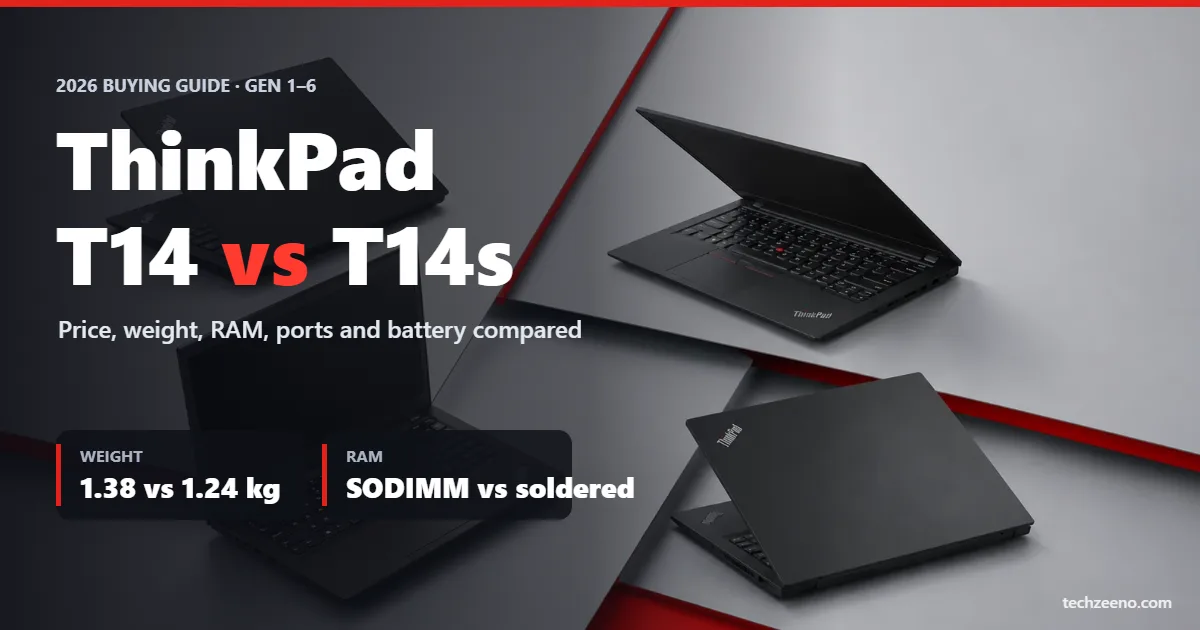
The ThinkPad T14 vs T14s question comes down to one trade-off: the T14 gives you upgradeable RAM, a real Ethernet port and a lower price, while the T14s gives you a lighter, thinner body and, on some chips, battery life that runs past 21 hours. Both share the same 14-inch screen size, the same keyboard feel and the same MIL-STD-810H durability testing. To compare them, we went through Lenovo’s PSREF spec sheets for all six generations, checked Notebookcheck’s lab results for benchmarks and battery runtimes, and tracked US retail prices through 2025 and 2026.
ThinkPad T14 vs T14s: Quick Verdict
- Buy the T14 if you want to add RAM later, you plug into wired networks, or you want the most laptop for the money. The T14 Gen 6 AMD model is the value pick in 2026.
- Buy the T14s if you carry your laptop every day and care more about weight and battery than upgrades. The Lunar Lake and Snapdragon versions are the endurance champions.
- Skip both if you need a dedicated GPU (look at the ThinkPad P series) or want the lightest premium ThinkPad, in which case the X1 Carbon is worth a look in our list of the best Lenovo ThinkPad laptops.
ThinkPad T14 vs T14s Specs at a Glance
Here are the current-generation specs for the ThinkPad T14 Gen 6 and ThinkPad T14s Gen 6, based on Lenovo PSREF listings. Thickness figures are Notebookcheck measurements at the thickest point.
| Spec | ThinkPad T14 Gen 6 | ThinkPad T14s Gen 6 |
|---|---|---|
| Processors | Intel Core Ultra 200U (Arrow Lake), Core Ultra 200V (Lunar Lake), AMD Ryzen AI 5/7 PRO 340/350 | Intel Core Ultra 200V (Lunar Lake) and 200U, AMD Ryzen AI 7 PRO 360, Qualcomm Snapdragon X Elite |
| Memory | 2x DDR5-5600 SODIMM, up to 64GB (Lunar Lake: 32GB on-package) | Soldered LPDDR5X; up to 32GB (Intel) or 64GB (AMD, Snapdragon) |
| Storage | M.2 2280 PCIe SSD | M.2 2280 (Intel, AMD); M.2 2242 (Snapdragon) |
| Display | 14″ 16:10 WUXGA IPS (400–500 nits) or 2.8K OLED 120Hz, 500 nits | 14″ 16:10 WUXGA IPS (400 nits) or 2.8K OLED 120Hz, 400 nits |
| Ethernet | Yes, native RJ-45 | No |
| Battery | 57Wh | 58Wh |
| Weight | From 1.38 kg (3.05 lb) | From 1.24 kg (2.73 lb) |
| Thickness | About 22 mm | About 19 mm |
| Webcam | 5MP + IR | 5MP + IR (1080p + IR on Snapdragon) |
| Mobile data | Optional 4G/5G | Optional 5G (Intel) |
Is the T14s More Expensive Than the T14?
Yes. For a similar processor, RAM and SSD, the T14s usually costs $150 to $300 more than the T14. You pay for the thinner chassis, the lighter weight and the soldered high-speed LPDDR5X memory. Lenovo runs discounts almost every week, so the gap shifts, but the T14 has been the cheaper machine in every generation.
| Configuration | Typical US price |
|---|---|
| T14 Gen 6, Ryzen AI 7 PRO 350, 16GB, 512GB | About $1,200 (Amazon, 2026) |
| T14 Gen 6, launch starting price | $1,359 |
| T14s Gen 6, Core Ultra 7 255U, 16GB, 512GB | About $1,400 |
| T14s Gen 6, AMD, base model | From $1,505 at launch |
| T14s Gen 6, Core Ultra 7 258V, 32GB, 512GB | About $2,000 on sale |
Prices were checked at Lenovo resellers and Amazon in 2025–2026 and change often, so confirm current pricing before you buy.
Design, Weight and Display
Build and weight
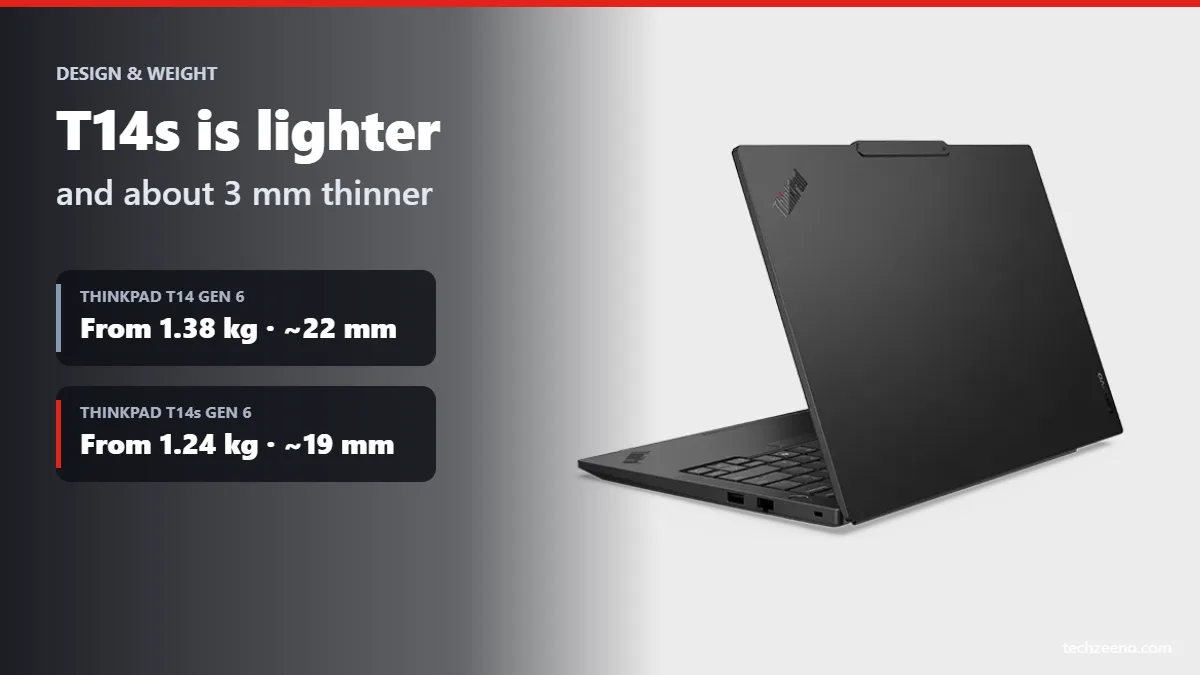
Both laptops share the same blacked-out ThinkPad look, a 14-inch footprint and MIL-STD-810H testing. The difference is in how much they carry. The T14 Gen 6 starts at 1.38 kg, and Notebookcheck’s Lunar Lake review unit weighed 1.46 kg. The T14s Gen 6 starts at 1.24 kg, and the Snapdragon unit came in at just 1.21 kg. In the hand, the T14s is about 3 mm thinner. That doesn’t sound like much on paper, but it is easy to feel in a backpack.
Display options
Both models use 16:10 panels from Gen 3 onward. The base 400-nit WUXGA IPS screen is fine for office work but covers only about 45% of NTSC, so colours look washed out. We recommend upgrading to either the Low Power WUXGA panel (100% sRGB) or the 2.8K OLED with a 120Hz refresh rate. The T14’s OLED is rated at 500 nits, against 400 nits on the T14s, which helps near bright windows. The T14 also offers an ePrivacy touch panel for people who work in public.
Keyboard and webcam
The keyboards feel almost identical: the same spill-resistant layout, the red TrackPoint and three physical mouse buttons, so typing feel shouldn’t decide this one for you. Since Gen 5, the keyboard on the T14 is user-replaceable, which matters if you run a company fleet. Both offer a 5MP webcam with an IR camera for Windows Hello face login, except the Snapdragon T14s, which uses a 1080p sensor.
Ports and Connectivity
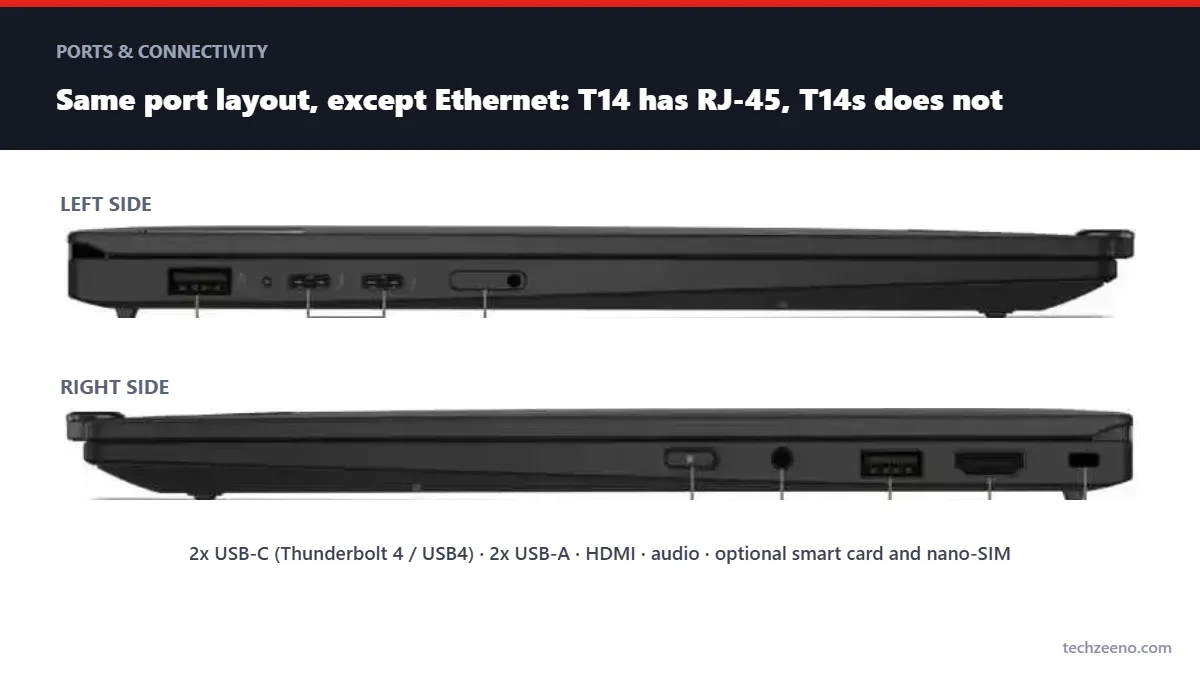
| Port | T14 Gen 6 | T14s Gen 6 |
|---|---|---|
| USB-C (Thunderbolt 4 / USB4) | 2 | 2 |
| USB-A 5Gbps | 2 | 2 |
| HDMI | Yes | Yes |
| RJ-45 Ethernet | Yes | No |
| Smart card reader | Optional | Optional |
| Nano-SIM slot | Optional | Optional |
| 3.5 mm audio | Yes | Yes |
The Ethernet port is the biggest practical difference. The T14 keeps a full-size RJ-45 jack, which IT teams still want for imaging, PXE boot and secure office networks. The T14s dropped Ethernet completely in Gen 3, so you need a USB adapter or a Thunderbolt dock.
For Thunderbolt, Intel models of both laptops have Thunderbolt 4. AMD and Snapdragon versions use USB4 at 40Gbps, which works with most Thunderbolt docks but isn’t certified. If your office runs on a specific Thunderbolt dock, an Intel model is the safer pick.
RAM and Upgradeability
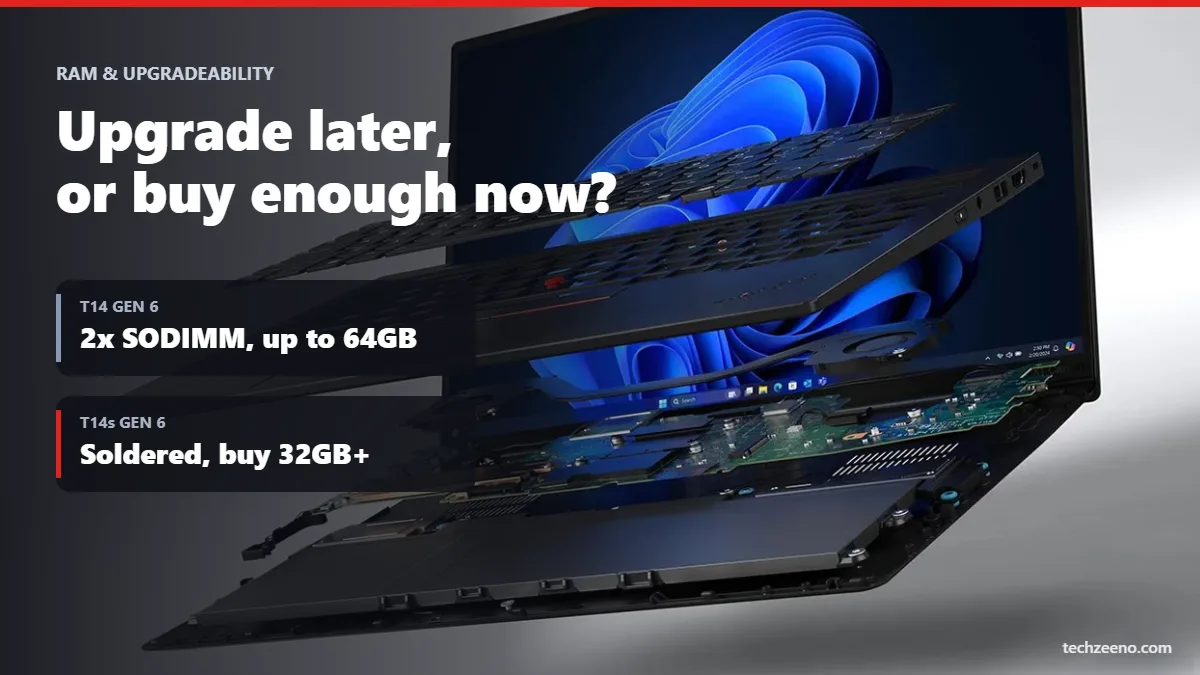
This is where the T14 pulls ahead. The T14 Gen 6 (Arrow Lake and AMD versions) has two DDR5 SODIMM slots, so you can buy 16GB today and add standard laptop memory up to 64GB later, when you actually need it. The one exception is the Lunar Lake T14, whose 32GB of memory sits on the processor package and cannot be changed.
The T14s has soldered RAM in every generation. You can replace the M.2 SSD on both laptops, but on the Snapdragon T14s only a shorter M.2 2242 drive fits, so you have fewer options. If you care about repairs, the T14 has always been the easier laptop to service. Lenovo pushed this further on the T14 Gen 7, which earned a 10/10 repairability score from iFixit. That puts it in the same class as the Framework Laptop 16.
💡 How much RAM to buy on the T14s: because you can’t add memory later, buy 32GB if you plan to keep the laptop for more than three years or use Teams, Chrome and Excel at the same time. 16GB is fine only for light office work. If you need 64GB for virtual machines or local AI models, choose the AMD or Snapdragon T14s, because the Lunar Lake model tops out at 32GB.
Performance and Battery Life
Intel vs AMD vs Snapdragon
The chip you choose matters more than whether you buy the T14 or the T14s. Intel Lunar Lake (Core Ultra 200V) is built for efficiency and strong integrated graphics. AMD Ryzen AI PRO gives the most multi-core power for coding, compiling and big spreadsheets. Snapdragon X Elite, available only on the T14s, has the longest battery life, but it runs Windows on Arm. Most apps now run natively, but some older VPN clients, printer drivers and security tools still don’t. Check your company’s software before you buy.
Benchmarks and cooling
Notebookcheck’s Cinebench 2024 multi-core results show how close the two lines are on the same chip family:
| Model and chip | Cinebench 2024 multi | Cinebench R23 multi |
|---|---|---|
| T14 Gen 6, Ryzen AI 7 PRO 350 | 743 | 14,210 |
| T14s Gen 6, Ryzen AI 7 PRO 360 | 708 | 13,794 |
| T14s Gen 6, Snapdragon X Elite | 746 | 9,996 (emulated) |
| T14s Gen 6, Core Ultra 5 228V | 506 | 9,787 |
The T14’s thicker body gives its fan more room, so it holds turbo speeds a little longer under sustained load. The T14s stays quieter in everyday use, especially the low-power Lunar Lake and Snapdragon versions.
Battery life
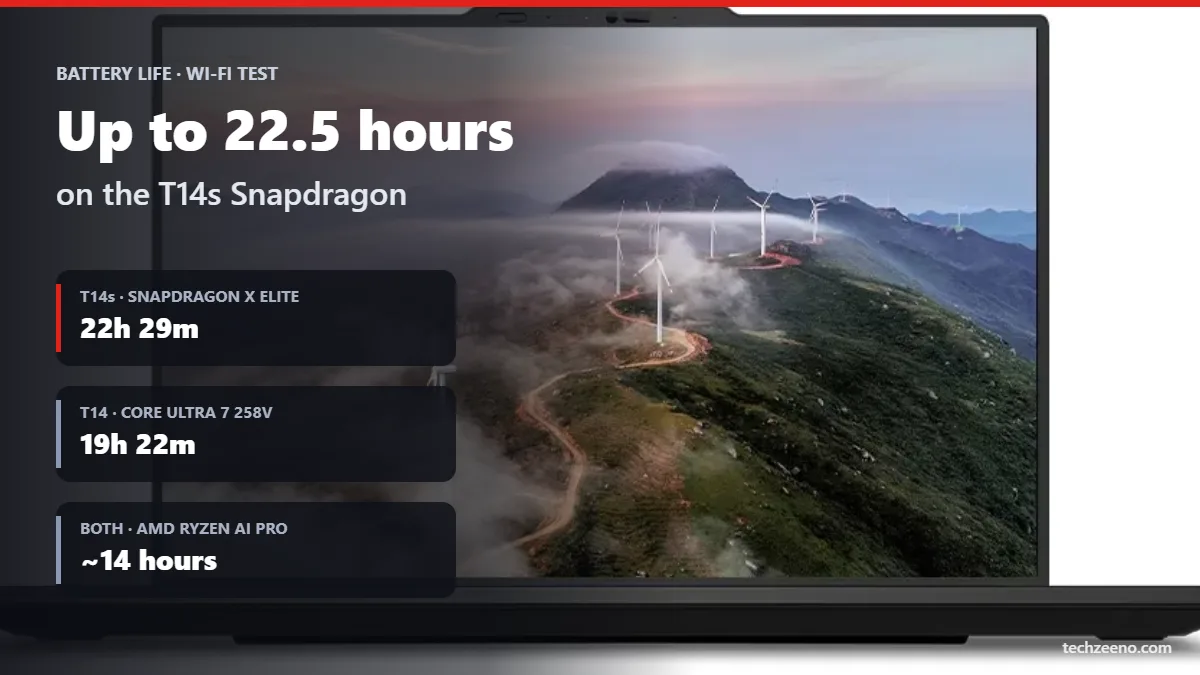
Battery capacity is almost the same (57Wh vs 58Wh), so the processor decides battery life. In Notebookcheck’s Wi-Fi browsing test, the Snapdragon T14s lasted 22 hours 29 minutes and the Core Ultra 5 228V T14s lasted 21 hours 48 minutes. The Lunar Lake T14 managed 19 hours 22 minutes, a record for the T14 line. The AMD models of both laptops landed around 14 hours, which is still a full workday with plenty to spare.
ThinkPad T14 vs T14s by Generation (Gen 1–6)
Gen 6 (2024–2025)
- The T14s Gen 6 arrived first in 2024 with Snapdragon X Elite and then Lunar Lake, bringing 21+ hour battery life.
- The T14 Gen 6 followed in 2025 with Arrow Lake, Lunar Lake and Ryzen AI PRO 300 chips, and kept dual SODIMM slots up to 64GB.
- The AMD T14s returned after skipping Gen 5. The T14s still has no Ethernet port.
Gen 5 (2024)
- The ThinkPad T14 Gen 5 switched to two DDR5 SODIMM slots (up to 64GB) and a user-replaceable keyboard.
- The T14s Gen 5 was Intel-only (Core Ultra Meteor Lake) with soldered LPDDR5X.
- Both added a 2.8K 120Hz OLED option and a 5MP webcam.
Gen 4 (2023)
- Intel 13th Gen and Ryzen PRO 7040 chips.
- Intel T14 models had 16GB soldered plus one SODIMM (up to 48GB). AMD T14 models were fully soldered.
- A 5MP webcam option appeared, and the T14s offered a 2.8K OLED screen.
Gen 3 (2022)
- Both laptops moved to taller 16:10 displays and a 1080p webcam.
- The T14s lost Ethernet completely, and the AMD T14 went to fully soldered LPDDR5.
- The 2.8K OLED panel debuted on the T14s.
Gen 2 (2021)
- Intel 11th Gen (Tiger Lake) and Ryzen PRO 5000, with Thunderbolt 4 and Wi-Fi 6E.
- The ThinkPad T14 Gen 2 had 8GB or 16GB soldered plus one SODIMM slot (up to 48GB).
- The T14s Gen 2 had up to 32GB soldered and Ethernet only through a mini RJ-45 adapter.
Gen 1 (2020)
- The T490 and T490s were renamed T14 and T14s, and AMD Ryzen PRO 4000 joined the line.
- The T14 weighed about 1.46 kg and the T14s about 1.25 kg, both with 16:9 screens.
- The ThinkPad T14 Gen 1 is now a popular refurbished buy, but expect a worn battery.
| Gen | Year | T14 RAM | T14s RAM | T14s Ethernet | Screen |
|---|---|---|---|---|---|
| Gen 1 | 2020 | Soldered + 1 SODIMM | Soldered | Mini RJ-45 adapter | 16:9 |
| Gen 2 | 2021 | Soldered + 1 SODIMM | Soldered (32GB max) | Mini RJ-45 adapter | 16:9 |
| Gen 3 | 2022 | Intel: soldered + SODIMM; AMD: soldered | Soldered | None | 16:10 |
| Gen 4 | 2023 | Intel: soldered + SODIMM; AMD: soldered | Soldered | None | 16:10 |
| Gen 5 | 2024 | 2x SODIMM, 64GB | Soldered | None | 16:10 |
| Gen 6 | 2024–25 | 2x SODIMM, 64GB* | Soldered, up to 64GB | None | 16:10 |
*Lunar Lake T14 Gen 6 uses 32GB on-package memory.
What about Gen 7? Lenovo launched the ThinkPad T14 Gen 7 and T14s Gen 7 at MWC in March 2026. The T14 Gen 7 adds replaceable LPCAMM2 or SODIMM memory, a 75Wh battery option and an iFixit 10/10 score, starting around $1,618. The T14s Gen 7 drops to 1.1 kg and adds Snapdragon X2 Elite, starting around $1,769. Gen 7 is the newest pair, but Gen 6 is often several hundred dollars cheaper, and Notebookcheck found Gen 7 performance close to Gen 6.
Which One Should You Buy?
| Buyer type | Best pick | Why |
|---|---|---|
| Frequent traveller | T14s Gen 6 (Lunar Lake or Snapdragon) | Lightest body, 21+ hours of battery |
| Office worker or IT fleet | T14 Gen 6 (Intel) | Ethernet, Thunderbolt 4, easy repairs |
| Developer or VM user | T14 Gen 6 AMD | Fast multi-core, upgrade to 64GB |
| Tight budget | Refurbished T14 Gen 5 | Dual SODIMM and OLED option at a lower price |
| Wants the newest model | T14 Gen 7 or T14s Gen 7 | Best repairability and lightest T14s yet |
Final verdict: the T14 is the smarter buy for most people because it costs less, upgrades easily and keeps its Ethernet port. Pick the T14s only if you will notice the lighter weight every day.
Still undecided? See how both stack up against the X1 Carbon and E14 in our top Lenovo ThinkPad laptops guide. If you want something more consumer-friendly,
FAQs
Which is better, ThinkPad T14 vs T14s?
The T14 is better for most office workers because it costs less, keeps a native Ethernet port and lets you upgrade RAM later. The T14s is better if you travel often, since it is roughly 100 to 150 grams lighter, about 3 mm thinner and, with Lunar Lake or Snapdragon chips, lasts over 21 hours in Notebookcheck’s Wi-Fi test.
Which ThinkPad T14 generation is best?
The T14 Gen 6 is the best buy in 2026. The AMD Ryzen AI 7 PRO 350 model sells for about $1,200 and has two SODIMM slots up to 64GB. On a tighter budget, a used T14 Gen 5 gives you the same dual-SODIMM design. The T14 Gen 7 is better on repairs and battery, but it starts at around $1,618.
Is the T14s Gen 6 better than the T14 Gen 6?
It is better for portability and battery life, not for flexibility. The T14s Gen 6 weighs from 1.24 kg against 1.38 kg for the T14 Gen 6, but its RAM is soldered and it has no Ethernet port. Multi-core performance is close when you compare the same chip family.
Can you upgrade RAM in the ThinkPad T14s?
No. Every ThinkPad T14s generation, from Gen 1 to Gen 7, uses soldered memory, so the RAM you buy is the RAM you keep. You can still replace the M.2 SSD. Buy at least 32GB if you plan to keep the laptop for four years or more.
Does the ThinkPad T14s have an Ethernet port?
Not a full-size one. The T14s Gen 1 and Gen 2 used a mini RJ-45 connector that needs Lenovo’s Ethernet extension adapter. From Gen 3 onward the T14s has no Ethernet at all, so you need a USB-C or USB-A adapter or a dock. The regular T14 keeps a native RJ-45 port in every generation.