 Shikha Kumari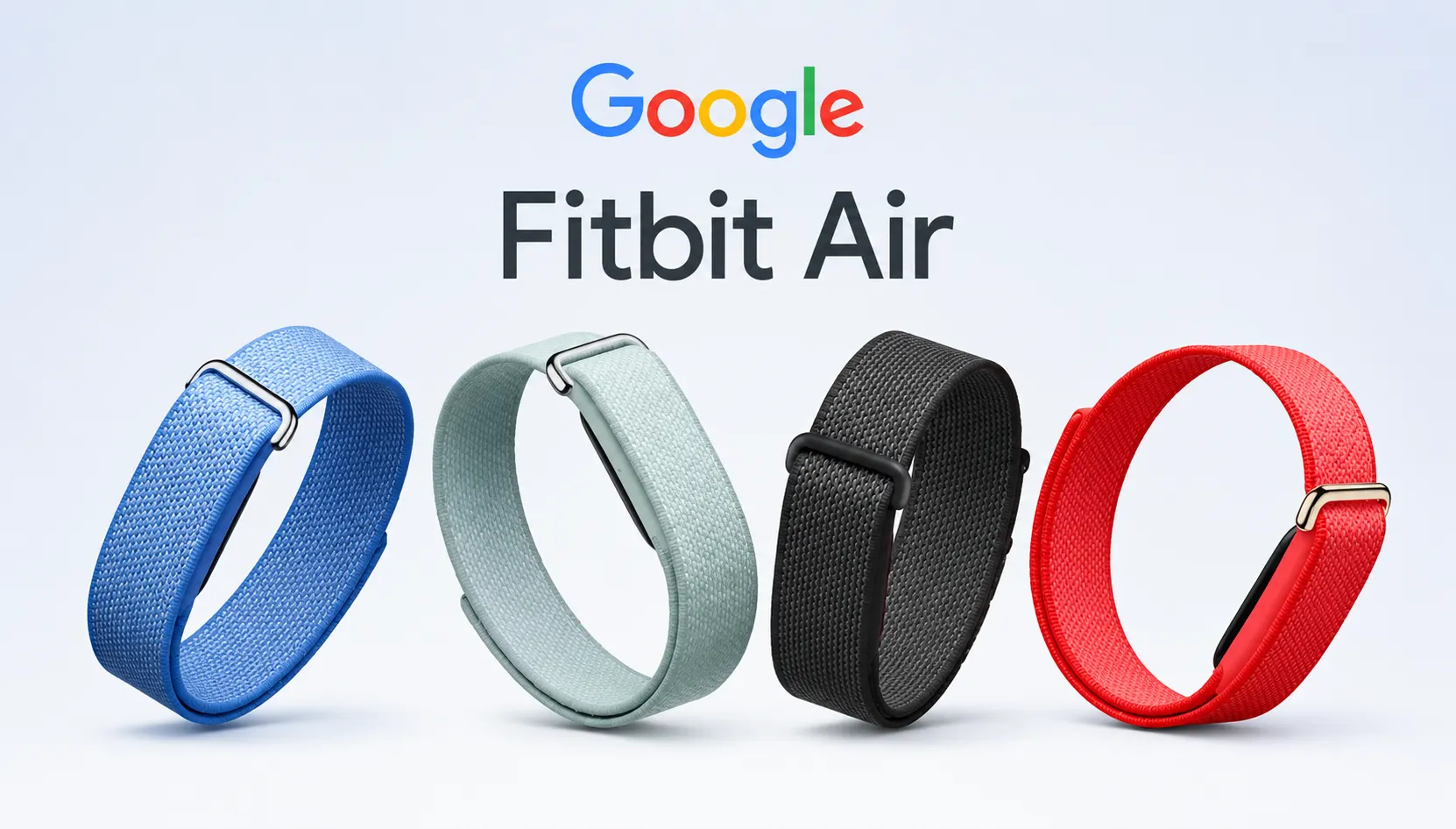
I can say with confidence that at $99.99 and no requirement for subscription, the Google Fitbit Air is the most credible screenless health tracker you can get today. The seven-day battery lasts in real world and disappears on your wrist all day long and the sleep and recovery info is actually useful rather than decorative. It is not a training watch, and its Gemini-backed AI coach has its rough edges. But as a “wear it and forget it” wellness band, it wins by a large margin and is the first product in years to have a real chance of drawing customers away from Whoop.
Google Fitbit Air at a glance
| Specification | Details |
| Price | $99.99 / £84.99 / AU$199 (one-time purchase) |
| Release Date | May 26, 2026 |
| Weight | ~5.2g (pebble only), ~12g with the Performance Loop band |
| Display | No display (LED battery indicator only) |
| Battery Life | Up to 7 days on a full charge |
| Charging Time | Approximately 90 minutes for a full charge |
| Fast Charging | 5-minute charge provides up to 1 day of battery life |
| Water Resistance | 50 meters (5 ATM) |
| Sensors | Optical heart rate sensor, SpO2 sensor, skin temperature sensor, accelerometer, gyroscope |
| Health & Fitness Metrics | Heart rate (HR), heart rate variability (HRV), resting heart rate, breathing rate, blood oxygen (SpO₂), skin temperature, sleep stages, AFib detection, step tracking |
| Subscription | Optional Google Health Premium – $9.99/month or $99/year (includes 3 months free) |
| Compatibility | Works with iOS and Android devices |
| Materials | Recycled polycarbonate & PBT housing, textile Performance Loop band, stainless steel buckle |
The Pitch and Why It Matters
Google was without a real new wearable idea for three years. The Pixel Watch line kept coming back, the older Fitbit trackers kept selling, and nothing felt like a new argument for why you should strap a Google device to your body. The Google Fitbit Air is that new argument: strip away the screen, drop the price to $99, and lean on software to carry the rest.
That’s a bolder move than it sounds. The wearable market has added a decade of things like bigger displays, more sensors, LTE, and mobile payments. The Google Fitbit air subtracts. No screen, no buttons, no watch face, no notifications buzzing on your wrist. What remains is the sensor pebble that reads your body 24/7 and hands the data to your phone. The best comparison is Whoop, the subscription band, loved by athletes and biohackers, and Google has targeted the Air directly at Whoop’s biggest weakness: cost.
Whoop’s hardware is free, but its subscriptions start at $199 to $500 a year and climb from there. That’s well over $500 over three years before you have learned anything about your sleep. Google’s counter is simple. Pay $99 once, own the device, and treat any subscription as optional. And if the Google Fitbit Air provides most of what Whoop offers to someone who never looks at a strain chart, that pricing is enough to change the math for a lot of buyers. Having gone through the specs and the range of independent testing, I think it largely does.
Who this is for
The Google Fitbit air lands squarely on the person who wants recovery, sleep, and daily activity data without another glowing rectangle competing for attention. Someone who found the Apple Watch too busy, or who tried Whoop and balked at the yearly bill, or who has never worn a tracker at all and wants the least intrusive way in.
If that describes you, read on. If you want turn-by-turn navigation on your wrist, race-ready GPS pacing, or the ability to reply to texts without pulling out your phone, this is the wrong device, and I will lay out exactly why below rather than let you find out after checkout.
Google Fitbit Air Design and Comfort
The air is composed of two parts: a small plastic pebble that houses the sensors and a band that wraps around it. The pebble weighs about 5.2 grams, roughly the weight of a couple of coins. When the woven performance loop is added, the whole thing weighs about 12 grams, about the weight of a house key. Reviewers who wore it 24/7 for two weeks reported that it disappears within a day, and that is the point of a device you are meant to sleep in.
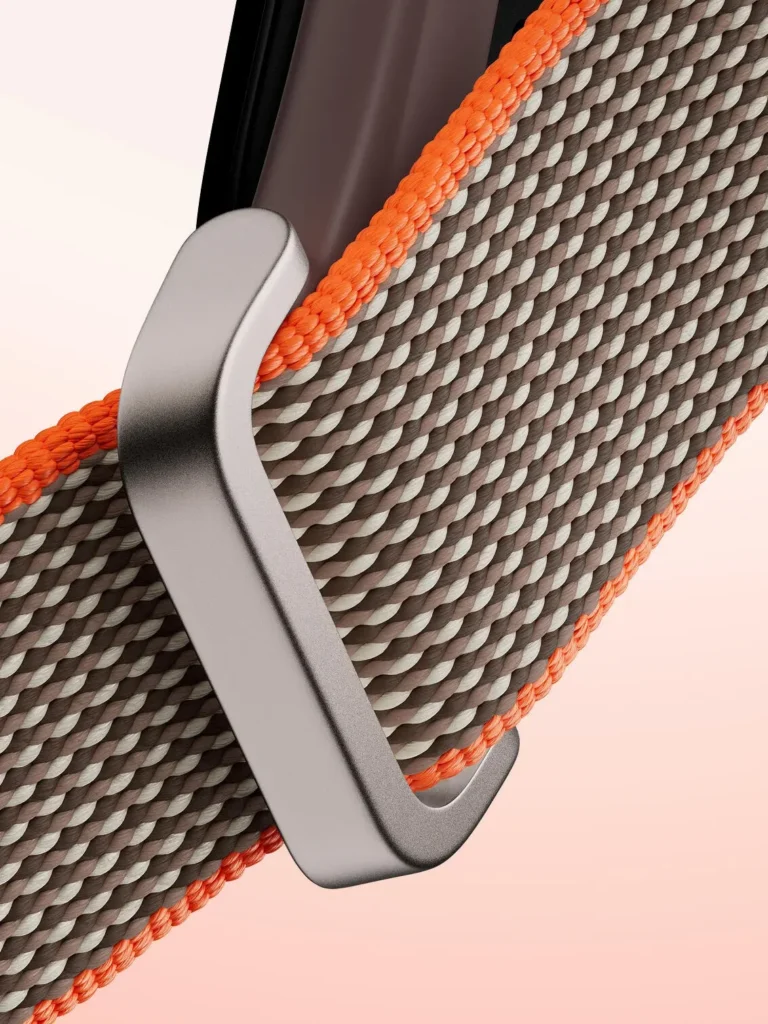
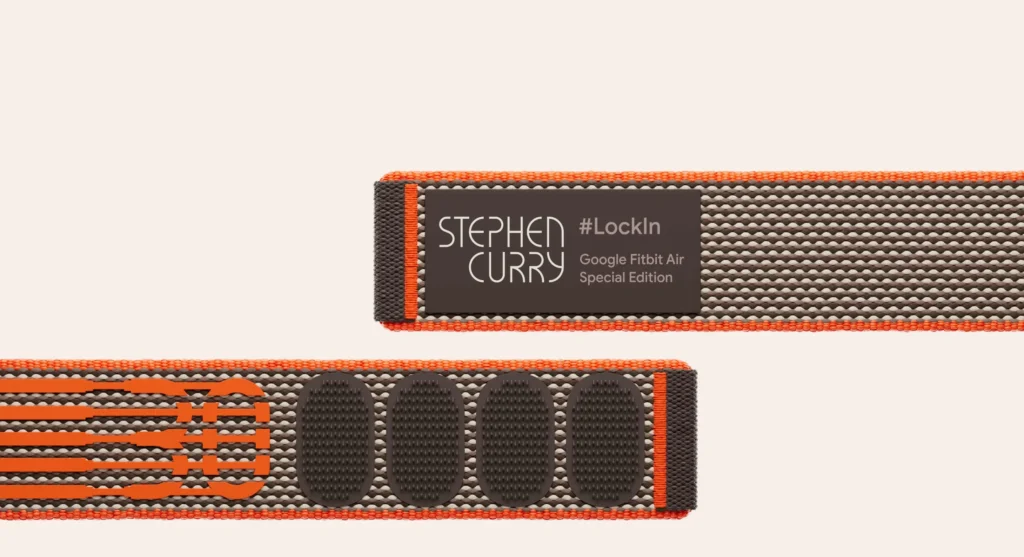
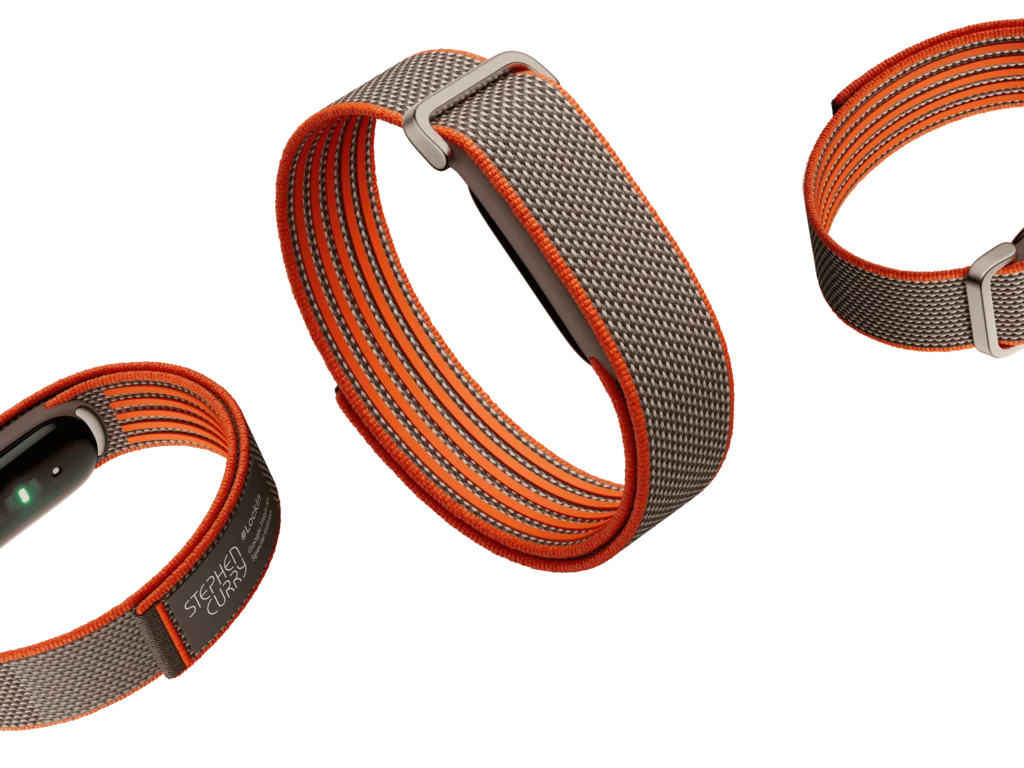
Google offers three band styles. The silicone active band suits workouts and sweat. The woven Performance Loop (which is bundled by default in most regions) feels soft on the skin and dries quickly. The polyurethane Elevated Modern band, a faux-leather-like look, dresses up the thing for work. Obsidian, lavender, berry, and fog are among the colors, and a two-tone grey and orange Stephen Curry’s special edition is available in the US. Swapping bands takes a single push to pop the pebble in or out, which is a relief to anyone who fought with Whoop’s fiddly clasp in years past.
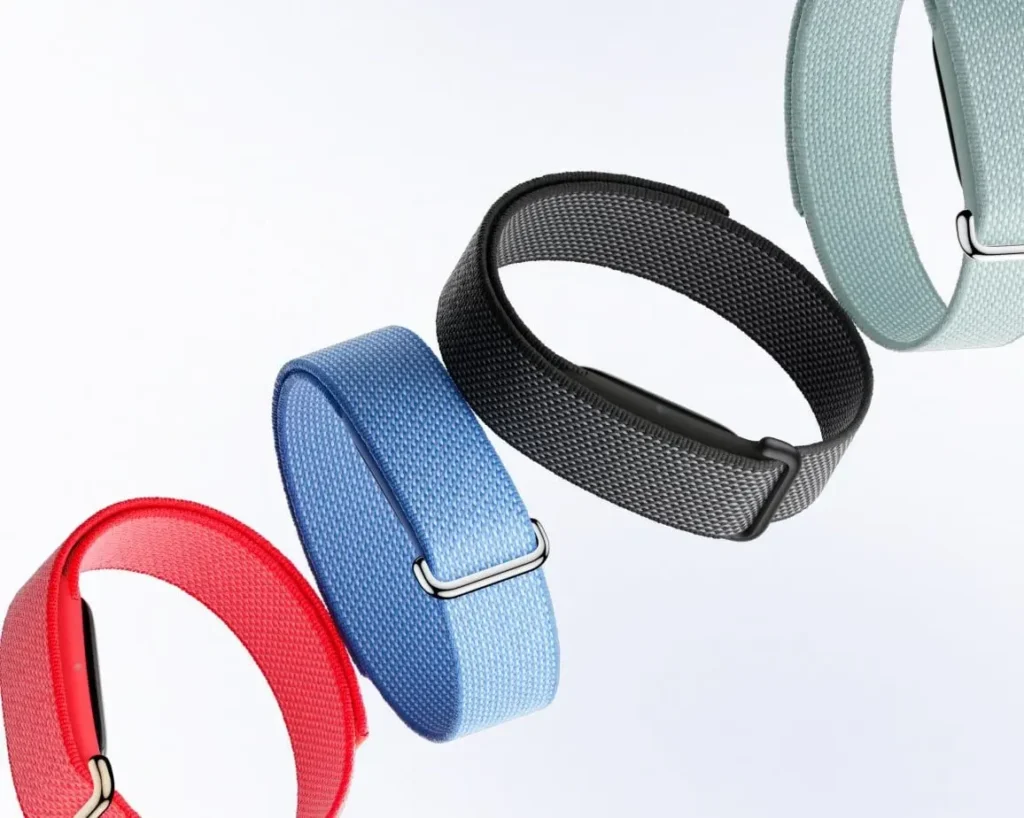
Materials are better than the price suggests. The housing is recycled polycarbonate and PBT plastics, the band is textile with a stainless steel buckle, and the packaging is completely plastic-free. That doesn’t show up in everyday use, but it matters if there are environmental elements in what you buy.
Comfort during sleep is where the low weight pays off. Because there’s nothing rigid or bulky on the underside beyond the sensor array, it doesn’t press into your wrist when you sleep on your side, and this is common with thicker smartwatches.
Living without a screen
There is no screen, no buttons. There is no power switch, so the only way to turn the Air off is to let the battery run flat. For a device that is designed to be worn constantly, that design choice makes sense, but it feels strange the first time you look for an off button and find nothing.
Direct interaction takes place in two ways. Double-tap the band and a small LED flashes to indicate if the battery is above or below 20 percent, though your phone also pings you when it drops that low. Set a silent alarm in the app, and the band wakes you with a soft vibration that you dismiss with another double-tap. That is the whole on-device vocabulary. Everything else, from your metrics to your workout history to your coaching, lives in the Google Health app on your phone.
This is the core trade of the whole product. You surrender glanceable time, notifications, music controls, and on-wrist workout stats. In exchange, you get a device that never lights up during dinner, never buzzes with a work email mid-conversation, and never becomes one more screen to check. For a key slice of people, that absence is not a compromise at all. It is the reason they’re paying for it. Google understood that and built the Google Fitbit Air for them rather than trying to make a low-cost smartwatch.
Google Fitbit Air Battery life and charging
Google advertises up to seven days on a charge, and across independent testing that figure holds up in everyday use. That is a real advantage over a smartwatch you charge nightly, and it means the Air can track your sleep every single night instead of spending those hours on a charging puck.
Charging is done with a proprietary magnetic connector. A full charge takes about 90 minutes, and Google estimates that five minutes on the cable buys about a day’s use, which the testing generally supports. That quick top-up is the practical safety net: A quick charge while you shower covers a day you would otherwise have spent untracked.
The catch is the charger itself. It is proprietary and specific to the Google Fitbit Air, so it joins the never-ending drawer of single-purpose cables that are meant for one gadget. Google has a habit here, and it bites you when you travel and leave the puck at home. There’s no fallback, no USB-C port, nothing. Pack the charger or go dark.
Battery life is not falling off a cliff with feature use like a smartwatch does because there is no screen to light up and no always-on display to feed. What you lose by sampling your heart rate in the workout is minimal.
Google Fitbit Air Accuracy: heart rate
Heart rate is where the Google Fitbit Air earns its keep and shows its price point. The optical sensor is on your wrist and has been there all day and night.
For resting and steady-state heart rate, it does well. The resting heart rate agreed very well with one reviewer at Oura Ring 4, and the resting heart rate was very good with it. The numbers for steady cardio, like a run or spin-bike session for a simple pace, are consistent with what a good wrist sensor would do with the best of them. If your training is zone-two work and daily movement, you will have no complaints.
High intensity is the weak point, and it is worth being blunt about it. And when you’re doing hard intervals, when heart rate spikes and your wrist muscles flex, the optical reading will struggle as most wrist sensors do. A detailed accuracy test showed that the Google Fitbit Air sampling at roughly a fifth the rate of a dedicated sports device, which means it won’t capture sharp peaks and troughs of interval work. It also uses a secure Bluetooth implementation that broadcasts to Peloton and Concept 2 equipment but not to Garmin bike computers and Wahoo head units, and serious cyclists and runners don’t just fold it into their existing gear.
The honest framing is this: the Google Fitbit Air is a wellness and recovery device, not a training computer. Judge it as the former, and it does its job. Don’t expect it to replace a chest strap or a running watch, and you will be let down.
Accuracy: sleep tracking
Sleep is the strongest part of the Air’s story, and for many buyers, it will be the reason to own one.
The Google Fitbit Air tracks time in REM sleep and deep sleep, sleep efficiency, minutes of restlessness, breathing rate, and how long it takes to get to sleep after your head hits the pillow. It wraps all those together into a sleep score and, better yet, into coaching. One reviewer noted that the Air suggested specific bedtimes to help you hit a seven-hour sleep goal, the kind of nudge that made Oura so popular. It paints a truly holistic picture of your nights as opposed to a number.
On raw accuracy, one tester wearing it next to an Oura Ring 4 and a Whoop found total sleep agreed to within about 13 minutes on average, which is close for any wrist wearable. It also finds naps as short as 20 minutes, which is less than older Fitbit devices that had to wait for a full hour before they would be able to log a daytime doze. The catch, flagged by more than one reviewer, is sync lag: naps and sometimes overnight data can take hours to show up in the app, which undermines the “check it when you wake up” experience.
Accuracy: SpO₂ , temperature and heart health
In addition to heart rate and sleep, the Google Fitbit Air tracks blood oxygen (SpO₂), overnight skin temperature variations, and runs background AFib detection for atrial fibrillation to flag symptoms. It measures heart rate variability, resting heart rate, and breathing rate too, so it has all the recovery metrics you would want of such a device.
There are two limitations to the Air that are worth mentioning. The Google Fitbit Air does not take an on-demand ECG, so it is not a substitute for the heart-check features on higher-end smartwatches. And Google is careful to note, as every maker must, that SpO₂ is not a medical diagnostic tool. Treat these numbers as trend data that tells you whether something is changing, not as a clinical readout.
The Google Health app and AI Health Coach
The Google Fitbit air has launched Google Health, a new app replacing the long-running Fitbit app, and this software is truly make-or-break for the whole experience. The app is the product when your device has no screen.
The good news comes first. All the core metrics are free, and there’s no subscription needed. Heart rate, HRV, resting heart rate, breathing rate, SpO₂, skin temperature, sleep stages, sleep score, and AFib detection all operate when you pair the device. You buy the hardware once, and you own your data, which is exactly the deal Whoop does not offer.
The paid layer is the Gemini-powered AI Health Coach, bundled in Google Health Premium. Reviewers describe it as friendly, conversational, and surprisingly personal, able to read your overall patterns and give you tips for getting sleep, rest, and training better. They also describe it fairly uniformly as a work in progress. The interface can seem cluttered, coaching has a tendency to repeat the same old stuff and the AI polish Google has used in its marketing is the least finished piece in the whole package. Because Google includes three months of Premium with every Air, you have a long runway to decide if the coach gets in your monthly budget before a single dollar leaves your account.
What did the Health Coach actually say to you? Give a concrete example of its advice and whether it was specific enough to act on or whether it read like generic wellness copy.
Google Fitbit Air Price and subscription
The Google Fitbit Air costs $99.99 in the US, £84.99 in the UK, and AU$199 in Australia. That price includes the tracker, one band of choice, and the charger. Google Health Premium, which unlocks the AI Health Coach plus adaptive fitness plans and deeper trend insights, is $9.99 a month or $99 a year. Existing Google AI Pro subscribers get Premium at no additional cost.
The pricing is the whole strategic pitch, and it is a sharp one. Whoop’s subscription tiers start with $199 a year and go up to $239 and $359 for higher levels. The cheapest Apple Watch SE 3 is at the hardware level at $249. In that market, a $99 device with no forced subscription is a real disruption. Most people are able to skip Premium once the free trial is out because all health metrics are working without it. The subscription becomes a nice-to-have rather than a toll gate, which is the opposite of the Whoop model it is attacking.
How it stacks up against Whoop, Oura, and Apple
Against Whoop: The Google Fitbit Air wins on cost and simplicity and gives ground on depth. Whoop has a longer 14-day battery, more heart rate sampling, multi-position wear, including a bicep band for better accuracy in HIIT, and a more mature strain and recovery ecosystem for dedicated athletes. But it charges you every year to see all of it. The Google Fitbit air hands roughly 80 percent of that value to someone who will never open a training load graph for a fraction of the lifetime cost.
Versus the Oura Ring 4: This one comes down to form factor and taste. A ring is more discreet and, for some, more comfortable to sleep in; a band is cheaper and charges much faster. Sleep data between the two lands are close, based on side-by-side testing. If you don’t want to wear anything on your wrist, Oura wins. And if you want the lower price and faster top-ups, the Google Fitbit Air does too.
Versus the Apple Watch SE 3: They are not going to be in the same conversation. At $249, the Apple Watch is a wrist computer with apps, a bright screen, notifications, and payments. The Google Fitbit air is the opposite: less capability, intentionally, for the person who found all of that exhausting. Choosing between them is really a matter of choosing between two philosophies and not two price tags.
The Google Fitbit Air also faces the Amazfit Helio Strap and the Polar Loop in the screenless-band niche, but its combination of Google’s software, a low entry price, and no mandatory subscription gives it the strongest overall position of the group.
The annoyances
No honest review skips the friction, and the Google Fitbit Air has some.
The proprietary charger is the most practical irritation, as losing or forgetting it leaves you with no backup. The sync delay, where naps and some data take hours to surface in the app, denies you the immediacy you want from a tracker. At least one reader reported that the Google Fitbit air drained their phone battery noticeably, likely because of the constant background sync, which is worth watching if your phone already struggles to last a day.
Stock issues at launch also meant that some bands were sold out, including the Active and Elevated Modern bands, and waits of up to three weeks were reported. And the AI Health Coach, the most robust software feature at launch, is the least polished.
All of these are not dealbreakers for the target buyer, but you need to know they exist before you commit.
Who should buy it (and who shouldn’t)
Buy the Google Fitbit Air if you want sleep and recovery insight without a screen on your wrist, you don’t like Whoop’s ongoing subscription, you already have a smartwatch and want a lighter second device to use at night, or you are new to wearables and want minimum intrusion to start with.
Skip it if you train seriously and rely on accurate high-intensity heart rate; you want GPS mapping or on-wrist notifications; you need an on-demand ECG; or you are dependent on your wearable to replace your phone for quick glances throughout the day.
At $99, with no strings attached and a battery that lasts a week, the Google Fitbit Air does the specific thing it set out to do and does it better than anything else at the price. Such a feat on a first-generation product is rare, and it is enough to make Whoop nervous for the first time in a long time.
Frequently Asked Questions (FAQs)
Q. Does the Google Fitbit Air need a subscription?
A. No. All the health metrics like heart rate, HRV, SpO₂, breathing rate, skin temperature, sleep stages, and AFib detection are free. The optional Premium subscription only offers the AI Health Coach and deeper insights, and three months are included with the device.
Q. How waterproof is the Fitbit Air?
A. It is water-resistant to 50 meters, not waterproof. You can shower and swim in it but avoid saunas, hot tubs, and high-velocity water sports because heat and pressure wear on the seals over time. Dry the band after it gets wet.
Q. How long does a battery last for a Google Fitbit Air?
A. Up to seven days on a charge, in real-world testing. A full charge takes 90 minutes, and a five-minute top-up lasts about a day.
Q. Do iPhones work with Google FitBit Air?
A. Yes. The Air works with both iOS and Android.
Q. Can I use Google FitBit Air for running or cycling?
A. For steady cardio, yes, heart-rate tracking holds up. For hard intervals and competitive training it falls short, and it will not connect to Garmin or Wahoo devices, though it does pair with Peloton and Concept2.
Q. Does the Google Fitbit Air have a screen?
A. No. It has an LED that signals battery level and a vibration motor for silent alarms. Everything else resides in the Google Health app. Does it take an ECG? No. It runs background AFib detection but does not provide an on-demand ECG reading.