Shikha Kumari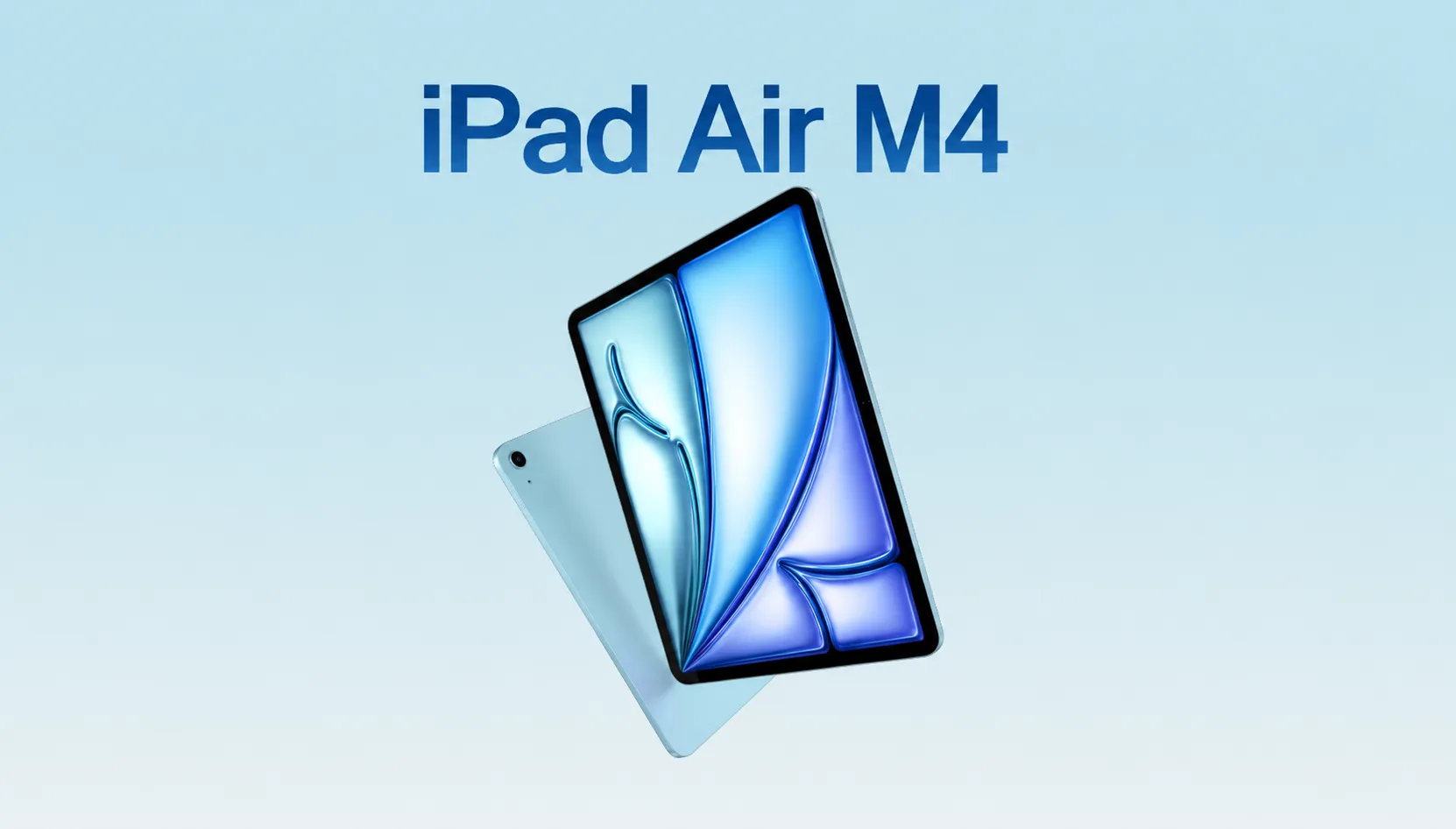
You buy a MacBook Air for around $999. You buy an 11-inch iPad Air M4 for $599 and add the Magic Keyboard, and it ends up around the same price. So the real question stopped being “which is cheaper” a while ago. The question now is whether the iPad Air M4, running iPadOS 26, does enough of what a laptop does so you can stop having two devices on hand.
That question did change this year and not because of the chip. Apple released the iPad Air M4 on March 11, 2026, at the same $599 starting price as the M3 model. On paper, it’s a quiet spec bump. But the software was doing the heavy lifting. Here’s an overall review of what the iPad Air M4 upgrade brings to the table and where Apple held the Air back for reasons and where the people who can drop their laptop and the people who should not.
What’s actually new in the iPad Air M4?
This refresh has involved four changes, and all of them sit under the glass.
The headline is the iPad Air M4 chip. It runs an 8-core CPU, a 9-core GPU, and a 16-core Neural Engine. Apple says it is up to 30% faster than the M3 Air and up to 2.3x faster than the old M1 model. Memory bandwidth goes from 100GB/s to 120GB/s, which is more important for big creative apps than scrolling Safari.
But memory is the upgrade that changes our daily life. The Air now has 12 GB of consolidated memory, half again as much as the M3’s 8 GB. More RAM means more apps will remain running in the background rather than needing to wait for a restart every time, and that’s more important for a laptop workflow than the CPU numbers.
Apple also added its own connectivity silicon. The N1 chip has Wi-Fi 7, Bluetooth 6, and Thread. Cellular models drop Qualcomm for Apple’s C1X modem, which is built for 5G and LTE. Faster wireless sounds like a footnote until you move large files to and from iCloud all day, at which point it earns its keep.
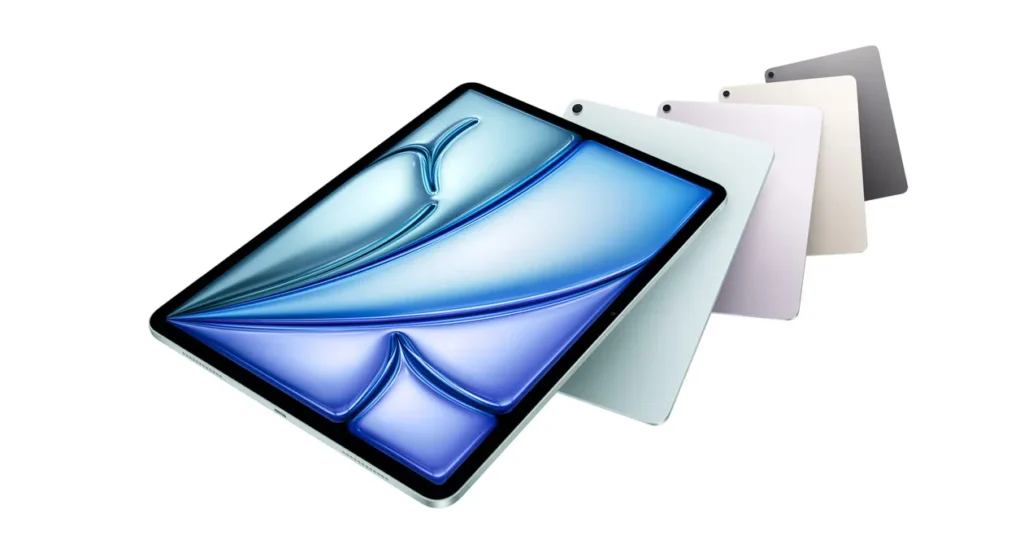
What didn’t change tells you as much as what did. Same screen sizes. The same design. The same Touch ID button. The same 128GB starting storage. The same four colors: space gray, blue, purple, and starlight. If you owned the M3 Air, you’d have a hard time finding the iPad Air M4 across a desk.
Design and display: where Apple drew the line
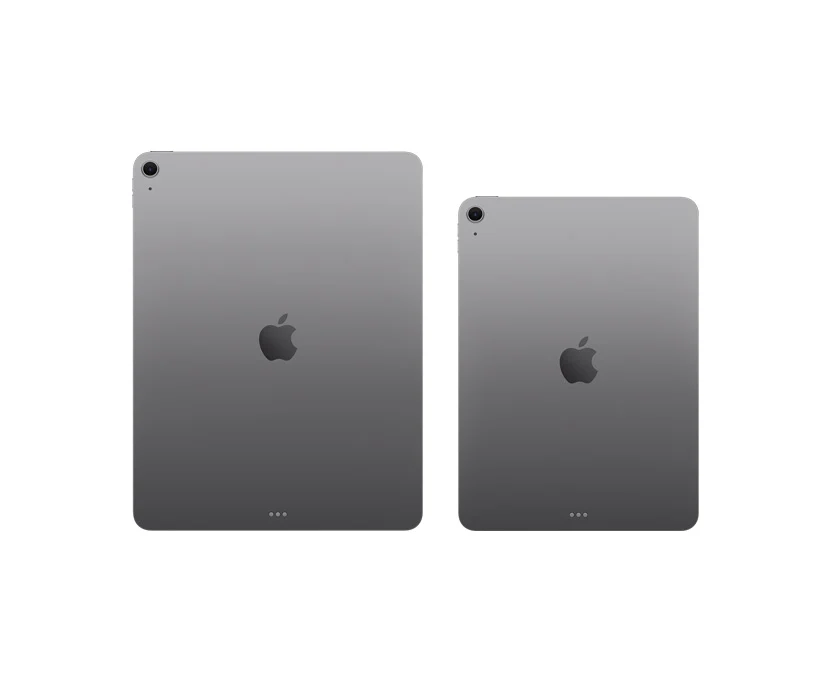
The Air retains the flat-edged aluminum shell Apple introduced back in 2020. The 11-inch model is 464 grams, and the 13-inch is 616 grams. Both of them remain quite thin at 6.1mm. Pick one up, and it feels like a premium tablet because it is one.
The display is where budget shows up. Both sizes use a Liquid Retina IPS LCD panel with around 264 pixels per inch, and both run at 60 Hz. The 11-inch reaches around 500 nits of brightness; the 13-inch reaches 600. Colors are good, and text is crisp, and for reading, browsing, and writing, it’s a nice screen.
Here is the truth that most spec sheets don’t tell you about: that the 60 Hz refresh rate is the single biggest reason that the Air is not a Pro. The iPad Pro’s ProMotion display scrolls at up to 120 Hz and uses OLED so that blacks are deeper and the motion is smoother. You’ve played with a 120Hz screen for a while, and going back to 60Hz feels a half-step slower even though there’s no lag. For most buyers, this won’t really register.
Performance: more power than most people will ever use
Raw speed has not been the iPad Air’s problem for years, and the iPad Air M4 makes it almost absurd. That chip powered the 2024 iPad Pro. Apple briefly binned it for the Air (the Pro shipped a 10-core GPU), but the gap in everyday use is almost invisible.
What does that buy you in practice? Lightroom edits are done without a hitch. Final Cut Pro for iPad scrubs 4K footage smoothly. Procreate works for large canvases with many layers. The games from Apple Arcade and the growing number of console ports all run at high settings too. Apple even claims over 4x faster 3D rendering with ray tracing versus the M1 Air, due to the new GPU’s mesh shading and hardware ray tracing.
Here is what most reviews gloss over when they talk about benchmark scores: the iPad Air M4 in the Air isn’t to win benchmarks. It’s to make sure the chip never gets in the way of you reaching for the MacBook. And it does, perfectly, on that score. The thing that’s really going to limit you is iPadOS and apps, not silicon. A student writing papers, a marketer building decks, a photographer culling a shoot, all of them will hit the ceiling of what an app allows long before they hit the ceiling of what this processor can do.
That reframes the whole buying decision. You are no longer choosing a chip. You are choosing a screen size, storage, cellular, and accessories.
One quiet benefit of having so much memory is worth mentioning. With 12GB of memory, the iPad holds more apps in a suspended state, so switching between a browser with a dozen tabs, a note-taking app, and a photo editor doesn’t trigger the reloads that plagued 8GB models under heavy multitasking. If you tend to keep many things open at once, this is the upgrade you’ll feel every hour, even though it never shows up in a benchmark.
iPadOS 26 is the real story.
The reason “Can it replace my laptop?” is a question that we’ll answer in 2026 and not a joke is due to iPadOS 26. Apple rebuilt multitasking from scratch after a decade of half-measures like Split View and Stage Manager.
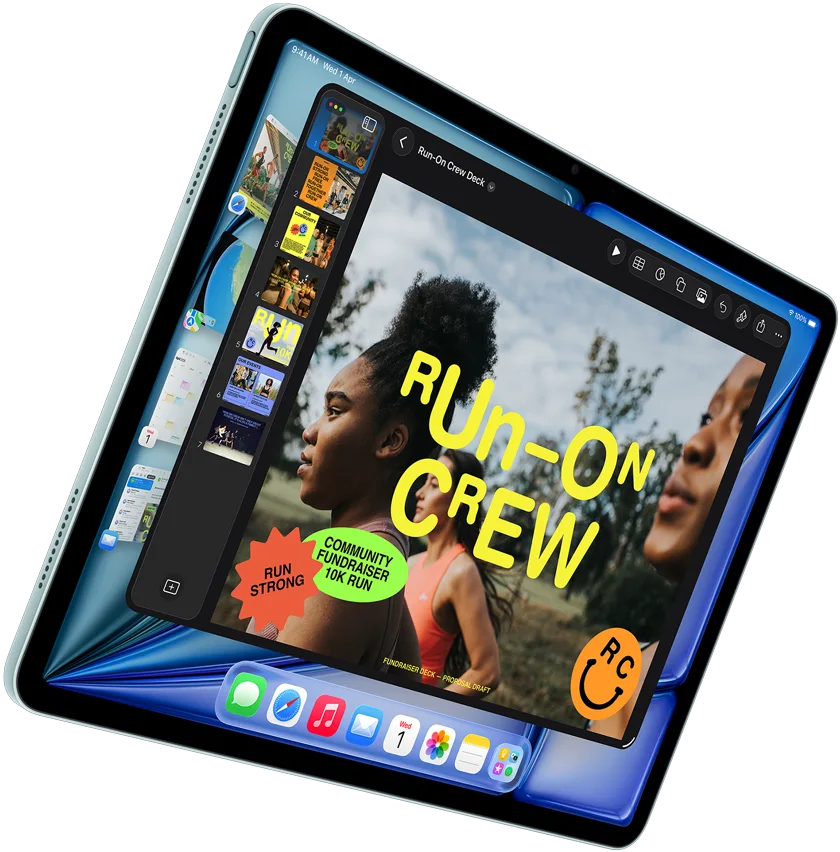
The new windowing system lets you resize, tile, and overlap app windows freely, the way you would on a Mac. Apps still open full screen by default, so nothing feels chaotic, but grab the corner and you can drag a window to any size and position. It remembers where you left it. Apple added a proper menu bar at the top of the screen, an Exposé view to see everything open at once, and a Files app that finally lets you color folders, set default apps, and pin folders to the Dock.
Two additions matter more than they sound. The Preview app came over from the Mac, so you can sign PDFs and mark up documents without needing to go to a third-party app. And true background processing has arrived, so you can export a video in LumaFusion and keep working in another app while it renders. On older iPadOS versions, leaving that app would cancel the export. That restriction is gone.
With a keyboard, the new menu bar and keyboard shortcuts turn the Air into something you drive with your hands off the screen for long stretches of time—which is when a tablet starts to feel like a laptop instead of a phone. Support has to depend on each app, and not all third-party ones have the ability to take shortcuts or resize awkwardly.
Reviewers who rely on an iPad as their primary machine describe the shift in the same way: iPadOS 26 finally makes the tablet feel like a computer without pretending to be macOS. It doesn’t close all the gaps. But it closes enough of them that the conversation is worth having with a straight face.
The laptop-replacement test: who it works for
Don’t bother with marketing. Make your own real workflow out of it.
The iPad Air M4 can be your only computer if you:
- Live in a browser, email, docs, spreadsheets, and video calls.
- Work in cloud-based tools like Google Workspace, Notion, Figma, or Canva.
- Edit photos and short-form videos in apps that exist on iPad.
- Want a device that can play Sketchpad, e-readers, and travel machines.
- Value cellular data and instant wake over raw desktop flexibility.
You should keep a laptop if you:
- You should keep a laptop if you: Write and compile code in a local development environment.
- Use Windows or macOS software with no iPad version (many finance, accounting, and engineering tools).
- Move and rename thousands of files in complex folder structures.
- Play AAA games that only run on a gaming PC.
- Need advanced automation or a real terminal.
A concrete example. A freelance social media manager who shoots on an iPhone, edits in CapCut and Lightroom, writes copy in Notion, and jumps on client Zoom calls can run her entire week on a 13-inch iPad Air M4 with a keyboard, and probably prefer it to a laptop because it’s lighter and always connected. But a backend developer on the same team cannot, because there is still no way to run his local server and code editor natively. The same device, opposite verdict, and the difference is the work, not the hardware.
One caution from people who’ve made the switch: connectivity can still frustrate. Some reviewers note Photos don’t sync to iCloud over cellular even on a strong 5G network, and iCloud Backup occasionally needing a manual nudge. Small things, but they show up when the iPad is your only machine.
iPad Air M4 vs iPad Pro M5 vs iPad Air M3
If you’re cross-shopping, this is the table that settles most of it.
| Feature | iPad Air M4 (2026) | iPad Air M3 (2025) | iPad Pro M5 (2025) |
| Chip | M4 (8-core CPU, 9-core GPU) | M3 | M5 (9/10-core CPU, 10-core GPU) |
| Unified Memory | 12GB | 8GB | 12GB / 16GB |
| Display | Liquid Retina LCD, 60Hz | Liquid Retina LCD, 60Hz | Ultra Retina OLED, 120Hz ProMotion |
| Sizes | 11″ and 13″ | 11″ and 13″ | 11″ and 13″ |
| Wireless | Wi-Fi 7, Bluetooth 6 (N1 chip) | Wi-Fi 6E | Wi-Fi 7, Bluetooth 6 (N1 chip) |
| Cellular Modem | Apple C1X | Qualcomm | Apple C1X |
| Front Camera | 12MP Center Stage (landscape) | 12MP Center Stage | 12MP Center Stage |
| Starting Price (11″) | $599 | $599 | $999 |
| Best For | Most people | Bargain hunters | Creative pros |
Prices and configurations change often. Confirm current pricing at apple.com before publishing or buying.
The short read: coming from an M3 Air, the iPad Air M4 has 50% more RAM, faster wireless, and Apple’s own modem, but a 30% speed bump alone won’t justify an upgrade if your M3 already keeps up. Coming from an M1 or M2 Air, the jump is large enough to feel across the board. And the reason to spend on the Pro is the OLED 120 Hz display and the last slice of performance headroom, not because the Air runs out of power. It doesn’t.
Battery, camera, and the accessories nobody mentions
Battery life is in line with Apple’s typical 10 hours of web and video, and the iPad Air M4 is efficient enough to deliver that in mixed use. The 11-inch has a 28.93 Wh battery, and the 13-inch has a bigger 36.59 Wh battery to feed its bigger screen. In practice, the result is somewhere close to a full workday for most tasks and shorter for heavy editing, which is normal for a thin tablet.
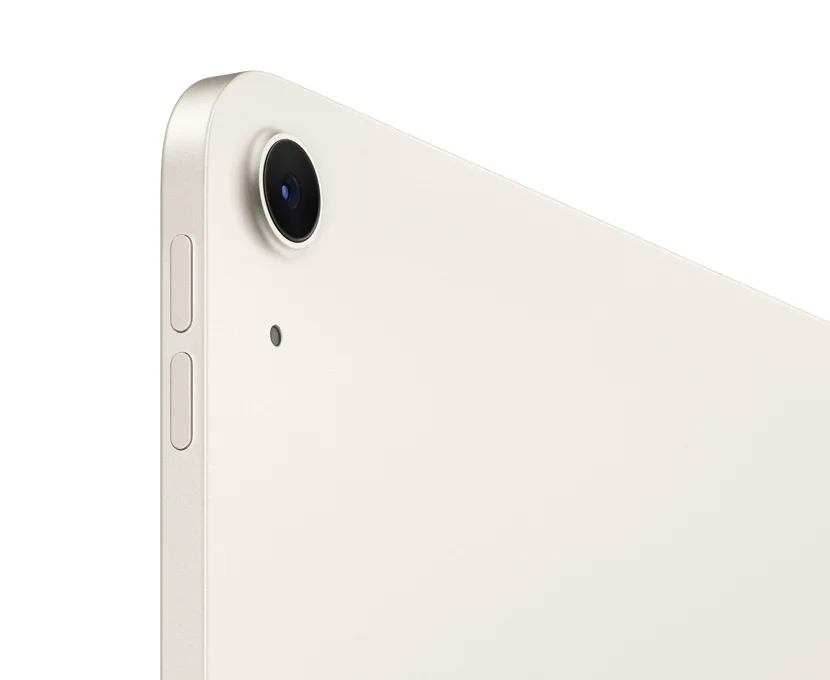
So the camera setup is OK, not a selling point. You have a 12MP rear-wide camera and a 12MP front camera that now sit along the landscape edge with Center Stage, which is the right call for video calls when the iPad is docked in a keyboard. Nobody needs to buy this just to take photos, but it’s more than enough for scanning documents and joining meetings.
Now the part that changes the math. The tablet is the beginning of the bill, not the end. A Magic Keyboard costs a few hundred dollars. The Apple Pencil Pro is a little extra. A cellular model is $150 before you have a data plan. Add a keyboard and pencil to a $599 iPad, and you are at MacBook Air money. That’s not a reason to skip it. It is a reason to price the whole setup, not just the sticker on the box.
iPad Air M4 price breakdown: is it worth buying?
The pricing was flat from the M3 generation, which is the best news in the whole launch.
| Storage | 11-inch (Wi-Fi) | 13-inch (Wi-Fi) |
| 128GB | $599 | $799 |
| 256GB | $699 | $899 |
| 512GB | $899 | $1,099 |
| 1TB | $1,099 | $1,299 |
Cellular adds roughly $150 to any configuration. Students and educators start lower: $549 for the 11-inch and $749 for the 13-inch. Retailers have already discounted the base 11-inch model to about $559, so look for sales rather than paying the full list.
A note on storage, because 128GB is the trap. If this is the main device and if you shoot video or install large apps, 128GB fills up fast and you can’t add a memory card. For a laptop replacement, 256GB is the realistic floor, and 512GB is safer if you edit media. That upgrade is really more important to your daily happiness than the size or color you choose.
So, worth it? For a new buyer who wants to buy one modern iPad, the iPad Air M4 is the easy default. You get Pro-class performance and current wireless for hundreds less than the Pro, and you only give up the fancy display and a sliver of speed. The people who shouldn’t skip it are current M3 Air owners who have no complaints and true pros who need the OLED screen.
Over time, specs, prices, and regional availability change. Check the latest information on Apple’s site before making a purchase.
The Verdict
The iPad Air M4 answers the laptop question with a clear “it depends on you,” and that’s progress worth taking seriously. The hardware stopped being the limitation years ago, and in 2026 the iPad Air M4 closes that debate for good. Now what decides your outcome is your actual work and whether iPadOS 26 runs the apps you live in.
For cloud-based professionals, students, and creatives working inside iPad apps, this is the closest that a tablet has come to replacing a laptop, and many will make the switch without regret. For developers and anyone chained to desktop software, keep the MacBook and enjoy the Air as the excellent second screen.
Before you buy, do one thing: list the five apps you use most for work, and check that each runs well on iPadOS. If they do, then the iPad Air M4 is one of the smartest tech purchases you can make this year. If even one is a hard no, you have your answer.
Frequently Asked Questions (FAQs)
Q. Is the iPad Air M4 worth buying in 2026?
A.Yes, for most buyers. It includes the iPad Air M4 chip, 12GB of RAM, and Wi-Fi 7 starting at $599, which makes it the best-value iPad for students, professionals, and anyone who wants near-Pro performance without the Pro price. Skip it only if you own a recent Air or need the Pro’s OLED display.
Q. Can the iPad Air M4 replace a laptop?
A. For browsing, email, documents, cloud work, and photo or video editing in iPad apps, yes. iPadOS 26’s new windowing system makes real multitasking possible. It falls short for local software development, Windows or macOS-only programs, heavy file management, and AAA gaming.
Q. What is the difference between the iPad Air M4 and M3?
A. The iPad Air M4 model has about 30% more CPU speed, 50% more memory (12GB vs 8GB), Wi-Fi 7 through Apple’s N1 chip, and Apple’s own C1X cellular modem. The design, display, cameras, and starting price all stay the same.
Q. How much does the iPad Air M4 cost?
A. No. The 11-inch and 13-inch use a 60 Hz Liquid Retina LCD. The 120Hz ProMotion OLED display is exclusive to the iPad Pro, and it’s the main reason to spend up if smooth scrolling and richer contrast matter to you.
Q. How much does the iPad Air M4 cost?
A. The 11-inch starts at $599, and the 13-inch for Wi-Fi models with 128 GB is $799. The price increases with storage up to $1,299 for the 13-inch 1TB, and cellular adds around $150. Education pricing starts at $549.