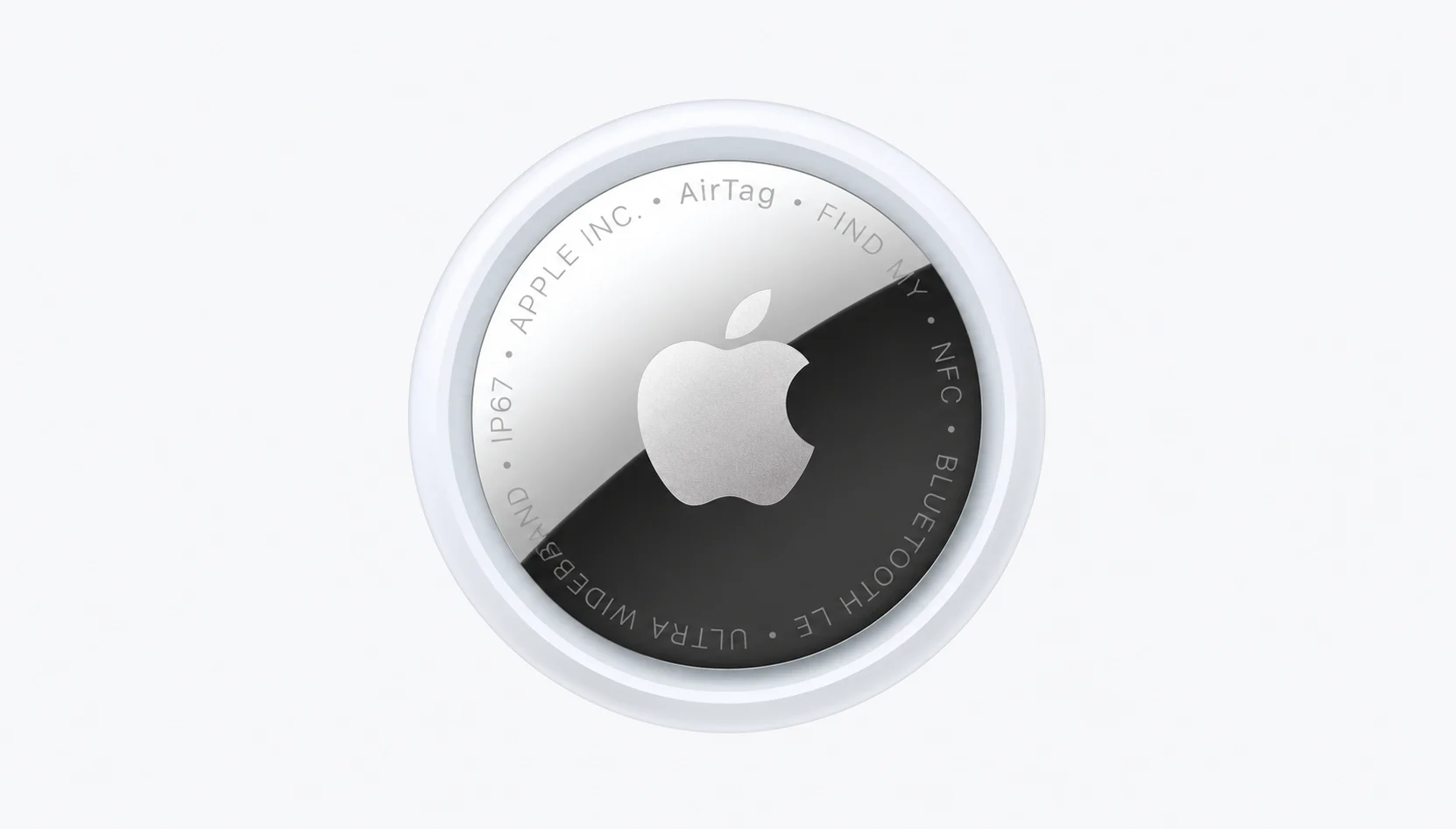
Quick answer
Yes, for iPhone users. It is still the easiest way to track keys, bags, and luggage, and there’s no subscription. If you have an Android as your main phone, skip it.
- Price: $29 for one, $99 for a four-pack. Pricing didn’t change with the second generation. Gsmarena.
- Who should buy it: iPhone owners who lose keys, wallets, backpacks, or checked bags; and anyone who wants a low-effort safety net.
- Who shouldn’t: Android users and anyone who needs live GPS tracking for a car, a pet or a person. AirTag has no GPS and no cellular radio.
- Which one to buy: the second-generation model. The original 2021 AirTag is discontinued. It will still work if you still have some first-generation stock at a real discount. At full price, don’t bother. airpinpoint.
Key info at a glance
| Feature | Specification |
| Price | $29 single / $99 four-pack (US) |
| Battery | CR2032 coin cell, user-replaceable, rated for over a year |
| Water and Dust Resistance | IP67 |
| Network | Apple Find My, plus Bluetooth and Ultra Wideband |
| Requirements | iPhone or iPad on iOS/iPadOS 16 or later for the second generation |
| Standout Feature | Precision Finding, which points you to the item when you’re close |
| Main Drawback | Works only with Apple devices and has no live GPS |
How we approached this
We didn’t run a fresh two-year field test, and we won’t pretend otherwise. This piece combines Apple’s published specs, hardware differences between generations, and patterns that owners and reviewers keep reporting. If a number is based on a single reviewer’s measurement, we say so.
What stands out
It finds things without a subscription or a second app
Setup takes about 10 seconds. Hold the tag near an iPhone, tap the prompt, name it “Keys” or “Blue Duffel” and it appears in the Find My app. You are not billed monthly and you don’t set up an account beyond the Apple ID you already have.
That matters more than it sounds. Most people don’t lose a tracker’s value to bad hardware. They lose it because the setup was annoying and the item never got tagged. A tracker that takes ten seconds gets attached to more things.

The Find My network does the heavy lifting
An AirTag doesn’t have to be near your phone. When it’s out of range, any nearby Apple device can pick up its Bluetooth signal and relay the location to you anonymously and with encryption. In a city, office or airport, the crowd of passing iPhones makes the tag surprisingly reachable. In a quiet rural area it’s very much less useful because there may be no one nearby to relay anything.
That is the honest way to think about the AirTag range. The Bluetooth link itself covers about 30 meters. Beyond that, you depend on strangers’ devices.
Precision Finding is the feature that sells it
If you’re in a room or two of the tag, your iPhone will show a “distance” and an arrow and it’ll also show haptic and sound cues instead of just a beep. It works in Ultra Wideband, and it’s the difference between “it’s somewhere in this house” and “it’s under the couch cushion” that’s two feet to your left.
The second generation updates this. Apple says Precision Finding can now guide you from up to 50% farther away than before. A separate tester measured a wider gap, but that is from one vendor’s own test, so take Apple’s 50% as the safe number. Another comparison used open-air tests and found a gap of about 24 to 30 meters.
Apple Watch owners also gain something. Precision Finding now works on Apple Watch Series 9 or later and Ultra 2 or later. If your phone is the thing that’s lost, your wrist can still lead you to the tag.
A louder speaker fixes the most common complaint
The first-generation speaker was easy to miss. If the tag was in a duffel under a pile of jackets, you could stand next to it and hear nothing. The new chime is 50% louder than the original. That is a practical upgrade, and it matters most for the exact places people put AirTags: bag pockets, glove boxes and coat linings.
Battery life is strong for a tag this small
Apple says the second-generation tag works for more than a year on a user-replaceable CR2032. Independent write-ups tend to describe roughly 12 to 18 months in normal use, though one vendor blog puts typical original tags nearer 10 to 14 months. The spread makes sense. Battery life depends on how often the tag gets pinged, how often you make it play sound, and how many Precision Finding sessions you run.
What that means in practice is that you should open it once a year. A CR2032 costs a couple of dollars and you can switch it out in 30 seconds. You press down on the steel back and twist. When the battery runs low, the app tells you and you can act on it then.
One catch. Some coin cells with a bitter coating for child safety don’t work in an AirTag because of how its battery terminal is made. If a fresh battery doesn’t wake the tag, this is the first thing to check. Choose a plain CR2032 from a reputable brand and if one doesn’t work, try another.
It is well built for how people carry things
IP67 dust and water resistance is not a dive rating, but it handles rain, spilled coffee and dropped in a puddle. The steel-and-polymer shell survives keychains, bag pockets and pet collars. The plain disc shape has no loop, so you will have to have an accessory to attach it to keys, which costs a few dollars. That’s a design choice worth knowing before you buy.
Airlines can now help you
The latest generation supports sharing an item’s location with participating airlines. If your bag doesn’t come, you can send the airline a link showing where the tag is, instead of arguing over a tracking number that hasn’t been updated. Support depends on the airline, so check if yours takes part. Even without it, seeing that your bag is still in the departure city is useful information at the baggage desk.
Where it falls short
This section is the part which matters the most, because AirTag’s limits are the part that surprises people.
It is not a GPS tracker
An AirTag has no GPS chip and no SIM card. It knows where it is only because other people’s Apple devices report seeing it. That has real consequences:
- You get frequent and accurate updates in crowded places.
- In remote places you may not get any for hours or days.
- In a car park or a rural road, the last-seen location may be old.
Don’t envision it as a theft-recovery device for a car, a bike left overnight in a quiet street, or expensive hardware. A GPS tracker with a cellular plan for GPS tracking that will be real-time tracking is worth going to, for example.
It only works well inside Apple’s ecosystem
An AirTag needs an iPhone or iPad to set up. Android users can’t manage one and there’s no Android app. If your household mixes phones, one person with an Android device is not able to see or ring the tag. Sharing happens for people in Apple’s world, but it doesn’t extend past it.
Tile, Samsung’s SmartTag line and Google’s own network are on the Android side. If you switch platforms, your AirTags don’t follow you.
Precision Finding needs a recent iPhone
The improved Precision Finding requires a newer iPhone. One comparison lists the iPhone 15 and later for the enhanced version, and the original feature required an iPhone with a U1 chip (the iPhone 11 and later). An older iPhone still tracks the tag through Find My and plays a sound, but you lose the arrow. airpinpoint
Also check the software requirement before you buy. The second-generation tag needs iOS 16 or later. If your iPhone can’t run it, you’ll want to sort that out first. yahoo
No keyring hole, and the battery lid is fiddly
Apple also sells a separate holder or you get a third-party one. That adds costs and bulk and the first thing that breaks on a keychain setup is often the cheap holder, not the tag. Make sure it is a holder with a metal or reinforced loop. The battery cover twists off with a firm press, which is fine once you know the motion and annoying the first time. Younger children can’t open it easily, which is the point, but adults sometimes think the tag is broken when they can’t get it open.
Anti-stalking safeguards create friction, and that’s on purpose
Apple built protections so AirTags can’t be used to follow people quietly. If an unknown tag travels with you, your iPhone alerts you, and a tag separated from its owner for a period will beep. That alarm sounds after a random interval between 8 and 24 hours away from any Apple device the owner uses. Android also has its own unknown-tracker alerts. Wikipedia
And for legitimate owners, that occasionally creates an awkward moment. If you lend your bag to a friend, they will get an alert about “an unknown AirTag.” Tell them beforehand, or remove the tag. These protections are the right trade-off, but you should know that they exist.
The tracker doesn’t stop you from losing things
An AirTag helps you find a lost item. It does nothing to stop the loss. It doesn’t tell you when you walk away from your bag unless you set up separation alerts in Find My, and those alerts can fire falsely at home if you don’t mark your home and work as trusted locations. Set those trusted places in two minutes, or you’ll turn the alerts off out of irritation after a week.
Everyday reliability: what to expect month to month
Here is how the tag behaves once the novelty fades.
Connection. In normal use, the tag stays connected with no attention from you. If it seems stuck on “No Location Found,” moving it near your iPhone or toggling Bluetooth usually wakes it up.
Firmware. Updates install themselves when the tag is near your phone. You’ll rarely notice them.
Water and drops. You don’t normally kill your hardware every day. Most of the time your cell becomes unseated after replacing your battery. If the tag goes silent when you replace the battery, reseat the cell before you assume that it is dead.
Lost Mode. If something goes missing, mark it as lost in the app. You can add a phone number and anyone who finds it and taps it with an NFC-capable phone sees your contact message. And as soon as it’s detected by another device in the network, the tag will also receive notification. It’s a good feature, but you need someone to see the tag, so don’t take that as a guarantee.
Backing for a trip. For luggage, put the tag inside the bag in an inner pocket, not on a visible tag where it can be pulled off. A loose tag on a luggage handle will not survive baggage handling long. Airlines generally allow AirTags in checked bags because the battery is a small coin cell, but rules can differ by carrier, so check before you fly.
AirTag vs the alternatives
The right competitor depends on your phone.
| Feature | AirTag (2nd gen) | Samsung Galaxy SmartTag | Tile | Find My–compatible third-party tags |
| Works with | iPhone / iPad | Galaxy phones | iPhone and Android | iPhone (via Find My) |
| Network | Apple Find My | Samsung SmartThings | Tile network | Apple Find My |
| Precision direction finding | Yes, with a compatible iPhone | Yes, on some Galaxy models | Limited | Varies by model |
| Battery | Replaceable CR2032 | Replaceable coin cell | Varies by model | Varies, some rechargeable |
| Subscription | None | None | Optional for extra features | None |
| Best for | Simplicity for iPhone users | Samsung owners | Mixed households | Wallet cards, keyring loop, longer battery |
We have seen prices for rivals shift from one place to another, so we need to check current listings before you make your decision. The pattern is what matters. AirTag wins on network size and precision Finding for iPhone owners. Others win on cross-platform support or form factor. Third-party Find My tags can be a better fit if you want a card shape for a wallet or a built-in loop, since they use the same network.
First generation or second generation?
If you already own first-generation tags, then you don’t need to replace them. They work, and they keep working on the same network. If you could upgrade a specific tag, the louder speaker or the longer Precision Finding range would help you, for example on a bag you often can’t hear.
One review suggests comparing a new $29 tag to a cheap replacement battery when your original tag’s battery dies. That’s sensible. A battery swap costs a couple of dollars, so unless you want the new features don’t replace the battery.
Who should buy an AirTag
- Frequent travelers who want a bag they can find, and proof of where it is.
- People who lose keys and wallets inside the home or the office.
- Parents who want to track a backpack (not a child).
- Anyone already deep in the Apple ecosystem who wants a no-subscription tracker.
Who should skip it
- Android users, who should buy a tag made for their platform.
- Anyone tracking a vehicle, a pet that roams, or a person. AirTag is for objects. Apple says it’s not meant to track people or pets.
- People who want real-time, continuous location. That takes GPS and a cellular plan.
Verdict
The AirTag is a reliable, cheap, and well-designed tracker if you have an iPhone. It won’t recover a stolen bike from a quiet street, and it won’t help an Android household. But it does its job, and it does it with a battery that you can replace yourself for a couple of dollars. For most iPhone owners, one tag in the bag you can’t afford to lose is an easy $29.
FAQ
Q. How long does an AirTag battery last?
A. Apple rates it at more than a year. Real-world reports run from 10 to 18 months, depending on how often the tag is used and how often you make it play sound.
Q. How do I replace the battery?
A. Press down on the metal back and turn it counterclockwise until it releases. Swap in a fresh CR2032 with the positive side up, then twist the cover back until it clicks. If the tag doesn’t chime, try a different brand of battery.
Q. What is the AirTag’s range?
A. The Bluetooth range is around 30 meters. Beyond that, the tag relies on nearby Apple devices to communicate with it. Precision Finding, which indicates direction and distance, is at a shorter range, and the second generation extends it.
Q. Can an AirTag track my luggage?
A. Yes, as long as it is near other Apple devices that are able to pick up its signal. Airports and cities work well. If the airline supports location sharing, you can send them a link to help locate the bag.
Q. Does AirTag need to subscribe?
A. No. There’s no monthly fee.
Q. What does Lost Mode do?
A. It allows you to add a contact number, notifies you if the tag is detected by another device, and shows your message to anyone who scans the tag.
Q. When does AirTag work on Android?
A. You can’t set up or manage one from an Android phone. Android can detect an unknown AirTag traveling with a person, but you can’t use it as your own tracker.
Q. Does the second generation AirTag have any upgrade to it?
A. Only if you want the louder speaker or longer Precision Finding range, or you want your first tag as well because you’re going to buy your first tag. If your tags work, keep them.