Shikha Kumari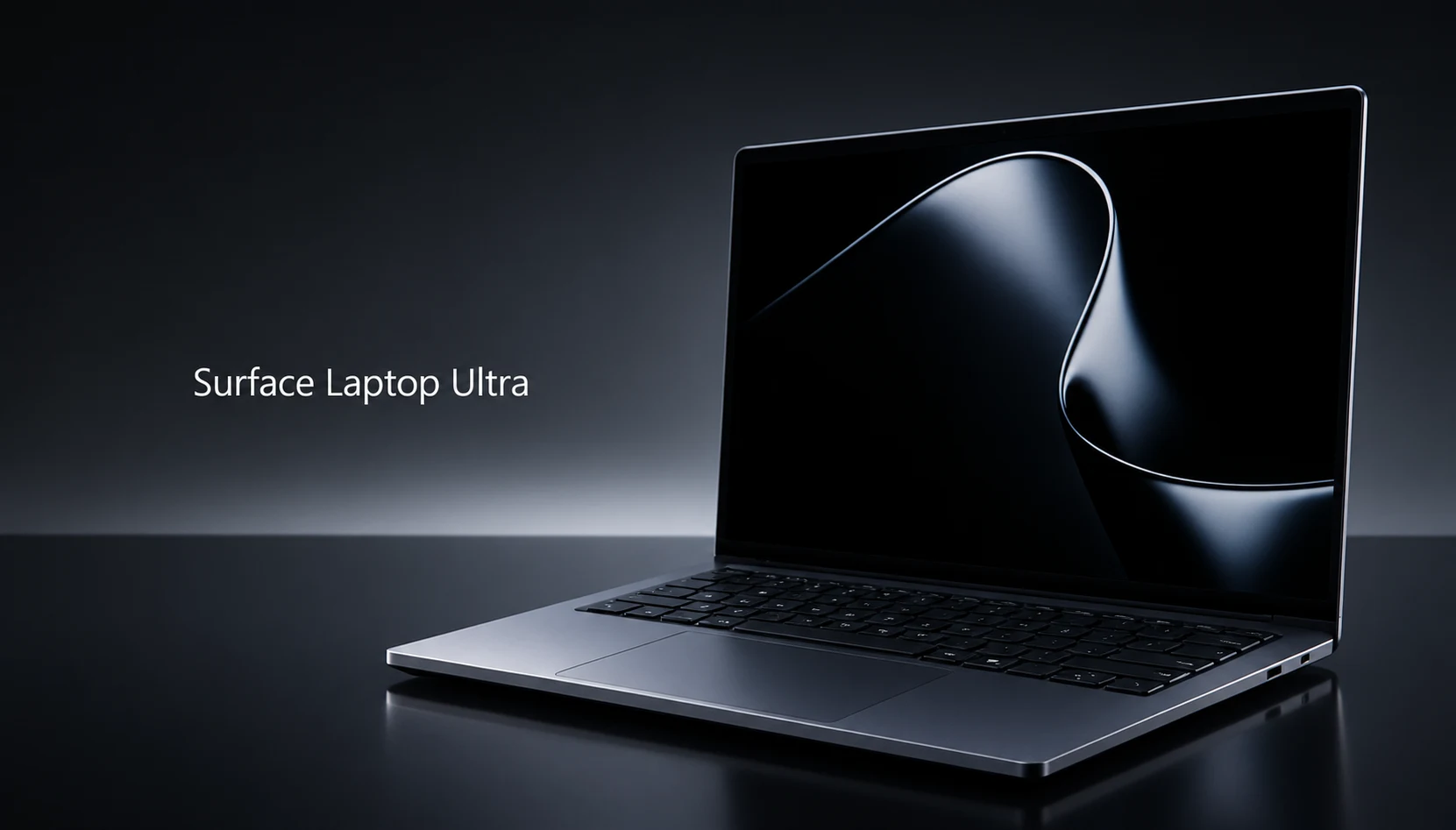
Quick answer
Preorder the Surface Laptop Ultra if you run AI models locally, edit high-resolution video, or want the best HDR screen on a 15-inch Windows laptop, and you can stretch to the $3,699.99 tier. Microsoft opened preorders on October 7, 2026, with shipping set for October 16 and a starting price of $2,599.
Skip the preorder if you mainly game, depend on older x86 software, or plan to buy the $2,599 base model for AI work. That entry config ships with 24GB of memory, which caps the size of model you can run and undercuts the reason this laptop exists. Full reviews will arrive within days of the October 16 ship date, so waiting costs you about a week.
A note on how we built this guide: Techzeeno has not tested a retail unit yet. Everything below comes from Microsoft’s published spec sheet, retailer listings, and reports from editors who used preproduction units at Computex in June and at Microsoft’s October 7 event in San Francisco. Where a claim comes from Microsoft rather than independent testing, we say so.
Surface Laptop Ultra at a glance
| What you’re checking | Surface Laptop Ultra |
| Starting price | $2,599 (24GB memory, 512GB SSD) |
| Preorders | Open since October 7, 2026, at Microsoft.com and Best Buy |
| Shipping | Begins October 16, 2026 |
| Chip | Nvidia RTX Spark (N1X): 18-core CPU with 5,120 GPU cores, or 20-core CPU with 6,144 GPU cores |
| Memory | 24GB to 128GB unified, shared by CPU and GPU |
| Display | 15-inch mini-LED touchscreen, 3270 x 2180 (262 ppi), 3:2, up to 120Hz, 2,000 nits peak HDR |
| Size and weight | 0.71 in (17.99 mm) thick, 4.41 lb (2.0 kg) |
| Battery | 92Wh; Microsoft claims up to 15 hours of video playback and 12 hours of web use |
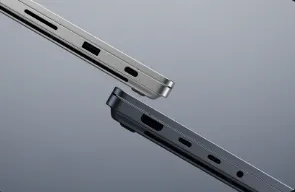
| Ports | 3x USB-C with USB4 (one breakaway), USB-A, HDMI, full-size SD card reader, 3.5 mm jack |
| Colors | Nightfall, Platinum |
| Standout feature | The first laptop with a breakaway USB-C port |
| Main drawback | Runs Windows on Arm, so some games and older apps rely on emulation or won’t run |
Surface Laptop Ultra price, release date and preorder configurations
The Surface Laptop Ultra costs $2,599 to $5,899.99, and every model ships from October 16. Microsoft first showed the laptop at Computex in June 2026 but held back pricing until its October 7 keynote. Every configuration gets the same 15-inch mini-LED display, the same ports and the same chassis. Your money only changes the chip, the memory and the storage.
| Configuration | CPU / GPU | Memory | Storage | Price |
| Entry | 18-core N1X / 5,120 GPU cores | 24GB | 512GB | $2,599 |
| Step-up (lowest config with the faster chip) | 20-core N1X / 6,144 GPU cores | 32GB | 1TB | $3,699.99 |
| Top | 20-core N1X / 6,144 GPU cores | 128GB | 1TB | $5,899.99 |
These three price points come from Cale Hunt’s configuration breakdown at Windows Central. Microsoft’s configurator also offers memory and storage steps between them; check the live price there before you commit.
What the $1,100 jump buys you
The gap between the entry model and the step-up model is $1,100.99. For that you get two more CPU cores, 1,024 more GPU cores, 8GB more memory and double the storage. Windows Central’s reviewer suggests most advanced users start at the step-up tier, and the math backs that up: memory is the one spec you can’t change after checkout.
Storage is a different story. Microsoft lists the SSD as user-replaceable, which almost no laptop in this class allows. If you only want more space, you could buy the entry model and swap the drive later. Before you plan on that, confirm the drive’s form factor once teardowns appear, and remember that opening the chassis may carry warranty conditions.
Why the prices run high
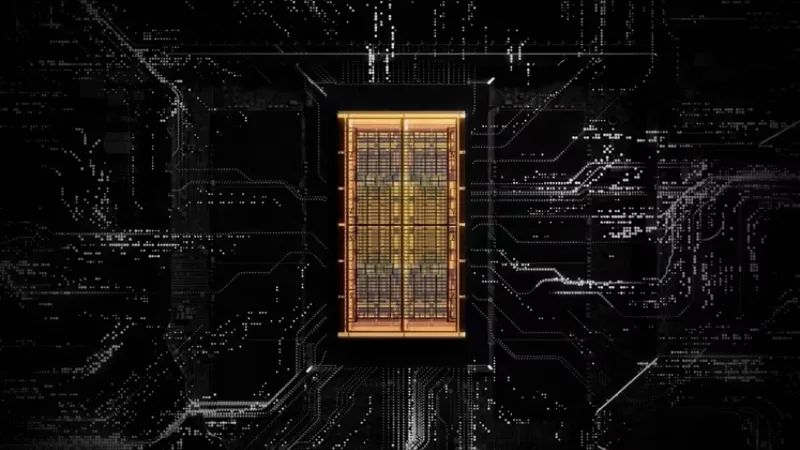
Windows Central points to the ongoing RAM and storage shortage as one reason Surface Laptop Ultra pricing landed where it did. Memory-heavy laptops feel this the most. The jump from 32GB to 128GB costs $2,200 on this machine, more than a whole mid-range laptop.
Which preorder tier fits which buyer
- Entry ($2,599): photo editing, 4K video timelines, data work in spreadsheets and Python, light 3D. Not the right pick for running large language models.
- Step-up ($3,699.99): heavier video and 3D work, plus small and mid-size local AI models.
- Top ($5,899.99): developers who need to load very large models on the laptop itself. Microsoft says the high-end configurations target workloads such as 120-billion-parameter models.
What stands out
The breakaway USB-C port
Microsoft calls this the first laptop with a breakaway USB-C port. If someone trips over your charging cable, the cable pops free instead of dragging a $2,600 laptop off the table. Apple does this with MagSafe and Microsoft did it with Surface Connect, but both are proprietary connectors. This one is a standard USB-C port, so it still takes any USB-C accessory you own.
One detail worth checking before you buy: Microsoft’s business listing includes a “USB-C Magnetic Connect Cable” in the box. That suggests the breakaway behavior depends on Microsoft’s cable, while a regular USB-C cable plugs in the normal way. Microsoft hasn’t spelled this out yet, so treat it as an open question until reviews confirm it.
A 15-inch mini-LED screen built for HDR work
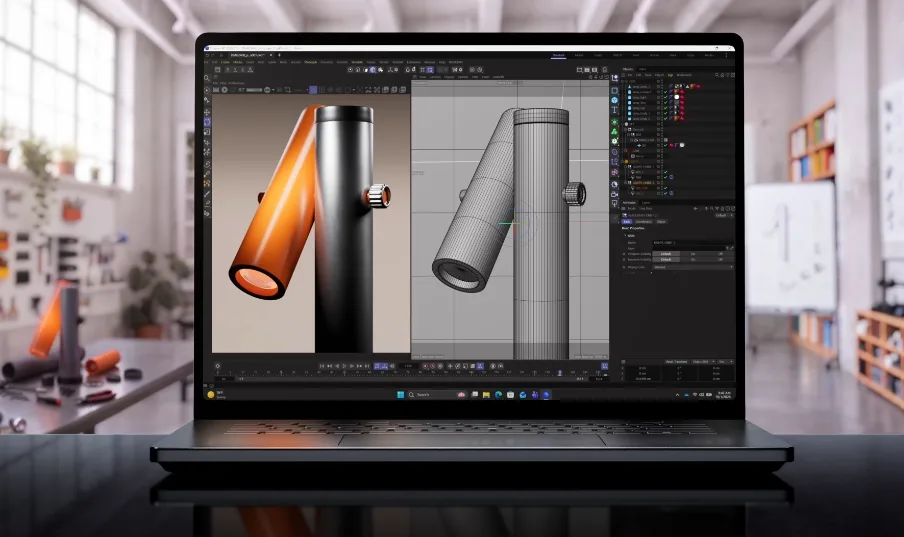
The 3270 x 2180 PixelSense Ultra display hits 2,000 nits peak HDR brightness, covers 100% of DCI-P3 and supports Dolby Vision IQ. Microsoft calibrates each panel individually. The 3:2 shape gives you more vertical room than a 16:10 screen, which helps with timelines, long documents and code. It is also a touchscreen, something no MacBook Pro offers.
Unified memory that scales to 128GB
The RTX Spark chip shares one pool of memory between CPU and GPU, the same idea Apple uses. On a Windows laptop with an Nvidia GPU, that means you can load AI models far larger than a typical laptop graphics card’s dedicated memory allows. For developers who live in Nvidia’s CUDA tools, a 128GB Windows laptop with this design is new territory.
Ports you’d normally buy a dongle for
You get three USB4 USB-C ports, USB-A, full-size HDMI, a full-size SD card reader and a headphone jack. Photographers can offload cards and plug in an older USB-A drive on the same trip without a hub.
Repairability and a bigger trackpad
Beyond the swappable SSD, Microsoft says the chassis includes internal markings to guide repairs with official parts. The haptic trackpad is over 30% larger than the one on the Surface Laptop 7, according to Notebookcheck’s spec report. Microsoft also claims a cooling system with 2.5 times the capacity of the 15-inch Surface Laptop 7. Nobody has measured that independently yet.
It can game, even if that isn’t the point
Windows Central editors played Indiana Jones and the Great Circle, Alan Wake 2 and Fortnite on preproduction units and reported smooth performance with ray tracing and DLSS. Many of those games ran through Prism, Microsoft’s x86 emulation layer for Arm chips. That’s a strong showing for a laptop Microsoft markets to creators and AI developers.

Where it falls short
Windows on Arm still has gaps
The RTX Spark is an Arm chip, like Qualcomm’s Snapdragon X series. Most mainstream apps now run natively or through Prism without trouble. Games with kernel-level anti-cheat are the weak spot, along with niche engineering tools, older plug-ins and some hardware drivers. Call of Duty support for RTX Spark isn’t expected until 2027. Windows Central’s gaming coverage recommends dedicated gamers buy a regular x86 gaming laptop instead, since those cost less and avoid compatibility surprises.
Battery life trails the MacBook Pro on paper
Microsoft rates the Ultra at up to 15 hours of video playback from a 92Wh battery. Apple rates the 16-inch MacBook Pro with M5 Pro at up to 24 hours of video from 100Wh. Both are manufacturer numbers measured under different conditions. Still, a nine-hour gap on paper is too wide to ignore if you work away from outlets.
The base model doesn’t match the pitch
Microsoft sells this as a laptop for AI builders. The $2,599 version ships with 24GB of shared memory, and the GPU, the operating system and your apps all draw from that pool. It’s a capable creator laptop. As a local AI machine, it’s a starting point you’ll outgrow.
It’s heavy for a 15-inch laptop
At 4.41 pounds, the Ultra weighs about three-quarters of a pound more than the 15-inch Surface Laptop 7 (3.67 pounds). It sits close to the 16-inch MacBook Pro’s 4.7 pounds while carrying a smaller screen. You’ll notice the difference in a backpack.
First-generation hardware, untested claims
RTX Spark laptops start shipping the same week as the Surface. Battery life, fan noise under load and long-session thermals are all unverified. Early buyers carry that risk, and anyone who waits a week for independent reviews doesn’t.
Surface Laptop Ultra vs MacBook Pro 16 and Dell XPS 16 Creator Edition
The MacBook Pro 16 wins on battery life and software maturity. The Surface Laptop Ultra wins on screen brightness, ports, touch input and repairability. Dell’s XPS 16 Creator Edition uses the same RTX Spark chip but starts $1,200 higher.
| Spec | Surface Laptop Ultra | MacBook Pro 16 (M5 Pro) | Dell XPS 16 Creator Edition |
| Starting price | $2,599 | $2,699 | $3,799.99 (32GB, 512GB) |
| Chip | Nvidia RTX Spark (Arm) | Apple M5 Pro | Nvidia RTX Spark (Arm) |
| Max memory | 128GB | 64GB (M5 Pro) | 128GB |
| Display | 15-inch mini-LED, 3270 x 2180, touch | 16.2-inch mini-LED, 3456 x 2234, no touch | 16-inch tandem OLED, 3200 x 2000, touch optional |
| Peak HDR brightness | 2,000 nits | 1,600 nits | Up to 1,000 nits (HDR True Black 600) |
| Weight | 4.41 lb | 4.7 lb | 4.45 lb (2.02 kg) |
| Battery claim (video) | Up to 15 hours (92Wh) | Up to 24 hours (100Wh) | 99Wh |
| Charging | Breakaway USB-C | MagSafe 3 | USB-C |
| User-replaceable SSD | Yes | No | Not confirmed |
| Ships | October 16, 2026 | Available now | October 16, 2026 |
Better for battery life: MacBook Pro 16
Apple’s 24-hour video rating beats Microsoft’s 15 hours by a wide margin, and Apple silicon has years of real-world battery data behind it. If you edit on flights or work from cafes, the Mac is the safer bet. Amazon has also been discounting M5 Pro models by $200 to $300 at times, which narrows the price gap further.
Better for local AI on Windows: Surface Laptop Ultra
Nvidia’s GPU software stack is the default for most AI development. A 128GB Windows laptop with an Nvidia GPU lets you prototype on the same tools you deploy on. The MacBook Pro 16 with M5 Pro tops out at 64GB, and the M5 Max models that go higher start at $3,899.
Better for creative pros who want touch and ports: Surface Laptop Ultra
The Ultra adds a touchscreen, a USB-A port and brighter HDR peaks. Video editors grading HDR footage get 400 more nits of headroom than on the MacBook.
Better OLED screen among RTX Spark laptops: Dell XPS 16 Creator Edition
The Dell’s tandem OLED will deliver true blacks that mini-LED can’t fully match. You pay for it: the Dell’s $3,799.99 entry price gets you 32GB and 512GB, while the Surface’s $3,699.99 tier gives you 32GB, 1TB and the faster chip. On value, the Surface comes out ahead.
Before you click “place order”: a pre-checkout checklist
Work through these six checks before you pay. Most take five minutes, and each one can save you a return.
- List the apps you can’t work without. Search each one’s support page for “Arm64” or “Windows on Arm.” Add any game you play online and check whether its anti-cheat supports Arm. If you own a Snapdragon X PC, test the app there first; RTX Spark uses the same Prism emulation.
- Size your memory to your largest AI model. A rough rule: a model compressed to 4 bits needs about half a gigabyte per billion parameters, plus room for context, Windows and your other apps. That puts 7B to 14B models within reach of 24GB, 30B-class models in the 32GB to 64GB range, and 120B-class models in 128GB territory. Memory is fixed at checkout, so round up.
- Confirm what comes in the box. Microsoft’s business listing includes a 140W USB-C adapter (in select markets and configurations) and a magnetic USB-C cable. Check the consumer listing for your exact configuration so you know whether you need to buy a charger.
- Compare return windows. Microsoft.com and Best Buy both take preorders. Read each store’s return and price-match terms before you choose, since this is a first-generation product and prices can move once competing RTX Spark laptops ship.
- Decide on coverage. The business model carries a one-year limited hardware warranty. A $2,600-plus laptop with a new chip is a reasonable case for an extended plan, so price it at checkout.
- Pick your color with fingerprints in mind. You can choose Nightfall (dark gray) or Platinum. Darker aluminum finishes tend to show smudges more, so look at owner photos once units ship if that matters to you.
Who the Surface Laptop Ultra is for
Buy it if you build or test AI models and want them running on your own machine instead of a cloud bill. You’ll also get a lot from it if you grade HDR video, shoot photos you offload from SD cards, or need one Windows laptop for client work by day and some gaming at night. The Ultra suits people who already live in the Windows and Nvidia world and have watched MacBook Pro owners get unified memory for years.
Wait for reviews if battery life drives your purchase, or if you’re considering the base model and haven’t decided what you’ll use the extra power for. Waiting a week costs nothing, and you’ll know how close the Ultra gets to Microsoft’s 15-hour claim.
Skip it if you mainly play competitive online games, rely on x86-only software with no Arm version, or want a 15-inch Windows laptop under $2,000. The Surface Laptop 7 and Snapdragon X2 models cost far less and handle everyday work fine.
The bottom line
The Surface Laptop Ultra is the most ambitious Windows laptop Microsoft has built, and the first one that goes after the MacBook Pro on unified memory instead of just design. The breakaway USB-C port solves a real problem, the 2,000-nit screen outshines Apple’s, and 128GB of shared memory with an Nvidia GPU gives AI developers something no other Surface has offered.
The catch sits in the details. Windows on Arm still trips up some games and older software, Microsoft’s battery claim trails Apple’s by nine hours, and the $2,599 model ships with too little memory for the AI work Microsoft pitches. None of the performance or battery claims have faced independent testing yet.
If local AI or HDR video is your job and your apps already run on Arm, preorder the $3,699.99 tier or higher and lock in an October 16 delivery. If you’re unsure on any of those points, wait the week. Reviews will tell you whether the Ultra lives up to its spec sheet, and the preorder line isn’t going anywhere.
FAQ
Q.When is the Surface Laptop Ultra release date?
A. Shipping begins October 16, 2026. Microsoft announced the date at its October 7 Windows and Surface event in San Francisco, the same day preorders opened.
Q. How much does the Surface Laptop Ultra cost?
A. It starts at $2,599 for 24GB of memory and a 512GB SSD. The model with the faster 20-core chip starts at $3,699.99, and a fully loaded 128GB version costs $5,899.99.
Q. Where can I preorder the Surface Laptop Ultra?
A. Microsoft.com and Best Buy both list it for preorder in the US. A separate Surface Laptop Ultra for Business model is sold through Microsoft’s business store.
Q. What is the breakaway USB-C port?
A. It’s a standard USB-C port that lets a connected cable detach when yanked, so a tripped cord doesn’t pull the laptop to the floor. It works with regular USB-C accessories too. Microsoft ships a magnetic USB-C cable with at least the business model.
Q. Is the Surface Laptop Ultra good for gaming?
A. It runs many recent games well, based on hands-on reports, including titles with ray tracing and DLSS. It isn’t a gaming laptop, though. Some anti-cheat systems don’t support Arm, and a dedicated gaming laptop costs less.
Q. Can I upgrade the Surface Laptop Ultra later?
A. You can replace the SSD yourself. Microsoft doesn’t list memory as upgradeable, and unified memory designs don’t usually allow it, so pick your RAM at checkout.
Q. Does the Surface Laptop Ultra run regular Windows apps?
A. It runs Windows 11 on Arm. Apps built for Arm run natively, and most x86 apps run through Microsoft’s Prism emulation. Some drivers, plug-ins and anti-cheat tools still don’t work.
Q. Should I buy the Surface Laptop Ultra or the MacBook Pro 16?
A. Choose the MacBook Pro for longer battery life and a mature platform. Choose the Surface Laptop Ultra for Windows, an Nvidia GPU, a touchscreen, extra ports and up to 128GB of memory at the $5,899.99 tier.