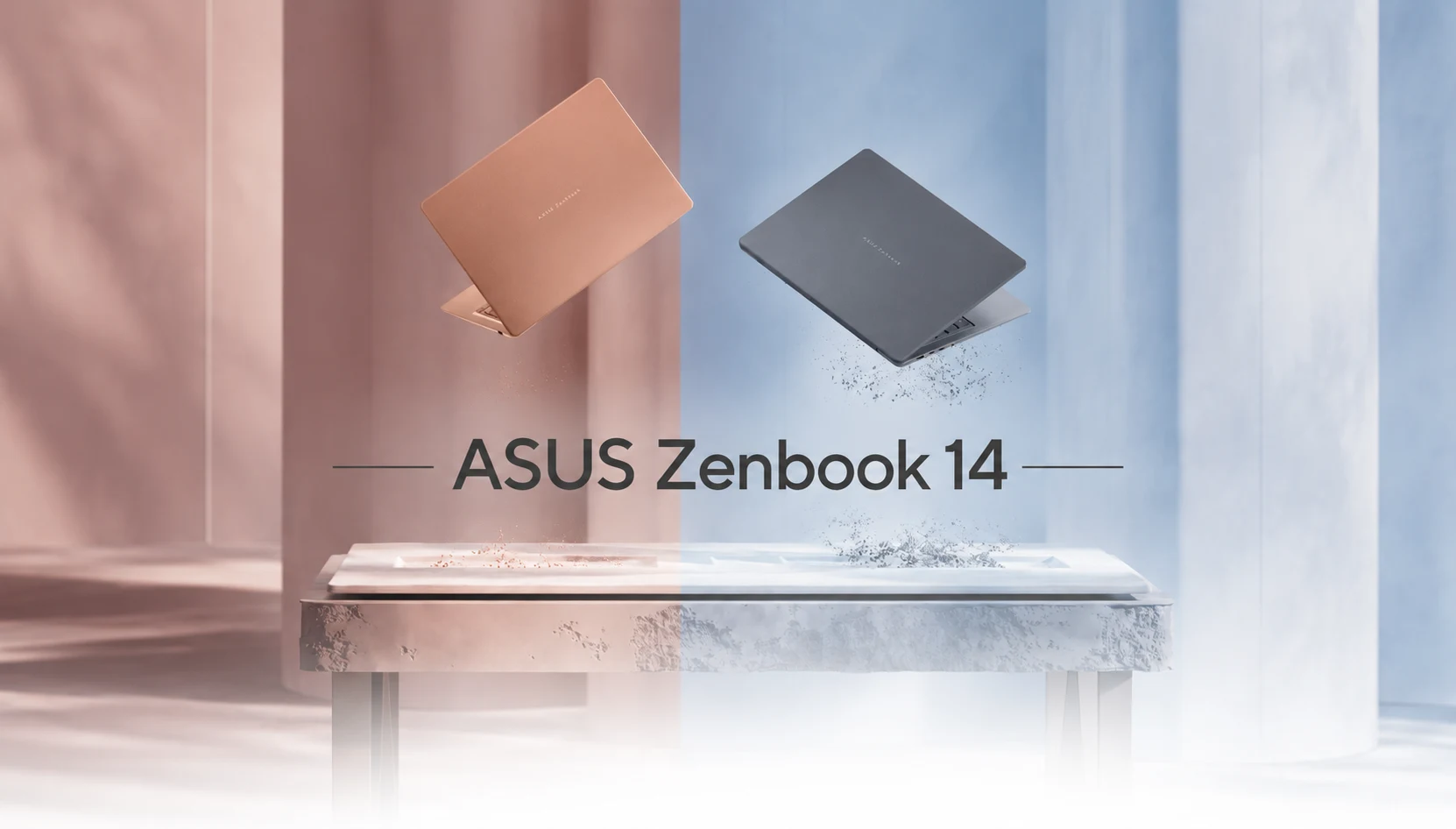
Here is the question that trails this laptop around Best Buy displays. A 14-inch MacBook Pro with the M5 chip, 32GB of memory, and a 1TB SSD is approximately $1,999. The 2026 ASUS Zenbook 14, with the same specs, is only $1,899. So the Windows machine is cheaper, but only just, and Apple’s laptops are hard to beat with battery and build. Why do you pick the Zenbook?
Two reasons carry the whole review. The screen is something no MacBook comes with. And if you want to buy a Windows ultrabook that is also thin, that is light, and that is long on battery, your list of genuine alternatives is short.
This ASUS Zenbook 14 review works out where that $1,899 goes, where it does not, and that one spec buried in the fine print that determines whether this is the right laptop for you or a costly mismatch. Most guides skip that spec. I am going to put it front and center because it is the difference between loving this machine and returning it.
There’s a warning in here that will save you some money: check the model number. The laptop we have reviewed here is the Zenbook S14 (2026), which is sold as UX5406AA. ASUS even sells an older “ASUS Zenbook 14 OLED” and a previous-gen Lunar Lake S14 (which look almost the same on a shelf or on a product page). Take the wrong one and you would be overpaying for last year’s chip; at this year’s price you would be underpowering yourself. Read the sticker before you buy it. I mean it.

ASUS Zenbook 14 at a Glance
| Specification | ASUS Zenbook 14 (S14, 2026 / UX5406AA) |
| Processor | Intel Core Ultra 9 386H (Panther Lake, 16-core) |
| Display | 14-inch 2880×1800 Lumina OLED, 120Hz, 1100-nit HDR peak, touchscreen |
| Memory (RAM) | Up to 32GB LPDDR5X (soldered) |
| Storage | Up to 1TB PCIe SSD |
| Battery | 77Wh, up to 27 hours (claimed) |
| Weight | 2.65 lbs (1.2 kg) |
| Thickness | Approximately 0.43 inches (1.1 cm) |
| Build Material | Ceralumin chassis |
| Charging | 68W USB-C fast charging (around 90 minutes to full) |
| Ports | 2× Thunderbolt 4, 1× USB-A, HDMI 2.1, 3.5mm audio jack |
| Wireless Connectivity | Wi-Fi 7, Bluetooth |
| Operating System | Windows 11 |
| Starting Price (US) | $1,899 (Available at Best Buy) |
ASUS Zenbook 14 Light enough to run with, literally
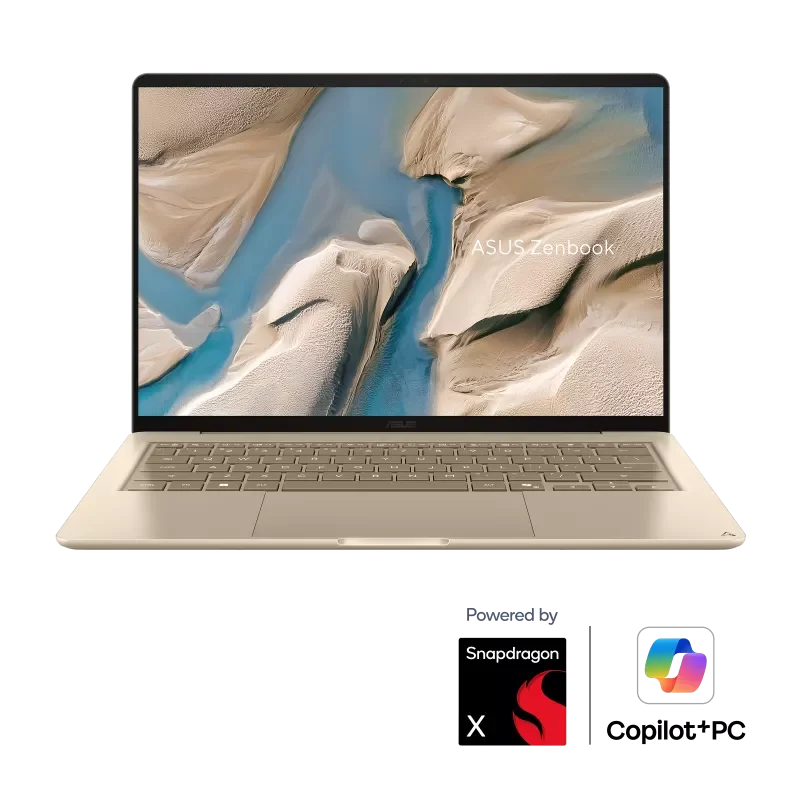
The ASUS Zenbook 14 weight is the first thing your body sees, and it tells you it is an error. At 2.65 pounds and just under half an inch thick, your hand braces for more and gets less. Picking it up feels like lifting an empty display model even when the thing is fully loaded.
One reviewer took that idea to its extreme. They strapped the Zenbook to their back and ran a 5K, then admitted they had to stuff extra gear into the bag just to make the run feel like a fair test. Toss this into a bag you already carry to work, to class, or through an airport, and your shoulder will not be complaining by dinner.

If you have a commute, a coffee shop, and a few cross-town meetings, this is the trait you will appreciate every time you pick it up. A number on a spec sheet can’t give you the little relief you feel every day from a laptop that disappears into your bag. This one disappears.
ASUS Zenbook 14 Ceraluminum: the finish that survives your backpack
The chassis material is Ceraluminum, ASUS’s ceramic-infused aluminum, and it earns its place. It is matte and slightly grippy instead of cold and slick, so it does not skate off your knee at a cafe table or turn into a smudge magnet after ten minutes of use.
It also takes a beating. One reviewer tossed it into a bag with no sleeve, wedged next to an umbrella, ran a few miles, and pulled it out later with no visible scratches. That durability is your true value for the laptop that is intended to be carried loose and often and that you’re grateful for a year later.
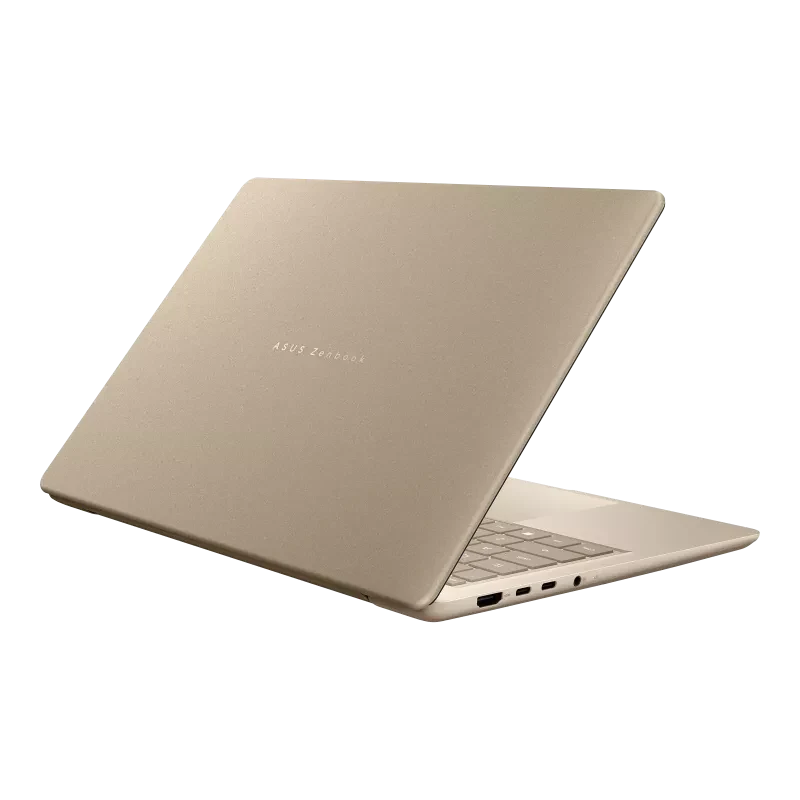
The lid is opened with one hand, the hinge is firm with no stiffness, and so on, and the whole thing seems expensive in a restrained way. This is not a laptop that shouts, and that is the point.
ASUS Zenbook 14 Keyboard, trackpad, and webcam
Ultrabooks live and die on the parts your hands touch all day and ASUS Zenbook 14 gets the basics right. The keyboard is comfortable to travel for a chassis this thin, with backlighting and keys that do not feel mushy or cramped. You can sit down and type at full speed with no adjustment period, which many thin-and-light machines cannot claim. The trackpad is big, glass-smooth, and responsive enough that you reach for a mouse less often.
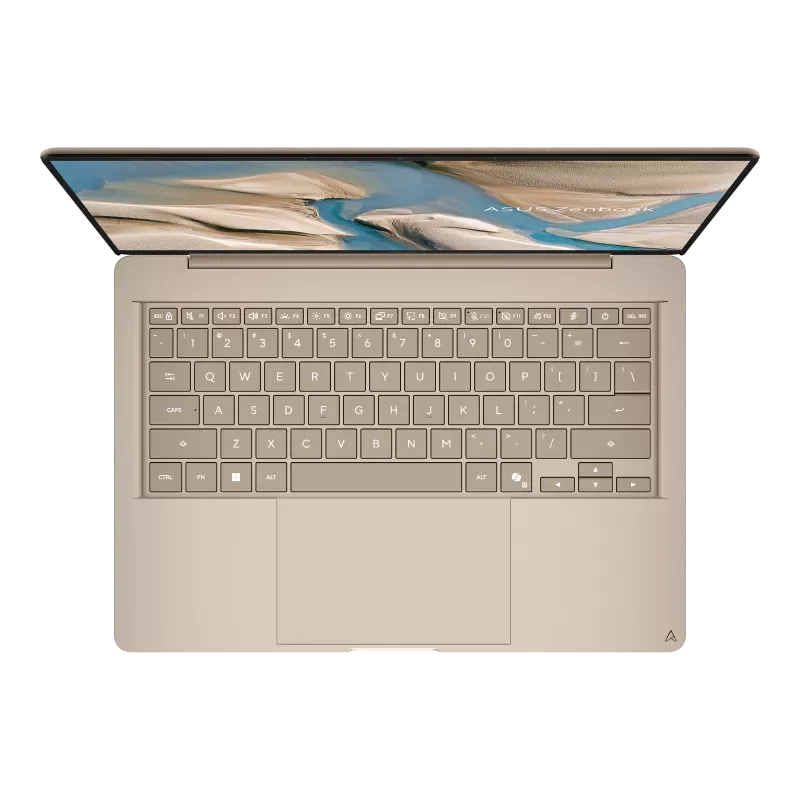
The webcam and mic are good enough that your video calls will not embarrass you, and there is an IR camera for Windows Hello face login. That last part matters more than usual here, for a reason I will get to in the annoyances section.
The ASUS Zenbook 14 OLED display is where your money goes
If you take one line into the store, make it this: you are buying the screen.
The ASUS Zenbook 14 a 14-inch 3K panel, 2880×1800, running at 120Hz, and OLED does exactly what OLED should. Blacks are actually black, not the dark gray on a backlit LCD. Peak HDR brightness reaches 1100 nits, enough to hold its ground against a sunny window, and the roughly 90% screen-to-body ratio keeps the bezels thin enough to ignore. At 120Hz, scrolling feels fluid in a way you only register when you go back to a 60Hz laptop and miss it.
Two honest caveats. Colors shift slightly punchy rather than neutral, so if you edit photos or video for a living, switch to a color-accurate profile or do a calibration. And the panel is glossy with a touch layer, so direct sunlight still bounces back, and bright flat surfaces look faintly grainy up close. That graininess is something of a feature of touch OLED panels in general and not a bug in this one, but see it on a screen if you are really picky.
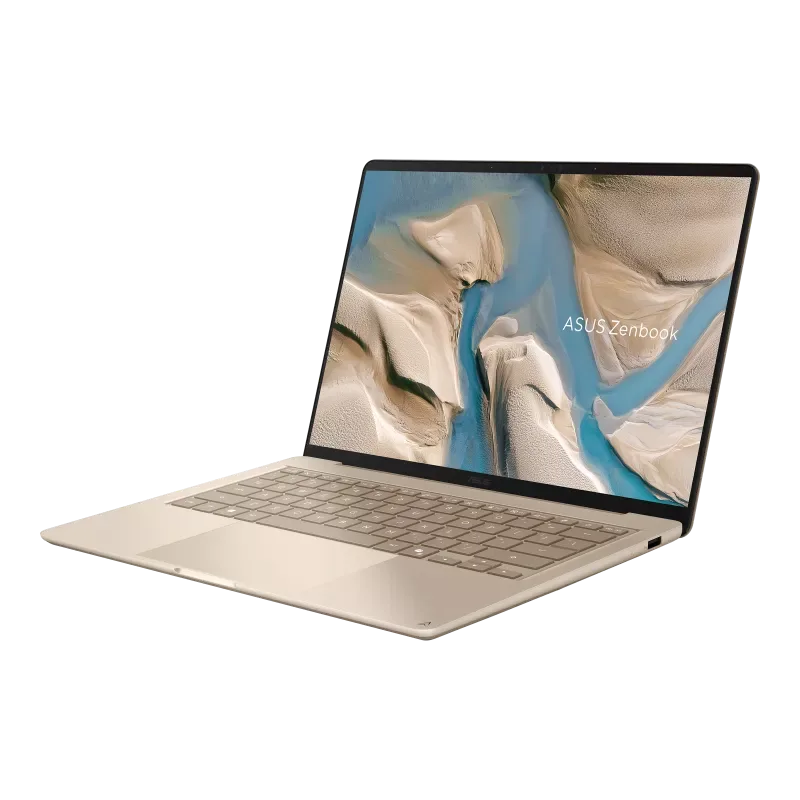
ASUS Zenbook 14 offers OLED-care features, pixel shift, and a screensaver to keep burn-in risk low over the years you will keep a laptop this nice. For watching anything, for reading, or for studying a document at 11pm, this display is what keeps the rest of the package together.
ASUS Zenbook 14 Performance: a CPU monster with a quiet secret
Inside sits Intel’s Core Ultra 9 386H, a 16-core Panther Lake chip, and for everyday work it is overkill, which I mean as a compliment.
Consider the real stress test of an ultrabook, the one that happens on a Tuesday: a dozen browser tabs, a document you are writing in, a stream in the background, and three chat apps lighting up at once. The ASUS Zenbook 14 handles that without a stutter. And when compared to the older Lunar Lake model it replaces, CPU performance roughly doubles, so if you write code, get a big spreadsheet out on the spot, or make heavy exports, you will see it in your day and not on a benchmark. With up to 32GB of RAM and a 1TB SSD on board, it can be fast without any regular cleaning.
Just as important for a portable machine, the fans stay quiet and the top deck stays cool during ordinary use. No jet-engine moment when you open too many tabs, no griddle under your palms. It’s designed to be held and used in quiet rooms, and it behaves like one.
The one spec nobody warns you about
Here is the part most guides bury or skip. It is the most important sentence in the review, so it gets its own section.
Intel splits Panther Lake into “X” and non-X chips. The Core Ultra X7 and X9 are the X versions with the stronger Intel Arc B390 graphics with 12 Xe cores. The ASUS Zenbook 14 has the non-X Core Ultra 9 386H, which is a powerful CPU but a much weaker integrated GPU. In comparison, the X-series graphics ran almost twice as fast as the graphics in this laptop.
In plain English: strong processor, modest graphics. That is fine, even ideal, if your day is documents, browsers, code, and video calls. It is the wrong laptop if you spend real time in Premiere Pro, DaVinci Resolve, GPU-accelerated AI tools, or games heavier than something like Balatro. For that work, a rival with an X-series chip or a discrete GPU serves you much better for similar money, and you will be annoyed if you learn this after the return window closes.
You will love this machine if you set your expectations right. Buy it expecting a creative or gaming powerhouse, and you will feel shortchanged. It is a portability-and-battery champion first, and everything follows from that.
ASUS Zenbook 14 Battery life and charging
The 77Wh battery is big for a laptop this slim, which is much of how it earns its keep. ASUS says up to 27 hours, and as with every maker’s headline number, that is a best-case lab figure. Treat it as a ceiling, not a promise.
Real-world use lands where you would hope. A full afternoon of coffee-shop work with a stack of windows open did not push it near empty, and a normal office day of browsing, writing, and calling clears morning to evening on one charge. If your workload is hot, keep the charger in your bag out of habit. If it is ordinary knowledge work, leave the charger at home most days and stop treating outlets like a scarce resource. The charger is a small 68W USB-C brick that adds almost nothing to your load, and it refills the battery from empty in roughly 90 minutes, so even a short lunch top-up buys real runtime.
ASUS Zenbook 14 Ports, connectivity, and the AI question
The ASUS Zenbook 14 port selection is refreshingly large on a laptop this thin, and you can leave the dongle bag at home for most tasks, which is something you can’t say about a MacBook Air.
- 2x USB-C (Thunderbolt 4, and either one charges the laptop).
- 1x USB-A (3.2 Gen 2), so older accessories still plug in directly.
- HDMI 2.1, for a monitor or projector without an adapter.
- 3.5mm headphone and mic jack, which some rivals no longer bother to include.
Wireless is current with Wi-Fi 7 and Bluetooth, and the speakers do better than a chassis that thin should be able to handle.
On AI, this is a Copilot+ class machine with a dedicated NPU, so you get the Windows AI features: local Studio Effects, live captions, Recall, and ASUS’s own tools. Be honest about how much this matters today. Most are nice-to-have, not reasons to open your wallet, and if your AI work is done in the cloud through tools like ChatGPT or Claude, the on-device NPU doesn’t change much about your routine. Treat it as future-proofing, not a headline feature.
The annoyances worth knowing
No laptop at this price gets a free pass, so here are the things that will bug you, stated plainly.
The glossy touch panel fights you in bright rooms, which stings more than usual because a portable laptop ends up near windows and outdoors. There is no SD card reader, a strange omission for a machine aimed at mobile creatives. Reviewers also noted the lack of a physical fingerprint sensor, so that IR face login camera is also an important fast login option. Some configurations ship with a barrel-plug adapter in the box, which feels dated on a machine this USB-C-forward. And the RAM is soldered, so whatever memory you buy on day one is what you live with for the life of the laptop.
None of these is a dealbreaker alone. Taken together, they are why the $1,899 price seems a little ambitious but not obviously fair, and they are the fine print to make peace with before you buy and not after.
ASUS Zenbook 14 vs the competition
At $1,899, the ASUS Zenbook 14 is a premium machine, so its rivals are serious machines. The prices below are approximate and moving fast right now thanks to industry-wide memory cost increases, so confirm the current number before you buy.
| Laptop | Approx. US Price | Best For |
| ASUS Zenbook 14 (S14, 2026) | $1,899 | Portability, OLED display, all-day battery life |
| Apple MacBook Air (13-inch) | ~$1,299 | Best value, silent fanless design, excellent battery |
| MacBook Pro 14 (M5) | ~$1,999 | Sustained performance, professional video editing |
| Dell XPS 14 | ~$1,700+ | Dedicated graphics, premium build quality |
| Samsung Galaxy Book6 Pro | ~$1,500+ | Larger display options, lightweight design |
| ASUS Zenbook S14 (Lunar Lake, Previous Gen) | ~$1,399 | Similar design, lower price, previous-generation processor |
The uncomfortable truth lives in that table. The MacBook Pro M5 with matching memory and storage is a hundred dollars more expensive but has better sustained and graphics performance and is more efficient. The MacBook Air undercuts the Zenbook by hundreds for consumers who don’t rely on touchscreens or Windows. The Zenbook’s wins are specific and real: the OLED display is superior to anything Apple would like to offer in this size, it has touch, it has a far larger selection of ports, and it runs Windows, which for many people is not optional. Its loss is the price to power. Where you are going depends on which column of that table provides you with the actual work.
Who should buy it, who should walk away
If you are an aspiring student, writer, consultant, analyst, or manager who commutes, works from cafes and airports, and wants a beautiful screen with a battery that lasts beyond day to day, then buy the ASUS Zenbook 14. For that person it would be close to perfect, and the things it does best are the things that you can work on every day.
If you edit video, render 3D, run local AI models, or game seriously, then you will find the non-X graphics bottleneck you and you will not appreciate paying for performance you can’t use. So walk away too if you are value-driven because a MacBook Air or the current Lunar Lake Zenbook provides you most of the experience for less. The best laptop is one that speaks to your work as much as one that is not of the highest sticker price.
Verdict.
The 2026 ASUS Zenbook 14 nails the hard part of being an ultrabook. It’s light enough to forget you are carrying it, the OLED display is one of the best in any Windows laptop you can buy, the battery clears a full day, and the Panther Lake CPU eats heavy multitasking for breakfast.
Only two things hold it back: the weak non-X graphics and a price that is too much for you in a world with a MacBook Pro right next to it. It is not a flaw so much as a filter that classifies buyers into the right and wrong camps. If you are heavily dependent on CPU and productivity over GPU and more than just dollars, and if your work needs more screen resolution and portability than spending a lot of cash on gaming, this is one of the best Windows ultraportables available today.
Before you pay, do the checklist: verify the model number, confirm the processor variant, and check what charger and accessories are in the box. To a laptop like this that’s good, it’s two minutes in the bag that could be a very big deal and keep you from a big regret.
Frequently Asked Questions (FAQs)
Is the ASUS Zenbook 14 good for students?
Yes. It’s a quality laptop at 2.65 pounds with an all-day battery, a stunning OLED screen, and enough power for research, writing, and multitasking, one of the best premium student laptops. The price point is also a concern, so budget students will have to choose between the previous generation and a MacBook Air.
Does the ASUS Zenbook 14 have an OLED display?
Yes. It uses a 14-inch 2880×1800 Lumina OLED panel with a 120Hz refresh rate and 1100-nit peak HDR brightness. It is one of the best displays on most of the Windows laptops and the prime reason to buy it over a MacBook.
Can the ASUS Zenbook 14 handle gaming or video editing?
Only lightly. It runs the CPU-focused non-X Panther Lake chip, and integrated graphics are modest. Casual games and basic edits are fine; for serious gaming, Premiere Pro, or DaVinci Resolve, choose a laptop with X-series Intel graphics or a discrete GPU.
How long does the ASUS Zenbook 14 battery last?
ASUS claims up to about 27 hours. In practice, expect an easy full workday of mixed browsing, documents, and streaming, and heavier workloads will be lighter. The 68W charger refills it in about 90 minutes.
How much does ASUS Zenbook 14 cost in the US?
The 2026 Core Ultra 9 model is available at Best Buy at $1,899. The earlier Lunar Lake version is closer to $1,399, and the prices change with memory costs, so the configuration and current price should be taken into account before buying.
Is the ASUS Zenbook 14 better than a MacBook?
It depends on your needs. The Zenbook wins for display quality, touchscreen, port selection, and running Windows. A MacBook Pro M5 wins on sustained performance, graphics, and efficiency for a similar price, and the MacBook Air wins on value. Choose the Zenbook if the OLED screen and Windows matter most to you.