Apple pushed iOS 27 to every compatible iPhone on Monday, September 14, and for once the update people are queuing for isn’t a flashy camera trick. It’s about fixing what iOS 26 got wrong and finally giving Siri the brain it’s been missing for three years. If you sat out last year’s Liquid Glass redesign because your phone ran warm and your battery tanked, iOS 27 is aimed straight at you.
This guide walks through every feature worth knowing about, which iPhones get the good parts and which get left out, what real users are reporting one day in, and whether you should tap update tonight or give it a week.
Quick answer
iOS 27 is Apple’s 2026 iPhone software update, released free on September 14. The headline is Siri AI, a rebuilt, conversational assistant that finally competes with ChatGPT and Gemini, but the changes most people will feel are the speed fixes and a new slider that lets you dial Liquid Glass from clear to fully tinted. Siri AI and most Apple Intelligence tools need an iPhone 15 Pro or newer. The under-the-hood speed and stability improvements reach every supported iPhone, going back to the iPhone 11.
Key takeaways
- iOS 27 launched September 14, 2026, as a free update. Go to Settings > General > Software Update.
- Siri AI is the star: personal context, on-screen awareness, and real app actions. It launches in beta, English only, and is not available in the EU or China at first.
- Liquid Glass gets a transparency slider, so you can finally tame the washed-out look from iOS 26.
- Apple claims big speed gains: up to 30% faster app launches and up to 80% faster AirDrop, and these apply even to older phones.
- The catch: the best AI features need an iPhone 15 Pro or later. Everyone else gets the performance polish and the smaller upgrades.
What iOS 27 is and when it arrived
iOS 27 is the yearly software update for iPhone, announced at WWDC in June 2026 and released to the public on September 14. Apple made it available worldwide at around 10am Pacific, and like every big launch, the servers groaned under the weight of everyone hitting download at once.

The version number still throws people off. Apple skipped from iOS 18 straight to iOS 26 last year to line the software up with the calendar year ahead, so iOS 27 is the second release under that new naming. There’s no iOS 19 through 25. You didn’t miss anything.
Last year’s release, iOS 26, brought the Liquid Glass redesign and plenty of complaints about readability, heat, and battery. Apple spent this cycle answering those complaints while quietly rebuilding the parts of the system that were slowing phones down. That’s the frame to keep in mind: iOS 27 is a repair job with one genuinely new star feature bolted on top.
Which iPhones can run iOS 27
Here’s where it gets a bit two-tier, so read carefully before you get excited.
iOS 27 installs on the same lineup that ran iOS 26. That means the iPhone 11 and everything newer, plus the iPhone SE from the second generation onward. So an iPhone 11, 12, 13, 14, 15, 16, 17, and this year’s iPhone 18 Pro and iPhone Duo are all invited. If you can run iOS 26, you can run iOS 27.
The problem is that installing it and getting the marquee features are two different things.
Siri AI and most of the Apple Intelligence tools need an iPhone 15 Pro or later because they lean on the A17 Pro chip and newer. The iPhone Air and iPhone Duo support Siri AI too. If you’re on an iPhone 14 or older, you still get the speed improvements, the Liquid Glass slider, and the everyday app fixes, but the conversational Siri and the generative photo tools stay locked.
One more layer for the hardware obsessives: the new expressive Siri voices only run on an iPhone 17 Pro or the new iPhone 18 Pro. Most people won’t miss them, but it’s worth knowing the AI features fan out across three different hardware tiers rather than one clean cutoff.
Siri AI: the upgrade three years in the making
Apple promised a smarter, more personal Siri back in 2024 and then spent two years failing to ship it. iOS 27 is where that promise finally lands, and reviewers who have used it are impressed in a way they haven’t been about Siri in a long time.
What Siri AI can actually do
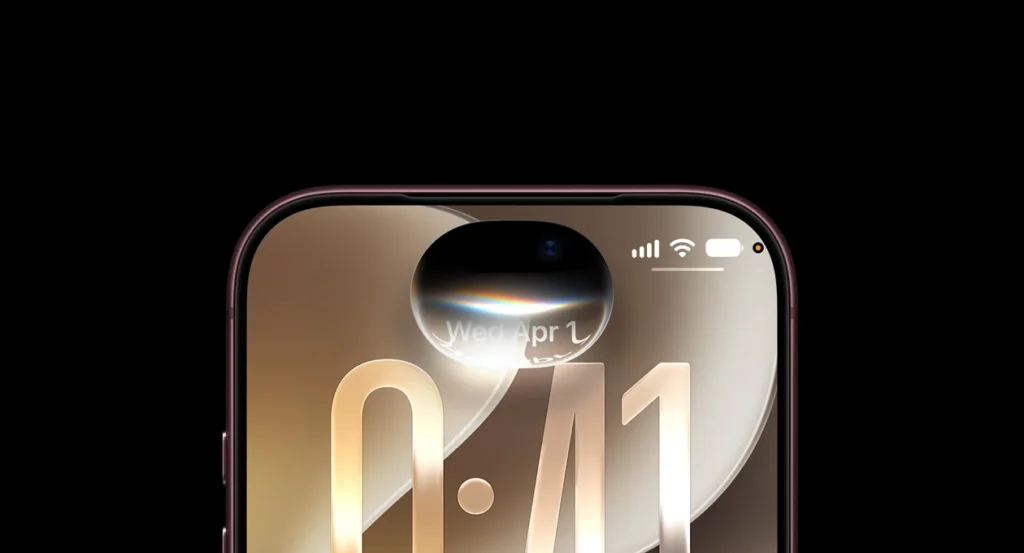
The new Siri is conversational. You can talk to it the way you’d talk to ChatGPT or Gemini, interrupt it mid-answer, and follow up without repeating yourself. It has on-screen awareness, so it understands what you’re looking at, and it can reach into your personal data across the phone.
That personal reach is the real shift. Siri AI can pull from your messages, emails, calendar, and photos to answer questions that used to be impossible. Ask it what time your dinner reservation is and it finds the confirmation email. Ask it to rearrange your afternoon around a new meeting and it sorts the calendar conflict for you. It can also perform actions inside apps that support it, rather than dumping you on a web search and giving up.
There’s a dedicated Siri app now, with a rolling history of your conversations that syncs privately across your Apple devices through iCloud. You can also swipe down from the Dynamic Island to type a quick request instead of talking out loud, which is a small thing that turns out to matter a lot in a quiet office or a crowded train.
Write with Siri
Siri can generate text from scratch, and there’s a system-wide Write with the Siri option; you can reach it from the keyboard in any app. It drafts, gives feedback, rewrites for tone, and can even mimic your own writing style by studying your past emails and messages. Alongside that, the phone now suggests grammar corrections, not only spelling fixes.
The catch nobody tells you upfront.
Siri AI ships as a beta, and it shows in the details. It’s English only at launch. Apple has said French, Japanese, Korean, Portuguese, and Spanish arrive next month with iOS 27. 1. There are daily usage limits, and Apple has hinted that heavier access will cost money in the future.
Bigger still: Siri AI is not available in the EU at launch because Apple is tangled in a regulatory fight with the European Commission, and it stays off in China while Apple works through separate rules there. And yes, the old Siri waitlist has returned. Many people cleared it within a day, but some are still staring at a “Joined Waitlist” message.
One detail that says a lot about how we got here: reporting suggests Apple built this Siri with help from Google’s Gemini. After years of going it alone and stumbling, Apple leaned on a partner to get the assistant out the door.
Liquid Glass gets a dial you can actually turn
If you loathed how Liquid Glass looked in iOS 26, this is the fix you wanted.
Apple adjusted the opacity across the interface so text and icons read more clearly against busy backgrounds. The Clear style that looked washed out last year now holds up better. Icons and system chrome got a general polish too.
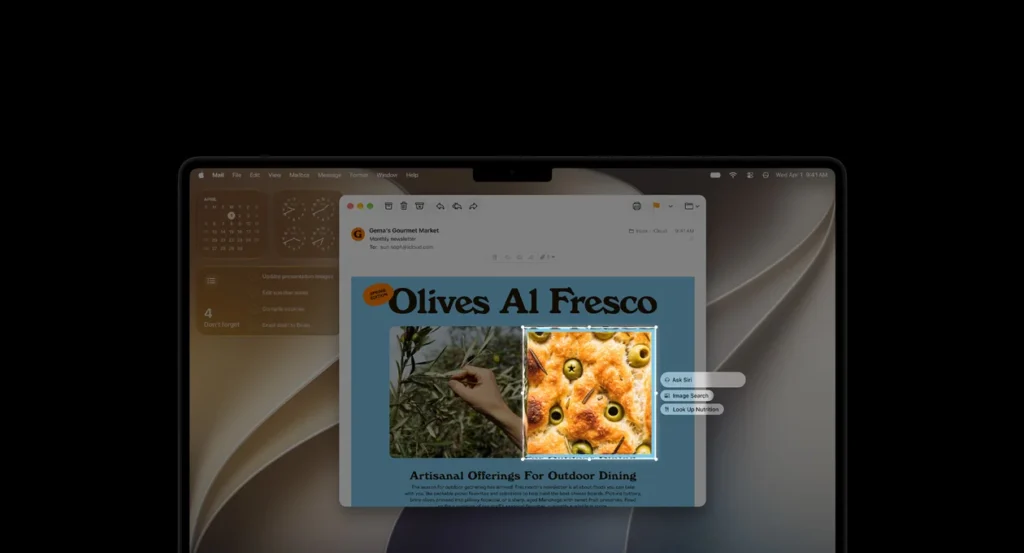
The headline change is a new slider in Settings. You can slide Liquid Glass anywhere from fully clear to fully tinted and land wherever your eyes are happy. Reviewers have been parking it in the middle and calling it the sweet spot. It’s a rare admission from Apple that there’s no single correct way for the interface to look, and it puts the choice back in your hands.
Speed fixes you’ll notice on an old iPhone
This is the part Apple didn’t shout about at the keynote, and it’s the part most people will actually feel.
Apple rebuilt a lot of the plumbing. In its own testing, the company claims up to 30% faster app launches, around 70% faster image load times, and up to 80% faster AirDrop transfers, plus faster and more reliable NFC reads for things like transit and payments. Search got a new foundation as well, which is meant to make results in Spotlight, Photos, and Mail quicker and more accurate.
Reviewers who ran the betas backed this up, saying everyday actions felt snappier and, in some cases, smoother than the shipping version of iOS 26. Animations are quicker, apps open faster, and swapping Home Screen pages feels lighter.
Messaging got quiet attention too. Your iMessages sync more accurately between devices, messages that fail to send now retry on their own, and the phone hands off between Wi-Fi and cellular more smoothly. None of this makes a keynote slide, but it’s the kind of fix you notice every single day.
Photos, Safari, and the small wins that stack up
Beyond Siri, iOS 27 sprinkles useful upgrades across the apps you already live in.
In Photos, three editing tools stand out. Spatial reframing lets you adjust a shot’s composition after the fact, as if you’d moved the camera. Extend uses generative fill to stretch an image past its original edges, handy when a crop cut off someone’s head. Clean Up got stronger and can now remove larger objects with far more believable results.

Safari got smarter in ways that save real time. It can group your open tabs by topic on its own, alert you when the price drops on a product page you’re watching, and even build small custom extensions from a plain-text description of what you want.
A few more worth calling out:
- Split bills (US only) works through Apple Cash and Apple Intelligence. Point Siri mode in the Camera app at a receipt, tap the items you had, and it works out your share of the tax and tip so you pay back exactly what you owe.
- Find My now lets you share your location for a custom stretch of time, say four days and six hours, or set an exact expiry date and time.
- Visual Intelligence can tell you the nutritional value of food you point it at, or split a receipt from a photo.
- Shortcuts lets you build a shortcut by describing it in words instead of dragging blocks around.
- Parental controls expanded with Ask to Browse for approving new sites, app schedules, daily time allowances, and Communication Safety that now covers images and videos with gore or violence.
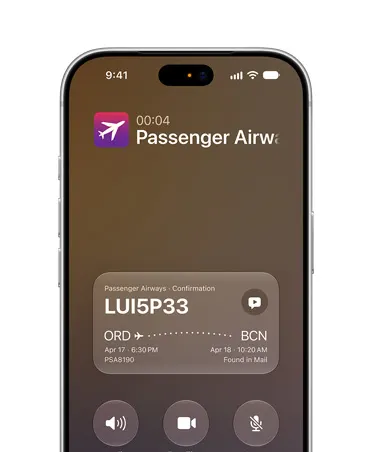
- Call Context surfaces useful details, like a reservation number, during supported business calls.
Accessibility got attention across VoiceOver, Magnifier, Accessibility Reader, and Voice Control. And a heads-up for smart-home users: some of the Apple Intelligence Home features require a 2TB iCloud+ plan, which is an easy detail to miss until you go looking for them.
iOS 26 vs iOS 27 at a glance
| Area | iOS 26 | iOS 27 |
| Siri | Old Siri, promised AI version delayed | Siri AI: conversational, personal context, app actions (beta) |
| Liquid Glass | Fixed transparency, readability complaints | Adjustable slider from clear to tinted |
| Performance | Liquid Glass tied to heat and battery gripes | Up to 30% faster app launches, up to 80% faster AirDrop (Apple’s testing) |
| Photo editing | Basic Clean Up | Spatial Reframing, Extend, stronger Clean Up |
| Safari | Manual tab groups | Auto tab grouping, price-drop alerts, custom extensions |
| Bill splitting | None | Split via Apple Cash and Siri mode (US) |
| Search | Standard Spotlight | Rebuilt foundation across Spotlight, Photos, Mail |
What most guides miss about this update
Most coverage leads with Siri AI because it demos well. The more honest read is that the assistant is the trophy, but the plumbing is the real product.
Think about who actually installs day-one updates. A lot of them are people on an iPhone 13 or 14, phones that will never see Siri AI. For that huge group, the value of iOS 27 is entirely the speed work and the Liquid Glass slider, which is to say, iOS 27 is the update that makes iOS 26 finally feel finished. Apple essentially spent a year patching the tax that Liquid Glass imposed on performance, and it’s shipping the fix as a new release rather than a point update.
The second thing guides gloss over is how fragmented the AI story is. There isn’t one Apple Intelligence. There’s a version for iPhone 15 Pro and up, a narrower set for older phones, and voice features gated to the iPhone 17 Pro and 18 Pro. When a friend says their iOS 27 does something yours can’t, this is usually why. It’s not a bug. It’s the hardware tier.
Buy or upgrade decisions should follow from that. If the AI is what you’re after, iOS 27 is really a nudge toward buying a 15 Pro or newer, not a free feature drop for the phone in your pocket today.
What Reddit and reviewers are saying so far
One day in, the mood is cautiously positive, with the usual launch-day grumbling mixed in.
On the MacRumors forums, the loudest early complaints were about the rollout itself. Downloads crawled, the Siri waitlist reappeared, and more than one person felt Apple fumbled launch day for a company its size. A recurring theme across those threads: people who hated iOS 26 are updating fast in the hope that iOS 27 finally fixes it.
The other big forum topic is heat and battery. Several users reported their phones running warm and draining faster in the first hours after installing, with one iPhone 15 Pro Max owner describing scrolling that felt stuck in a Low Power Mode until things settled.
The consensus, and the advice from repair sites, is that this is temporary. After a major update your phone spends hours indexing content, syncing data, and processing photos in the background, and for Siri AI it’s also downloading model files. Give it a day or two on charge, and the temperature and battery usually return to normal. If drain sticks around past 48 hours, check Settings > Battery for a misbehaving app and update your apps, since some third-party ones need a patch to play nicely with the new release.
Professional reviews have been warmer. One hands-on writer at The Shortcut called the new assistant a “night and day improvement” over the old Siri. Reviews at BGR, Six Colors, and elsewhere landed on a shared theme: the flashy AI tricks aren’t the best part, the quiet quality-of-life fixes are. Or as one review put it, the best moments are when the phone simply understands what you’re trying to do and the AI disappears into the background.
If you want the short version of the vibe: reviewers like it, early updaters are relieved, and the only real friction is the normal post-update indexing that scares people every single year.
Should you update right now?
Who iOS 27 is best for
- iPhone 15 Pro, 16, 17, or 18 owners who want the full Siri AI and Apple Intelligence experience. This is the release you’ve been waiting for.
- Anyone who disliked iOS 26, on almost any supported iPhone, because the readability and speed fixes address the exact complaints from last year.
- Older iPhone holdouts on an iPhone 11 through 14 who want a faster, more stable phone without buying new hardware.
Who might want to wait a week?
- People who depend on a few critical apps that haven’t posted an iOS 27 compatibility update yet.
- EU and China users hoping for Siri AI, since it isn’t available in those regions at launch anyway.
- Anyone nervous about battery, who would rather let the first minor bug-fix build arrive before jumping in.
Pros and cons
Pros
- Siri AI is a real leap and genuinely useful once it’s set up
- Liquid Glass is readable now and adjustable to taste
- Noticeable speed and stability gains, even on older phones
- Strong batch of small fixes across Photos, Safari, Messages, and Find My
- Free and broadly compatible back to the iPhone 11
Cons
- Best AI features locked to iPhone 15 Pro and newer
- Siri AI is English only and unavailable in the EU and China at launch
- Usage limits now, with paid tiers hinted for later
- Expect a day of warmth, a faster drain, and a slow Siri while it indexes
- Some Home AI features require a 2TB iCloud+ plan
Expert recommendation
If you own an iPhone 15 Pro or newer, update within the first week and set aside twenty minutes to let Siri AI index before you judge it. The assistant feels slow and half-asleep during setup, then sharpens up considerably once indexing finishes, and a lot of the early “Siri is still bad” takes come from people testing it in that first rough hour.
If you’re on an iPhone 14 or older, there’s no rush and no risk in waiting a few days, but the update is worth taking. You won’t get Siri AI, yet the speed work alone makes the phone feel better, and the Liquid Glass slider is reason enough for anyone who found iOS 26 hard to read.
Whatever you’re on, update your important apps first, install overnight while charging, and don’t panic if the battery looks rough on day one. That’s indexing, not damage.
The bottom line
iOS 27 isn’t a reinvention of the iPhone, and that’s the point. It’s Apple cleaning up the mess iOS 26 left behind and, at long last, shipping a Siri worth talking to. The decision is simple. On a recent Pro phone, this is a real upgrade you’ll feel every hour, so update soon and give Siri a day to wake up. On an older iPhone, it’s a smart, low-risk refresh that makes your current phone faster and easier on the eyes, even without the AI.
Either way, back up first, install overnight, and let the phone finish indexing before you form an opinion. The version everyone wished iOS 26 had been is finally the one you can download today.
FAQs
Q. Is iOS 27 available now?
A. Yes. Apple released iOS 27 on September 14, 2026. Open Settings, tap General, then Software Update to download it for free. Launch-day traffic can slow the download, so try again later if it stalls.
Q. Which iPhones support iOS 27?
A. iOS 27 runs on the iPhone 11 and later, plus the iPhone SE from the second generation onward. It installs on the same models that ran iOS 26. Siri AI and most Apple Intelligence features, though, need an iPhone 15 Pro or newer.
Q. Does iOS 27 drain your battery?
A. It’s normal for the battery to drain faster and for the phone to run warm for a day or so after installing, because it’s indexing files in the background. This usually settles within 48 hours. If the drain continues after that, check Settings > Battery for a heavy app and make sure all your apps are updated.
Q. Is Siri AI free on iOS 27?
A. Siri AI is free to use at launch but comes with daily usage limits, and Apple has signaled that expanded access will cost money in the future. It’s also English only for now, with more languages arriving in October with iOS 27.1.
Q. Should I update to iOS 27 or wait?
A. If you have an iPhone 15 Pro or newer and want the AI features, update within the first week. If you rely on specific apps or you’re cautious about bugs, waiting for the first minor update is reasonable. The core release is stable, and the speed fixes benefit almost every supported phone.