 Shikha Kumari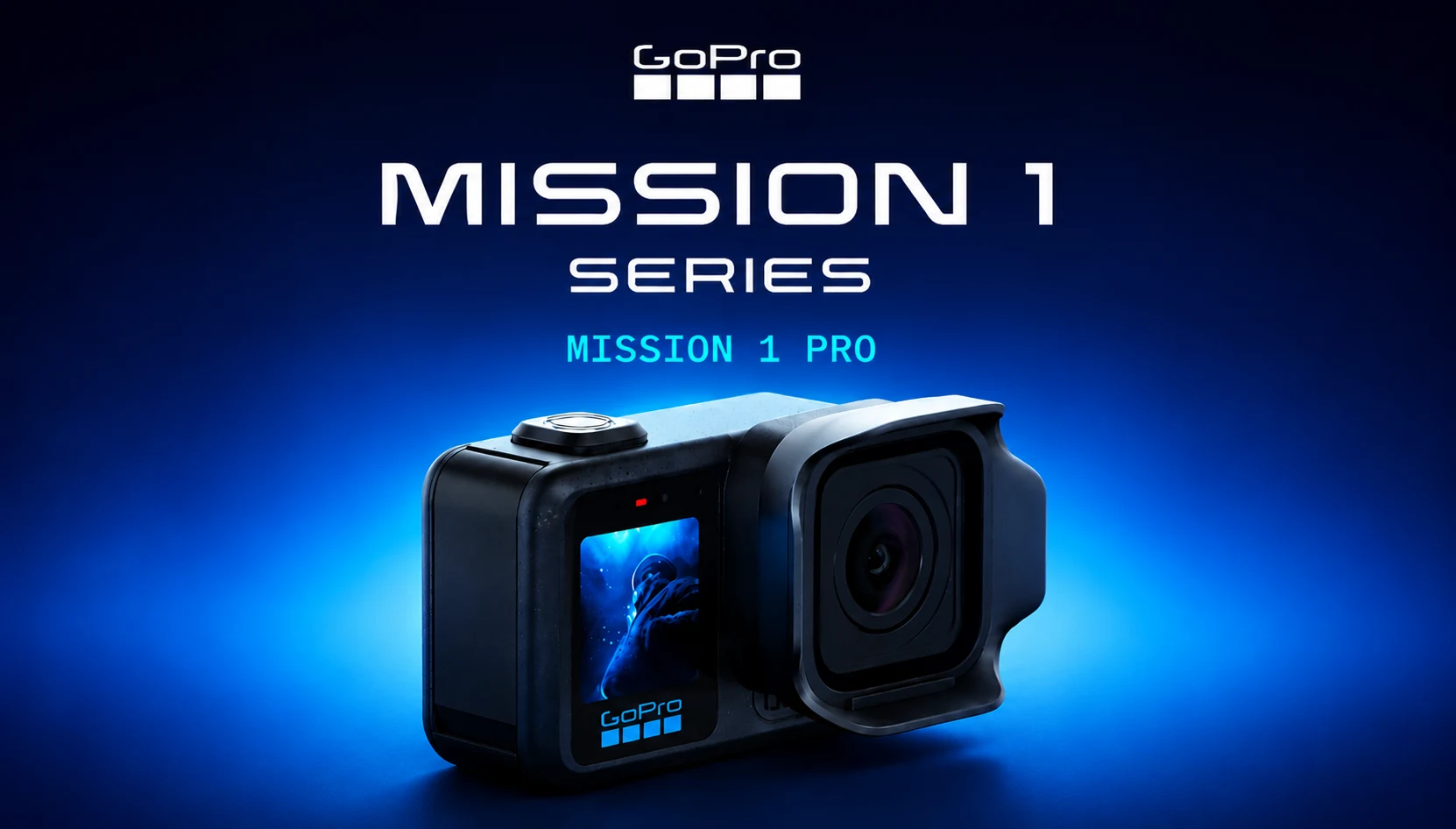
GoPro needed a win. Its last flagship Hero came out almost two years ago; DJI and Insta360 have been eating its lunch, and every launch since then has felt like a spec bump wearing a new sticker. So when the GoPro Mission 1 Pro landed on my desk, I was skeptical. A $699 action camera from a company in a slump? Sure.
Two weeks later, I owe GoPro a small apology. The Mission 1 Pro is the best footage I have ever pulled out of an action camera. It is also expensive, heavier than a Hero, and not the “cinema camera replacement.” GoPro’s marketing wants you to believe it is.
This GoPro Mission 1 Pro review covers everything I learned in real use: video quality, battery life, low light performance, the price question, and how it stacks up against the DJI Osmo Action and Insta360 Ace Pro 2. If you’re looking for the best action camera of 2026 for your money, read on before spending $699.
GoPro Mission 1 Pro at a Glance
| Specification | GoPro Mission 1 Pro |
| Sensor | 1-inch (Type 1), 50MP |
| Maximum Video | 8K/60fps, Open-Gate 8K/30fps, 4K/240fps |
| Lens | Fixed focus, approximately 15mm equivalent, f/2.8 aperture |
| Displays | 2.6-inch OLED rear touchscreen + 1.4-inch front LCD |
| Weight | 207g (Hero 13 Black: 159g) |
| Waterproof | Yes, waterproof without requiring a housing |
| Charging | USB-C fast charging, 0–80% in approximately 30 minutes |
| Color Profile | GP-Log2 |
| Price | $699.99 USD (Regular Price)$599.99 USD (GoPro Subscriber Price) |
What’s Actually New Here
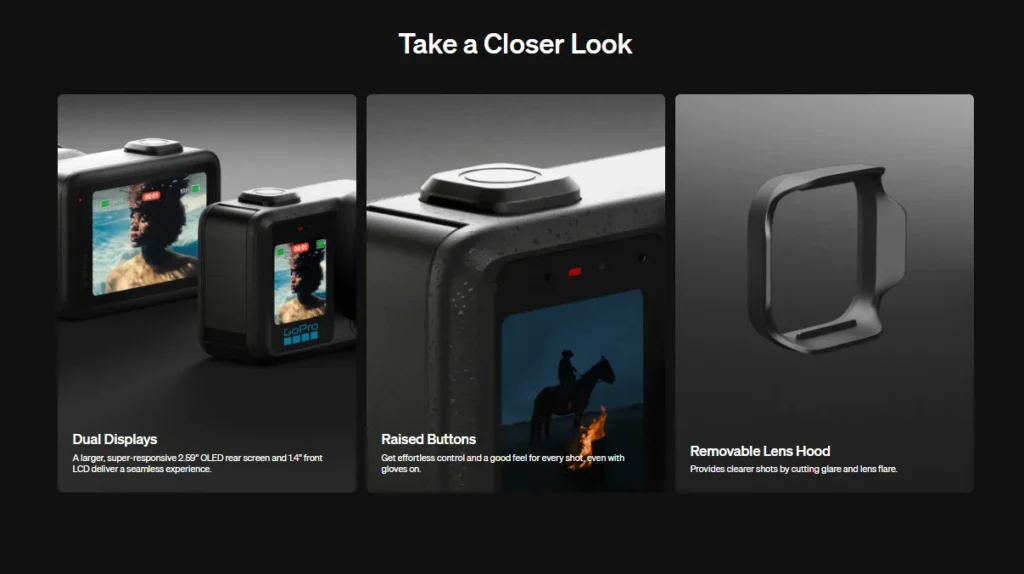
The GoPro Mission 1 Pro is not a Hero 14. It’s a new line that sits above the Hero series and the headline change is the sensor. GoPro finally moved to a 1-inch sensor, which is much bigger than what the Hero 13 Black uses and much larger than what DJI and Insta360 have on their flagships.
That sensor has 50 megapixels, and that is what you need to shoot real 8K video. The Mission 1 Pro shoots 8K at up to 60fps, open-gate 8K/30 with a full sensor, and 4K at a ridiculous 240fps for slow motion.
There are actually three cameras in this family, and it’s worth knowing the difference before you buy:
- GoPro Mission 1 ($599): The same 50MP 1-inch sensor but only 8K/30 and 4K/120. No open gate.
- GoPro Mission 1 Pro ($699): Open-gate 8K/30, 8K/60, 4K/240. The one in this review.
- GoPro Mission 1 ILS ($699): The fixed lens is replaced with a Micro Four Thirds mount. Manual lenses only, no autofocus, no electronic aperture control, and a hefty crop factor. Interesting for filmmakers, a niche for everyone else.
For most people reading a GoPro Mission 1 Pro review, the Pro is the sweet spot. The base model saves you $100 but loses frame rates with which you can make this camera more exciting.
GoPro Mission 1 Pro Design and Build: Bigger, But in a Good Way
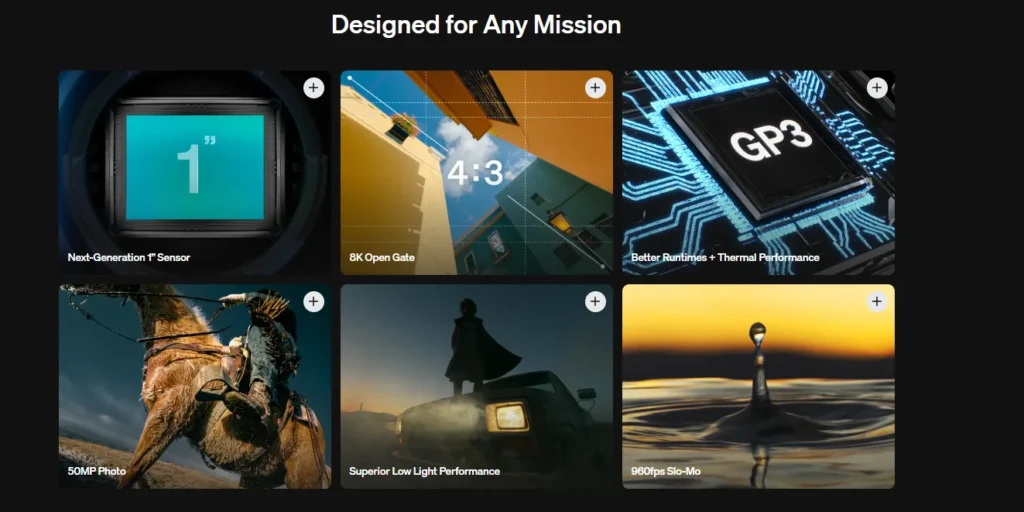
The Mission 1 Pro is next to a Hero 13 Black, and the family resemblance is obvious. The same two button layout, same general shape, same dual screens. It just has a much larger lens assembly and metal frame that makes the whole thing feel more serious.
The weight is the first thing you notice. At 207 grams, it is roughly 50 grams heavier than a Hero 13 Black. On my hand and chest mount, I never noticed it at all from day one. On a helmet you feel it a little more. If you fly FPV drones, that extra weight matters, and you should think twice.
In daily use, I found a few design details I appreciated:
- The buttons are more pronounced. Small change, big deal with gloves on or underwater.
- There is a second tripod thread in addition to the GoPro mounting fingers; it plays well with regular camera gear.
- The 2.6-inch rear OLED touchscreen is bright, responsive, and a real upgrade over the Hero’s display. The 1.4-inch front screen makes framing yourself for vlogs painless.
- It is still completely waterproof with no housing. I dunked it often, and it shrugged everything off.
One quirk to keep in mind: like every GoPro, the fixed-focus lens keeps everything from approximately 60 cm to infinity sharp. No autofocus means no focus hunting and no missed shots, which is great for action. It also means no close-up product shots and almost zero background blur. This is not that kind of camera.
GoPro Mission 1 Pro Video Quality: The 8K Question
Let me answer the question everyone asks first: yes, the GoPro Mission 1 Pro video quality is a real, visible step up. Even in full auto, the footage has a depth and cleanness that no Hero has ever managed. Colors are richer, highlights roll off more gracefully, and there’s detail in shadows that older GoPros would have crushed into mud.
Do you need 8K? Most likely not for export. 8K gets there from the edit. Shooting 8K and delivering in 4K means you can punch in, crop, reframe from horizontal to vertical for Reels and stabilize in post without the image falling apart. The open-gate mode records the full sensor, so one clip can become a 16:9 YouTube cut and a 9:16 Instagram cut without a quality penalty.
The new GP-Log2 profile is aimed at people who color grade, and it holds up. Dynamic range is genuinely improved over the Hero 13 Black, and graded Log footage from this camera can sit next to mirrorless footage in a timeline without embarrassing itself.
Two practical warnings from my testing:
- 8K files are huge. Budget for a big, fast SD card and more storage than you think you need. My laptop also worked much harder on 8K/60 timelines.
- Some slow-motion modes are burst-limited. The extreme 1080/960 fps mode only records in approximately 10-second bursts. The 8K/60 and 4K/240 modes take continuous images, but it would be helpful to plan your super-slow-mo shots.
GoPro Mission 1 Pro Low Light Performance
Here’s where I have to put a hold on the hype. GoPro Mission 1 Pro’s low-light performance is better than any previous GoPro because a bigger sensor picks up more light. But 50 megapixels on a 1-inch chip means small individual pixels, and small pixels get noisy when light drops.
In reality, golden hour and well-lit evening streets looked great. Dim indoor scenes and true night shooting still showed noise creeping in fast once ISO climbed. If I were shooting underwater or at night regularly, I’d keep ISO capped in the 500 to 800 range and accept a darker image over a noisy one.
If low light is your top priority, the Insta360 Ace Pro 2 will still be able to put up a strong fight. With the rest, the Mission 1 Pro wins.
GoPro Mission 1 Pro Stabilization
GoPro Mission 1 Pro stabilization is the least surprising part of this review, and I’m saying so as a compliment. HyperSmooth has been the industry benchmark for years, and it remains excellent here, with horizon lock keeping footage level for all rotations.
The benefit is the resolution headroom. As you are setting up 8K, software stabilization has more pixels available to work with, and even strong stabilization does not noticeably soften the final 4K output. Mountain bike footage that would have appeared a bit mushy from my old Hero came out crisp.
GoPro Mission 1 Pro Battery Life and Charging
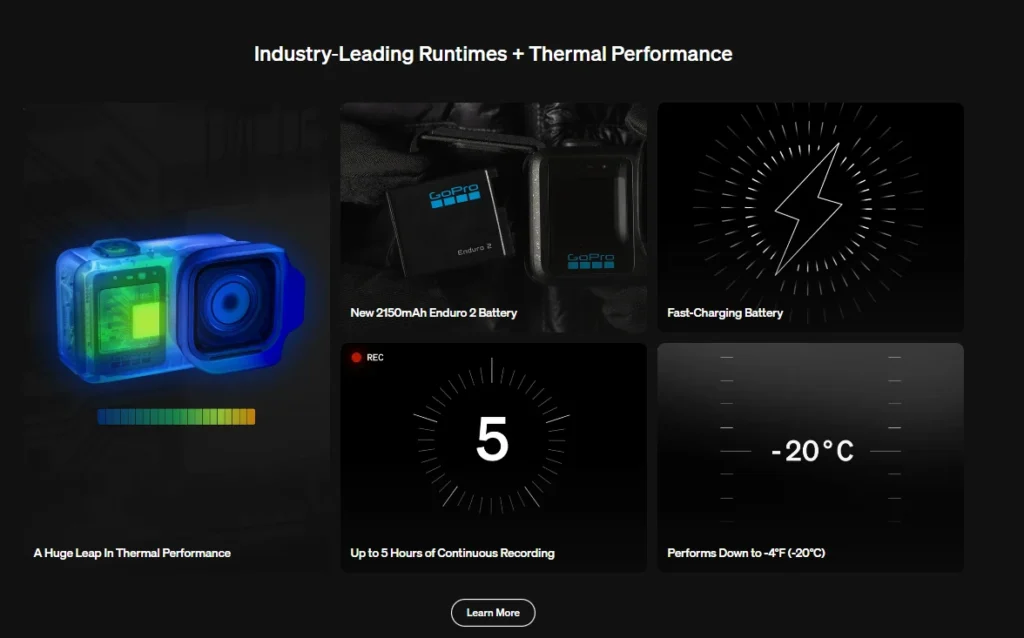
The battery life of GoPro Mission 1 Pro surprised me, in a good way. Big sensor plus 8K seemed like a recipe for 40-minute run times. In reality, in real testing:
- 4K/30: about 3 hours of recording.
- 8K/30: roughly 1 hour 25 minutes
These numbers were in mild weather. Heat and cold will chew into them, as with any action camera, but for a camera pushing this many pixels, that endurance is legitimately impressive.
The bigger quality-of-life win is fast charging. This is the first GoPro Mission 1 Pro that supports it, and going from almost dead to 80% in half an hour changed how I used the camera. A coffee stop mid-shoot is now a full recharge cycle. I did not experience too much overheating in recording for years, even on long continuous 4K recordings.
Pro tip: turn off Quick Capture if you carry the camera in a bag or in the grip accessory. The power button doubles as an instant-record button, and it’s very easy to bump it and come home to a feature-length film of the inside of your backpack.
GoPro Mission 1 Pro Audio and Mic Support
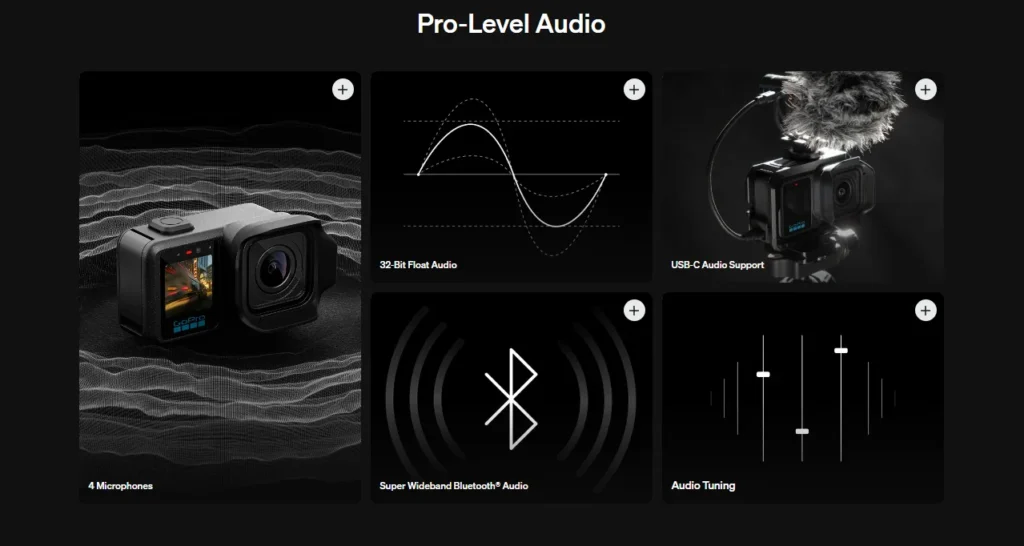
The built-in audio is from a three-mic array with wind noise reduction, and it is a remarkable improvement over the Hero 13 Black. Voices sound fuller, and wind buffeting is better managed than I anticipated. A bigger story for creators: The Mission 1 Pro supports USB-C microphones directly, including popular wireless systems like the DJI Mic series. GoPro also has its own wireless mic kit on the way that connects without an adapter. For vloggers, this quietly removes one of the biggest reasons to carry a second camera.
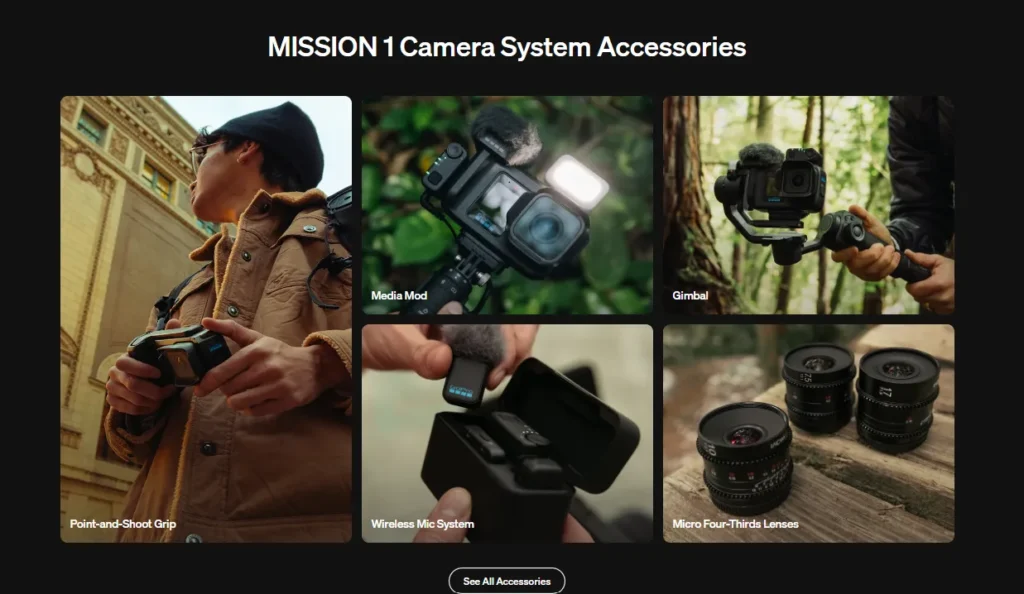
The Grip Edition Accessory
GoPro sells a Grip Edition bundle with a point-and-shoot style case that offers the camera a proper handhold and thumb rest. On its own, the Mission 1 Pro is a bit small to comfortably hold for handheld shooting, so the case really helps and is waterproof.
My gripe: the grip adds no physical controls. No dial for ISO, no aperture control, nothing. GoPro says it kept the grip simple for durability and waterproofing, and there’s room for it, which is a good thing to do. But that means the Mission 1 Pro won’t quite be the compact camera replacement the accessory suggests. You’re still using the touchscreen.
GoPro Mission 1 Pro vs the Competition
We need to know the three matchups that everyone asks about:
| Feature | GoPro Mission 1 Pro | Hero 13 Black | DJI Osmo Action | Insta360 Ace Pro 2 |
| Sensor | 1-inch, 50MP | Smaller sensor | Smaller sensor | 1/1.3-inch sensor |
| Maximum Video | 8K/60fps, 4K/240fps | 5.3K/60fps | 4K-class | 8K/30fps |
| Weight | 207g | 159g | ~150g | ~178g |
| Price | $699 | ~$400 | ~$400 | ~$400 |
GoPro Mission 1 Pro vs GoPro Hero 13 Black: The Mission wins on image quality, dynamic range, screens, audio, and charging. The Hero wins on weight, price, and mature mount ecosystem. If you mostly post phone-screen clips to social media, the Hero 13 Black at almost $300 less is still the smarter buy. If footage quality is the point, the Mission 1 Pro is in a different league.
GoPro Mission 1 Pro vs DJI Osmo Action: DJI’s flagship is lighter, cheaper, and has one of the friendliest user experiences in the category, with a magnetic mounting system that many people like. But its sensor can’t match the mission’s, and the footage gap is visible on anything bigger than a phone.
GoPro Mission 1 Pro vs Insta360 Ace Pro 2: The Ace Pro 2 has been the low-light champion of action cameras, and it costs a lot less. The Mission 1 Pro is better on resolution, open gate, and overall daylight image quality. Night riders and after-dark shooters should still consider the Insta360.
The honest summary: the Mission 1 Pro is the best action camera 2026 has produced so far on pure image quality. That $300 gap separates you in terms of which action camera you want to buy.
GoPro Mission 1 Pro Price: Who Should Actually Buy This?
The GoPro Mission 1 Pro price is $699.99 and is $599.99 if you’re going to be a GoPro subscriber. That’s nearly $300 more than a Hero 13 Black, an Osmo Action, or an Ace Pro 2.
Buy it if:
- You edit your footage and then deliver to YouTube, clients, or anything bigger than a phone screen.
- You want one clip to serve both horizontal and vertical exports (open gate is genuinely useful).
- You shoot, log, and grade your footage.
- You want a rugged, waterproof B-cam that can intercut with mirrorless footage.
Skip it if:
- Your clips live and die on Instagram at phone size.
- You fly FPV or count every gram.
- Low light is your main use case.
- $400 already seemed like a stretch for an action camera.
What I Didn’t Like
No honest review skips this part, so here’s my list after three weeks:
- The price. $699 is a lot to ask when very good rivals cost $400.
- Low light noise. Better than before, still the format’s weak spot.
- No physical controls, even on the grip. The “pro” cameras usually allow you to change ISO without three screen taps.
- File sizes. 8K will punish your SD cards, drives, and editing machine.
- And it’s heavy and not suitable for a drone and helmet setup.
- The “cinematic camera system” marketing oversells it. This is not a Blackmagic replacement for this amazing action camera.
Final Verdict: The Best GoPro Ever, With an Asterisk
After three weeks, my conclusion is simple. The GoPro Mission 1 Pro is the best camera GoPro has ever produced and the best footage available from any action camera. The 1-inch sensor, 8K options, open gate, GP-Log2, fast charging, and improved audio make a camera that finally feels like GoPro is swinging hard again instead of coasting.
The asterisk is the price. At $699, it’s not for everyone, and it doesn’t have to be. Casual shooters should happily save $300 on a Hero 13 Black. Creators, editors, and anyone who has footage that ends up somewhere bigger than a phone screen will find that gap easy to justify the first time they punch into an 8K frame, and it just holds.
GoPro asked us to believe in a camera called Mission. For the first time in a couple of years, I actually do.
Frequently Asked Questions (FAQs)
Q. Is the GoPro Mission 1 Pro worth it?
A. If you want to edit your footage, need 8K flexibility, or are looking for the best image quality in an action camera, yes. If you are mostly going to share casual clips on social media, a Hero 13 Black or DJI Osmo Action is the best for you for about $300 less.
Q. What is the GoPro Mission 1 Pro price, and when is it going to be released?
A. It costs $699.99 or $599.99 with a GoPro subscription and was released in mid-2026. The standard Mission 1 is $599.99, and the interchangeable lens Mission 1 ILS costs $699.99.
Q. How good is the GoPro Mission 1 Pro battery life?
A. In real-world use, one can expect roughly 3 hours at 4K/30 and about 1 hour 25 minutes at 8K/30. It is also the first GoPro with USB-C fast charging, reaching 80% in around 30 minutes.
Q. Is the GoPro Mission 1 Pro waterproof?
A. Yes. It’s waterproof out of the box with no separate housing needed, and the Grip Edition case is waterproof too. Dedicated dive housings are made available for deep underwater work.
Q. Can the GoPro Mission 1 Pro shoot 8K video?
A. It records 8K at up to 60fps and also an open-gate 8K/30 mode that captures the full sensor and 4K slow motion at over 240fps. Budget for large, fast SD cards, as 8K files fill up fast because 8K files quickly fill up storage.