 Shikha Kumari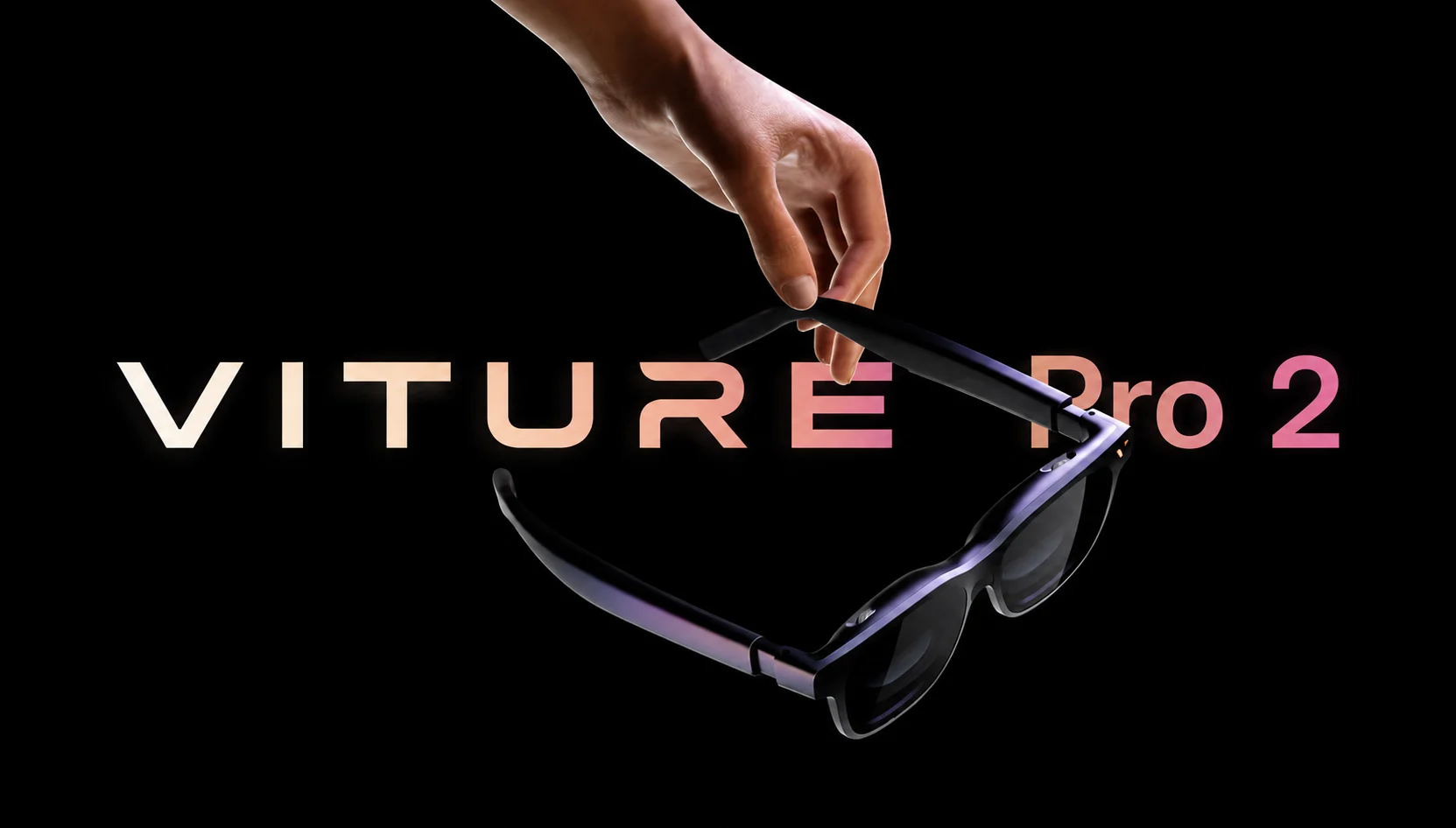
I put the VITURE Pro 2 on, expecting a compromise. A pair of XR glasses that dropped to $299 had to give something up, and my job was to find where the corners got cut. Three days later I was watching a movie on a 146-inch screen that hovered in front of my hotel wall, reading subtitles without squinting, and forgetting the glasses cost less than a mid-range phone accessory.
The VITURE Pro 2 is the fifth-anniversary product of the company, and it did something almost no gadget did in 2026: It got cheaper while getting better. The first-generation Pro launched at $459. This one starts at $299, weighs 63 grams, and pushes a sharper, brighter picture than its predecessor.
By the end of this review you will know who these glasses are for, where they fall short, and whether the $299 sticker hides a catch worth caring about.
What the VITURE Pro 2 actually is
Before we look at the pros and cons, let me clear one thing up for first-time buyers. The VITURE Pro 2 is not a standalone computer. It has no processor of its own, no head tracking, and no room-mapping wizardry. Slip it on without anything plugged in, and you see the room around you through tinted lenses.
A USB-C cable plugged into a phone, a Steam Deck, or a laptop and two tiny Sony Micro-OLED panels project a huge virtual monitor a few feet in front of your eyes. That’s it. The Pro 2 is nothing but a private cinema screen that folds into a case, not a headset that replaces your devices.
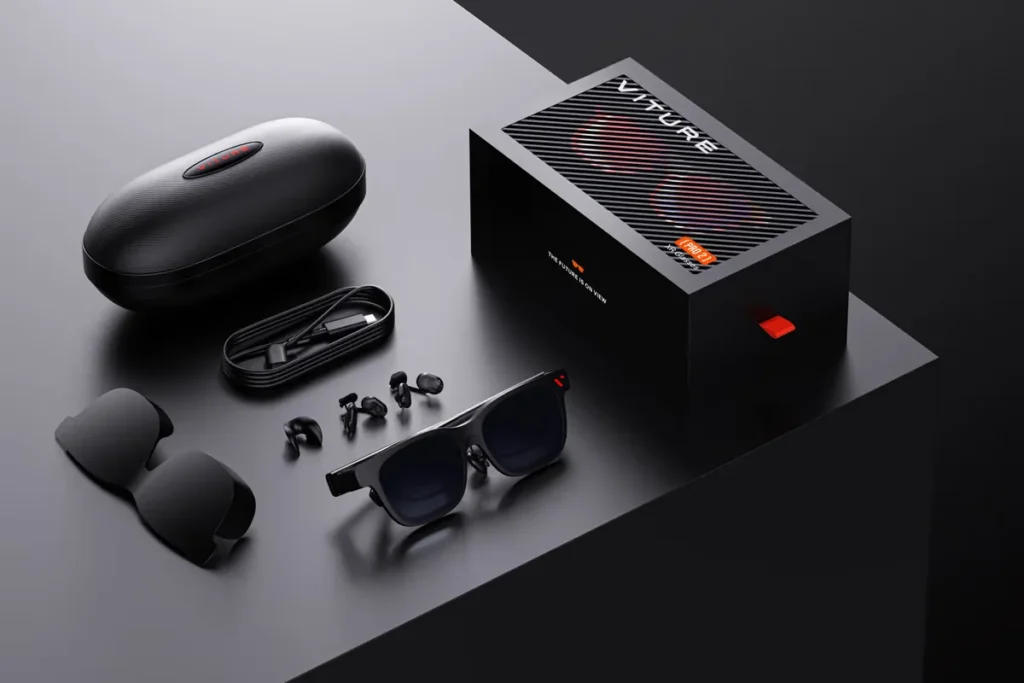
That framing matters because it sets your expectations correctly. If you want spatial apps floating around your living room, look elsewhere and spend three times as much. If you want a 146-inch display on a red-eye flight without the person beside you seeing a frame of it, the Pro 2 was built for exactly that.
VITURE Pro 2 specs at a glance
Here are the numbers that shape the experience, pulled from VITURE’s official listing and hands-on testing across major outlets.
| Spec | VITURE Pro 2 |
| Price | $299 (glasses only) |
| Display | Sony Micro-OLED, 1920×1080 per eye |
| Virtual Screen | 146 inches (per VITURE) |
| Refresh Rate | Up to 120Hz |
| Field of View | 50 degrees |
| Peak Brightness | 1,600 nits |
| Weight | 63 grams |
| Vision Correction | Built-in myopia dials (0 to −5.0D) |
| Optics Tech | UltraClarity 3.0 |
| Connection | USB-C (DisplayPort Alt Mode) |
| Audio | Dual open-ear speakers |
| Extras | Mobile Dock Mini ($99, sold separately) |
Two figures stand out. The 1,600-nit brightness is high for glasses at this price, and it changes what you can watch in a bright room. The 63-gram weight puts the Pro 2 among the lighter tethered XR glasses you can buy, and your nose feels the difference after an hour.
The display: where the VITURE Pro 2 earns its price
The panels do the heavy lifting here. VITURE uses Sony Micro-OLED displays running 1920×1080 per eye, and the effect once you get the fit is a clean, dense image with the deep blacks OLED is known for. Dark scenes in a film don’t wash into gray the way they do on cheaper LCD-based glasses.
UltraClarity 3.0 is VITURE’s name for the optical stack that keeps the picture crisp from the center to the edges. In practice, small text stayed readable throughout most of the frame, which is the real test. Plenty of display glasses look sharp in the middle and turn to mush at the corners. The Pro 2 does better than its price suggests, and reviewers who compared it against the similarly priced X by Xreal a01+ found the VITURE image sharper despite matching specs on paper.
Brightness is the other headline. At 1,600 nits peak, you can use these on a sunlit train and still see the screen through the tinted lens. Cheaper rivals that bottom out lower force you into dim rooms.
The one display limitation to know
The Pro 2 doesn’t support HDR10. Color depth and dynamic range are reduced compared to glasses that support it, and if you care about HDR movie mastering you will notice. The gap rarely shows up while streaming a show or gaming on a handheld.
VITURE Pro 2 Comfort, fit, and the 63-gram frame
Weight is the quiet feature that decides whether XR glasses stay on your face or end up in a drawer. At 63 grams, the VITURE Pro 2 is 20 percent lighter and 16 percent thinner than the original Pro, and VITURE redesigned the frame so that it looks more like regular sunglasses.
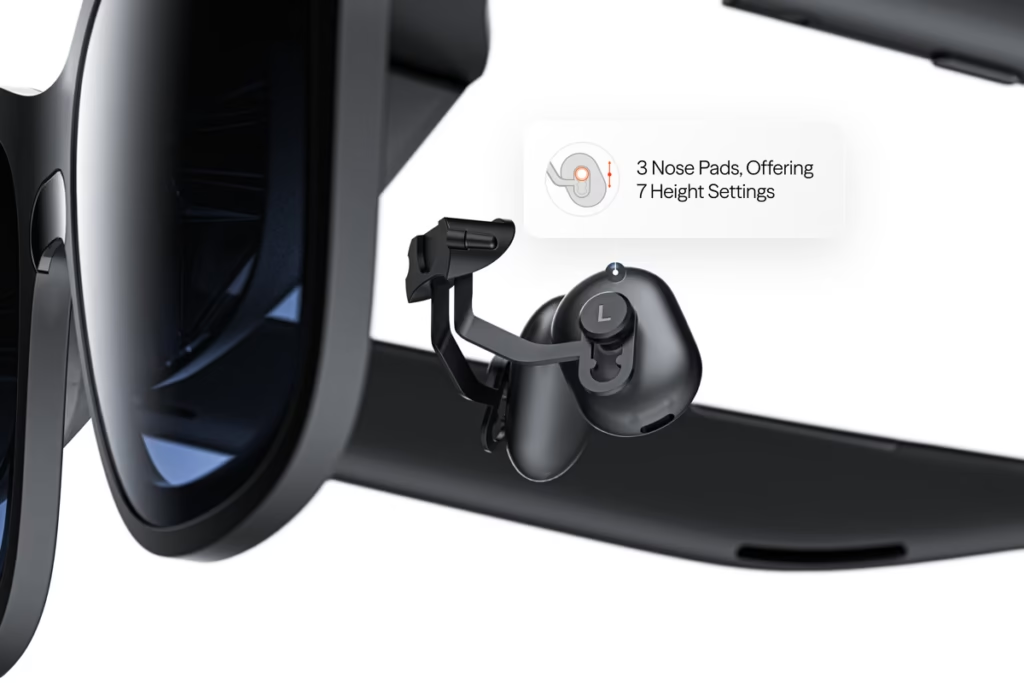
The fit system is where I stopped fighting the glasses. Magnetic nose pads and temple arms that flex to different angles allowed me to find a resting position that put the image where my eyes naturally sat. Once I had a good pad height and arm angle, the picture came into focus and stayed there.
For someone who wears prescription glasses, the built-in diopter dials matter far more than any other feature. You can adjust each lens from 0 to -5.0D to minimize nearsightedness, and mild-to-moderate myopia patients don’t have to struggle with prescription inserts. That’s rare at $299 and one of the reasons people will prefer the VITURE Pro 2 over cheaper competitors.
One honest note on comfort: the right arm gets warm during long sessions. You won’t feel it against your face, but grab that arm to take the glasses off after an hour of gaming and you’ll notice the heat.
What VITURE cut to hit $299
A price drop this steep comes from somewhere. VITURE was upfront about the trade-offs, and none of them break the core experience, but you should know them before you buy.
- Magnetic connector, gone. The original Pro had a magnetic cable attached to it. The VITURE Pro 2 goes to a plug of USB-C instead. Connecting is much easier and more universal, but the snap is gone and the easy detaching time is gone.
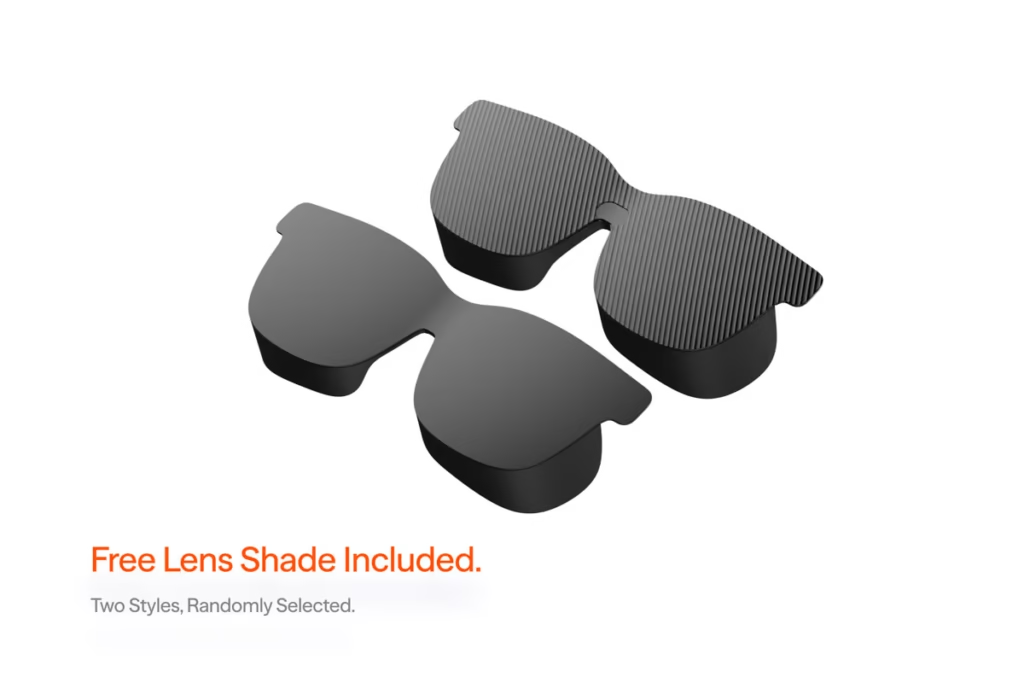
- Electrochromic dimming is replaced. The first Pro can darken its lenses electronically with a button press. The Pro 2 ships with a clip-on cover. It works, but it does seem a step back if you come from the older model.
- Harman Audio branding dropped. VITURE removed the Harman tuning from the speakers. As a result, the sound quality drops a little, but the dual open-ear drivers for a solo player can handle dialogue and game audio well.
The audio deserves closer attention. The dual open-ear speakers give sound to your ears without sealing them, so you will be aware of announcements and people around you every time you listen to them. That openness is a good thing on a flight or in an office. The cost is bass and isolation. In the quiet room the speakers are clearly able to carry dialogue and game effects, but on a noisy train you will reach for earbuds. Most XR users pair Bluetooth audio anyway so that the built-in speaker limit is not an issue with the XR.
None of these cuts touch the display or the fit, which is where your money should go. VITURE trimmed the extras and protected the parts you look at and wear.
VITURE Pro 2 Gaming and device compatibility
The VITURE Pro 2 is an excellent portable gaming monitor. Its 120Hz refresh rate keeps fast motion smooth, and VITURE has turned its focus into handheld support. The company claims excellent 3DoF support on the Steam Deck, and the glasses fit onto any device that outputs video over USB-C DisplayPort Alt Mode.
That covers a wide list:
- Steam Deck and most handheld gaming PCs plug and play over USB-C.
- iPhone 15 and 16, which added USB-C video output.
- Android phones with DisplayPort Alt Mode, including a dedicated XR gaming mode.
- MacBooks and USB-C laptops for a private big-screen workspace.
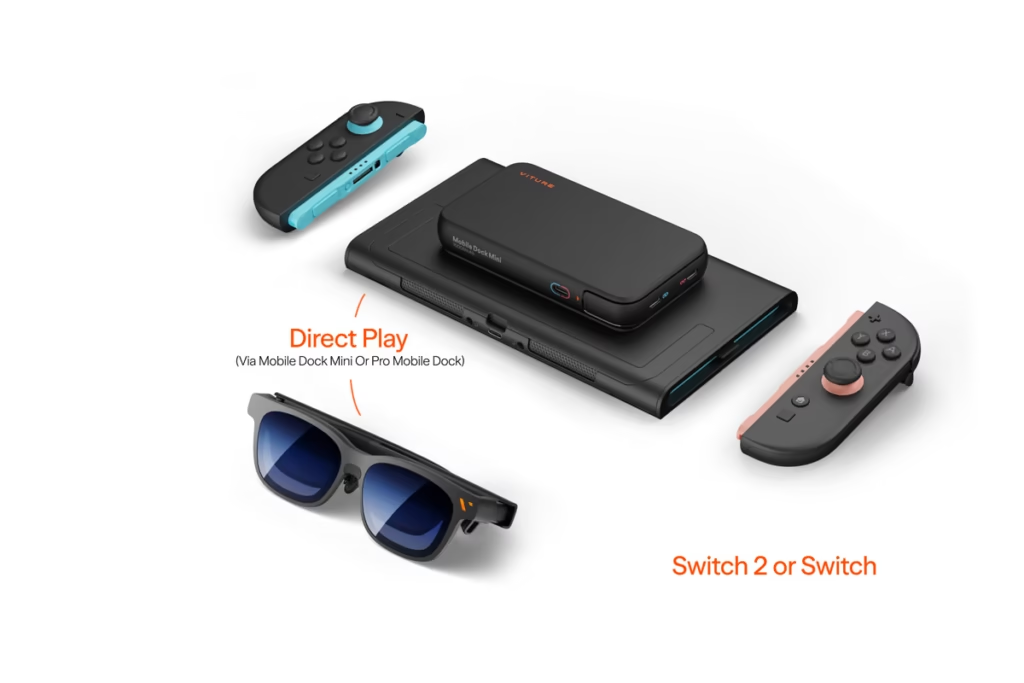
- Nintendo Switch 2, PS5, and Xbox through the optional Mobile Dock Mini.
The Mobile Dock Mini costs $99 as a product, and when it’s bundled with the glasses, it saves you around $20. The dock is what unlocks consoles and the Switch, because they don’t push video straight down a USB-C cable the way a Steam Deck does. If you’re couch gaming on a PS5 or Switch 2, budget for the dock from the start.
For plain USB-C handhelds and phones, you need nothing extra. Cable in, screen on.
Living with the VITURE Pro 2: three real scenarios
Specifications of the glasses. Living with them tells you whether they belong in your bag. Here’s how the VITURE Pro 2 held up over three uses I ran during testing.
The long flight. In a cross-country trip I clipped on the physical dimmer cover, plugged the cable into my cell phone, and watched two movies in parallel. The cabin lights were on all the time and the 1,600-nit panel still cut through the glare. My seatmate never saw a frame. The 63-gram weight was no pressure headache when I took them off and the private screen was much bigger than the seatback display just three inches from my knees.
The couch gaming session. With a Steam Deck over USB-C, the VITURE Pro 2 turned a handheld into a 146-inch cockpit. The 120Hz refresh kept a racing game smooth through tight corners. After ninety minutes the right arm was warm, only when I reached up to remove the glasses, never against my skin during play.
The coffee-shop work session. With a MacBook, the VITURE Pro 2 provided a big private monitor at a cramped cafe table. Text was sharp across most of the frame, which made spreadsheets and long documents workable. The 50-degree field of view is truly the only limit here. It feels like productivity is so limited in some windows, and the edges soften enough that a spreadsheet’s far columns do not want to be too sharp. It is quite effective for a single document or a video call.
The pattern across all three: the Pro 2 excels at one big private screen and asks little of your neck or wallet. It stumbles only when you push it toward wide multitasking; it was never built for it.
VITURE Pro 2 vs XREAL One Pro
VITURE Pro 2 vs XREAL One Pro {#comparison}
The natural question for anyone shopping this category: how does the Pro 2 stack up against XREAL’s premium contender? These two sit at different price points and answer different needs, so the comparison is about matching the glasses to your use, not crowning a single winner.
| Feature | VITURE Pro 2 | XREAL One Pro |
| Price | $299 | $599 |
| Field of View | 50 degrees | 57 degrees |
| Display | Sony Micro-OLED, 1080p per eye | Sony Micro-OLED, 1080p per eye |
| Peak Brightness | 1,600 nits | Around 700 nits |
| Onboard Tracking | None | X1 chip, 3DoF |
| Dimming | Physical lens cover | Electrochromic |
| Weight | 63 grams | ~87 grams (heavier) |
| Best For | Value, comfort, portability | Ecosystem, stable image, spatial features |
The XREAL One Pro is worth twice the price for breadth as opposed to raw display numbers. Its X1 chip has 3DoF tracking that stabilizes your image when you move your head, its field of view is slightly wider, and its device compatibility and software ecosystem are much richer. If you fly often through turbulence or want to keep the picture steady when you turn, the tracking is worth something.
The Pro 2 has a brighter panel, a lighter frame, a built-in vision correction, and a price of $300 in your pocket. For someone who plays movies and handheld gaming on a set of devices, that is the best buy. The One Pro earns its premium only if you like the bigger ecosystem and the stabilized image enough to pay for it.
What most reviews get wrong about these glasses
I don’t think Pro 2 reviews go so far as to say very much: the ‘Pro 2’ name oversells the upgrade, and that’s actually good news for you.
The name of the new VITURE Pro 2 has long been criticized by XR fans, as going to the next generation is not a generational leap over the first Pro. It does away with features. The magnetic connector, the electrochromic dimming, and the Harman tuning all went away. If you own the original Pro and expect a straight upgrade, you will be disappointed.
Read it as a repositioning instead of a sequel, and the picture flips. VITURE took the parts that determine 90 percent of the experience, the display quality, the fit, and the vision correction, kept or improved them, and then stripped the convenience features that added cost without changing what you see. The result is a $299 product that delivers most of a $459 experience.
This is one piece of insight competitors’ spec sheets bury. New XR glasses consumers should see the VITURE Pro 2 as the best affordable entry point in the category and not as a failed flagship. The name creates the wrong expectation. The price tells the real story.
One more thing testing showed that spec lists skip: the fit adjustments are the biggest factor in whether you like or hate the XR glasses. People who dismiss XR glasses as blurry usually never dial in the nose pads and temple angle. Spend five minutes getting the fit right before you judge the image.
Pros and cons
What works:
- Sharp Sony Micro-OLED panels with deep OLED blacks.
- 1,600-nit brightness that lasts in bright rooms.
- Light 63-gram frame comfortable for long sessions.
- Built-in diopter dials from 0 to -5.0D for myopia.
- Plug-and-play USB-C for handhelds, phones, and laptops.
- $299 undercuts most of the competition.
What to weigh:
- No HDR10 support.
- No onboard tracking or spatial features.
- Right arm warms up over long sessions.
- Consoles and Switch 2 need the $99 dock.
- Loses the magnetic connector and electrochromic dimming of the first Pro.
The Verdict
The VITURE Pro 2 did the rare trick of costing less than the model it replaces and looking better on your face. At $299 you get a sharp Sony Micro-OLED display, 1,600 nits of brightness, a 63-gram frame you can wear for a full movie, and vision correction built into the lenses. The cuts VITURE made, the magnetic connector, and electrochromic dimming hit convenience rather than the picture.
If you already own a USB-C phone, a Steam Deck, a laptop, or a Switch 2, and you want a private screen for travel, gaming, or focused work, the Pro 2 is the easiest XR recommendation to make right now. Buy the $99 Mobile Dock Mini alongside it only if consoles are part of your plan.
The next thing you do is to decide whether you need spatial tracking. If you don’t, the Pro 2 provides the most premium XR experience for less than a third of the premium price. Try it out, spend five minutes dialing in the fit, and see the 146-inch screen for yourself.
Frequently Asked Questions (FAQs)
Q. Is the VITURE Pro 2 worth it?
A. For $299, yes, if you want a private big screen for movies, streaming, and handheld gaming. The Sony Micro-OLED display is sharp, the frame is light and comfortable, and the built-in vision correction is rare at this price. Skip it only if you need spatial tracking or advanced XR features.
Q. What is the difference between the VITURE Pro 2 and the original Pro?
A. The Pro 2 is lighter, sharper, brighter, and $160 cheaper than the first Pro, but it drops the magnetic connector, electrochromic dimming, and Harman audio branding. The display and comfort improved; the convenience features were cut to lower the price.
Q. Does the VITURE Pro 2 work with the Nintendo Switch 2 and PS5?
A. Yes, but not directly. Consoles and the Switch 2 need the Mobile Dock Mini, which costs $99, because they don’t output video over USB-C DisplayPort Alt Mode on their own. USB-C handhelds like the Steam Deck plug in without extra hardware.
Q. Can I use the VITURE Pro 2 if I wear glasses?
A. Most nearsighted users can skip their glasses entirely. The Pro 2 has built-in diopter dials that adjust each lens from 0 to -5.0D, so mild to moderate myopia is covered without prescription inserts. Stronger prescriptions or astigmatism still require custom inserts.
Q. How does the VITURE Pro 2 compare to XREAL glasses?
A. The Pro 2 is brighter, lighter, and half the price of the XREAL One Pro, making it the value pick for movies and handheld gaming. XREAL’s One Pro offers a wider field of view, onboard 3DoF tracking, and a broader ecosystem, which justify its $599 price for buyers who need those.