 Shikha Kumari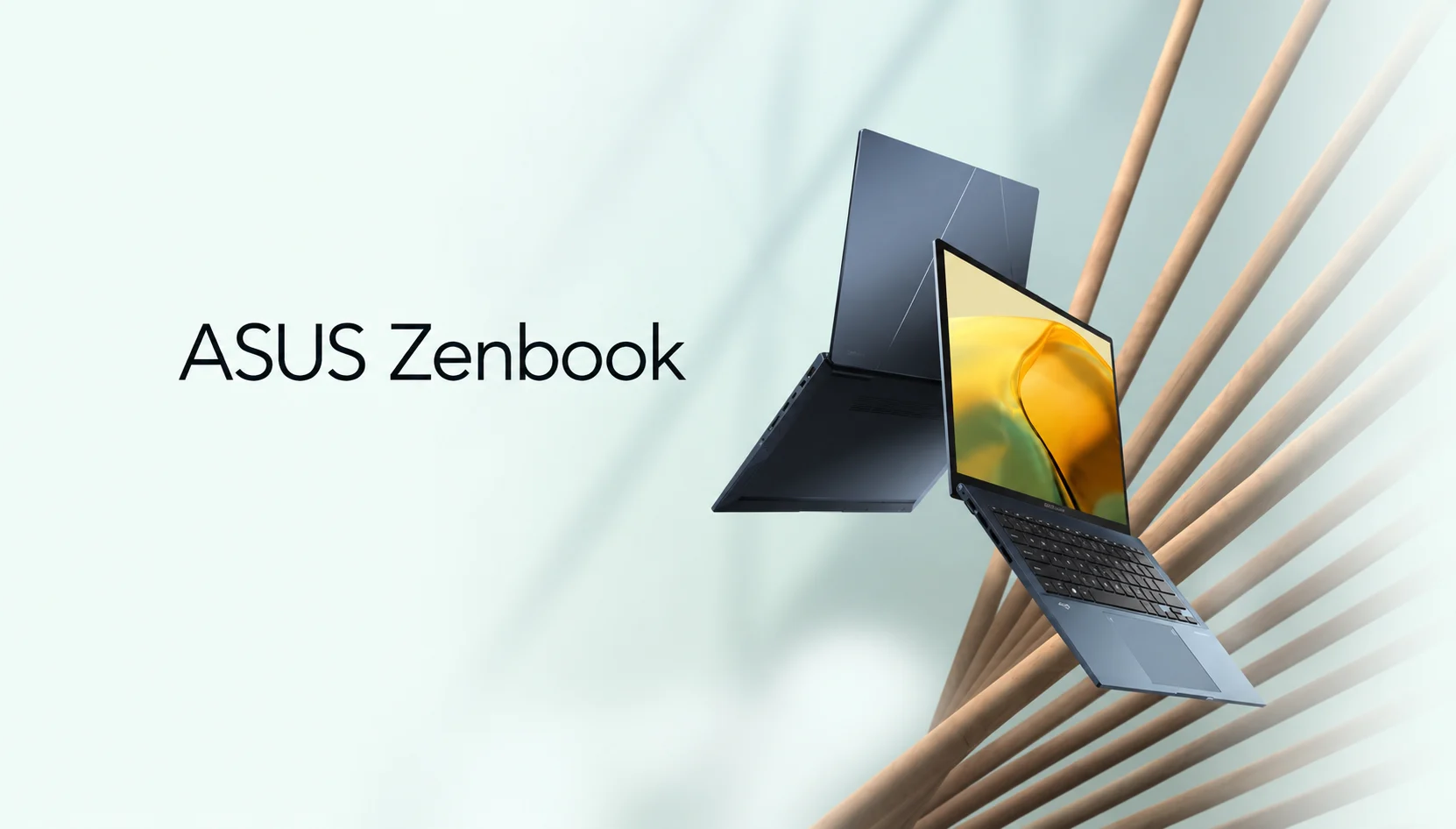
You open the ASUS store, type “Zenbook,” and get hit with a wall: Zenbook 14, Zenbook S14, S16, A14, A16, and the dual-screen Duo. Same brand, nearly the same names, a $2,000 spread in price. Most buyers freeze right there, and the ones who don’t often grab the wrong model and regret it three months in.
That’s the real problem with the ASUS Zenbook range in 2026. It isn’t one laptop. It’s four different design philosophies wearing similar badges, and ASUS does a poor job of telling you which is which.
This guide fixes that. I’ll break down every current Zenbook by who it’s actually for, what real owners say after living with them, and the one pricing twist that changed the math this spring. By the end you’ll know which Zenbook to buy and, just as usefully, which to skip.
The quick verdict
Short on time? Here’s who each model is for.
Buy the Zenbook 14 OLED if you want the best all-round value. It hits the sweet spot of screen, battery, and price, and you can often find last year’s model heavily discounted.
Buy the Zenbook S14 (or S16) if you want the flagship feel: the thinnest chassis, the sharpest 3K OLED, and the premium Ceraluminum build. You’re paying for finish and screen.
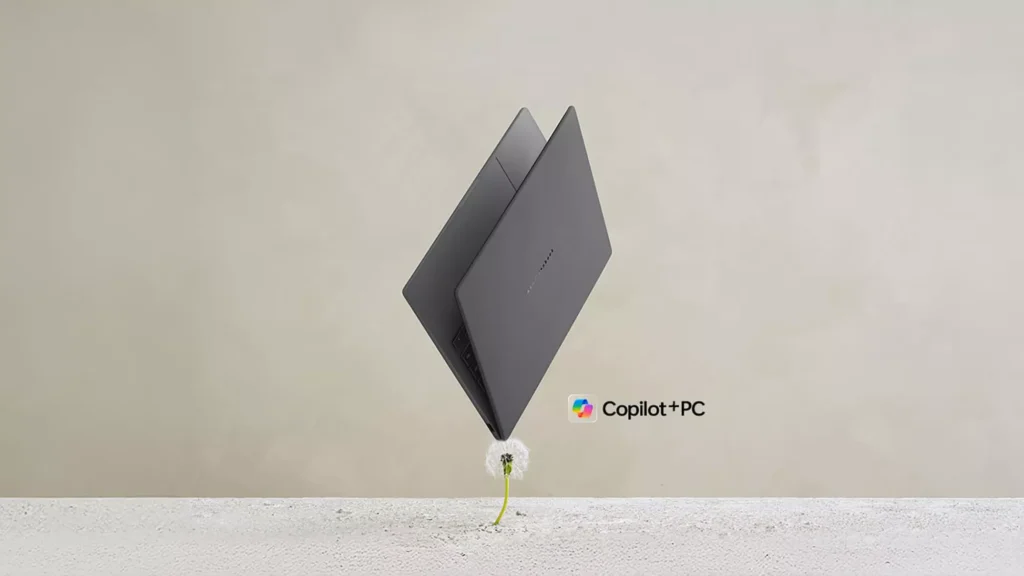
Buy the Zenbook A14 (or A16) if portability rules everything. The A14 weighs under a kilo and runs on a Snapdragon chip that sips battery, but read the software caveat below first.
Buy the Zenbook Duo if you’re a multitasker who genuinely wants two full screens and will actually use both. Everyone else should walk past it.
At-a-glance comparison
| Model | Best For | Screen | Chip | Weight | Starting Price (US) |
| Zenbook 14 | Overall value | 14″ OLED | AMD Ryzen AI 7 | ~1.28 kg | from $999* |
| Zenbook S14 | Premium thin-and-light | 14″ 3K 120Hz OLED | Intel Core Ultra Series 3 | ~1.2 kg | ~$1,999 |
| Zenbook S16 | Bigger premium screen | 16″ 3K OLED | AMD Ryzen AI 400 | ~1.5 kg | ~$1,899 |
| Zenbook A14 | Featherweight + battery | 14″ 1200p OLED | Snapdragon X2 Elite | under 1 kg | from $1,349 |
| Zenbook A16 | Light 16-incher | 16″ OLED | Snapdragon X2 Elite Extreme | ~1.2 kg | ~$1,699 |
| Zenbook Duo | Dual-screen power users | 2× 14″ 3K 144Hz OLED | Intel Core Ultra X9 | ~1.35 kg | ~$1,500+ |
The Zenbook 14’s launch price rose after release, see the pricing section. Indian pricing runs roughly ₹1.0L–₹3.0L across the range; the S14 launched at ₹179,990 and the Duo at ₹299,990.
Bold takeaway: the display is excellent on every single one of these. OLED is the family trait. What actually separates them is weight, chip platform, and how much thinness you’re willing to pay for.
How I compared these
I ranked these on the four things buyers actually feel day to day: real-world battery life, sustained performance (not just peak benchmark bursts), build and screen quality, and price-to-spec value. Then I weighed each model against the job it’s built for, judging a featherweight travel laptop on gaming frame rates would be silly.
Where I quote numbers, they come from hands-on testing at outlets like Tom’s Guide, Windows Central, Notebookcheck, and Ultrabookreview, plus owner reports from Reddit’s r/ASUS and retailer reviews. I’ve flagged where a spec is a manufacturer claim versus a measured result, because ASUS’s battery figures and real life don’t always agree.
What’s the difference between ASUS Zenbook models?
Here’s the decoder ring, because ASUS won’t give you one.
The plain Zenbook (like the Zenbook 14) is the entry-to-mid ultraportable. It’s the one that goes on sale, the one students buy, the one that just works. Mid-range AMD or Intel chips, no discrete GPU, great battery.
The Zenbook S is the premium tier. Thinner chassis, the 2026 S14 is about 1.1 cm thick, higher-resolution 3K OLED panels at 120 Hz, better cooling, and that Ceraluminum finish ASUS keeps showing off. You pay for the fit and finish.
The Zenbook A is the new featherweight line. “A” is the one obsessed with weight. The A14 slips under a kilogram and pairs that with Qualcomm’s Snapdragon X2 Elite for absurd battery life. Different chip architecture, though, which matters (more on that shortly).
The Zenbook Duo is the oddball: two stacked 14-inch OLED screens in one clamshell, with a detachable keyboard. A tool for a specific kind of worker, not a general-purpose laptop.
So when someone asks “which ASUS Zenbook is best?” There’s no single answer, because these aren’t competing for the same buyer. The A14 and the Duo barely belong in the same conversation.
Zenbook 14 OLED: the value pick
If you make me pick one Zenbook for the average person, it’s this one.
The Zenbook 14 OLED has been ASUS’s quiet best-seller for years, and the reason is boring in the best way: it does everything well and costs less than it should. The 2026 model runs an AMD Ryzen AI 7 chip with an OLED panel, and it carries the same DNA that earned the older Q425 version a 4.7-star owner rating at Best Buy.
Battery is a genuine strength. Laptop Mag measured more than 15 hours on the Core Ultra 7 version, and Notebookcheck praised the older model’s all-day stamina. For a sub-1.3 kg laptop with an OLED screen, that combination used to be a contradiction. Not here.
Here’s the money move, though: last year’s Zenbook 14 OLED keeps dropping to around $700. Notebookcheck tracked the Q425 falling to $699 at Best Buy, roughly $300 under the list. At that price it stops being a good laptop and becomes an outright steal. If you don’t need the newest chip, the previous-gen model is the smartest buy in the whole family.
The honest downsides? The single fan spins up more than you’d like. Notebookcheck’s 2024 review of the Zenbook 14 OLED literally titled its verdict around “one major flaw”: the cooler runs often, and some units add faint electronic noise. One Slickdeals owner put it plainly: browsing the web, “fans are on and it’s warm to the touch,” where their HP stayed silent. The 720p-class webcam on older units is also just okay.
None of that dethrones it. For students, remote workers, and anyone who wants one laptop that handles email, tabs, Netflix, and light Photoshop without drama, the Zenbook 14 OLED is the default.
Zenbook S14 and S16: the premium thin-and-light
This is where the Zenbook range starts feeling like a luxury object.
The 2026 Zenbook S14 is the show pony, about 1.1 cm thin, wrapped in Ceraluminum, running Intel’s new Panther Lake–based Core Ultra Series 3 chips, up to a Core Ultra 9 386H. The screen is the headline: a 3K (2880 × 1800) OLED at 120Hz. Tom’s Hardware noted it tops out around 2.7 pounds and comes in Scandinavian White and Antrim Grey, which look far classier than the names suggest.
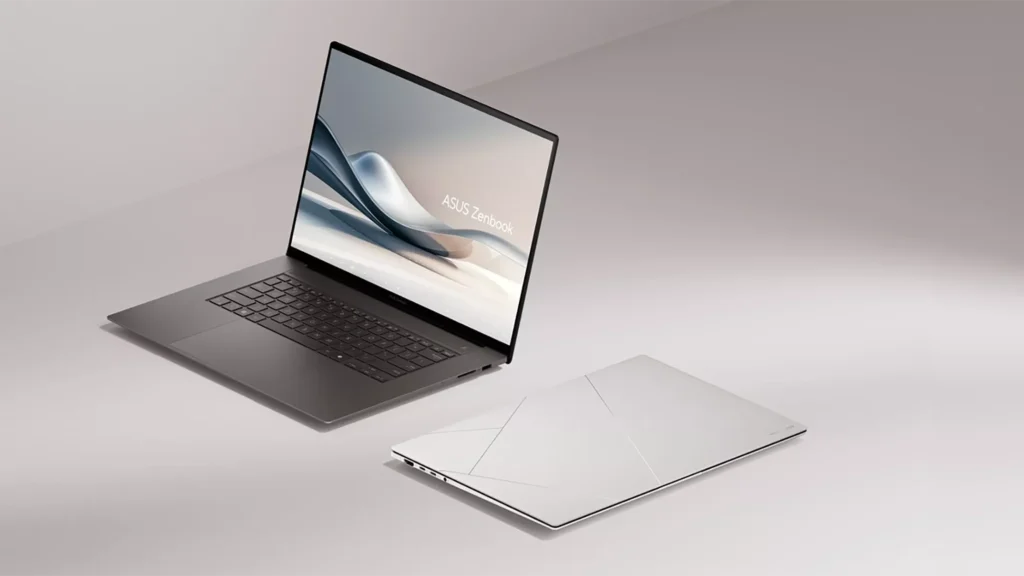
The Zenbook S16 is the same idea stretched to 16 inches, running AMD’s Ryzen AI 400 silicon instead of Intel, plus a handy SD card reader the S14 skips. The trade is weight, the S16 pushes close to 3.5 pounds. Still light for a 16-incher, but you’ll feel the difference against the A-series.
Who’s it for? People who stare at the screen all day and care about how the machine feels in the hand. Designers doing color work, writers who want a gorgeous panel, and professionals who treat a laptop like a daily instrument.
The catch is money. After a spring 2026 price adjustment, the S14 landed around $1,999 in the US. At that number it’s no longer competing with mainstream Windows laptops, it’s staring down the MacBook Air and even base MacBook Pro territory. The hardware is lovely. Just go in knowing you’re paying a flagship tax for thinness and that screen, not for raw speed.
Zenbook A14 and A16: the featherweight Snapdragon bet
The A14 is the most exciting and most misunderstood, Zenbook right now.
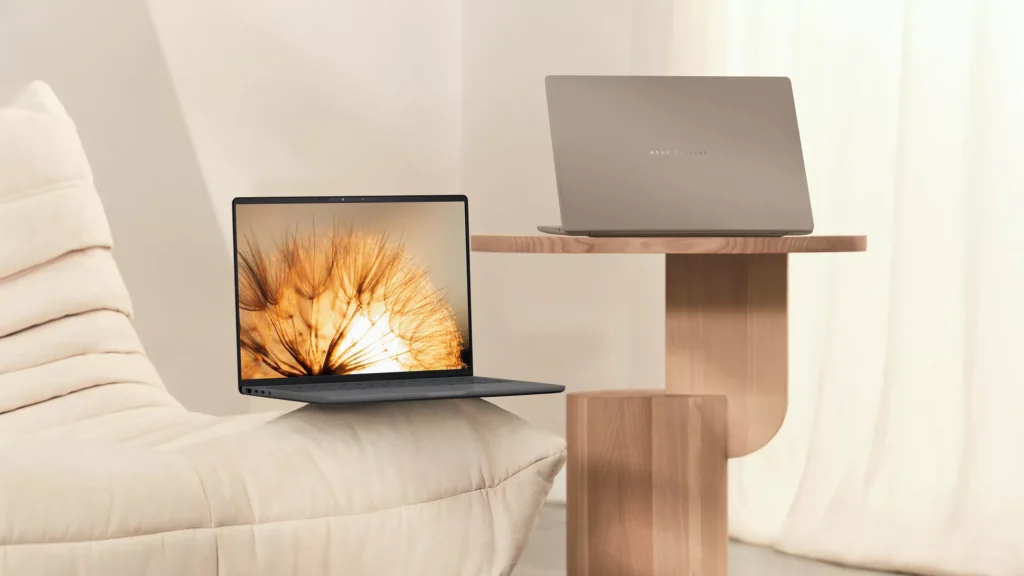
Pick it up and you won’t believe it’s running. It weighs under a kilogram. ASUS claims up to 33 hours of battery on the OLED configuration, and while your mileage will be lower, reviewers consistently rate its real endurance as class-leading. The 2026 refresh swapped in Qualcomm’s 18-core Snapdragon X2 Elite, which gave it, as Windows Central put it, “a massive CPU performance bump” over the already-loved 2025 model. The A16 goes bigger, with a 16-inch screen, up to 48GB of RAM, and the beefier X2 Elite Extreme, handy if you want to run local AI models on the go.
So why isn’t this an automatic recommendation? Two reasons.
First, the price got weird. Reviewers went in loving the A14 and A16 as MacBook Air rivals, then ASUS quietly hiked prices hours after reviews posted. Tom’s Guide documented the A14 and A16 taking up to a $200 bump, and one Best Buy listing jumped the standard Zenbook 14 from $999 to $1,349 overnight. In parts of Europe the A14 now costs about the same as a MacBook Air, which erases the value argument that made it special.
Second, and this is the one buyers overlook, it’s an ARM laptop. The Snapdragon chip means Windows on ARM, and while most everyday apps run fine, some software still runs through emulation or not at all. An Ultrabook review tester flatly noted the X2 platform isn’t fully supported yet at the driver level. If you live in Chrome, Office, and streaming apps, you’ll never notice. If you depend on a niche VPN, an old peripheral driver, or specialized creative or engineering tools, check compatibility before you buy.
Get the A14 on sale, confirm your apps are ARM-friendly, and it’s magic. Buy it blind at full price and you might feel the sting.
Zenbook Duo: two screens, one niche
The Duo is the coolest Zenbook and the one few people should buy.
Two full 14-inch 3K 144Hz OLED displays, a detachable keyboard, and a kickstand, it’s a genuine dual-monitor setup that folds into a bag. The 2026 UX8407A A revamp made it more compact, moved the screens closer together, added a bigger 99Wh battery, and stepped up to Intel’s Core Ultra X9 Series 3 chips running at higher power for a claimed 10–25% performance gain over the 2025 version.
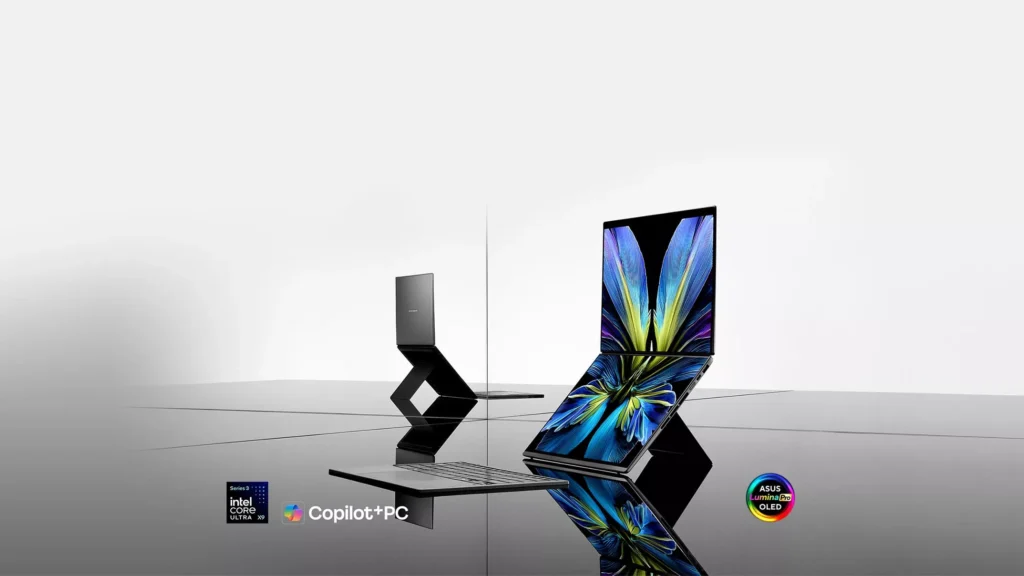
For the right person, nothing else compares. If you’re a trader watching two feeds, a video editor who wants a timeline below the preview, or anyone who’s tried working on one screen and hated it, the Duo is a revelation.
For everyone else it’s heavier and pricier (comfortably north of $1,500 in the US), and the second screen is dead weight you carry around. Be honest about whether you’ll use both panels every day. If the answer is “probably not,” your money buys a far better single-screen laptop.
What most Zenbook guides miss
Most comparisons stop at the spec sheet. Here’s what actually trips up buyers.
The chip platform matters more than the number after it. Two Zenbooks can both say “14-inch OLED” and behave completely differently because one runs Intel x86, one runs AMD, and one runs ARM. The Snapdragon A14 wins on battery and loses on app compatibility. The Intel S14 wins on raw software support. That fork in the road decides your experience far more than 2GB of extra RAM does, and no store page explains it.
ASUS’s own pricing is the biggest variable. This range swings hard on discounts and, in 2026, on mid-launch hikes. The exact same Zenbook can be a bargain or a rip-off depending on the week and the retailer. I’ve watched the value crown move from the A14 to the older Zenbook 14 OLED purely because of price changes, not hardware. Set a price alert and buy the dip. [Insert live price-tracker link.]
“Whisper mode” is your friend. The recurring owner complaint across generations isn’t performance, it’s fan noise on the 14-inch models. If quiet matters to you, know that ASUS’s silent fan profile tames most of it at a small performance cost, and factor that into your expectations before you’re annoyed by it.
One more, from experience: don’t over-buy RAM and CPU for a laptop whose whole point is being light. The A14 buyer chasing a 32GB config is often better served by a Zenbook 14 or S14. Match the model to the job first, then pick the trim.
Which Zenbook fits your life?
Student or first “real” laptop: Zenbook 14 OLED, ideally last year’s model on discount. Best value, great screen, all-day battery, and you won’t cry if it gets a backpack scuff.
Frequent flyer / commuter: Zenbook A14. Under a kilo and battery that outlasts the flight. Just confirm your must-have apps run on ARM first.
Designer or screen snob: Zenbook S14 for 14 inches, S16 if you want the bigger canvas and an SD reader. The 3K OLED is the reason to buy.
Multitasker who lives in windows: Zenbook Duo, but only if you’ll use both screens daily. Otherwise, an S16 gives you more usable single-screen space for less hassle.
Tight budget: Hunt the previous-generation Zenbook 14 OLED at $700. It beats most new laptops at that price, and it’s the same reason r/ASUS keeps recommending it to newcomers.
The bottom line
The ASUS Zenbook range looks confusing because ASUS made it confusing: six models, four philosophies, and one shared OLED screen that’s excellent across the board. Strip away the names, and the decision gets simple.
Want value and zero fuss? The Zenbook 14 OLED is on sale. Want the lightest bag possible and can confirm your apps run on ARM? The A14. Want the flagship screen and finish, and the budget to match? The S14 or S16. Want two screens and know you’ll use them? The Duo.
Whatever you’re leaning toward, watch the price for a week before you commit, in 2026 more than ever, the same Zenbook can be a steal or a stretch depending on the day.
Frequently Asked Questions (FAQs)
Q. Which ASUS Zenbook should I buy?
A. For most people, the Zenbook 14 OLED balances price, battery, and screen better than anything else in the range, especially when last year’s model drops toward $700. Choose the A14 if you want the lightest option, or the S14 if you want the premium 3K screen and thinnest build.
Q. Which ASUS Zenbook is best?
A. “Best” depends on the job. The S14 is the best-built and best-screened. The A14 has the best battery and lowest weight. The Zenbook 14 is the best value. The Duo is the best for dual-screen multitasking. There’s no single winner because they’re aimed at different buyers.
Q. What’s the difference between the Zenbook, Zenbook S, and Zenbook A?
A. The plain Zenbook is the affordable all-rounder. The Zenbook S is the premium, thinner, higher-resolution tier. The Zenbook A is the ultralight line built around weight and battery, using Snapdragon ARM chips. Same brand, three different priorities.
Q. Is the Zenbook 14 OLED a good choice?
A. Yes, it’s the most recommended model in the family for good reason. Owners love the OLED screen and battery life; the main gripes are occasional fan noise and an average webcam. At its frequent sale price, it’s one of the best-value OLED laptops you can buy.
Q. Do Zenbooks have bad fan noise or coil whine?
A. Some 14-inch models spin the fan up during light tasks, a complaint that shows up across several generations in reviews and owner reports. It’s usually manageable with the quiet fan profile. Coil whine has been reported on individual units historically but isn’t universal; if you get a noisy one, it’s grounds for a return.