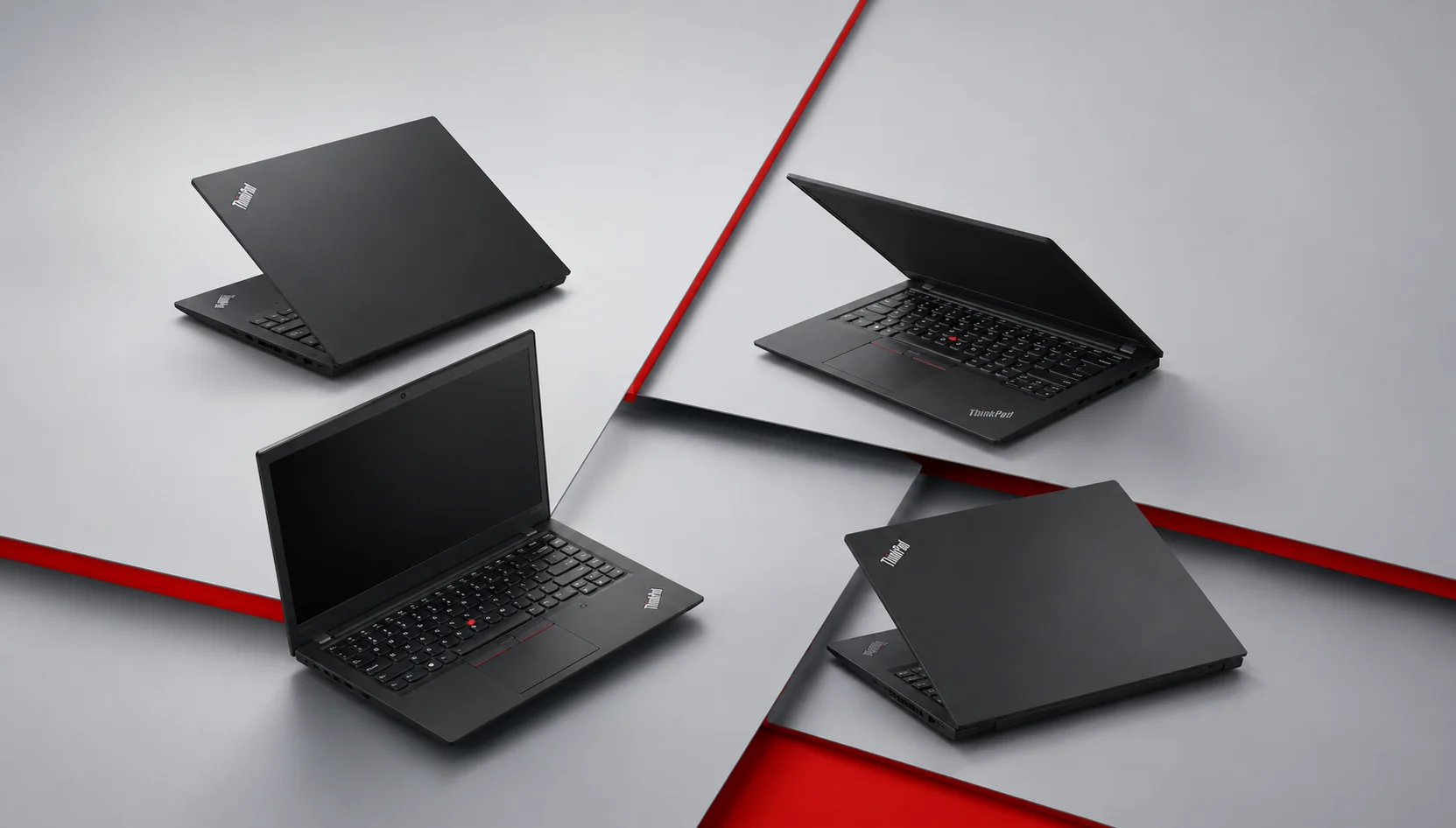
Two colleagues buy a ThinkPad together in the same week. One picks a T14s and gets almost 24 hours on a charge. The other picks a T14s, the same model name, and barely clears nine. Neither of them read the fine print on the processor, and only one of them is happy.
That gap is the whole problem with shopping for a Lenovo ThinkPad in 2026. The badge on the lid tells you almost nothing about what you’re getting. Now Lenovo sells the same laptop with Intel, AMD and Qualcomm chips inside, and the choice can double your battery life or halve it. This guide sorts the current lineup by the work you actually do, names the specific model I’d buy for each job, and flags the traps that turn a great Lenovo ThinkPad into an expensive regret. At the end of the day you’ll know which one belongs in your bag and which ones to skip.
How the ThinkPad lineup breaks down in 2026
Lenovo divides Lenovo ThinkPad into families, and the letter is more important to them than the number.
The X series is the flagship ultralight tier. Thin, expensive, built for people who carry a laptop everywhere and want it to weigh nothing. The X1 Carbon is there, as well as the new X9 aluminum models.

The T series is the dominant business workhorse. That’s the Lenovo ThinkPad that most companies buy by the thousand. The T14 offers a memory and storage upgrade facility, but the T14s offers less weight and more memory with a thinner body.
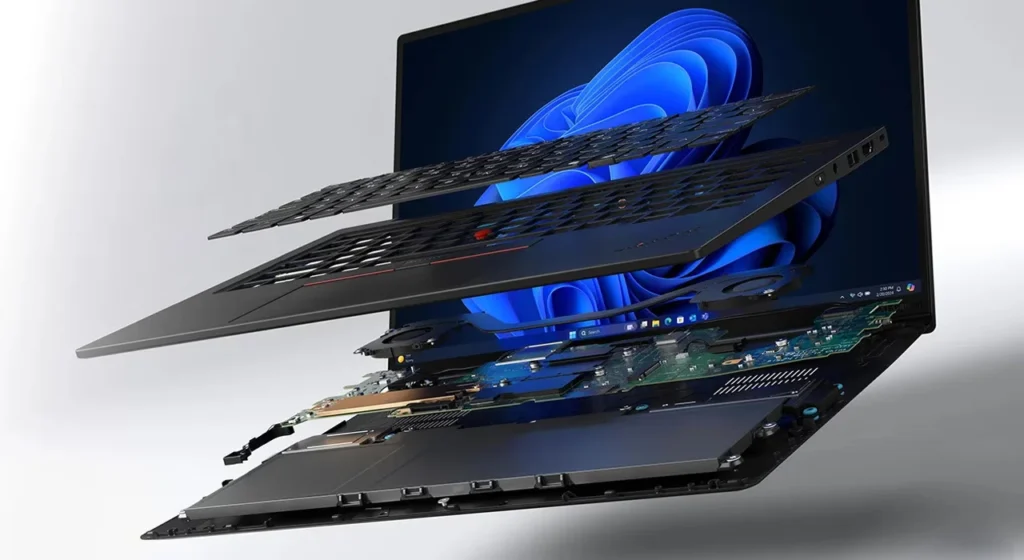
The P series is the mobile workstation line. NVIDIA professional graphics certification for engineering and creative software, and the weight that comes with real power.
The E and L series are at the bottom of the list at the price. The E14 is a good entry point for a small business and anyone who wants the Lenovo ThinkPad keyboard without the flagship bill.
One thing runs through all of them: every current model carries MIL-STD-810H durability testing, the keyboard people rave about, and the little red TrackPoint nub that Lenovo ThinkPad loyalists refuse to give up. That’s the through-line. Everything else is a set of tradeoffs.
Quick picks: which ThinkPad for which job
If you do not want to read the whole thing, start here:
- You travel constantly and want the lightest premium machine: the ThinkPad X1 Carbon Gen 14.
- You live on battery and want maximum unplugged hours: ThinkPad T14s Gen 6, Snapdragon, or Lunar Lake config.
- You want a durable daily driver that you can upgrade later: ThinkPad T14 Gen 6.
- You are on a budget, yet you want a real ThinkPad: the ThinkPad E14.
- You work on CAD, video, or 3D work: ThinkPad P1 Gen 7.
Now the reasoning behind each.
Best overall: Lenovo ThinkPad X1 Carbon Gen 14
The X1 Carbon has been the default answer to the question of what is the best business ultraportable for years, and that is still the case now, with the Gen 14 refresh. What changed here is what’s inside.
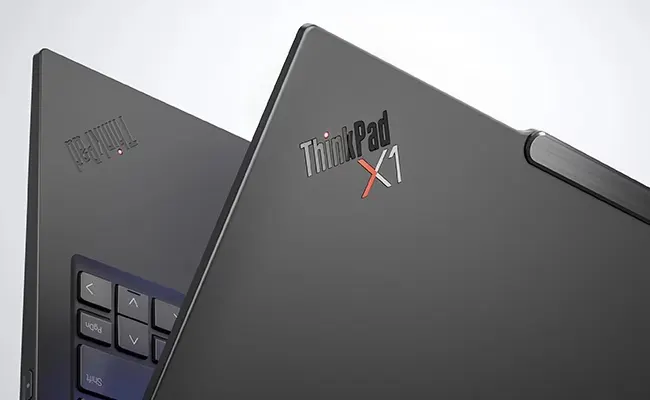
Lenovo moved to the next generation to the Intel Panther Lake platform built around the Core Ultra 7 355, which has eight cores and a 50 TOPS neural processor for on-device AI. The Gen 13 ran on the lower-power Lunar Lake chip, and it wasn’t able to last a full day. Users who were critical of the previous model for battery life have largely stopped complaining about this one.
The headline number is still the weight. At 2.15 pounds, less than a kilogram, it is nearly a full pound below the average premium 14-inch laptop. Pick it up and it feels like Lenovo forgot to install something. On a long travel day your shoulder notices.
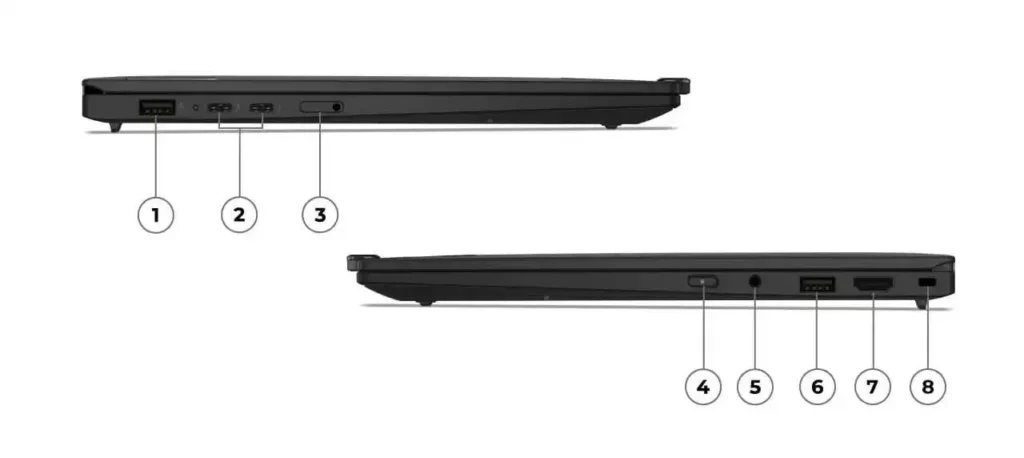
The screen is a 14-inch panel at a 16:10 ratio and can be specified as a 2.8K OLED at 120 Hz with variable refresh. Ports are large on such a thin laptop: three Thunderbolt 4 connections, two USB-A, HDMI 2.1 and headphone jack, Wi-Fi 7. You can add 5G, a bigger touchpad and Intel vPro for IT departments managing fleets.
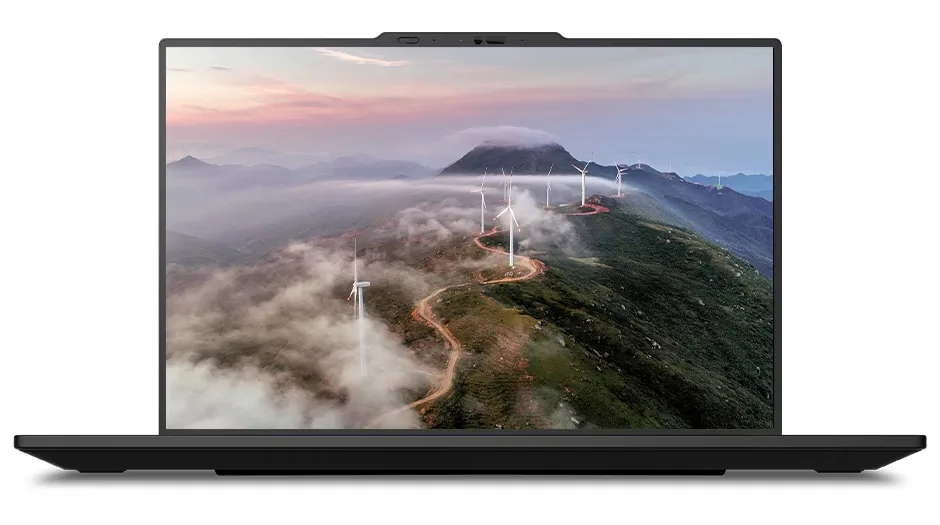
Here is the change I care about most. Lenovo redesigned the internal chassis into something Lenovo calls a Space Frame; a double-sided board that slims it down by about 20 percent. As a matter of fact, you can now open the laptop and swap the battery and SSD yourself. No major competitor can do that. It quietly changes the math on how long you’ll keep the thing.
Where it falls short: It isn’t the fastest laptop in its price range. A MacBook Pro or an Asus with a beefier chip will out-benchmark it. And it’s expensive. Base configurations are $1,999 to $2,032 on Lenovo’s site, and a loaded one goes well past that.
Buy it if you want the best Lenovo ThinkPad for business travel and don’t need workstation power.
Skip it if the performance of a laptop in dollars matters more than weight and repairability.
Best for all-day battery: Lenovo ThinkPad T14s Gen 6
This is the model from the opening story, and it’s the one that I tend to see people buy wrong.
The T14s Gen 6 is the thin and light sibling of the T14. It is a true ultrabook, about 2.7 pounds, fanless in some configurations, with the full Lenovo ThinkPad keyboard and a good port choice for something this light. There are three types: Intel Lunar Lake, AMD Ryzen AI and Qualcomm Snapdragon. That last one is where the magic and the risk are both found.
The Snapdragon X Elite version is a battery monster. Independent testing has taken it up to over 21 hours, with one reviewer measuring almost 24 in a light-use loop. The Intel Lunar Lake version is not far behind, with the platform’s battery crown at more than 21 hours in Laptop Mag’s testing. If you put the same body on the wrong chip, you can end up under nine hours. Same laptop, same name, wildly different day.
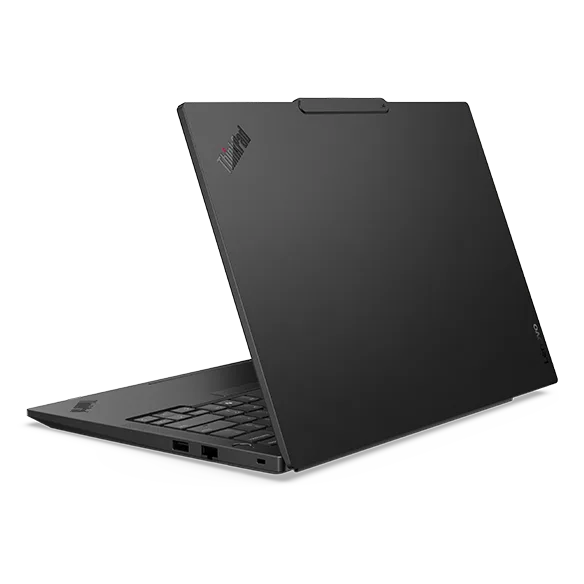
The Snapdragon tradeoff is software. Windows on ARM has come a long way, but if you rely on a niche VPN client, older enterprise tools, or specialized drivers, you may hit compatibility walls. The Intel Lunar Lake model sidesteps all of that and still runs cool and quiet. That’s the safest choice for most business buyers.
Pricing is around $1,505 for the AMD base and about $1,700 and up for Snapdragon, but the fully loaded Intel configs are steep, well over $2,700 in some regions.
What you should be aware of before purchasing the T14s is that the RAM of the T14s is soldered to the board. Whatever memory you order is the memory you keep for the life of the laptop. No upgrades later. If you’re really into light and upgrades in year two, this is the wrong Lenovo ThinkPad for you.
Best mainstream business laptop: Lenovo ThinkPad T14 Gen 6
If the T14 is the thin one, then the T14 is the sensible one. It is thicker and heavier, and that extra room buys you the thing the T14s lose: serviceability.
On T14 Gen 6, RAM, storage, and battery are all Customer Replaceable Units. You, your IT team, or you with a screwdriver can pop the bottom and upgrade memory or swap a dead battery years down the line. For a company on a three- to five-year refresh cycle, that flexibility reduces the real cost of ownership more than any spec sheet number.
The Intel Core Ultra or AMD Ryzen AI PRO options are out there, as well as display options up to 2.8K OLED, and the same MIL-STD-810H toughness as the rest of the line. It’s the Lenovo ThinkPad in corporate procurement catalogs for a reason. Nothing flashy, everything durable, easy to keep alive.
If you want a machine that lasts a decade and you want to be able to fix and upgrade it, buy it if you want the most minimal chassis and don’t care about upgrades.
Best value: Lenovo ThinkPad E14
Not everyone wants a $2,000 laptop, and Lenovo knows it. The E14 is the budget door into the Lenovo ThinkPad world and is around $1,000 depending on the configuration and any current promotion. You still get the keyboard, the build quality reputation, and the business security features. But you give up the high-end screen, the ultralight weight, and the best chips. Recent E14 models have AMD Ryzen or Intel processors, 16 GB of memory, and a clean 14-inch display that handles email, documents, browser tabs, and video calls without complaint.
| What You Keep | What You Give Up |
| Full-size Lenovo ThinkPad keyboard with the iconic TrackPoint | Premium OLED display option |
| MIL-STD-810H durability, strong security features, and business-grade reliability | Ultra-lightweight sub-3-pound design |
| Upgradeable RAM and storage on most configurations | Latest flagship processors with maximum performance |
| A significantly lower price, often around half the cost of the X1 Carbon | Premium extras like 5G connectivity, Intel vPro support, and a wider selection of ports |
For a student, freelancer, or small business putting out a few desks, the E14 is the honest value choice. It does the core Lenovo ThinkPad job at less than half the price of the flagship. Reviewers consistently point to the E-series as the strongest value in the family, and I agree with them.
Best for heavy workloads: Lenovo ThinkPad P1 Gen 7
Everything above assumes you’re doing office work. If your day involves CAD models, 4K video timelines, or 3D rendering, none of them have the graphics muscle you need. That’s the P series.
The Lenovo ThinkPad P1 Gen 7 packs NVIDIA RTX professional graphics into a chassis that is shockingly portable at around 4.3 pounds. It earns ISV certification, and that is important if you’re working with engineering or design software that vendors officially validate against specific hardware. A configuration with RTX 3000 Ada graphics, 64 GB of memory, and a 2 TB drive runs close to $2,899, and base models start under $2,000 on Lenovo’s site. Battery life is good for the class, well over 17 hours in lighter tasks.
Buy it if: your software vendor has certified hardware listed on it and your own software vendor is on it.
Skip it if: you’re purchasing it just in case you might edit the video someday. You’ll pay for power you don’t touch.
Lenovo ThinkPad comparison table
Here’s the whole lineup at a glance for a faster Lenovo ThinkPad laptop comparison.
| Model | Best For | Weight | Standout Feature | Upgradeable RAM | Starting Price (USD) |
| X1 Carbon Gen 14 | Frequent travelers and executives | 2.15 lb | Space Frame chassis with self-service repair support | No (Soldered) | ~$1,999 |
| T14s Gen 6 | Long battery life and mobile professionals | ~2.7 lb | Up to 24-hour battery life (Snapdragon model) | No (Soldered) | ~$1,505 |
| T14 Gen 6 | Everyday business and professional use | ~3.2 lb | User-replaceable RAM, SSD, and battery | Yes | ~$1,300 |
| E14 | Budget-conscious business users | ~3.2 lb | Affordable ThinkPad with essential business features | Yes (Most Configurations) | ~$1,000 |
| P1 Gen 7 | Creative professionals and workstation workloads | ~4.3 lb | NVIDIA RTX professional graphics with ISV certification | Yes | ~$1,999 |
Prices change with sales and configuration, so these are starting points, not quotes. (Insert live pricing links per model before publishing.)
What most buying guides get wrong
But here is the one thing almost every Lenovo ThinkPad roundup skips, and it is your single most important decision you will make.
They choose a model and move on. They tell you to buy the T14s or the X1 Carbon, as if the name settles it. It doesn’t. In one model name, Lenovo sells three completely different laptops depending on the processor, and the difference between them is greater than the difference between two separate models.
Go back to the numbers. The T14s Gen 6 with Snapdragon runs past 21 hours. The same T14s with the wrong chip can land under nine. That’s not a rounding error. That’s the difference between forgetting your charger and hunting for an outlet by lunch. A guide that tells you “buy the T14s” and does not tell you which chip you should buy has done you wrong.
So the order of operations is backwards in most reviews. Pick the family for the job, yes. But then treat the processor as a second, equally serious decision. Snapdragon for maximum battery if your software cooperates. Intel Lunar Lake for the safe balance of endurance and compatibility. AMD when you want good performance all around with a friendlier price. And read the spec sheet and see how much more of AMD is available.
The second thing guides gloss over: soldered memory. The X1 Carbon and T14s both solder their RAM. Order 16GB to save money, and you have a 16GB laptop forever. (The T14 and E14 can be upgraded later.) And if you’re going to buy for a five-year lifespan, that flexibility is all that you need, not a better screen.
How to choose in three questions
Don’t go through the spec sheet rabbit hole! Answer these three, and the field narrows fast!
- How much does weight matter to you? When you carry the laptop in your hands and every ounce of weight counts, you’re in X1 Carbon or T14s territory. If it lives on a desk and you move it twice a week in the right way, the T14 or E14 is a real money savings for no daily penalty.
- Will you want to upgrade it later? If yes, choose a soldered-RAM or E14 product and skip the X1 Carbon and T14s. If you want to buy the right spec once and never open the case, then X1 Carbon and T14s are good.
- Which is the heaviest thing you have ever run? Engineering or creative software with certification requirements? Now, you’re looking at the P1 and only the P1.
Three answers, and you’ve usually got one or two models left. That’s a cleaner path than comparing forty spec rows.
The Bottom Line
There’s no one-best Lenovo ThinkPad, only the right one for the work in front of you. If you could hand one recommendation to a friend for no other reason, it would be the X1 Carbon Gen 14 for the weight, polish, and repairability; nothing else has. If they told me they lived on battery, I would point them toward the T14s Gen 6 and make them promise to check the processor first. On a budget, the E14. Operating heavy software, the P1.
The move that saves you from the wrong purchase isn’t reading one more review. It’s answering the three questions above, then looking at the chip on the spec sheet before anything else. Decide the family for the job, then decide the processor for the battery, and the best business laptop 2026 has to offer is the one you’ll be glad you bought two years from now.
Next, you will pick your top two models and check all configurations and pricing on Lenovo’s site, as promotions are different week-to-week.
Frequently Asked Questions (FAQs)
Q. Which Lenovo ThinkPad is the best in 2026?
A. For most buyers, the Lenovo ThinkPad X1 Carbon Gen 14 is the best all-around laptop, with excellent Panther Lake performance and a new self-service repairability. If battery life is your top priority, the T14s Gen 6 wins. It’s the family that you should pick and then select the processor carefully.
Q. Is a Lenovo ThinkPad worth it for business?
A. Yes, for most business users. Lenovo ThinkPad have MIL-STD-810H durability testing, a keyboard that is generally regarded as the best laptop keyboard, enterprise security features and a huge docking ecosystem. The only trade-off is price, and a comparable consumer laptop is sometimes cheaper for the same raw specs.
Q. What’s the difference between the Lenovo ThinkPad T14 and T14s?
A. The T14 is thinner and lighter than the T14, but it solders its RAM, so after purchase you don’t have the option of upgrading the memory. The T14 is heavier, and you are able to replace the RAM, storage, and battery yourself. Pick the T14s for portability and the T14 for long-term upgradeability.
Q. Which Lenovo ThinkPad has the best battery life?
A. The Lenovo ThinkPad T14s Gen 6 with a Snapdragon X Elite chip has had the longest battery life, over 21 hours, and close to 24 in some tests. The Intel Lunar Lake version is a close second, more compatible one. Which chip you choose is more important than the model name.
Q. Is the Lenovo ThinkPad X1 Carbon Gen 14 worth the price?
A. If weight, keyboard quality, screen, and now repairability rank above raw benchmark speed, it’s worth it. You can spend the same money on a faster laptop, but nothing else in this class weighs 2.15 pounds, and you can swap your own battery and SSD.