Shikha Kumari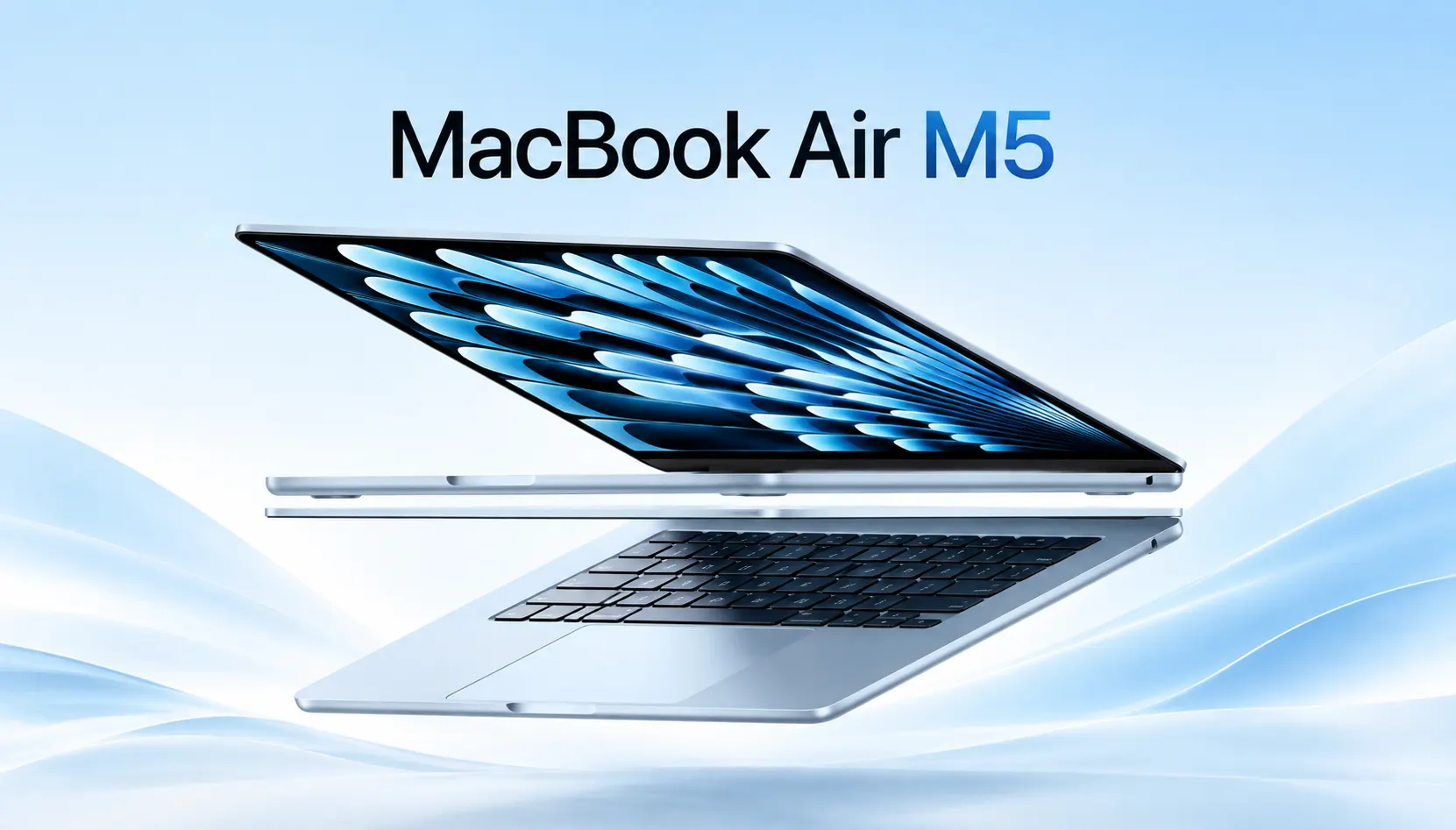
Here is the question that matters, and it isn’t “Is the M5 fast?” It is this: you own a good laptop and Apple wants you to pay $1,099 for it to trade it in for something that in principle looks as good as last year’s. Is the MacBook Air M5 worth that money?
I went through the 13-inch and 15-inch models and reviewed the benchmark data with real owners and compared it to what they’re experiencing after weeks of daily use, not just the first 48 hours of review unit excitement. At the end of the piece, you will know who should buy this laptop, who should skip it, and which configuration makes sense for you.
MacBook Air M5 Price and Release Date
Apple announced the MacBook Air M5 on March 3, 2026, opened preorders the next day, and put it on shelves March 11, 2026. That’s a tight turnaround, and it tells you Apple wanted this out before the spring buying season for students and grads.
At launch, pricing looked like this:
- 13-inch MacBook Air M5: $1,099 (starting configuration)
- 15-inch MacBook Air M5: $1,299 (starting configuration)
Education pricing shaved $100 off both models. But here’s something that a lot of roundups have quietly updated and buried: Apple raised the base price in June 2026, pushing the 13-inch model to $1,299 and the 15-inch to $1,499. If you’re seeing older articles quoting $1,099, that’s the launch price, not necessarily what you’ll pay today. Always check current Apple Store pricing before you buy, because component costs and tariffs have been nudging Apple’s laptop lineup upward all year.
What’s Actually New (And What Isn’t)
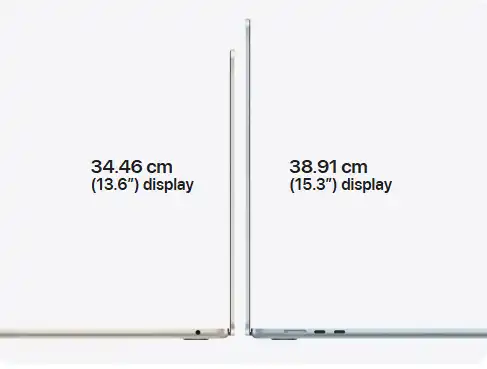
That is where I’ll be blunt: the MacBook Air M5 is not a redesign. If you put an M4 Air and an MacBook Air M5 side by side it won’t be hard to tell them apart. The same fanless aluminum unibody, same wedge-free flat profile, the same color options, same 13.6-inch and 15.3-inch Liquid Retina displays at 60Hz.
What changed is under the hood:
- The new M5 chip is built on a third-generation 3nm process.
- A 512GB storage device instead of 256GB.
- A read-and write SSD that is about twice as fast.
- Wi-Fi 7 and Bluetooth 6, instead of Wi-Fi 6E and Bluetooth 5.3.
- New external displays with higher refresh rates for some of the monitors.
- Thread support could be useful to build your smart home setup.
None of that is flashy. But if you have been frustrated with the 256GB storage ceiling on MacBook Air M5 models filling up within a year, the base storage bump alone might be the reason to upgrade. That’s a real, practical improvement, not a marketing bullet point.
Apple M5 Chip: Real Performance Numbers
This is where the noise online gets confusing, because Apple’s own marketing claims in terms of “up to 4x faster for AI tasks” are mixed with real-world benchmark numbers that tell a more modest story. Let’s separate the two.
Geekbench 6 results, averaged across multiple independent tests:e
| Metric | MacBook Air M4 | MacBook Air M5 | Improvement |
| Single-core CPU | ~3,700–3,850 | ~4,100–4,200 | ~10–13% |
| Multi-core CPU | ~14,700–14,900 | ~16,900–17,300 | ~14–15% |
| Metal (GPU) | ~54,800–55,500 | ~63,000–64,000 | ~15–17% |
That’s a solid but unspectacular generational bump, roughly in line with what Apple advertised when it first announced the M5 chip in October 2025. It’s not a leap on the scale of the jump from M1 to M2. Think of it as Apple sanding down rough edges rather than reinventing the chip.
Here is the expert insight most guides gloss over: the raw multi-core number puts the base MacBook Air M5 close to the M3 Pro MacBook Pro from two generations back, a laptop that cost hundreds more and needed active cooling to hit those numbers. If you’re comparing with an Intel machine or M1/M2 Air, this isn’t a subtle refresh. It’s a totally different kind of everyday performance, especially for AI-enabled workflows where Apple’s neural engine gains are doing real work in the background, think faster on-device transcription, image generation in supported apps and snappier Spotlight/Siri-adjacent AI features.
In practical terms:
- Web browsing, office work, video calls: silky smooth, no day-to-day difference between the M4 and M5.
- Light photo editing in Affinity or Lightroom: significantly more lightning-fast exports, up to about 1.5x faster than M4, in some Apple-reviewed tests.
- 4K video editing: doable, but the fanless design means sustained heavy exports will throttle before a MacBook Pro would.
- Coding: the compiling times improve modestly; if your work is Xcode-heavy, the difference is real but not transformative.
There’s also a quieter comparison to make: against Windows ultraportables with Intel’s latest Core Ultra chips. Apple’s own testing shows web browsing at up to 50% faster than a comparable Intel laptop, and more demanding tasks scaling up to 2x faster. I would not take Apple’s comparisons at face value without independent verification, but they do line up with what third-party Geekbench and Cinebench data has shown for the past three Apple Silicon generations, the efficiency-per-watt gap between Apple Silicon and x86 competitors hasn’t closed, even though Intel and AMD have made real strides elsewhere.
One thing I found surprising in the testing is the fact that the gap between the base 8-core GPU on the entry 13-inch configuration and the 10-core GPU that is standard on every 15-inch model and higher-tier 13-inch config is far larger than the spec sheet suggests. If you are doing anything graphically demanding, even casual gaming through Apple Arcade, or GPU-accelerated photo edits, paying for the 10-core GPU configuration is worth it. Reviewers running side-by-side Metal benchmarks have found about a 15% GPU gap between the two configurations, which is much larger than most buyers expect from what looks like a minor spec-sheet footnote.
MacBook Air M5 Display, Design, and Build Quality
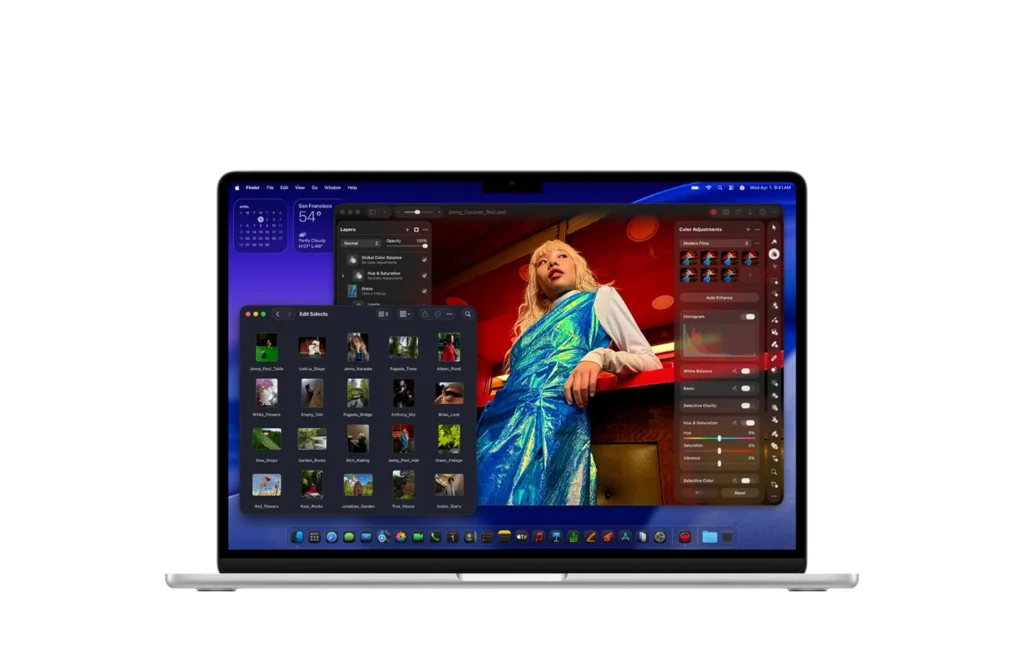
Here, for better or worse, nothing has changed. The Liquid Retina panel is sharp, color-accurate and bright enough for most indoor and outdoor use, but it is still capped at 60Hz– Apple is still holding ProMotion for the Pro line, and there is speculation that OLED won’t be available on any MacBook until at least 2027.
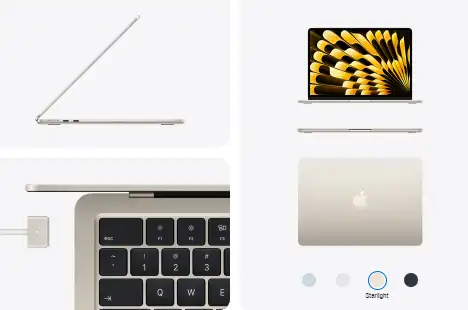
Weight and dimensions carry over exactly:
- 13-inch: 2.7 lbs
- 15-inch: 3.3 lbs
The MacBook Air M5 15-inch model has a nicer speaker setup (a six-speaker system versus four on the 13-inch) which actually matters if you’re using this as your primary media or video call machine. Both sizes have the 12MP Center Stage camera with Desk View, Touch ID, MagSafe 3 charging, and two Thunderbolt 4 ports (still just two, which remains the most-requested complaint in every Air generation’s feedback threads).
MacBook Air M5 Battery Life: Does 18 Hours Hold Up?
Apple’s rated figure is up to 18 hours of video playback, as does the M4 Air. In mixed real-world use, background Slack, a few browser tabs, streaming music, occasional video calls, reviewers who have lived with the machine for weeks are landing closer to 10-12 hours, which is still great because you can’t get to your work without looking for an outlet.
The bundled charger is a 40W Dynamic Power Adapter that can boost to 60W. If you want real fast charging, you’ll need to pay an extra $20 for the 70W adapter, a small but annoying upsell that Apple has kept in place for another generation.
MacBook Air M5 RAM and Storage: What You Should Actually Buy
This is the section which most reviews rush through and is the part that will save or cost you money.
RAM: 16GB is now the standard starting point for both sizes, which is a significant improvement over the 8GB base that plagued the Air line for years. For browsing, office work and light creative work, 16GB is really enough. If you’re doing serious multitasking with virtual machines, heavy Chrome tab hoarding, or professional creative work, jump to 24GB, Apple’s unified memory doesn’t get faster with more RAM, but macOS handles memory pressure much better once you’re above the 16GB floor.
Storage: 512GB base storage is the single most significant spec change this generation. If you have an M1 or M2 Air with 256GB and you have ever gotten a “storage almost full” warning, that will be enough to justify the upgrade. Possible configurations go up to 4TB for those who edit large photo or video libraries locally, but at that point you are better off getting a MacBook Pro.
My advice is to not buy the absolute base configuration unless you are a browser and documents user. Go from 512GB to 1TB if you can and pay an SSD price from Apple at a premium, and that external drives are expensive for a laptop that you will keep for four-plus years.
MacBook Air M5 vs. M4: Is the Upgrade Worth It?
If you are the owner of an M4 Air from 2025, skip this generation. A 14-15% multi-core gain and doubled base storage isn’t worth the money if your current machine still runs everything you throw at it, and it does, because the M4 still is a truly capable chip.
If you’re on an M1 or M2 Air or anything Intel-based, the calculus flips entirely. You’re not just getting a faster chip; you’re getting Wi-Fi 7, a dramatically faster SSD, double the storage headroom, and a battery that will comfortably outlast anything from that era.
| Feature | MacBook Air M4 (2025) | MacBook Air M5 (2026) |
| Starting price (13″) | $999 at launch | $1,099 at launch |
| Base storage | 256GB | 512GB |
| Base RAM | 16GB | 16GB |
| Wireless | Wi-Fi 6E | Wi-Fi 7 |
| Geekbench multi-core | ~14,700 | ~17,000 |
| Battery (rated) | Up to 18 hrs | Up to 18 hrs |
MacBook Air M5 vs. MacBook Neo vs. MacBook Pro
Apple’s lineup got more interesting this year with the introduction of the MacBook Neo, a $699 entry-level laptop aimed squarely at students and budget buyers who don’t need Mac-level power. If your needs are genuinely light, email, streaming, web apps, basic writing, then the Neo undercuts the Air by $400 and might be the smarter buy.
On the other end, the MacBook Pro starts at $1,999 and brings mini-LED display technology, active cooling, and access to the M5 Pro and M5 Max chips (up to an 18-core CPU and 40-core GPU on the Max, with up to 128GB of unified memory). That’s a different machine for a different buyer, video editors, 3D artists, and developers doing sustained heavy computation.
The MacBook Air M5 sits precisely in the middle, and that’s the point: it’s the machine for people who want more capability than a budget laptop but don’t need, or want to pay for, professional-grade sustained performance.
MacBook Air M5 for Students, Coding, and Video Editing
These three use cases show up constantly in search behavior around this laptop, and each one deserves a straight answer rather than a vague “yes, it can handle it.”
For students, the MacBook Air M5 is close to an ideal machine, and it’s not particularly close. The combination of all-day battery life, silent fanless operation for library and lecture-hall use, and now-doubled 512GB storage solves the three biggest complaints students had about older Air models. Education pricing brings the entry point down further, and four years of reliable performance for coursework, research, and the occasional Adobe Creative Cloud project is a realistic expectation. The one caveat: if your program involves CAD software, heavy simulation work, or specialized engineering tools that are Windows-only, check software compatibility before committing to any Mac.
For coding, the story depends heavily on what you’re building. Web development, mobile app development in Xcode, Python, and most scripting-language work runs comfortably on the base 16GB configuration. Where it gets tighter is running multiple Docker containers, local databases, and a memory-hungry IDE simultaneously, that combination pushes 16GB uncomfortably close to its ceiling. Developers doing container-heavy or data-science workflows should strongly consider the 24GB configuration; the performance difference is less about CPU speed and more about avoiding memory pressure that causes macOS to swap to disk, which is where perceived slowdowns actually come from.
For video editing, set expectations correctly. The MacBook Air M5 handles 1080p and even most 4K editing in Final Cut Pro or DaVinci Resolve reasonably well for short-to-medium timelines, especially with proxy files. Where it struggles is sustained, timeline-heavy 4K or any 8K work, the fanless design means the chip throttles under prolonged load in a way the actively-cooled MacBook Pro simply doesn’t. If video editing is your primary job rather than an occasional task, the extra cost of a MacBook Pro with active cooling will save you real time over the life of the machine.
Who Should Buy the MacBook Air M5 (And Who Shouldn’t)
Buy it if:
- You’re upgrading from an M1/M2 Air, or an aging Intel MacBook
- You’re a student who needs a laptop for four years without it feeling dated by year two
- You do light-to-moderate creative work (photo editing, casual video, design mockups) but not sustained rendering
- You value battery life and silence over raw horsepower, this thing never spins up a fan because it doesn’t have one
Skip it if:
- You already own an M3 or M4 Air, the gains don’t justify the spend
- You do sustained video export, 3D rendering, or heavy local AI model work, get a Pro
- Your budget is under $800, the MacBook Neo is the better fit
- You need more than two Thunderbolt ports without a dongle
The One Thing Most Reviews Get Wrong
Nearly every review published in the first two weeks after launch leaned entirely on Geekbench numbers and Apple’s own performance claims. What almost none of them mentioned: Apple quietly raised the price twice within four months of release, first at launch pricing and again in June 2026, while the hardware stayed identical.
That matters more than any single benchmark chart, because it changes the actual value equation. At $1,099 launch pricing, the doubled storage and Wi-Fi 7 made this an easy recommendation. At $1,299, you’re now paying MacBook Pro money from just two years ago for an Air-tier machine, and that changes who this laptop makes sense for. If you’re shopping today, check current pricing before assuming you’re getting the deal every headline promised in March.
Conclusion
The MacBook Air M5 is a genuinely good laptop wrapped in an unchanged shell, and whether that’s worth your money comes down almost entirely to what you’re upgrading from. Coming from an M1 or M2 Air, or anything older, this is an easy, confident recommendation, the storage bump alone solves a real, everyday frustration. Coming from an M3 or M4 Air, there’s no urgency here; save your money and wait for whatever Apple ships in 2027.
If you’re ready to buy, check current Apple Store and retailer pricing first, this generation has already seen one price increase since launch, and getting the timing right could save you real money on the exact same hardware.
Frequently Asked Questions (FAQs)
Q. Is the MacBook Air M5 worth buying in 2026?
A. Yes, if you’re upgrading from an M1, M2, or Intel MacBook, the storage, wireless, and performance gains are substantial enough to notice daily. If you already own an M3 or M4 Air, the improvements aren’t significant enough to justify replacing a laptop that still works well.
Q. How much faster is the M5 chip than the M4?
A. Real-world Geekbench 6 testing shows roughly a 10-13% single-core improvement and a 14-15% multi-core improvement over the M4. GPU performance improves by around 15-17% in Metal benchmarks. It’s a solid but incremental generational gain, not a dramatic leap.
Q. Does the MacBook Air M5 have a fan?
A. No. Like every MacBook Air M5 since 2020, the M5 model uses a fanless design, relying entirely on the aluminum chassis to dissipate heat. This means it runs silently but will throttle performance under sustained heavy workloads faster than the actively-cooled MacBook Pro.
Q. How much RAM and storage do I actually need?
A. 16GB of RAM and 512GB of storage, both now the standard base configuration, are enough for the vast majority of users, including students and professionals doing office work, browsing, and light creative tasks. Consider 24GB of RAM if you regularly run multiple apps and dozens of browser tabs simultaneously, and consider 1TB of storage if you keep a large photo or video library on the machine itself.
Q. What’s the difference between the MacBook Air M5 and the MacBook Pro?
A. The MacBook Pro starts at $1,999, adds active cooling, a mini-LED display, and access to more powerful M5 Pro and M5 Max chip configurations built for sustained professional workloads like video editing and 3D rendering. The Air is lighter, silent, and cheaper, but will throttle sooner under heavy sustained use.