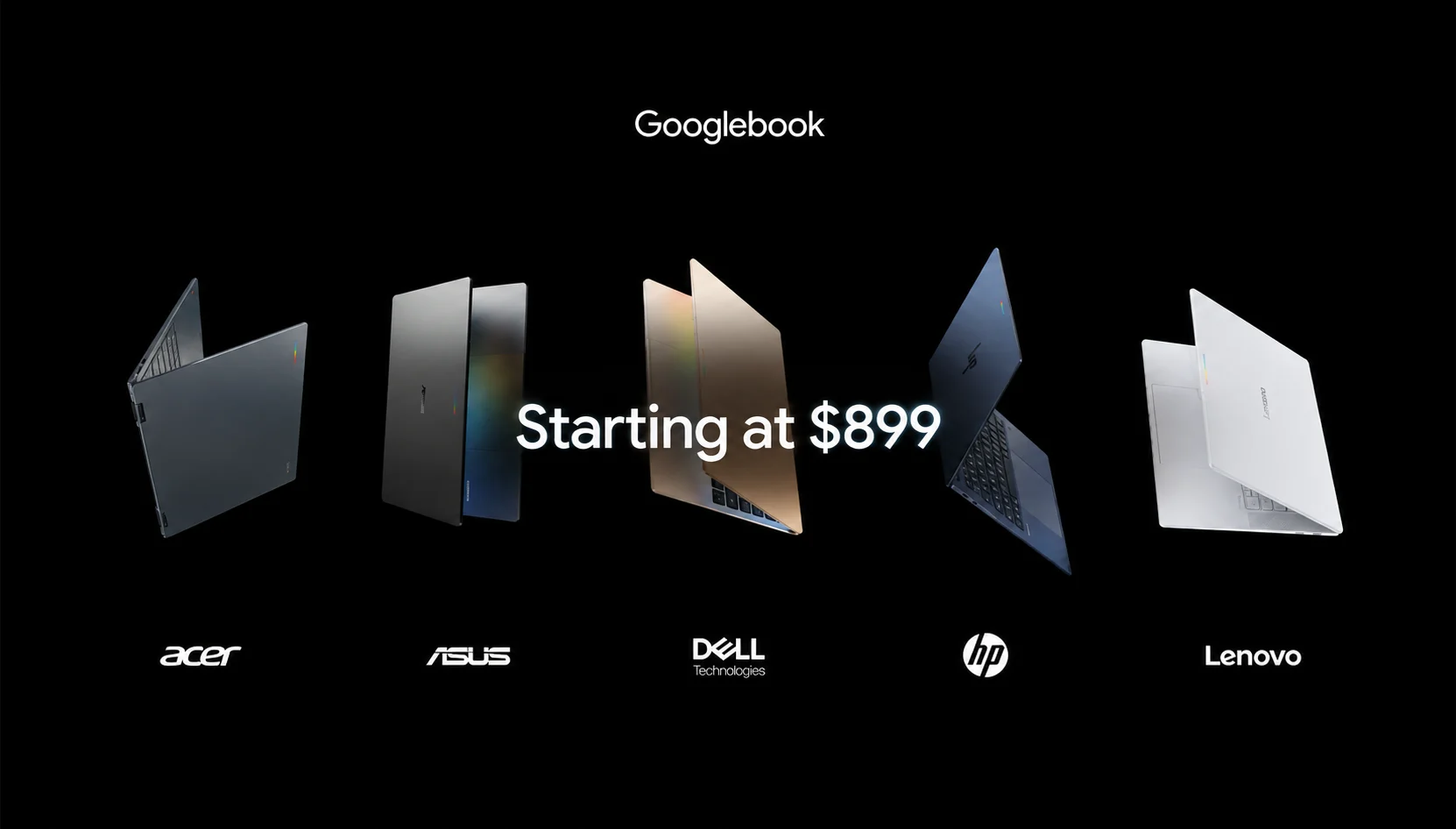
Quick answer: The Googlebook Laptop is the most interesting thing Google has done with a laptop in years, and also the hardest to recommend on day one. It starts at $899 for the Acer model and climbs to $1,299, it runs an Android-based OS instead of ChromeOS, and its whole pitch rests on Gemini being useful enough to make you rebuy a machine you already own. If you live inside Android and Google Workspace and you were going to spend around a thousand dollars anyway, pre-ordering makes sense. If you want a cheap, do-everything laptop, or you need heavy desktop software, hold off. This is a first-generation product, and first-generation Google hardware has a history worth remembering.
Editorial verification note (remove before publish): Prices, chip names, TOPS figures, per-model battery claims, and ship dates are from Google’s launch materials and day-one hands-on coverage dated Sept 21, 2026. Re-check the Google Store before publishing.
Key info at a glance
- Price: $899 (Acer Googlebook 14) to $1,299 (ASUS and HP models)
- Key specs (base model): Intel Core Ultra 5, 16GB RAM, 512GB storage, 14-inch 2.8K OLED touchscreen, up to 16 hours battery
- OS: Googlebook OS (Android-based, with a desktop Chrome browser)
- Availability: Pre-orders open now; US shelves October 4, then Canada, UK, Ireland, France, Germany, and Australia on October 5
- Standout feature: On-device Gemini is baked into the OS, plus 12 months of Google AI Pro in the box
- Main drawback: A premium price for an unproven platform, with no clear answer yet to “who is this actually for?”
Google opened pre-orders on September 21. That timing matters, because nobody outside Google has lived with one of these yet. What follows leans on the specs. Google published the hands-on time reviewers got at the launch event in New York and how these same Gemini features have behaved since they shipped on Pixel phones earlier this year. When I say a feature looks promising or looks like marketing, that is the line I am drawing.

What is the Googlebook laptop?
The Googlebook is a new category of premium laptop that runs on Android rather than ChromeOS. Google builds none of them itself. Instead, it set the hardware bar and the software, then handed the manufacturing to Acer, ASUS, Dell, HP, and Lenovo, the same five names that have made Chromebooks for a decade.
Under the hood sits Googlebook OS, which Google developed under the codename Aluminium OS. It is built on the Android technology stack with desktop foundations borrowed from ChromeOS, and it is the clearest sign yet of a project Google has been circling for years: folding ChromeOS and Android into one thing. If you followed the 2017 Pixelbook or the beloved-then-discontinued Pixelbook Go, you already know Google has tried the premium-laptop swing before and pulled it back. The Googlebook is the swing again, this time with Gemini as the reason to care.
The short version for a shopper: think of it as the laptop half of the Android world finally getting the tight phone-to-computer link that iPhone and Mac users have had for years. Sign in, and your Android phone’s settings, saved passwords, Wi-Fi networks, and messages carry over during setup. You can check an Uber Eats order or answer a text without reaching for your phone.
How much does the Googlebook laptop cost?
Prices run from $899 to $1,299 across the five launch models. Here is the full lineup as Google listed it:
| Model | Price (US) | Processor | Notable trait |
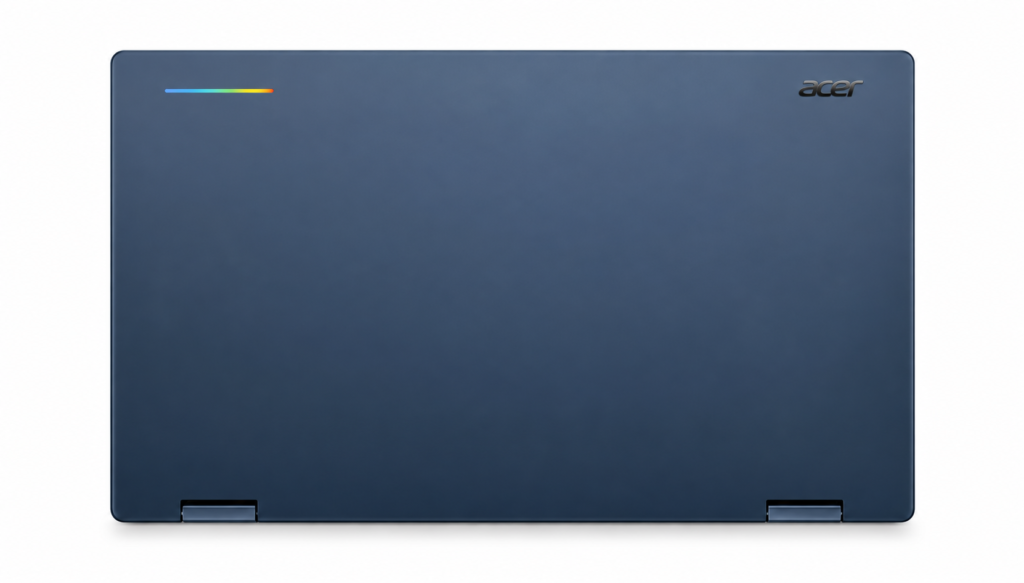
| Acer Googlebook 14 | $899 | Intel Core Ultra 5 | Cheapest; the only convertible in the lineup |
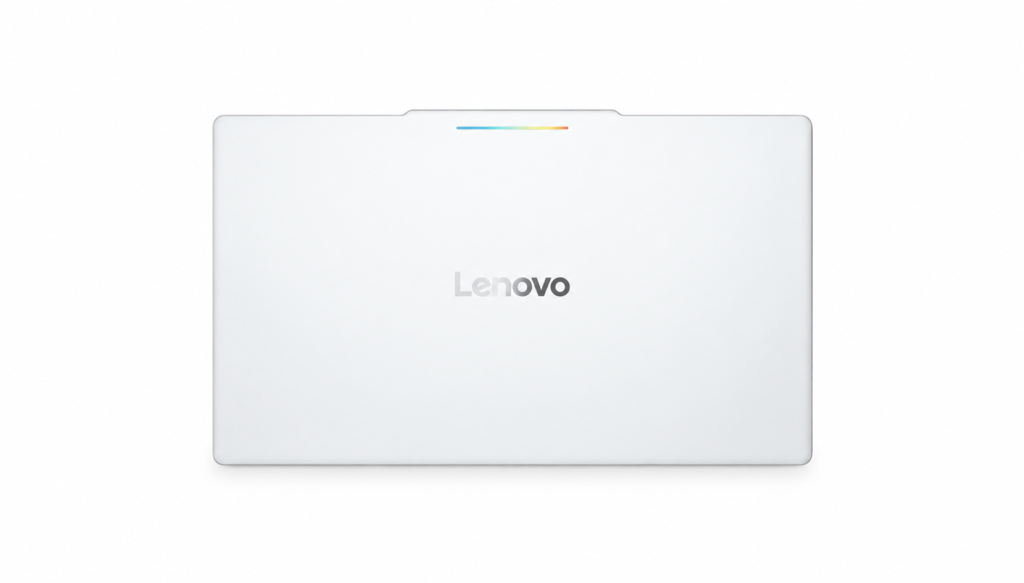
| Lenovo Googlebook 15 | $1,099 | Intel Core Ultra 5 | Largest, 15.3-inch screen for productivity |
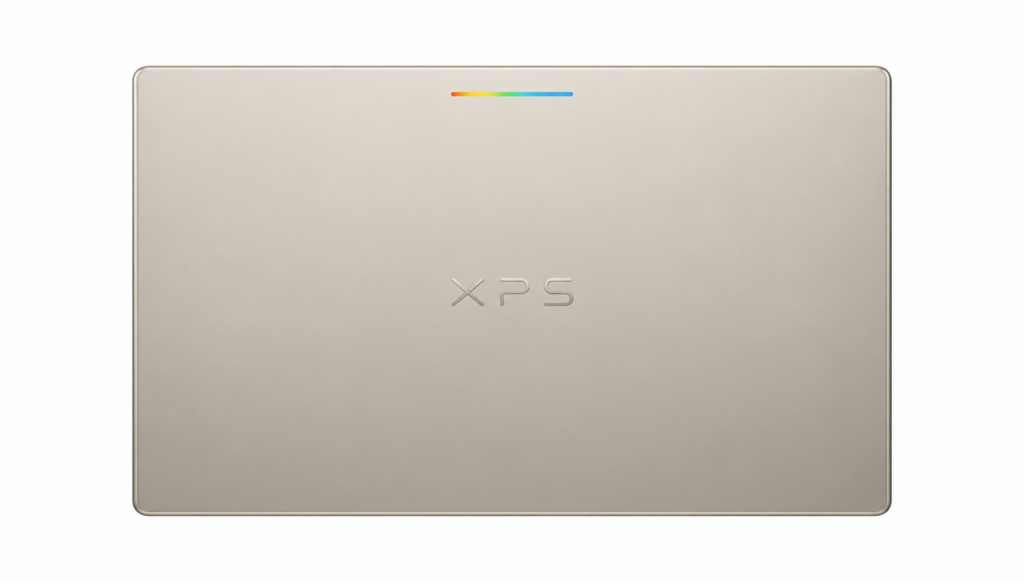
| Dell XPS Googlebook | $1,199 | Intel Core Ultra | Effectively an XPS 13 in Googlebook form |
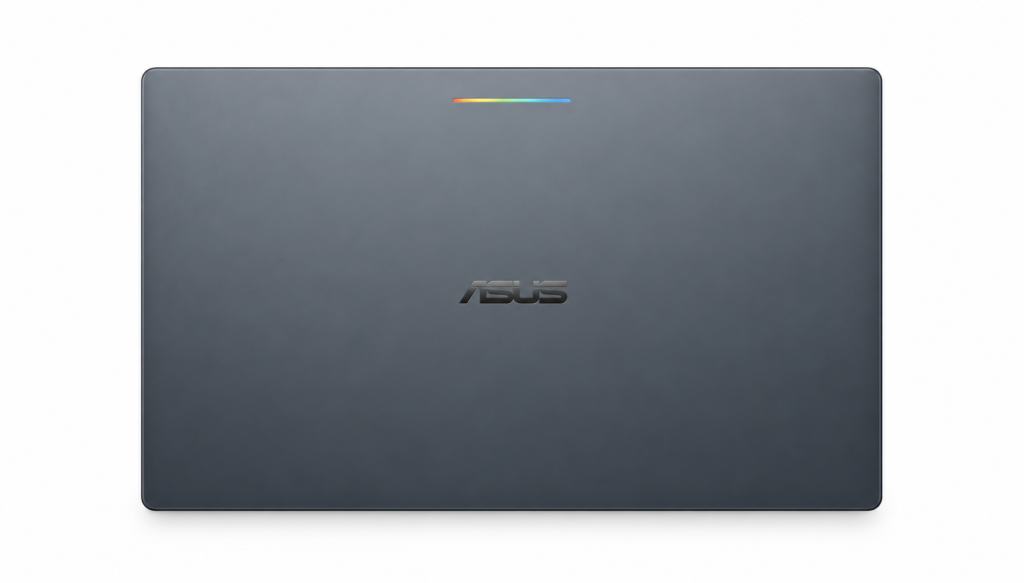
| ASUS Googlebook 14 | $1,299 | Intel Core Ultra 7 | Lightest, around 1kg |
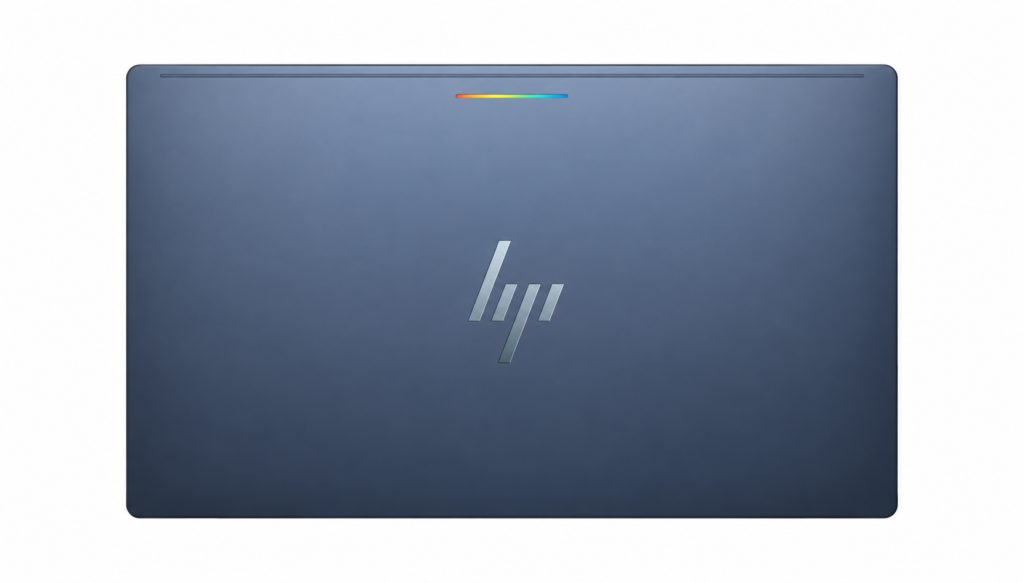
| HP Googlebook 14 | $1,299 | Snapdragon X Elite | Fingerprint reader in the power button |
Every US configuration ships with 16 GB of RAM, 512 GB of storage, a touchscreen, a backlit keyboard, and a fingerprint reader. What changes between models are screen size, panel, processor, weight, and claimed battery life.
The price includes more than the machine. Each Googlebook comes with 12 months of Google AI Pro, which bundles 5TB of cloud storage and Gemini Advanced tools, plus three months each of YouTube Premium and Adobe Photoshop. Google also promises feature drops and updates for up to 10 years, which for anyone who keeps a laptop past its warranty is a real part of the value.
One gap worth flagging if you are shopping from India or the Gulf: Google has not published pricing for either region, and neither is in the first wave of countries. The October launch covers the US, Canada, the UK, Ireland, France, Germany, and Australia. Canadian pricing starts at CA$1,299 for the Acer, which hints at how the conversion tends to land. Treat any India or UAE figure you see right now as a guess until Google says otherwise.
What the Googlebook gets right
The Gemini features that actually look useful
Most “AI laptop” pitches collapse into a chatbot in a sidebar. Googlebook goes further, and a few of the ideas held up in the hands-on demos.
The headline is Magic Pointer. Wiggle your cursor, or tap the Caps Lock key, and it turns into a Gemini prompt aimed at whatever is on screen. Reviewers at the launch watched it read a PDF calendar and offered to drop the dates into Google Calendar and hover over an email to flag whether it looked like a scam. Tom’s Hardware’s tester called it a shorter route to Gemini than the copy-a-screenshot-and-paste dance, while adding the obvious caveat: nobody had enough time to judge whether it holds up over a full workday.
Then there is Rambler, a voice tool that cleans up a rambling brain dump into organized text with headers and checklists, cutting the “ums” instead of transcribing them word for word. This one has a track record. It debuted on the Pixel 11 earlier this year, and reviewers who used it on the Pixel rated it well, which is more than you can say for most voice dictation. On a laptop keyboard, where you write real documents, it could earn its spot.
Two more worth naming: Gemini Spark, which keeps working on a complex request after you close the lid, and Create My Widget, a beta that builds a custom desktop widget from a plain-language description. The scam-check email trick is the sort of thing I would not have thought to ask an assistant for, and it might be the quiet winner here if it proves reliable.
Native Android apps and phone continuity
This is the technical detail that separates a Googlebook from a Chromebook. Chromebooks emulate Android apps. Googlebooks run them natively. In practice that should mean fewer of the odd resizing bugs and performance hiccups that have dogged Android apps on ChromeOS for years.
Whether that translates to great big-screen apps is a separate question and a fair one, since Android’s tablet-app problem has never fully gone away. But the phone link is the strongest part of the pitch. For a longtime Android user, this is the first Google laptop that treats your phone as part of the setup rather than an afterthought. If you have read our take on Android 17’s desktop mode, a lot of this will feel familiar; the Googlebook is that idea shipped as real hardware.
Hardware, battery, and the 10-year promise
The base Acer at $899 is not a stripped machine. A 14-inch 2.8K OLED touchscreen, 16GB of RAM, and 512GB of storage is a respectable starting point, and the up-to-16-hour battery claim, if it survives real testing, lands in premium-ultrabook territory. Google set strict hardware requirements for what earns the Googlebook name, and it shows OLED panels, current Intel and Qualcomm silicon, and glass haptic trackpads.
The 10 years of updates deserve its own line. Chromebooks earned trust partly on long support windows, and carrying that into a pricier tier softens the sting of the higher entry price. An $899 laptop you can still update in 2036 is a different math problem than an $899 laptop supported for four years.
The Glowbar, for what it is worth
Every Googlebook has a light strip on the lid, a throwback to the old Chromebook Pixel, that glows on startup, sweeps to show battery level, and animates when you talk to Gemini. It sits behind the screen, so you will rarely see it while working. Google plans to open it to developers. Fun, minor, and not a reason to buy anything.
Where the Googlebook falls short
Here is the part of promotional coverage skips, and the part that should shape your decision.
The “who is this for?” problem is real. Chromebooks are won by being cheap, simple, and disposable—the laptop you hand a kid or toss in a bag. The Googlebook is the opposite: premium, AI-heavy, and priced above what most students and school districts will pay. Google says current Chromebooks keep getting support, with many eligible to move to the Googlebook experience later, but the launch machines are aimed at a buyer Google has not clearly identified. Even 9to5Google’s own writers, sympathetic to the platform, admitted they were not sure the Googlebook solves a problem Chromebooks did not already handle.
It is a first-generation OS, and the flagship feature is unproven. Magic Pointer got a mixed early reception, and some reviewers openly wondered whether the cursor gesture is a real workflow or a demo trick. Google’s head of Android admitted the killer Googlebook apps have not been invented yet, which is either honest or a warning sign depending on your mood. On day-one hardware running a brand-new OS, expect rough edges.
Gemini is not everyone’s assistant of choice. The Googlebook bets hard on Gemini, but plenty of AI-forward buyers reach for ChatGPT or Claude first. If you are paying a premium partly for the assistant, and you do not want that assistant, the math gets worse fast. You can still install other tools, but the deep OS integration only pays off if you are all-in on Google’s model.
Serious desktop software is still a question mark. Adobe Photoshop is in the box for three months, and Google talks up developer tools, including a Linux terminal that can run coding agents. Good. But heavy professional apps, the kind Windows and macOS users depend on, are not guaranteed to arrive in strong native versions. If your work lives in specific desktop software, do not assume it runs well here until you have confirmed it.
No India or Gulf launch yet. If you are reading this from Delhi, Dubai, or Riyadh, there is no local price, no ship date, and no confirmed availability. Importing a first-gen device with region-specific setup and warranty headaches is rarely worth it.
Does the Googlebook have Gemini AI?
Yes, and it is the entire point of the product. Gemini is built into Googlebook OS rather than bolted on as an app. An on-device model, Gemini Nano, powers the fast local features like Magic Pointer, Rambler, and screenshot-based search, while heavier requests run in the cloud through Gemini Advanced. The 12 months of Google AI Pro included with every unit covers the paid Gemini tier, so you get the full feature set out of the gate without a separate subscription for the first year. After that year, keeping Gemini Advanced becomes a recurring cost to factor in.
Is the Googlebook a Chromebook?
No. This trips people up, so here is the clean distinction. A Chromebook runs ChromeOS and is built around the Chrome browser, with Android apps emulated on top. A Googlebook runs Googlebook OS, which is Android-based, runs Android apps natively, and includes a full desktop Chrome browser as one piece rather than the whole show.
The honest nuance: Googlebook is widely read as the successor strategy to the Chromebook, the premium tier that points to where Google’s laptop software is heading. Chromebooks are not dead, and cheap ones still make sense for cloud-only work and school fleets. But if you are asking whether this is “just an expensive Chromebook,” the answer is that it is a different platform aimed at a different buyer, even if it grew from the same roots.
Googlebook vs MacBook Neo vs Chromebook Plus vs Windows Copilot+
Google did not launch the Googlebook in a vacuum. Apple just pushed deeper into affordable laptops with the MacBook Neo, and the Windows world is full of Copilot+ machines at similar prices. Here is how the base Googlebook stacks up.
| Feature | Googlebook (Acer 14) | MacBook Neo | Chromebook Plus | Windows Copilot+ laptop |
| Starting price | $899 | $599 | ~$499–$699 | ~$899–$1,000 |
| OS | Googlebook OS (Android/ChromeOS hybrid) | macOS | ChromeOS | Windows 11 |
| RAM / storage | 16GB / 512GB | 8GB / 256GB | 8GB / 128–256GB | 16GB / 512GB |
| Display | 14″ 2.8K OLED touch | 13″ Liquid Retina | Varies, often 1080p | Varies, often OLED |
| AI assistant | Gemini (on-device + cloud) | Apple Intelligence / Siri | Gemini (lighter) | Copilot |
| App model | Native Android + Chrome | Mac + iOS apps | Web + emulated Android | Full Windows apps |
| Best for | Android power users | Apple ecosystem, value | Budget, cloud-first | Traditional desktop work |
Better for value: The MacBook Neo, plainly. At $599 it undercuts the Googlebook by $300 and brings Apple’s ecosystem and resale value. Its weak spot is 8GB of RAM.
Better for Android users: The Googlebook, with no real competition. Nothing else ties an Android phone to a laptop this tightly.
Better for budget and simplicity: a Chromebook Plus or a plain Chromebook if you only need a browser. You give up the native apps and the deep AI, and you save a lot.
Better for heavy desktop work: A Windows Copilot+ laptop. Full application support is still Windows’ trump card, and at the GoogleBooks price, you can get a capable one.
Who should buy the Googlebook
Buy it if you are a committed Android user who wants your laptop and phone to finally work as one system, you were already spending around $900 to $1,300 on a machine, and the Gemini features sound like tools you would use rather than gimmicks you would ignore. Developers curious about the built-in Linux terminal and coding agents have a reason to look too.
Skip it if you want the cheapest capable laptop (get a Chromebook or the MacBook Neo), if your work depends on specific desktop software you have not confirmed runs here, if you prefer ChatGPT or Claude over Gemini, or if you live somewhere Google has not launched yet. And if you are a natural early adopter but a cautious spender, the smart move is to wait for the first round of long-term reviews after October 4. A first-generation OS tends to look very different three months in.
The Googlebook is a genuine attempt at something new, not a rebadged Chromebook. Whether it is worth $899 comes down to a single question only you can answer: do you trust Gemini enough to build your next laptop around it?
Frequently asked questions (FAQs)
Q. When does the Googlebook ship?
A. Pre-orders are open now. It reaches US stores on October 4, followed by Canada, the UK, Ireland, France, Germany, and Australia on October 5. No date has been announced for India or the Gulf.
Q. Can it run Windows or Mac programs?
No. It runs Android apps natively plus web apps through Chrome and includes a Linux terminal for developers. It does not run Windows .exe files or macOS apps.
Is $899 the real starting price, or are cheaper ones coming?
$899 is the launch floor for the Acer Googlebook 14. Google has framed these as a premium tier, so a cheaper Googlebook is not expected soon. If you want cheap, a Chromebook remains the play.
Will my current Chromebook stop working?
Not now. Google says existing Chromebooks keep their support, and many will be eligible to move to the Googlebook experience later. Your Chromebook is not obsolete because this launched.
Do I need an Android phone to use it?
No, but you lose the best part without one. The phone-to-laptop continuity, the password and message transfer, and the app handoffs all assume an Android phone. On its own it still works as a Gemini-powered laptop.
Is it a good laptop for students?
For most students, a cheaper Chromebook or the MacBook Neo makes more sense. The Googlebook’s price sits above the sweet spot schools and budget-conscious families usually target.