
 Shikha Kumari
Let’s be blunt: the moment When OpenAI launched a paid tier for ChatGPT, the internet split into two camps. One side says the free version is ‘good enough,’ and the other maintains that ChatGPT Plus has revolutionized how they work. We’ve been testing them for months—writing, coding, deep research, image generation, and agentic tasks—and we believe both camps are partially right.
If you’re a casual user who fires off a few questions a week, you may never need to upgrade. But if you rely on AI for writing, research, coding, content production, or any kind of knowledge work, what you are about to read will likely change how you see that $20 monthly fee.
Quick Context
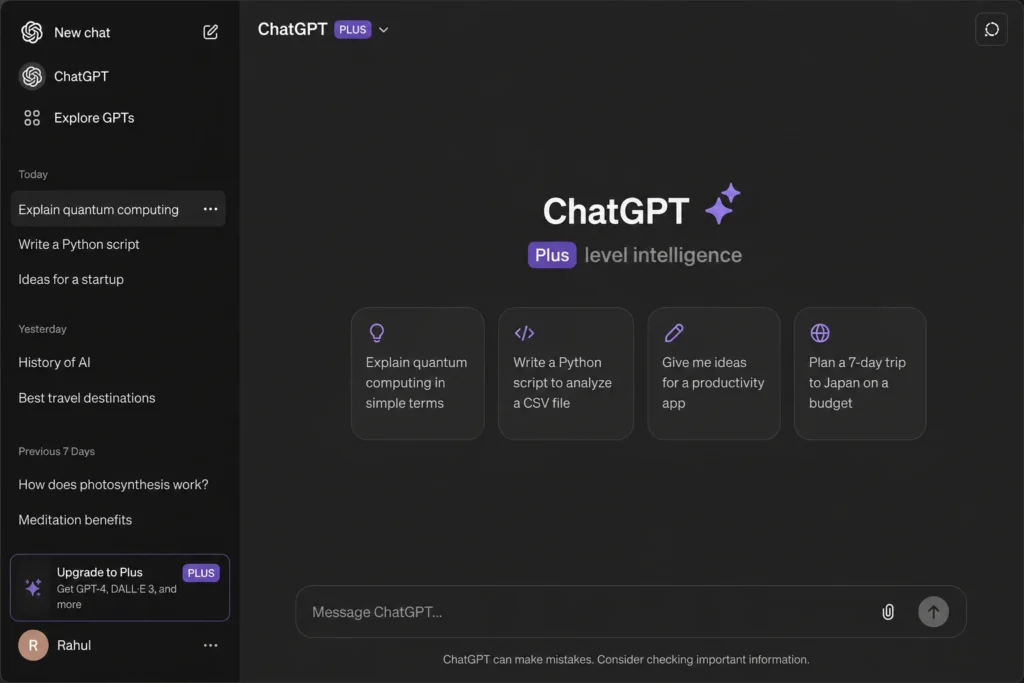
ChatGPT Plus costs $20/month. It unlocks OpenAI’s flagship GPT-5 model (full version), Agent mode, higher usage limits, custom GPT creation, advanced voice mode, and priority access to new features. The free tier gets a deliberately restricted version of the same technology.
What You Actually Get for $20 a Month
Before diving into specific features, here’s the honest summary: ChatGPT Plus is not just “faster ChatGPT”; it is a fundamentally different product. Let’s break it down piece by piece.
Pros
- Full flagship GPT-5 model access
- 10× more messages before rate limits
- Agent mode for autonomous web tasks
- 50+ image generations per day
- Custom GPT creation
- 1 hour Advanced Voice Mode daily
- Instant access to new features
- Larger context window (32K tokens)
Cons
- Agent mode is limited to ~25-30 uses/month
- No unlimited Pro model access
- Voice audio cannot be exported
- Still hits limits during peak hours
- No phone support
Better Models & Bigger Context Windows
This is the most important technical difference, and it’s one OpenAI doesn’t advertise brightly. On the free plan, you get GPT-5, but not the flagship version. OpenAI is careful not to call it a flagship model for free users because it seems like a lite or nano version.
On ChatGPT Plus, you get the entire flagship GPT-5 with a 32K token context window for standard conversations. That roughly doubles the memory available during long sessions compared to the 16K limit on free. In practice, this matters enormously when you’re feeding it long documents, large codebases, or long research threads.
‘The model doesn’t just feel faster, it feels fundamentally more capable. Tasks that required careful prompting on the free tier just… work on Plus.’
Why Context Window Size Actually Matters
Think of the context window as the AI’s working memory. When you paste a 30-page report and ask ChatGPT Plus to summarize and cross-reference sections, the model needs to keep all that text in mind at the same time. A 16K window is roughly 12,000 words. A 32K window is around 24,000 words; that’s a full academic paper or a long screenplay.
At the level of casual use, this difference is invisible. For professionals who will be dealing with a lot of technical information, legal documents, financial reports, or long-form work, it changes everything.
Chatgpt Plus Price and Plan Breakdown
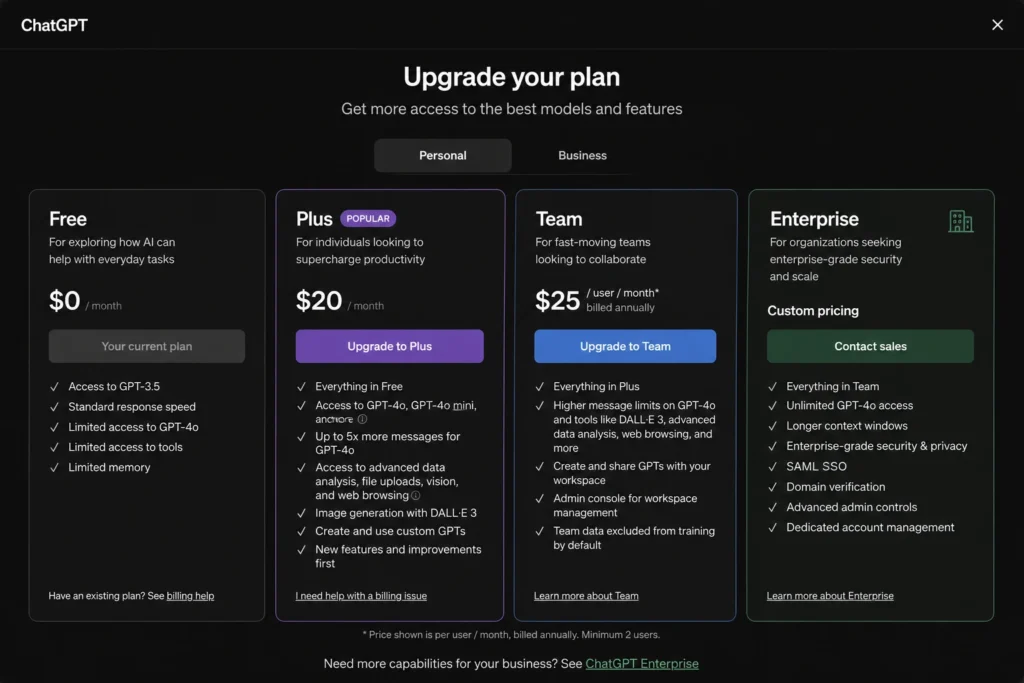
| Feature | Free | Plus ($20/mo) | Pro ($200/mo) |
| GPT-5 Model | Limited (Lite/Nano) | Full Flagship | Unlimited |
| GPT-5 Thinking / Reasoning | Very Limited | Extended Access | Unlimited |
| Context Window (Standard) | 16K tokens | 32K tokens | 128K tokens |
| Context Window (Reasoning) | 196K tokens | 196K tokens | 196K tokens |
| Daily Message Limits | ~10–15 messages | 100–150 messages | Unlimited |
ChatGPT Agent Mode
If there’s one feature that justifies the subscription cost for professionals, it’s Agent mode. Free users don’t have access to it at all. Plus, users get about 25–30 autonomous task runs per month, and even that limited allocation can save hours every week.
Agent mode lets ChatGPT Plus browse the web, interact with your computer, and perform multi-step tasks without you having to oversee every step of the process. You describe the outcome you want, and it figures out the steps.
Real-World Agent Mode Use Cases
- Real-world Agent Mode Use Cases: Competitor research in minutes: ask it to scan the top 10 Google results for a topic, extract key arguments, and build a comparison table, all in less than 5 minutes.
- PR and media monitoring: Have it search for brand mentions, compile them by source, and flag tone (positive/neutral/negative).
- Calendar management: With appropriate permissions, it checks availability and books appointments autonomously.
- Newsletter digests: Share your subscribed publications; it reads them and builds a weekly summary.
- Data collection: Scrape pricing data, product specs, and job listings from several sites and organize these into a spreadsheet.
Time & Cost Comparison
The tasks that would cost $30–$80 on freelancing platforms, like competitor content analysis or PR report compilation, can be done in minutes with Agent mode. For freelancers or small business owners, this feature alone returns the $20 subscription cost within the first week of the month.
How to Enable Agent Mode
- Log in to a Plus, Pro, or Enterprise account (not available on free).
- Click the (+) icon in the chat input box.
- Select ‘Agent mode’ from the dropdown.
- Type your task in plain language, be specific about the output you want.
- Monitor progress in real time; you can halt or redirect at any point.
Image Generation & Vision Capabilities
The ChatGPT Plus image model in 2026, thanks to GPT-4o’s multimodal capabilities, is truly impressive. Text rendering inside images, which was historically worthless in all AI tools, is now working. Complex compositions with multiple subjects, the right lighting, and photorealistic textures can be achieved without any special prompt engineering.
For the free plan, you’re allowed just 2–3 image generations per day. On ChatGPT Plus, that’s 50+ images per day—and the ceiling is 50+ images a day, which is a lot more than enough for a professional creative workflow.
Where Image Generation Shines
- Marketing creatives and social media graphics (with accurate overlaid text).
- Product mockups and concept visualization.
- Blog header images and article illustrations.
- Storyboarding and visual brainstorming.
Vision (Image Input) on Plus
Besides generating images, Plus users can upload screenshots, diagrams, charts, and photographs for analysis. This could be useful for debugging UI layouts, reviewing design mockups, extracting data from scanned tables, and getting feedback on creative work in real time.
Custom GPTs & Projects: Building Your Own AI Workflows
The custom GPTs & Projects: Building Your Own AI Workflows. Free users can browse and use other people’s published GPTs. That’s useful. But Plus users can build their own—and that distinction is enormous for anyone doing recurring, specialized work.
A custom GPT is a version of ChatGPT Plus preloaded with your instructions, context, and knowledge base. It remembers your style, your audience, your vocabulary, and your favorite output format every single time—without you having to re-explain it in each new chat.
Examples of Powerful Custom GPTs
- Brand voice GPT: Upload 10–20 pieces of existing content, and the GPT learns and replicates the tone exactly.
- SEO Meta Writer: Up-to-date with your keyword strategy, character limits, and CTR-optimization rules.
- Code Reviewer: Knows your team’s coding standards and common bug patterns.
- Customer Email Responder: Knows your product, pricing, and refund policies and drafts support responses autonomously.
Projects: Better Than GPTs for Ongoing Work
Projects are a new feature that goes even further. Unlike individual chats, a Project maintains a shared memory and context through multiple conversations. Think of it as an ongoing workspace for a specific client, long-form writing project, or running research file. Everything is organized, connected, and in context.
“Custom GPTs and Projects aren’t features—they’re fundamental changes in how you interact with AI. And instead of starting fresh every time, you’re building compounding intelligence.”
Advanced Voice Mode: More Natural Than You’d Expect
Advanced Voice Mode is ChatGPT’s real-time conversational audio interface, which is a way to communicate audio and is much better than the text-to-speech apps that are simply text-to-speech tools in chatbots. It pauses naturally, laughs occasionally, and keeps in conversation with the model during a back-and-forth conversation.
Free users get roughly 10 minutes of advanced voice mode per session. Plus users get up to an hour. In addition to time, Plus users can also gain video and screen sharing in voice mode, so you can show ChatGPT plus your screen and get live, spoken commentary on your work.
Practical Voice Mode Use Cases
- Hands-free brainstorming during commutes or walks
- Presentations with real-time AI feedback
- Interview preparation (it’s the interviewer)
- Language practice changes pacing and vocabulary complexity on request
- Screen-sharing your code or design for instant spoken review
Limitation Worth Knowing
Voice audio sessions cannot be exported as files. When you need genuine audio output (for a podcast, audiobook, or voiceover in particular), you need a tool like ElevenLabs along with your ChatGPT Plus subscription.
Who Should Subscribe — And Who Shouldn’t
Who Should Subscribe — And Who Shouldn’t. This is the question the headline promises to answer, so let’s be direct about it.
ChatGPT Plus Is Worth It If You Are:
- A content creator or writer who writes 5+ pieces of content per week. The model quality difference, extended context, and custom GPTs will save you hours
- A developer who uses ChatGPT Plus for code review, debugging, or documentation. Larger context windows matter enormously for code
- A researcher or analyst who regularly feeds long documents into ChatGPT Plus. The 32K context window and deep research mode are transformative
- A small business owner doing marketing, customer support drafts, or competitive analysis. Agent mode makes the cost in hours saved
- A student working on thesis-level work, literature reviews, or longer projects. Projects and custom GPTs keep research organized
You Probably Don’t Need ChatGPT Plus If You Are:
- ChatGPT less than 5-7 times per week for simple, short queries
- Firstly, for entertainment or casual conversation
- Also using another AI subscription with similar capabilities (see Alternatives section)
- Working with tasks that don’t require great context, agent behavior or image generation
Final Verdict: Our Recommendation
After thoroughly evaluating each feature in real-world professional settings, our take on ChatGPT Plus is very clear for a particular group of people: If you are working with AI on any kind of meaningful work, writing, research, coding, or creative production, $20 a month is not a subscription. It’s an investment that’s worth it.
The free tier is really useful for casual queries. But OpenAI has made the gap between free and Plus large enough that heavy users on the free plan are, almost certainly, leaving significant productivity on the table.
ChatGPT Plus receives 8.6/10 from the Autocram editorial team – a recommendation for professionals and a conditional one for general users.
Frequently Asked Questions (FAQs)
Q. Can I cancel ChatGPT Plus at any time?
A. You can cancel at any time, and you can do this until the billing period is over, if you want.
Q. Does ChatGPT Plus include OpenAI API access?
A. No. API access is billed separately on a pay-as-you-go basis.
Q. Does Plus prevent downtime during peak hours?
A. Not completely, but Plus users get priority access and experience far fewer slowdowns.
Q. Is my data used to train OpenAI models?
A. By default, it might be. You can disable this in Data Controls to keep your chats out of training.
Q. Can I share one ChatGPT Plus account with a team?
A. No. Plus is for individual use. Teams should have a dedicated team plan.