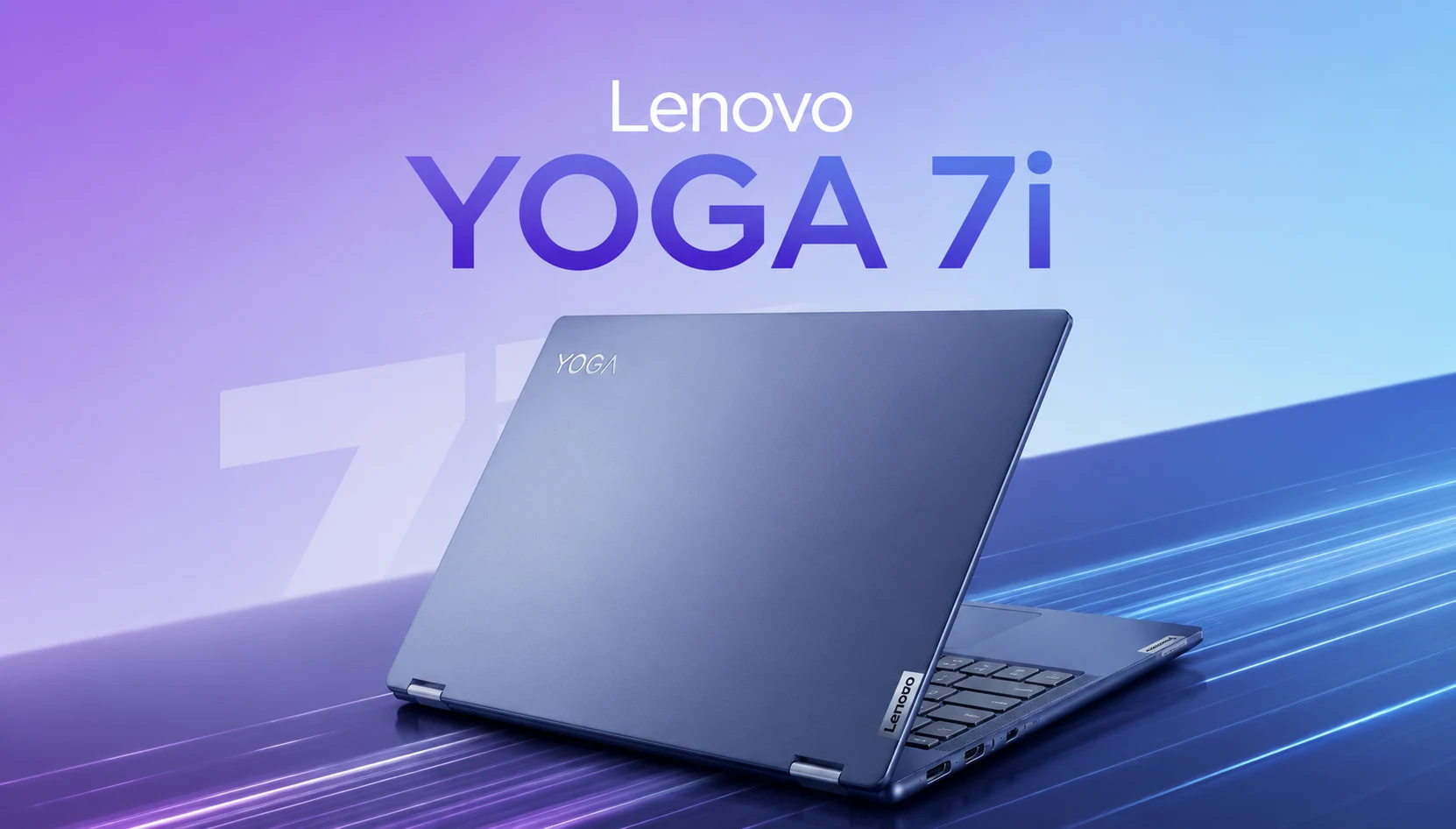
I have handled a lot of convertibles over the years, and most of them fall into one of two camps. Either they nail the laptop half and feel awkward when you flip them into tablet mode, or they chase the tablet dream and forget that people still have to type essays and spreadsheets on the thing. The Lenovo Yoga 7i is one of the few that sits comfortably in the middle, and that is exactly why it keeps landing on shortlists for students and working professionals who want one machine to do everything.
This is not a flashy gaming rig or a status-symbol ultralight. It’s a sensible, well-built 2-in-1 that does the daily grind without complaint. I spent a week with the Lenovo Yoga 7i 2-in-1, and I see why Lenovo is still refining this recipe rather than reinventing it.
Consider this less a spec-sheet recital and more a real-world Lenovo Yoga 7i review, the kind you wish you had read before spending the money. I have skipped the theatrical Yoga 7i unboxing beat by beat, because you can watch that anywhere, and gone straight to how the machine holds up over a normal week of work and study.
Who the Lenovo Yoga 7i Is Really For
I’ve got expectations for it before anything else. The current Gen 10 model runs on Intel’s Lunar Lake chips, the Core Ultra 200V series, and it has a Copilot+ PC badge thanks to an NPU rated around 47 TOPS. In essence, this is a laptop designed for efficiency and everyday intelligence features rather than raw muscle.

If your day is a stack of browser tabs, a video call, a Word document, a Spotify playlist, and maybe a few light photo edits, the Lenovo Yoga 7i 2-in-1 handles it and then some. If you edit 4K footage for a living or render 3D scenes, this is not your tool, and Lenovo would tell you the same.

That focus is a feature, not a flaw. A student juggling lecture notes, PDFs, and Netflix doesn’t need a workstation. A consultant living in email and slide decks does not. The Lenovo Yoga 7i was clearly built with those people in mind, and the more you spend with a Lenovo Yoga 7i laptop, the more that clarity of purpose shows.
Lenovo Yoga 7i Specs at a Glance
Before we get into the experience, here are the Lenovo Yoga 7i specs that matter most so you have the shape of the machine in your head as you read. The Yoga 7i 2026 features are centered on Intel’s Lunar Lake platform and the Copilot+ intelligence tools that unlock it, and everything else is about keeping the thing light and long-lasting.
| Spec | Detail |
| Processor | Intel Core Ultra 200V (Lunar Lake), up to Intel Core Ultra 7 |
| Graphics | Intel Arc Integrated Graphics |
| NPU | Intel AI Boost (up to 47 TOPS, Copilot+ PC) |
| Memory | 16GB or 32GB LPDDR5x (Soldered) |
| Storage | 512GB or 1TB PCIe NVMe SSD |
| Display | 14-inch: Up to 2.8K OLED, 120Hz16-inch: 1920 × 1200 IPS, 60Hz |
| Battery | 70Wh with Rapid Charge Express |
| Connectivity | Wi-Fi 7, Bluetooth, Thunderbolt 4 |
| Weight | Approx. 1.4 kg (14-inch) / 1.9 kg (16-inch) |
Keep that table handy. Almost every buying decision below comes back to one of those rows.
Lenovo Yoga 7i Design and Build: The Vegan-Leather Surprise
The first thing you see in the review unit is the lid. Lenovo’s approach is to use a finish it calls ‘Seashell,’ and it’s an off-white, faintly textured vegan leather coating that feels nothing like the cold aluminum slabs that everyone else ships. It resists fingerprints, it warms up in the palm, and makes the laptop look more expensive than it is. There’s also a more traditional Luna Grey aluminum option for people who want a cleaner and more corporate look.
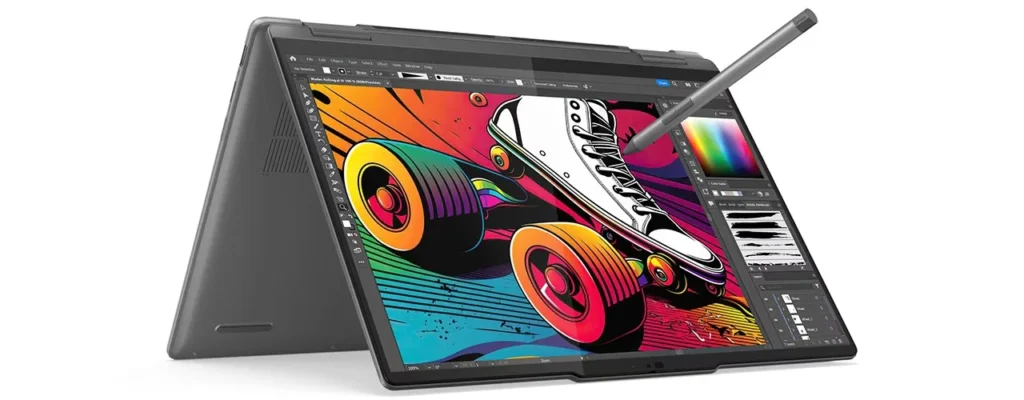
At Lenovo, build quality is rarely a problem. The 14-inch version weighs about 1.4 kg and is about 15 mm thick, so it is thin and light. The 16-inch jumps closer to 1.9 kg, so it trades some Lenovo Yoga 7i portability for screen real estate. Either way, the 360-degree hinge is planted,ischassis does not bend when you take a corner, and folding it into tent or tablet mode does not feel like you are stressing the frame.
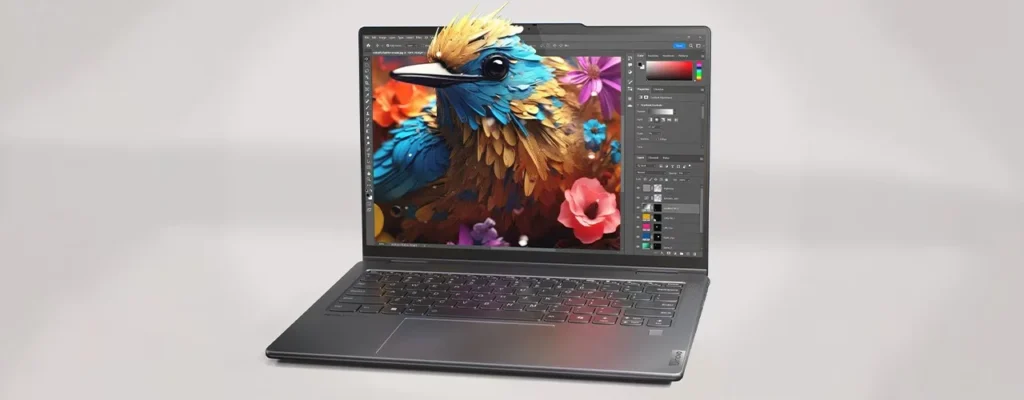
The keyboard deserves to be mentioned, as it is good. Keys are cushioned and quiet, the layout is sensible, and the trackpad is large and precise. If you type for hours, your hands will thank you.
The Display Story (and Where the 16-Inch Trips Up)
It depends entirely on which size and configuration you buy, and Lenovo Yoga 7i display quality depends upon which size and configuration you purchase.
The 14-inch model is the star. That is an OLED panel with a 2,880 x 1,800 monitor with a 120Hz refresh rate in HDR performance and peak brightness that reviewers have said is around 1,100 nits. The colors shine, the blacks are truly black, and the motion feels smooth. For a convertible aimed at students and creatives on a budget, that panel goes well above its price.
The 16-inch is a different story, unfortunately. A lot of configurations have a 1,920 x 1,200 IPS panel locked at 60 Hz and about 300 nits of brightness. It is fine for spreadsheets and video calls, but when compared to the 14-inch OLED, it looks flat and dim, and outdoor use is a challenge. Windows Central and PCWorld both flagged the weak 16-inch panel as the biggest letdown of the machine, so if display quality is your concern and you want a bigger screen at the heart of the design, look carefully at the configuration before buying.
One more thing to know is every version has a glossy touchscreen, and “glossy” means “reflective.” Under a bright window or overhead office lights, you will see yourself. It is the price you pay for touch and OLED punch, but it is worth setting expectations.
Lenovo Yoga 7i Performance for Real Workloads
Numbers first, feel second. In benchmark databases, Core Ultra 7 is around 2,400 single-core and 9,000-plus multi-core in Geekbench 6, which is where you would expect a Lunar Lake ultrabook to be. That is not workstation territory, but it is more than enough headroom for the workloads this laptop aims at.
In daily life, Lenovo Yoga 7i performance feels fast. Apps open fast, switching six Chrome tabs and a video call doesn’t cause stutter, and fans are quiet because the chip is barely warm. One review said the chassis was barely warm for hours, and the CPU was not fast—this matches my own experience of a laptop that never got hot on my lap.
Where do you think the ceiling is graphics-heavy work. The integrated Intel Arc GPU handles casual gaming and GPU-accelerated tasks in Photoshop, but it is not built for AAA titles at high settings. Lenovo Yoga 7i benchmarks make the trade-off clear: this is an efficiency-first machine, and the payoff shows up in the battery numbers below.
RAM and storage are worth a note. Memory is soldered, so you should stick with 16GB or 32GB at purchase and keep it. Storage is 512GB or 1TB. For most students and professionals, 16GB and 512GB are the sweet spot, but if you intend to stick with this laptop for five years, paying up for 32GB now is the right option because you can’t upgrade it later.
Lenovo Yoga 7i Battery Life That Actually Lasts a Day
This is the headline. Lunar Lake was built for endurance, and the Lenovo Yoga 7i cashes in.
In real mixed use, the kind where you are bouncing between email, documents, streaming, and video calls, the 16-inch model comfortably covers a full workday, with hands-on reviews estimating around 13 hours. Push it towards lighter tasks or pure video playback, and Lenovo Yoga 7i battery life stretches further still. One lab test running a looping office-workload benchmark on the 14-inch OLED unit recorded more than 27 hours before the battery gave out, which is frankly absurd for a screen this nice.
The practical takeaway: you can leave the charger at home for a normal day of classes or meetings. When you do plug in, Lenovo’s Rapid Charge Express will last about three hours of use in 15 minutes when plugged in, so a quick coffee break picks you up from the dead battery.
Ports, Webcam, Speakers, and the Small Stuff
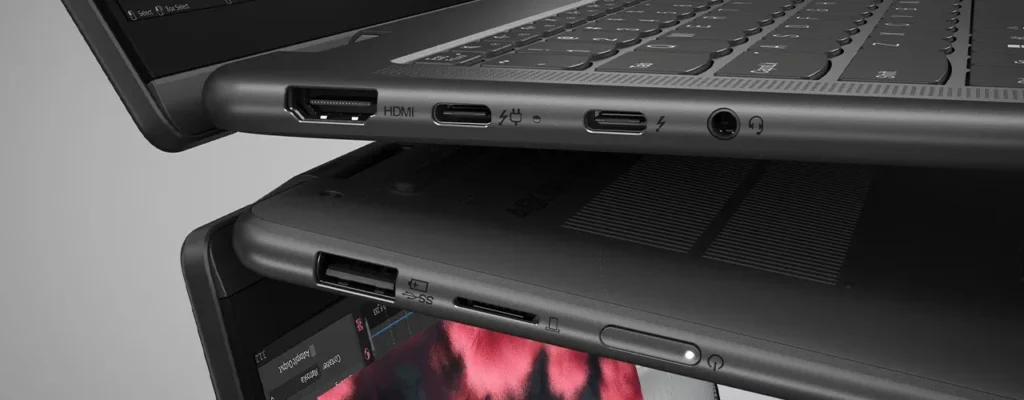
Convertibles are often not very good at connectivity. The Lenovo Yoga 7i mostly does not. Based on the model, you get two Thunderbolt 4 / USB4 ports, a USB-A port, HDMI, a microSD reader, and a 3.5mm combo jack. That is a healthy spread that means you can skip the dongle bag for most tasks. Wireless is very current, and Wi-Fi 7 and Bluetooth are on board.
The webcam is a full HD with a physical privacy shutter, and it connects with an IR sensor for Windows Hello face login and a fingerprint reader. For a laptop that spends its life on video calls and online classes, that combination is exactly right. Picture quality is not especially impressive, but it will do well in a bright room.
The audio comes from four Dolby Atmos speakers. They are clear and loud enough for a podcast, a lecture recording, or a video call, though like most thin laptops, they run light on bass. Do not expect a home theater experience, and you will not be disappointed.
Yoga 7i vs Yoga 6: Which Convertible Fits Your Budget
Many people shopping this range tend to bump into the Yoga 6, so the Lenovo Yoga 7i vs Yoga 6 question is one that is worth settling.
The short version: the Yoga 6 is the smaller AMD-powered convertible that Lenovo puts at a price one step below the 7i. It is a good choice if you want a compact 13-inch 2-in-1 and want to spend less. The Lenovo Yoga 7i, on the other hand, is based on Intel’s new Lunar Lake platform, Copilot+ NPU, a higher OLED display, and a wider range of 14-inch and 16-inch sizes.
| Feature | Lenovo Yoga 7i (Gen 10) | Lenovo Yoga 6 |
| Platform | Intel Core Ultra 200V (Lunar Lake) | AMD Ryzen Processor |
| Available Sizes | 14-inch and 16-inch | Single-size compact model |
| Best Display | Up to 2.8K OLED, 120Hz (14-inch) | Standard IPS Display |
| Copilot+ NPU | Yes (Intel AI Boost, up to 47 TOPS) | Varies by configuration |
| Positioning | Mainstream Premium Convertible Laptop | Budget-Friendly Convertible Laptop |
| Best For | Students, professionals, and creators seeking an OLED display, AI features, and long battery life | Budget-conscious users looking for a compact and portable 2-in-1 laptop |
If you are tight on budget and want small and light, the Yoga 6 is the one. If you want the bigger screen, longer battery, and flexibility in the size of your choice, the Lenovo Yoga 7i is the one you want to stretch for.
Lenovo Yoga 7i Price and Value Verdict
Now the part everyone scrolls to. The 16-inch Lenovo Yoga 7i 2-in-1 starts at around $650 and can be up to $860 in the US depending on configuration and ongoing sales, while the nicer 14-inch OLED builds climb into the $900 to $1,100 range. The Core Ultra 5 configurations are on sale frequently, so patience pays off, and the higher-end Core Ultra 7 with the OLED panel is where the money is best spent if you can stretch to it.
[PLACEHOLDER: Confirm the exact current Gen 10 SKU price at lenovo.com before publishing, since configurations and sale pricing shift regularly.]
Is it worth it? For the target buyer, yes. You are paying for a truly good OLED option, all-day battery, premium build, and the flexibility of a true convertible. The value case weakens only if you buy the 16-inch with the weaker 60 Hz panel, because at that point you are paying convertible money for a mediocre screen.
Lenovo Yoga 7i Tips and Tricks
There are a few things that make the machine a lot nicer to live with too, if you are watching an unboxing or already have one on your desk:
- Use the Lenovo Vantage app. It provides battery health, warranty status, keyboard backlight settings, and power modes. Set it up from day one.
- Put it in Conservation Mode if you have the laptop plugged in most of the day. In the long run, I would recommend that you cap the charge at 80 percent of the battery health to keep it as healthy as possible.
- Calibrate the OLED brightness for the battery. The brightness of OLED for the battery is adjusted. OLED uses less power when darker content is present, so a dark Windows theme really helps in prolonging the run time.
- Add a matte screen protector if the glossy reflections bother you. It takes the edge off the mirror effect without destroying the picture.
- Get the Yoga Pen. Some configurations of 14 inches have a pen in the box. If yours does have a pen in it, tablet mode becomes a real note-taking and sketching surface.
But they change how the laptop feels in the process, in terms of how it is used or how it feels to use it in a semester or in a quarter of a day.
Yoga 7i Accessories Worth Buying
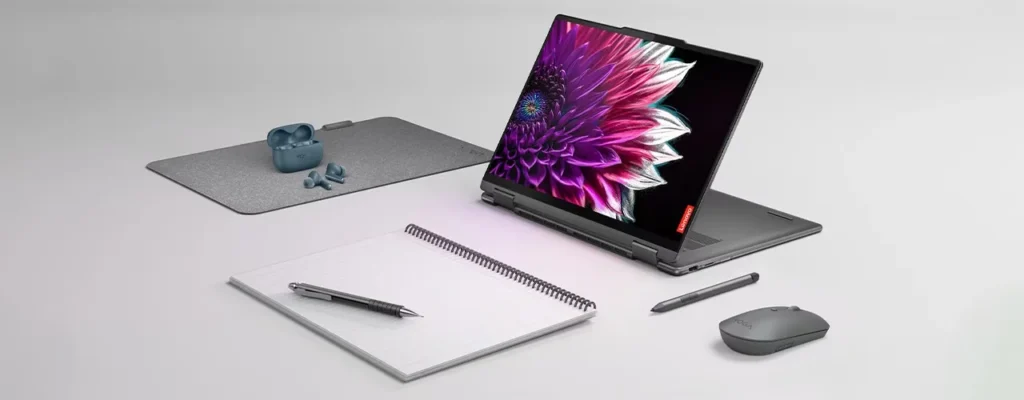
But if you want to add some accessories to the setup, a few Lenovo Yoga 7i accessories can help. A USB-C hub covers you if you plug into monitors and legacy peripherals all the time. A protective sleeve is appropriate given the vegan leather lid you want to keep pristine. And a small 65W USB-C charger for your bag means you never argue over the one that was provided in the box. None of these are essential, but they smooth over the rough edges of daily carry.
Final Verdict
The Lenovo Yoga 7i earns its spot in so many shortlists because it refuses to overreach. It isn’t a gaming laptop or a featherweight flagship. It is built to be a dependable, solid 2-in-1 for people who work and study all day, and it can deliver on that promise with a great keyboard, standout battery life, a premium feel, and, in the right configuration, a genuinely lovely OLED screen.
Buy the 14-inch OLED build if you can; treat the 16-inch base model with a little skepticism because of its screen, and confirm the current India pricing before you check out. Do that, and the Yoga 7i is one of the easiest convertibles to recommend for students and professionals alike.
Frequently Asked Questions (FAQs)
Q. Is the Lenovo Yoga 7i good for students?
A. Yes. It hits the sweet spot for student life: long battery life for a full day of classes, a light and flexible convertible design for note-taking in tablet mode, a comfortable keyboard for essays, and enough performance for everything short of heavy creative work. Just favor the 14-inch OLED if screen quality matters to you.
Q. Does the Lenovo Yoga 7i have a great battery life?
A. It does. With mixed applications on the 16-inch, expect around 13 hours of use in daily life and much longer if you are working in a lighter job area. The 14-inch OLED unit has been looped through office-workload lab tests for over 27 hours. For most people that means that they have to leave the charger at home on a normal day.
Q. Is the Lenovo Yoga 7i a 2-in-1?
A. Yes. It has a 360-degree hinge so you can use it as a standard laptop, fold it into tent or stand mode for watching video, or flip it totally into a tablet with touchscreen and pen support. That flexibility is the whole point of the yoga line.
Q. Which is better, 14-inch or 16-inch Lenovo Yoga 7i?
A. For most buyers, the 14-inch wins out, mainly because of the optional 2.8K 120Hz OLED display, lighter weight, and better portability. Choose the 16-inch only if you want the larger screen and you can’t handle the weaker 60Hz panel that many of its configurations ship with.
Q. Can the Lenovo Yoga 7i handle gaming?
A. Only lightly. The integrated Intel Arc graphics are good for older or casual titles and browser games, but it isn’t a gaming laptop. If gaming is your priority, look for a machine with a dedicated GPU instead.