
The productivity landscape has changed. If you can only see Notion as a sleek, block-based note-taking app or a structured wiki, it is time for you to get a new setup. With the initial product updates of 2026, Notion has evolved into something much larger and more ambitious—an incredibly flexible, multi-model infrastructure that will support completely agentic workflows employing fully autonomous AI capabilities.
You may be an enterprise administrator looking to improve the workflow of your team, a developer looking to publish serverless code, or a business professional looking to extract data from large databases; the new AI capabilities of Notion will enhance your daily workflow in significant ways. This all-encompassing guide contains a comprehensive overview of the major new capabilities, an evaluation of the structure, and how to receive the most value out of your productivity ROI.
What is Notion AI? (The 2026 Evolution)
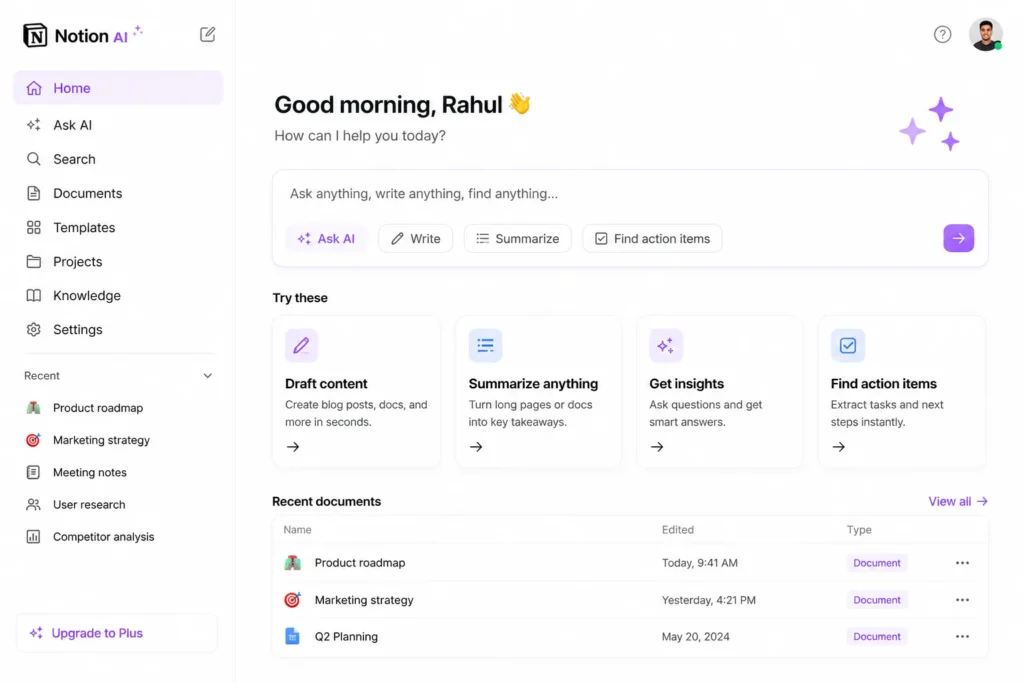
To take advantage of the new features within Notion AI, we need to first understand what Notion AI currently represents and has represented throughout its history. The past use of Notion AI was simply an inside-the-application writing assistant that assisted users in constructing summaries, correcting spelling and grammar errors, and executing minor commands through an inline text box.
Notion AI Pricing and Value Analysis
Understanding Notion’s tier structure is critical to determining deployment costs for Notion AI.

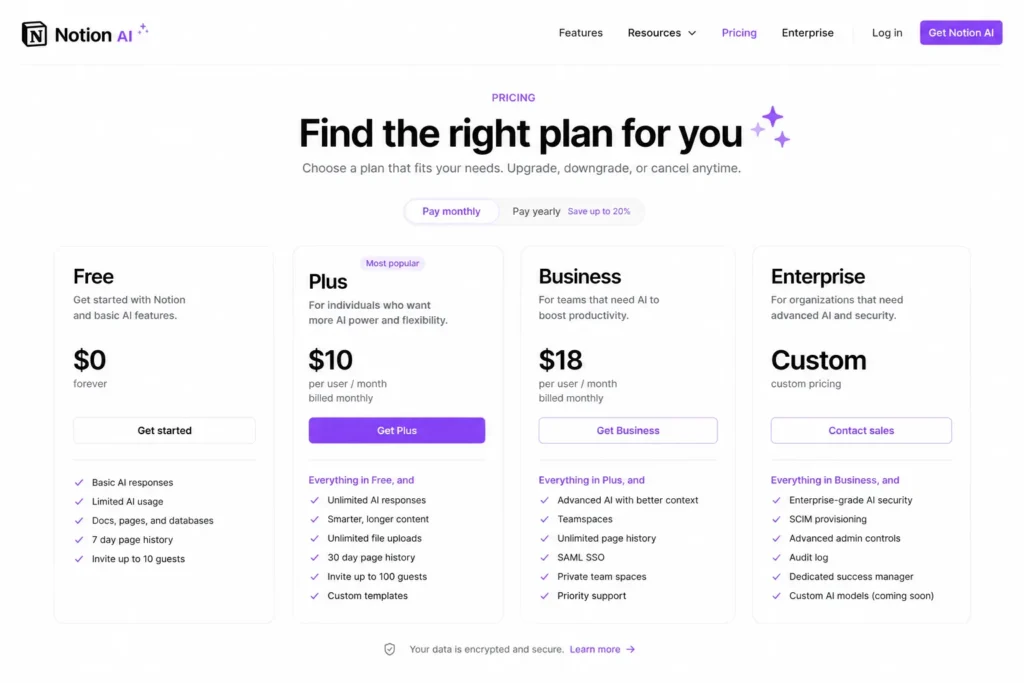
Notion AI is sold as a paid add-on package added to the existing core workspace plan.
Notion Core Workspace Plan Comparison
| Feature / Metric | Free Plan | Plus Plan | Business Plan | Enterprise Plan |
| Target Audience | Individual builders & solo creators | Small groups, startups & growing teams | Mid-sized companies & cross-functional teams | Large-scale organizations & enterprise corporations |
| Estimated Pricing | $0 (Free forever) | ~$10 / user / month | ~$18 – $20 / user / month | Custom Pricing (Contact Sales) |
| Block Limits | Standard block editing (Limits apply for teams) | Unlimited blocks for teams | Unlimited blocks for teams | Unlimited blocks for teams |
| File Uploads | 5 MB limit per file | Unlimited file uploads | Unlimited file uploads | Unlimited file uploads |
| Version History | 7 days | 30 days | 90 days | Unlimited version history |
| AI Access | Trial access to basic AI actions | Add-on available ($10/mo) | Add-on available ($10/mo) | Add-on available ($10/mo) |
| Security & Permissions | Basic page sharing | Guest sharing up to 100 people | Advanced database security & row-level permissions | SAML SSO, advanced admin audit trails, & user provisioning |
| Data Connectors & Search | Basic integrations | Standard workspace integrations | Early access to structural data connectors | Unrestricted enterprise search parameters & full workspace analytics |
Core Workspace Plan Tiers
Free Plan: Great for one-person builders; allows creation of standard blocks and access to trial versions of some basic AI capabilities.
Plus Plan (~ $10/month): Created for small teams/startups; opens all block capacity, allows custom files to be uploaded, and allows for more extended version history of blocks.
Business Plan (~$18-20/user/month): Involves advanced security configurations for databases and row-level permissions; contains early access to structural data connectors.
Enterprise Plan (custom price depending on the number of users and size of workspaces): Ultra-large organization use cases are needed; it includes all analytics for workspaces, SAML SSO, advanced administrative auditing, and no limits on use of the enterprise.
1. The May 2026 Developer Platform and Autonomous Agents
The launch of the Notion Developer Platform represents the most significant event within the Notion ecosystem. Through the Notion Developer Platform, Notion has embarked on an ambitious path of expansion with a focus on enterprise-level automation technology.
Notion Workers: Serverless Cloud Runtime
For JavaScript and TypeScript Code: With Notion Workers, teams can quickly execute their JavaScript or TypeScript codes securely in a cloud-based sandbox environment managed by Notion.
- The Benefit: Now, there is no need to provision your AWS EC2 instances, manage external Heroku servers or configure complex third-party automation tools (such as Zapier or Make) to simply format text and/or process simple data payloads.
- How Does It Work? Custom business logic can be designed and triggered based on specific events from within the workspace (for example, a status change on a project management database) or incoming webhooks from another platform.
External Agent API (Alpha)
Through the External Agent API, Notion is opening its borders. External agents that perform tasks using AI as their primary coding language can now work within your workspace.
- Supported Launch Partners: The initial launch partners are Anthropic Claude Code, Cursor, OpenAI Codex, and Decagon.
- Unified Workflow: The external agents can perform tasks, update project blocks, leave contextual comments, and track their progress alongside their human counterparts.
The Command Line Interface (CLI)
Programmatic access enables Developers to manage the Notion Infrastructure by utilizing the new Notion CLI for Technical Teams to securely authenticate and deploy Cloud Workers as well as run tests and make programmatic changes to Workspace architectures using a Custom Developer Path.
2. Deep Dive into Custom Agents & Database Autofill
Notion has made substantial enhancements to its Custom Agents by building upon the Autonomous Agent rollout through the native operating systems for all Custom Agents and now allows for over one million users to have built Custom Agents to automate routine Digital Processes.
Advanced Data Enrichment via Autofill
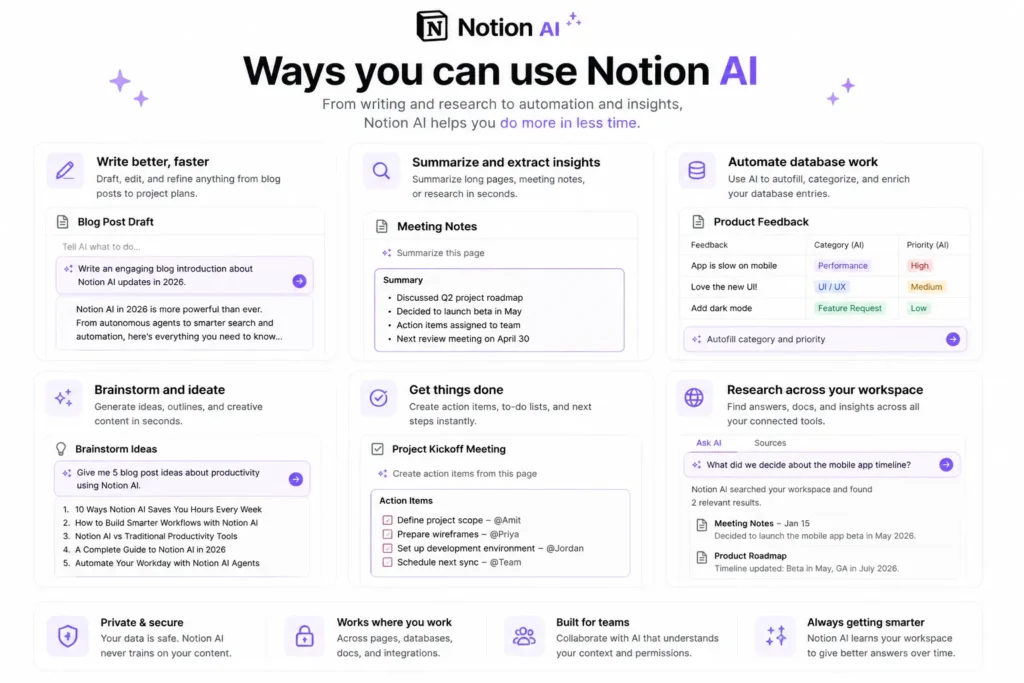
The existing text-generation tool has been replaced with an intelligent Database Autofill system being powered by Custom Agents. Custom Agents automatically read and build contextual awareness about an entire Table by continuously monitoring your Tables once a New Row is created and once detected, each Custom Agent performs a Series of processes on behalf of Users: reads the Text from the New Row updates the metadata of related rows automatically, and determine and assign contextual insights that will allow for Category assignments of metadata and update all relational Data Records Annually based on the connected channels.
Drastic Reductions in Operating Cost
Running multi-Step Agent Actions has been heavily credit-based. A massive overhaul to the Backend Infrastructure has drastically reduced the cost associated with running Custom Agents by 35% – 50%. To achieve this Cost Optimization, Notion has given Teams the Option to assign more efficient Models ( GPT-5.4 Mini, Haiku 4.5 or MiniMax M2.5) with lighter workloads to perform high-volume joint repetitive automation tasks.
Pocket-Sized Productivity: Mobile AI & Upgraded Meeting Notes
Significant improvements to the desktop client aren’t the only changes occurring within the Notion platform. The mobile application has undergone a complete overhaul to provide greater support to professionals working in the field or on the go.
Fully Realized Mobile Agent Support
Your custom AI agents now can perform everything you would expect them to on a full desktop computer from your iOS/Android phone. You can give your agent a command (via natural voice or text) to run a background task such as evaluating an expense sheet or searching for documents across multiple departments and leave for another task while your agent executes the command asynchronously in the cloud while your phone’s screen is locked.
Custom-Instructed AI Meeting Notes
Notion’s updated meeting process now allows the meeting engine to save custom style instructions directly within the workspace template, meaning that the autogenerated action item and summary lists from the meeting will no longer be generic.
Example Command: “Always extract the action items at the top as a checklist, format any technical decisions into a dynamic Table block, and write a summary in concise, bulleted, corporate language.”
In addition, Notion’s upgraded meeting recorder dynamically cross-references and automatically extracts relevant text from the meeting to create richer, more context-specific post-meeting documents based on the information stored in the Notion account.
4. Multi-Model Flexibility & Workspace-Wide Search
The powerful advantage Notion AI has over its competitors in 2026 is that their platform does not rely on any specific model to run the service.
Dynamic Engine Switching
When using Notion, your business data stays stored in Notion, but you have the ability to change the thinking engine used to create and manipulate the data. For instance, when users are creating documents in Notion, they will be able to select which LLM they want to use to draft the document by leveraging a dynamic engine selection method.
| Selected Model | Primary Strength / Optimal Use Case |
| GPT-5 / o3 | Complex analytical queries, structured database formulas, and code generation. |
| Claude Opus 4.5 | Long-form copywriting, highly nuanced document translations, and editorial editing. |
| Haiku 4.5 / GPT-5.4 Mini | Rapid database autofills, automated categorization, and cheap background triage. |
| Auto-Select Mode | Allows Notion to dynamically route tasks to the most cost-efficient model. |
Enterprise Search & Connectors
Using Enterprise Search is an extremely efficient way to locate hidden pieces of your company’s knowledge. Enterprise Search will look for hidden pieces of knowledge in context based on how you query Notion and other modern business software using contextual vectors. This year, we will also introduce new connectors, including Salesforce (providing insight into your active Pipelines, Accounts, and Client Logs) and Box (providing a way to search for contracts, project definitions, and deep storage file libraries).
How to Use Notion AI Effectively: Step-by-Step
To maximize the ROI of Notion AI, you must use Notion for more than simple content creation. Configuring a modern automated database triage pipeline in your Notion workspace requires:
Step 1: Create Your Core Target Database
The first step in building this type of database is to create one, single database designed to address a company need (e.g., Product Feedback Tracker, Inbound Client Lead Pipeline) that has relationships to your Core Company Goal Database. Doing so will allow you to link those two databases together to track progress against one another.
Step 2: Establish the AI Autofill Rules
AI autofill is a property column that you add to create a relationship with AI autofill options available with your selected engine.
Step 3: Link Your External Channels
Utilize the Enterprise Search connectors to connect your workspace to public or private communication points (e.g., specific Slack channels, Shared customer service email inboxes).
Step 4: Deploy a Custom Triage Agent
Create and configure a native Custom agent to monitor for new entries. Set up a workflow rule for all entries that get a severity level of high: “When an entry has been assigned a high severity level, execute a Notion worker to create the structural ticket draft, send a Slack notification to the Engineering channel, and synchronize the entry details into our team’s Jira board.
Summary: Is Notion AI Worth It in 2026?
Recently, Notion AI has become the centerpiece of software used by digital-first teams. Once a rudimentary writing tool, Notion AI now serves as a fully developed and customizable control center for enterprises to automate their processes. By connecting and configuring your own serverless code through Notion Workers, integrating third-party engineering agents, and switching between model types, Notion AI provides a simple solution to the modern problem of tool sprawl.
Frequently Asked Questions (FAQs)
1. What is Notion AI?
Ans. Notion AI is a built-in assistant that helps users generate written content (e.g., copy, summaries, research) and automate their workflows using artificial intelligence
2. What is the Notion AI price?
Ans. Notion price varies based on the workspace plan. Users on the Free Plan will have access to limited features for free, while an upgraded plan will allow for greater functionality.
3. How does someone use Notion AI to assist them?
Ans. Typing AI inside a Notion page provides access to capability sets such as content generation, summarization, and brainstorming, as well as task automation.
4. Is Notion AI beneficial to several types of teams?
Ans. Yes, Notion AI promotes teamwork, takes notes for meetings, and allows teams to manage knowledge more effectively.
5. What are the current updates related to Notion AI in 2026?
Ans. The largest changes made to Notion AI in 2026 are the introduction of enterprise search capabilities, the creation of AI-generated notes from meetings, improvements to database automation capabilities in the use of AI, and the addition of research tools.