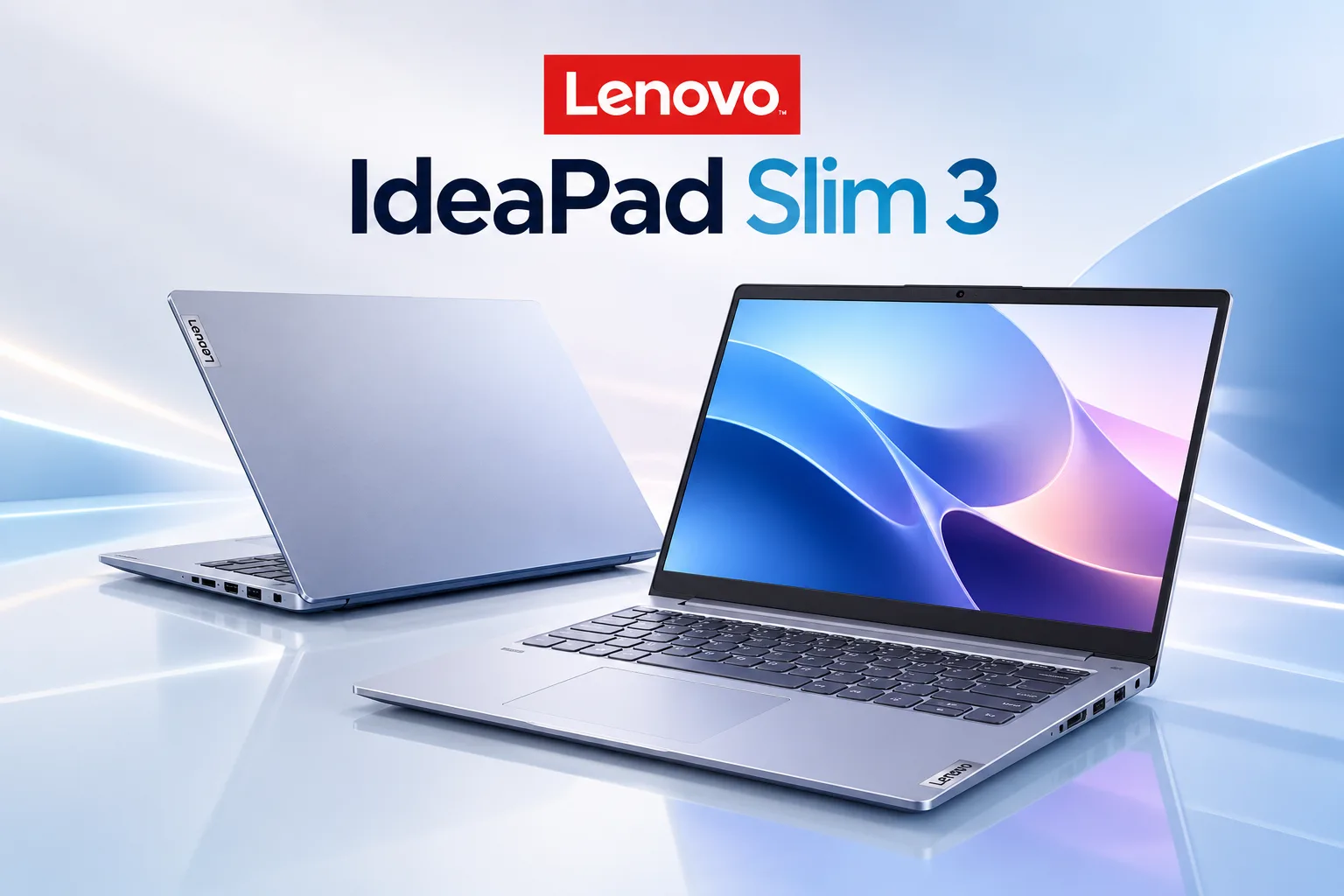
Quick answer: The 2026 Lenovo IdeaPad Slim 3 is a good fit for office work, video calls, streaming, and long days away from an outlet. It is a poor fit for gaming and creative work. The configuration we’d consider, a Core 7 350 with 16GB of RAM and the 120Hz touchscreen, listed at $899.99 at Best Buy when PCWorld reviewed it [VERIFY: current price]. Buy it if you do browser and Office work and want a quiet, cool machine with a number pad. Skip it if you need speed for the money: the IdeaPad Slim 3x, Dell 15, and MacBook Neo each beat it on at least one important measure near the same price.
A note on how we built this review. We haven’t lived with an IdeaPad Slim 3 unit at Tech Zeeno. We based this review on published lab measurements (chiefly Notebookcheck’s and PCWorld’s tests of the 2026 model), Lenovo’s spec sheets, and owner reviews from retail listings and deal forums. We tell you where each number comes from so you can judge it yourself.
Lenovo IdeaPad Slim 3 specifications at a glance
| Feature | Lenovo IdeaPad Slim 3 15 (2026, 15IWC11) |
| Price | ~$899.99 as reviewed (Core 7 350 / 16GB / 512GB / touch) |
| Processor options | Intel Core 3 304 up to Core 7 350 (Wildcat Lake) |
| Display | 15.3-inch 1920×1200 IPS (three panel options) |
| Memory | 16GB DDR5-5600 in one slot (single-channel) |
| Battery | 50Wh standard, 60Wh optional |
| Weight | Starting at 3.51 lbs / 1.59 kg (50 Wh) to 3.59 lbs / 1.63 kg (60 Wh) |
| Warranty | One year, parts and labor |
| Standout feature | Cool, quiet operation with 11+ hours of lab-measured web browsing |
| Main drawback | Average performance and a plastic chassis at a price where rivals offer more |
Which Lenovo IdeaPad Slim 3 are you looking at?
Most IdeaPad Slim 3 reviews skip this step, and it causes the most buyer regret. Lenovo sells several generations under the same name at the same time, and retailers keep older stock on shelves for years. A listing titled “Lenovo IdeaPad Slim 3 laptop” could be any of these:
| Model code | Year | Chip | What to know |
| 15IWC11 | 2026 | Intel Core 3 304 to Core 7 350 | The model this review covers |
| 15IRH10R | 2025 | Intel Core 5 210H / Core 7 240H | Same chassis, older Intel silicon, 15.3-inch screen standard |
| 15ABR8 / 15AMN8 | 2023 | AMD Ryzen 5 7530U, Ryzen 7 5825U/7730U | Often discounted below $400; 47Wh battery, DDR4 RAM |
| Slim 3x (Gen 10) | 2025 | Qualcomm Snapdragon X | Arm-based, longer battery life, app compatibility caveats |
Look for the model code in the product title or spec sheet. The letters after “15” identify the platform: “IWC” is Intel Wildcat Lake, “IRH” is Intel Raptor Lake H-series, and “ABR” or “AMN” point to AMD chips. If a listing hides the code, check the full model number (the 2026 Core 7 350 unit PCWorld tested was 83RR0000US) on Lenovo’s PSREF site before you pay.

Screen choice deserves the same attention. NotebookCheck lists three panels for the 2026 IdeaPad Slim 3:
- A 1920×1200 IPS non-touch panel covering about 60% of the sRGB color space at 60Hz
- A 1920×1200 IPS touch panel covering about 100% of sRGB (their review unit ran it at 120Hz)
- A 2560×1600 OLED panel with full DCI-P3 coverage
The base panel makes photos and video look washed out. Notebookcheck recommended the 100% sRGB panel, and we agree: of all the upgrade options, it changes your daily experience the most. The OLED looks better still, but it pushes the price close to IdeaPad Slim 5 territory, where you get a better chassis too.
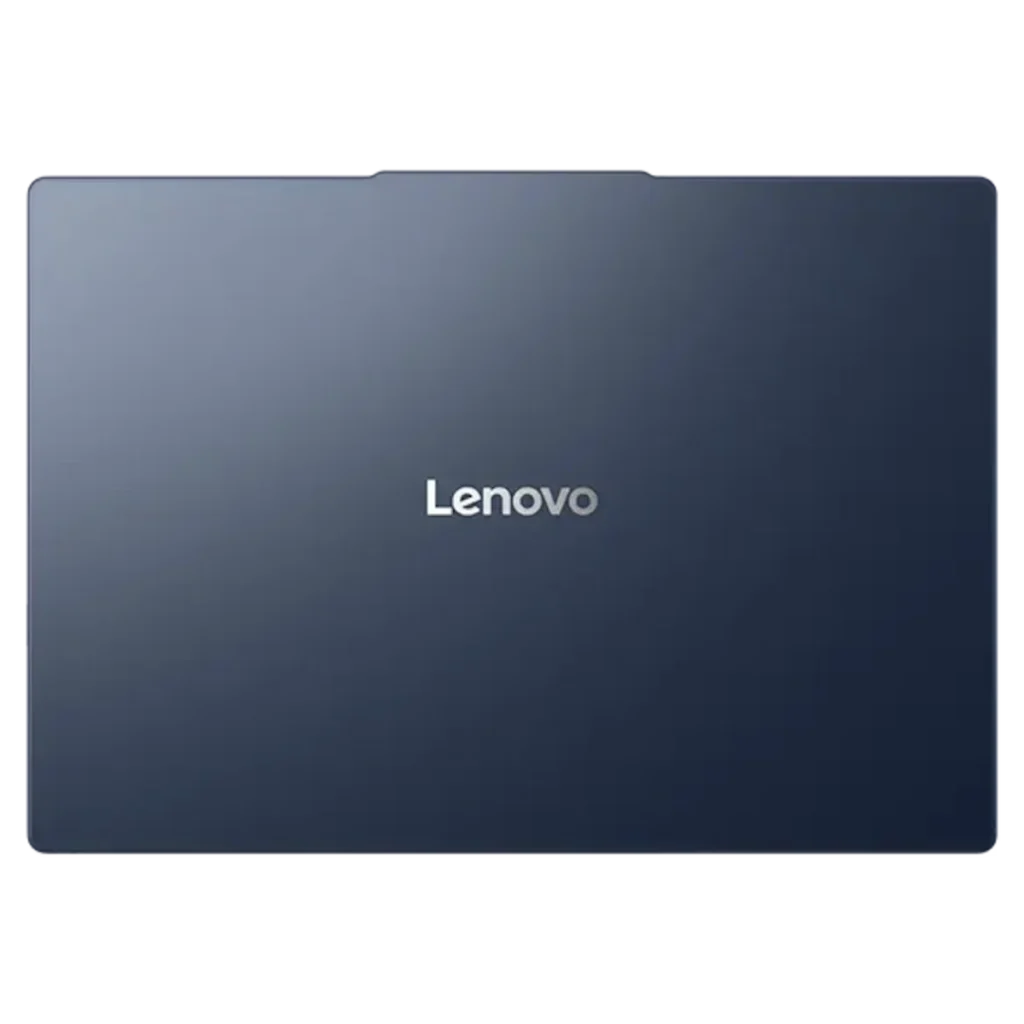
What stands out: the everyday tasks it handles well
Spreadsheets, documents, and a full number pad
The Lenovo IdeaPad Slim 3 does its best work in Office apps and browser tabs. Notebookcheck measured its CPU at about the level of Intel’s Core i7-1355U, a chip that powered plenty of $1,000 laptops three years ago. For Word, Google Docs, and 20 tabs of research, that’s more than enough.
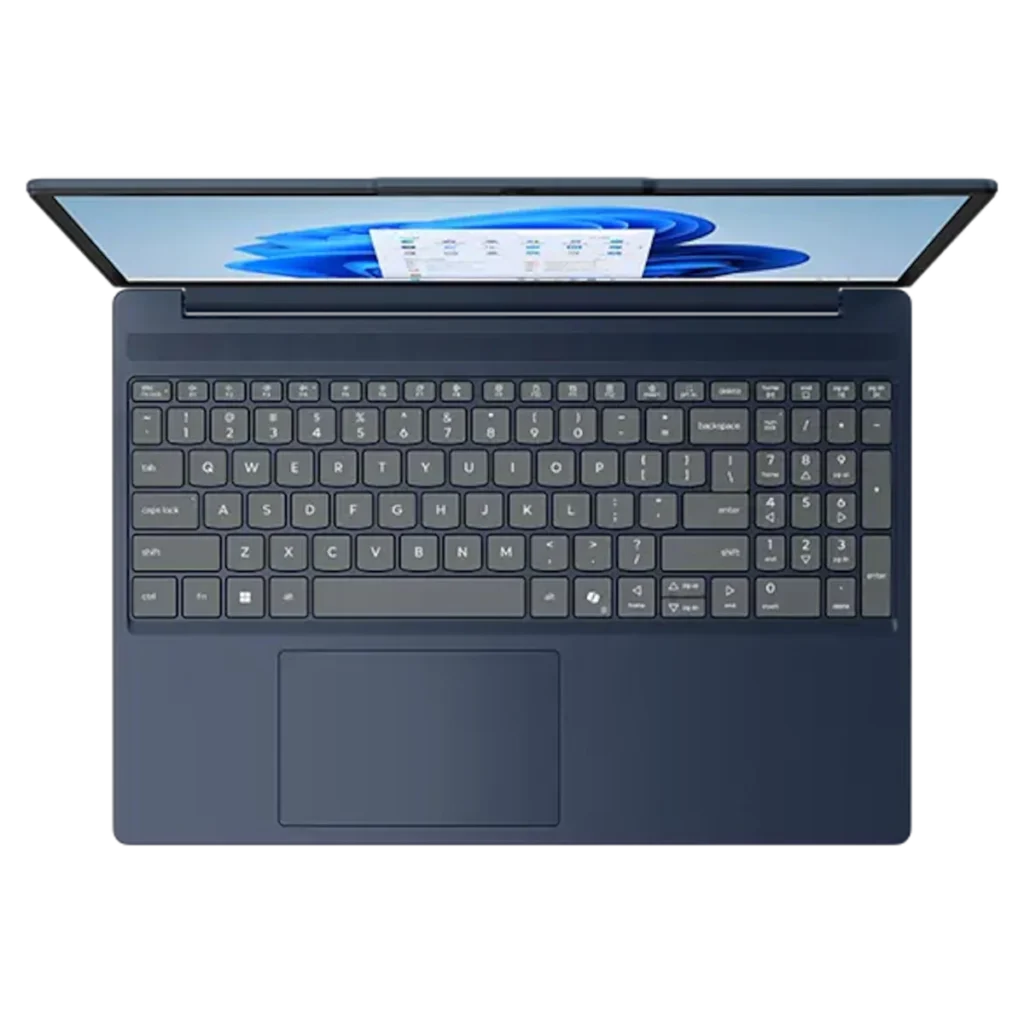
Two details make it better for office work than its benchmark scores suggest. First, the 15-inch model fits a narrow 10-key number pad next to the main keyboard. If you enter data or work in Excel all day, that pad saves you from buying a USB keypad. PCWorld’s reviewer called it a choice he liked.
Second, performance holds steady on battery. PCWorld found that the Core 7 350 scored the same in Cinebench whether plugged in, unplugged, or set to maximum performance mode. Most Intel laptops slow down when you pull the charger. This one behaves the same in a library as it does at your desk, and it didn’t throttle during PCWorld’s repeated stress tests.
One owner complaint to know about: on the 15-inch keyboard layout, Num Lock sits right next to Backspace. A Walmart reviewer of an earlier Slim 3 said they hit it by accident often. It’s a small thing, but you’ll notice it in your first week.
Video calls without the awkward extras
For remote work and online classes, the IdeaPad Slim 3 covers the basics well. You get a physical privacy shutter over the webcam, a mic-mute key on the keyboard, and (on the configuration PCWorld tested) an IR camera for Windows Hello face login.
Lenovo’s Vantage software adds a useful trick: it can unmute your mic when it detects you talking or keep you muted when it picks up background noise. That fixes the “you’re on mute” moment in team meetings.
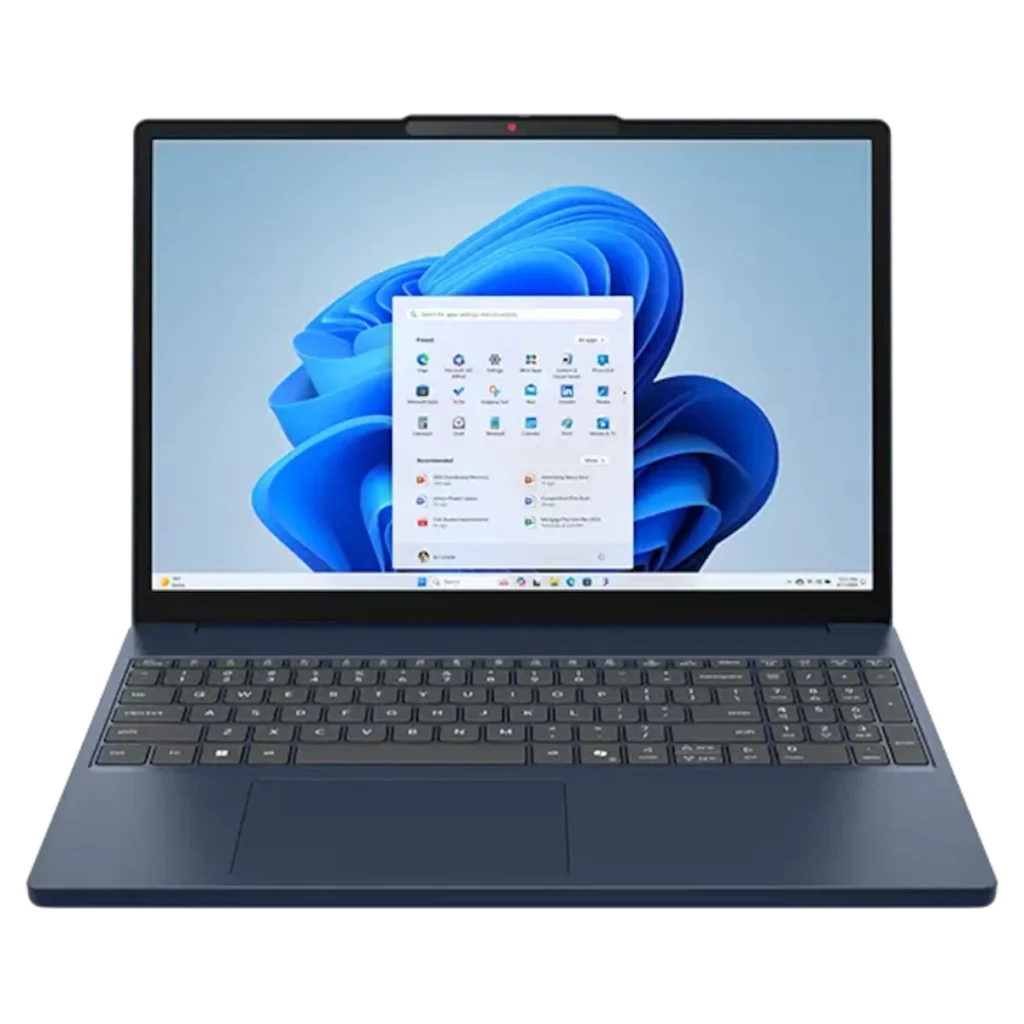
The camera itself is 720p on most units, and PCWorld found the image grainy in afternoon light. Notebookcheck notes that some configurations offer a 5MP sensor. If you present to clients often, pick that option or budget about $50 for an external 1080p webcam.
Streaming shows on the right display
With the 100% sRGB touchscreen, the Lenovo IdeaPad Slim 3 display is good for this price. Notebookcheck measured about 423 nits of brightness, a 2,489:1 contrast ratio, and no PWM flicker, which matters if dim screens give you eye strain. The 16:10 shape also gives you more vertical room than the old 16:9 panels on the 2023 models.
Two caveats. PCWorld found its unit ran between 30Hz and 60Hz until they switched it to 120Hz by hand in Windows display settings. Do that on day one: Settings, then System, then Display, then Advanced Display. And the speakers are weak. Notebookcheck measured almost no bass from the two 2W downward-firing drivers, and PCWorld described the sound as flat and muddy. For Netflix in bed, use headphones.
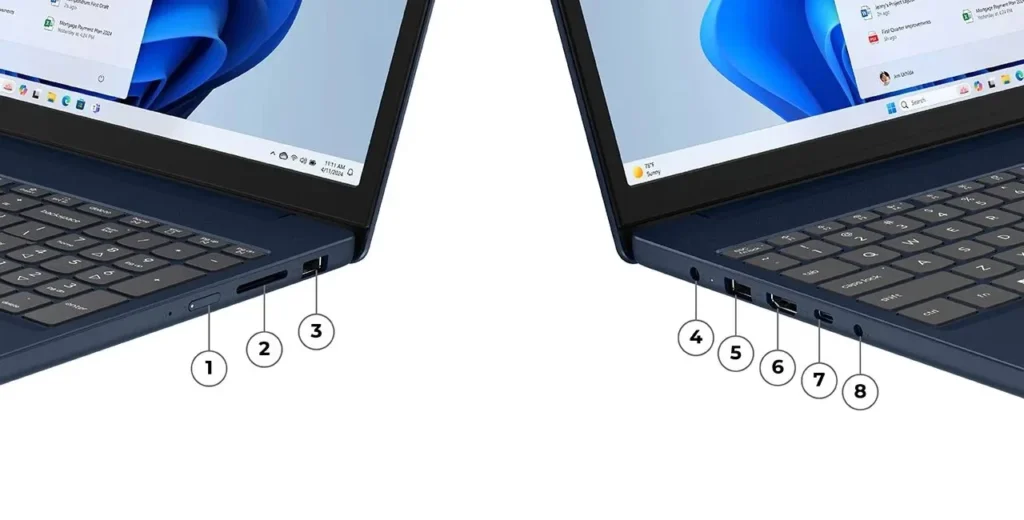
If you plan to connect a 4K monitor, use the USB-C port. The HDMI 1.4 port tops out at 4K and 30Hz, which makes your cursor feel sluggish. USB-C handles 4K at 60Hz.
Lenovo IdeaPad Slim 3 battery life: a full day and then some
This is where the IdeaPad Slim 3 surprised us most. On paper, a 50Wh battery sounds ordinary. In testing, the efficient Wildcat Lake chip stretches it a long way:
| Test | Result | Source |
| Wi-Fi web browsing | 11 hours 41 minutes | Notebookcheck |
| Local video playback (H.264) | 13.6 hours | Notebookcheck |
| 4K video loop | 12 hours 7 minutes | PCWorld |
| Microsoft 365 productivity loop | 8 hours 23 minutes | PCWorld |
| Full load | 2.8 hours | Notebookcheck |
PCWorld’s productivity number is the one to plan around. Eight hours of real office work covers a school day or a workday, with a buffer if you dim the screen.
Lenovo’s Rapid Charge Boost claims two hours of use from a 15-minute charge. PCWorld tested it from a dead battery and got 29% in 15 minutes, which they estimated at just under 2.5 hours of productivity use. The claim holds. If you’re a student who forgets to charge overnight, 15 minutes at breakfast gets you through your morning classes.
Configurations with the 60Wh battery should last longer, but we haven’t seen lab results for that version.
Quiet and cool on your lap
The IdeaPad Slim 3 stays pleasant to use. Notebookcheck measured 23.8 dB at idle, which is close to silent in a normal room, and the fan stays quiet longer than on the 2025 model. Under sustained heavy load, it climbs to about 44 dB, which you’ll hear but won’t find distracting.
The palm rest stayed cool to the touch in Notebookcheck’s stress test, peaking at 22.8°C (73°F), and the bottom panel topped out at 36°C (97°F). You can use it on your lap on the couch without discomfort.
Where it falls short
Here are the compromises you should weigh before buying.
Performance for the price. Lenovo IdeaPad Slim 3 performance suits office work, but at $899 it’s slower than several cheaper laptops. In Notebookcheck’s Cinebench R23 multi-core test, the Dell 15 with a Core Ultra 5 225H scored 59% higher, and Notebookcheck listed that Dell at $740. PCWorld placed the IdeaPad near the bottom of its comparison group and suggested buyers look at 2025 laptops with Lunar Lake, Ryzen AI 300, or Snapdragon X chips near the same price.
Single-channel memory. The motherboard has one SODIMM slot. You can upgrade the RAM, which is good, but a single stick runs in single-channel mode and holds back graphics performance. Notebookcheck expects other Wildcat Lake laptops with dual-channel memory to post faster graphics results.
The chassis feels budget. The body is PC-ABS plastic. Gear Diary’s reviewer compared it to 2008-era netbooks. PCWorld found no excess flex in the body but noted the plasticky key sound and grainy keycap finish. Notebookcheck pointed out that the 2026 model makes no external changes from 2025, while rivals like the Dell 14S and MacBook Neo have raised expectations.
Ports and wireless. The laptop uses a barrel charger (USB-C charging also works), HDMI 1.4, and 5Gbps USB ports. Thunderbolt is missing. Base configurations ship with Wi-Fi 6, though Lenovo offers upgrades up to Wi-Fi 7.
Software pop-ups. Both Gear Diary and a Walmart reviewer complained that Lenovo Vantage notifications feel like ads. You can turn most of them off in Vantage’s settings, but you shouldn’t have to.
Price swings. Gear Diary called it 2026. IdeaPad Slim 3i “a tale of two prices”: hard to recommend at its $1,299 list price, but a good choice at a $729 sale price [VERIFY: both prices]. Never pay the full list for this laptop.
Lenovo IdeaPad Slim 3 for gaming: set expectations low
Don’t buy the IdeaPad Slim 3 for gaming. The Core 7 350 has two Xe3 graphics cores. For comparison, Intel’s higher-end Panther Lake chips have up to 12.
Light and older games do run. Notebookcheck recorded about 99 fps in Dota 2 at 720p on the lowest settings and 36.6 fps in F1 24 at 1080p low. Modern titles are another story: Cyberpunk 2077 ran at 36 fps on 1080p low in PCWorld’s test.
Intel’s XeSS frame generation offers a partial fix. With upscaling and frame generation switched on, PCWorld saw Cyberpunk jump to 83 fps with a 60 fps minimum. But that only works in games that support XeSS. Shadow of the Tomb Raider doesn’t, and it ran at 16 fps.
If you want to play Minecraft, indie games, or cloud gaming services like Xbox Cloud Gaming or GeForce Now, the Slim 3 works. For anything else, look at a budget gaming laptop with a dedicated GPU.
How it compares: IdeaPad Slim 3 vs IdeaPad Slim 5, Slim 3x, and Rivals
| Feature | IdeaPad Slim 3 (2026) | IdeaPad Slim 3x | IdeaPad Slim 5x | Dell 15 (D15260) | MacBook Neo |
| Chip | Intel Core 7 350 | Snapdragon X | Snapdragon X2 Plus | Intel Core Ultra 7 255H | Apple A18 Pro |
| Screen | 15.3″ 1200p IPS | 15.3″ 1200p IPS, 60Hz | 15.3″ 1200p IPS | 15.6″ 1080p IPS | 13.0″ 2408×1506 Liquid Retina |
| Battery (Notebookcheck Wi-Fi test) | 11.7 hrs | Strong (~12+ hrs) | ~14+ hrs | ~9.2 hrs | 12.9 hrs |
| Wi-Fi | Wi-Fi 6 (7 optional) | Wi-Fi 6E | Wi-Fi 7 | Wi-Fi 6 | Wi-Fi 6E |
| Price seen | $899.99 | $749 list (frequent sales) | $849 to $899 | ~$740–$800 list | From $699 |
All prices are from reviews or listings between late 2025 and mid-2026
IdeaPad Slim 3 vs IdeaPad Slim 5
The IdeaPad Slim 5 is the upgrade most buyers should consider. Recent Slim 5 models offer OLED screens, larger batteries (70Wh on the 15-inch Gen 10 AMD model), HDMI 2.1 for proper 4K output, and better materials. Lenovo also announced a 14-inch IdeaPad Slim 5i Ultra at MWC 2026, weighing about 1.15 kg with a 65Wh battery, at €899 in Europe.
The deciding factor is price. If a Slim 5 is on sale within $100 of the Slim 3 configuration you’re considering, the Slim 5 is the better laptop. PCWorld found the Snapdragon-based Slim 5x cheaper and better equipped than the Slim 3i it reviewed. Pick the Slim 3 if you want the number pad (the Slim 5x puts speakers there instead) or if you find it at a deep discount.
IdeaPad Slim 3 vs IdeaPad Slim 3x
The Slim 3x uses the same basic design with a Qualcomm Snapdragon chip. Tom’s Guide praised its battery life and keyboard but flagged a dim display and possible app compatibility issues on Arm. Deal hunters have reported buying it for around $350 during holiday sales [VERIFY]. If you only use a browser, Microsoft 365, and mainstream apps, the Slim 3x gives you more battery for less money. If you depend on older Windows software, printer drivers, or certain games’ anti-cheat tools, stay with the Intel Slim 3.
Who is the Lenovo IdeaPad Slim 3 for
Lenovo IdeaPad Slim 3 for students: It suits high school and college students in writing-heavy majors like English, business, history, and education. You get all-day battery, a quiet fan for lecture halls, fast charging, and a number pad for stats homework. Students in engineering, architecture, or video production should skip it; their software needs more graphics power.
Remote workers and home-office users: A good match if your day is email, video calls, spreadsheets, and a CRM in the browser. Add an external webcam if you’re on camera with clients.
Family and household laptops: Fine for bills, homework, and streaming, especially with the touchscreen. Buy the 16GB configuration so it doesn’t feel slow in two years.
Skip it if you want to game, edit video or photos, want a premium metal build, or can wait for a sale on a Slim 5 or Slim 3x.
Lenovo IdeaPad Slim 3 price: how to buy smart
Before you check out, confirm these five things on the listing:
- Model code. Make sure you’re getting the generation you think you’re getting (see the table above).
- Display. Choose the 100% sRGB panel over the base 60% sRGB one.
- 16GB of RAM. 8GB configurations will feel slow with Windows 11 and a busy browser.
- Price versus the Slim 5 and Slim 3x. Check both before you buy.
- Return window. Retailers vary; a longer window lets you check the screen and keyboard yourself.
For the 2025 and 2026 models, prices above $800 put the Slim 3 up against better-built laptops. Our view: the 2026 Core 7 350 model makes sense at roughly $650 to $750, and older AMD models make sense under $400 as basic machines.
Our verdict
The Lenovo IdeaPad Slim 3 does the ordinary jobs well: a long battery, a cool chassis, steady performance on battery, and a sharp 120 Hz screen if you pick the right panel. It struggles to justify its $899 launch price against faster and better-built rivals. Wait for a sale, confirm the model code and display, and it becomes an easy recommendation for students and home-office users.
FAQs
Q. Is the Lenovo IdeaPad Slim 3 good for everyday use?
A. Yes. It handles browsing, Office apps, video calls, and streaming without slowdowns, and it stays quiet and cool. PCWorld measured just over eight hours of battery life in a Microsoft 365 productivity test, so it covers a full workday.
Q. How long does the Lenovo IdeaPad Slim 3 battery last?
A. The 2026 model with the 50 Wh battery lasted 11 hours 41 minutes in Notebookcheck’s Wi-Fi browsing test and 8 hours 23 minutes in PCWorld’s productivity test. A 15-minute charge added 29% in PCWorld’s testing.
Q. Can you upgrade the RAM in the IdeaPad Slim 3?
A. On the 2026 15-inch model, yes. It has one DDR5 SODIMM slot, so you can swap in a larger stick. Some older Slim 3 configurations use soldered memory that you can’t upgrade, so check the spec sheet for your model code.
Q. Is the Lenovo IdeaPad Slim 3 good for gaming?
A. Only for light games. Esports titles like Dota 2 run at low settings, and games with Intel XeSS frame generation can reach playable frame rates. Demanding games without XeSS, such as Shadow of the Tomb Raider, drop to around 16 fps.
Q. Should I buy the IdeaPad Slim 3 or the IdeaPad Slim 5?
A. Choose the Slim 5 if the price gap is small. It offers better screens, bigger batteries, and better ports. Choose the Slim 3 if you want a number pad or you find it at a much lower sale price.