

 Shikha Kumari
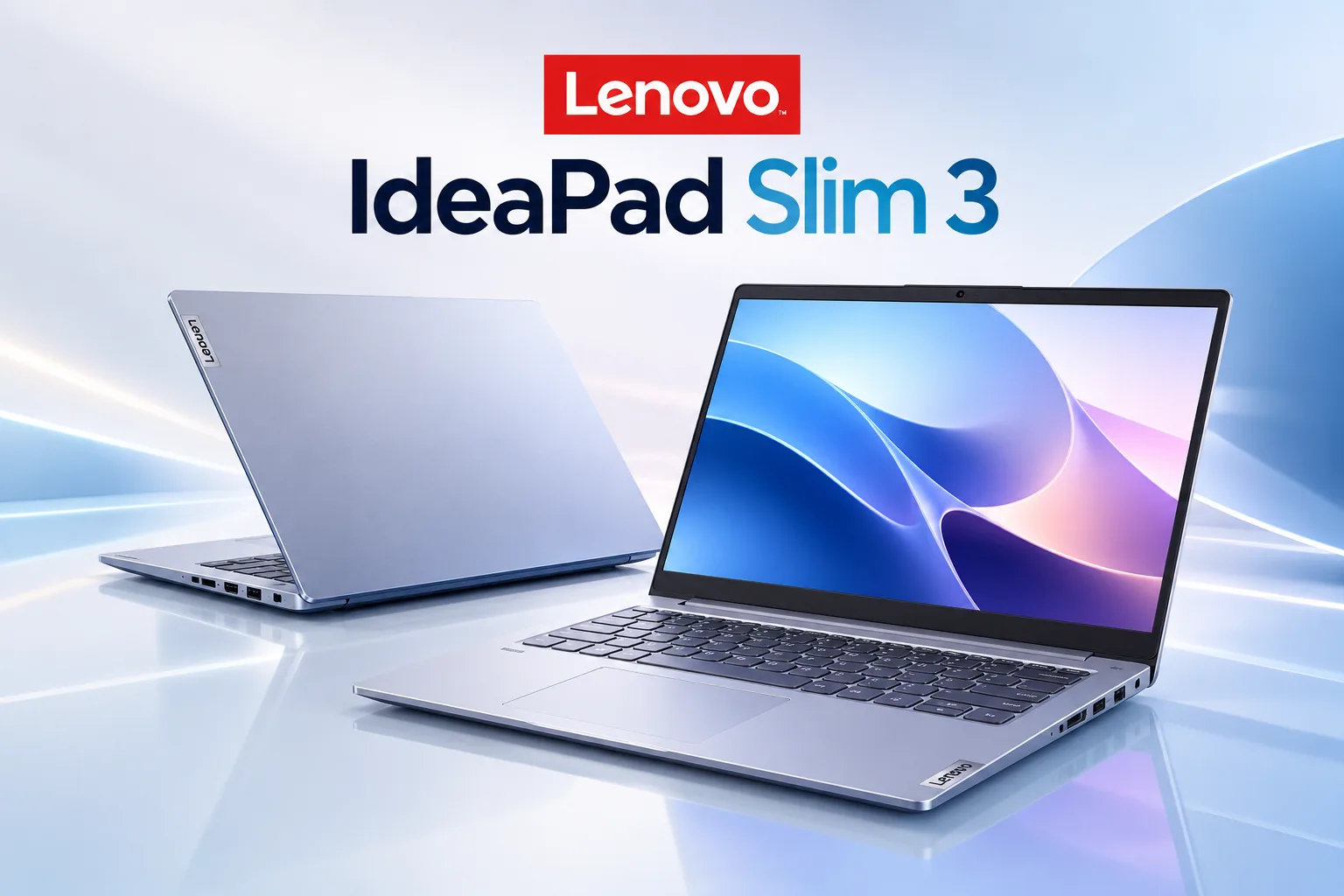
school and video calls at its October 2026 price of $499.99 on Lenovo.com. Buy the 120Hz touchscreen version. Skip it for gaming, photo editing or video work.
The Lenovo IdeaPad Slim 3 is one of the most common budget laptops in US stores, and that is exactly what makes it tricky to buy. Lenovo has sold the same name across several generations, and retailers keep older stock on shelves for years. A listing called “Lenovo IdeaPad Slim 3” could be a 2023 machine with soldered memory or a 2026 model with an upgradable slot. This review shows you how to tell them apart, then judges the 2026 model at the price you can pay today.
A quick note on how we built this review. We haven’t run lab tests on an IdeaPad Slim 3 at Techzeeno. Every spec, battery figure and price below comes from Lenovo’s own pages: its PSREF spec sheets, the Lenovo.com US store and the Lenovo Support user guide. Battery numbers are Lenovo’s claims, and we label them that way.
Lenovo IdeaPad Slim 3 at a glance
Here are the key specs of the 2026 IdeaPad Slim 3i 15 (15IWC11, machine type 83RR), taken from Lenovo’s PSREF sheet. Prices were checked on Lenovo.com US on October 28, 2026, during a sale.
| Feature | Lenovo IdeaPad Slim 3i 15 (15IWC11, 2026) |
|---|---|
| Price | From $499.99 on Lenovo.com (sale price, Oct 28, 2026; Lenovo lists an “est value” of $1,049.99) |
| Processor | Intel Core 3 304, Core 5 315, Core 5 320 or Core 7 350 |
| Memory | One DDR5 SODIMM slot, up to 32GB DDR5-5600 |
| Storage | One M.2 2242 PCIe 4.0 slot (256GB to 1TB) or 128GB UFS |
| Display | 15.3-inch, 16:10, three panel options (60Hz IPS, 120Hz touch IPS, 165Hz OLED) |
| Battery | 50Wh or 60Wh |
| Weight | From 3.51 lb (1.59 kg) with the IPS screen, or 3.28 lb (1.49 kg) with the OLED |
| Durability | Passed 21 MIL-STD-810H test items, per Lenovo |
| Warranty | 1, 2 or 3 years, depending on configuration |
| Best for | Office work, school, streaming, video calls |
| Main drawback | Base panel and HDMI 1.4 port feel dated |
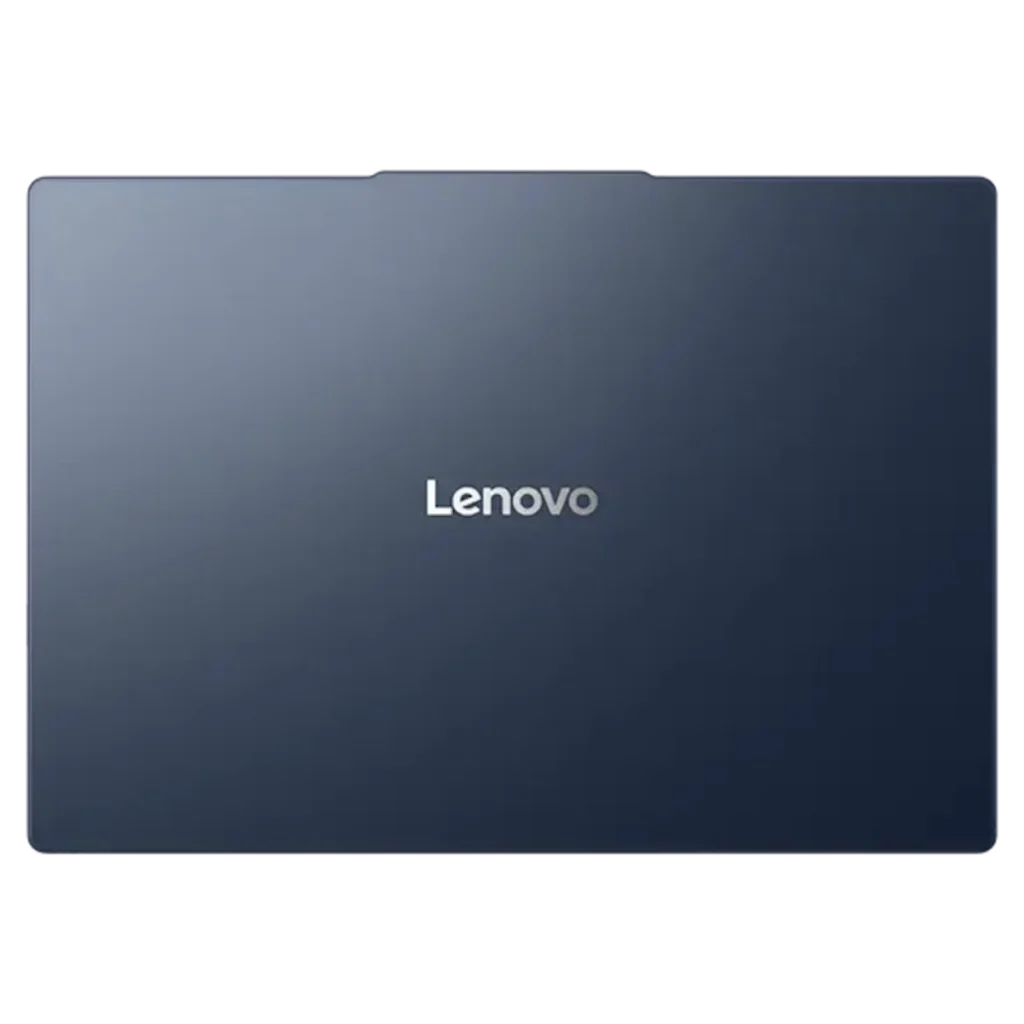
How old is the Lenovo IdeaPad Slim 3, and which model are you looking at?
The IdeaPad Slim 3 name covers several generations at once, and the newest 15-inch Intel model, the 15IWC11, was announced in the US on April 27, 2026, according to Lenovo’s PSREF record for model 83RR003BUS. Older Gen 8 and Gen 10 units still sell under the same name, so check the model code before you pay.
A newer model also buys you more years of support. Lenovo’s PSREF record for the 2026 model 83RR003BUS lists an end-of-support date of June 1, 2032, so a buyer today gets more than five years of official driver and support coverage from Lenovo.
The model code sits in the product title or on the spec sheet. The letters after “15” tell you the chip family. Here is how the main 15-inch versions compare, using Lenovo’s own PSREF sheets:
| Model code | Generation | Chip | Memory | Battery | What to know |
|---|---|---|---|---|---|
| 15IWC11 | Gen 11 (2026) | Intel Core 3 304 to Core 7 350 | One SODIMM slot, up to 32GB | 50Wh or 60Wh | The model this review covers |
| 15IPH11 | Gen 11 (2026) | Intel Core Ultra 7 355 | See PSREF | See PSREF | Sold as the $1,399.99 Copilot+ PC, a pricier machine |
| 15IRH10R | Gen 10 | Intel Core 5 210H or Core 7 240H | 8GB soldered + one slot, up to 24GB | 50Wh or 60Wh | 300-nit screen, 45% NTSC color |
| 15IRU8 | Gen 8 | 13th Gen Intel Core i3 to i7 U-series | Soldered, not upgradable | 47Wh | 15.6-inch 16:9 screen, 250 or 300 nits |
| 15ABR8 | Gen 8 | AMD Ryzen 5000 and 7000 U-series | Soldered, not upgradable | 47Wh | Same screens as the 15IRU8 |
If a listing hides the code, ask the seller or look it up once the laptop arrives. Lenovo Support says you can run “wmic csproduct get name” in Command Prompt, check the label on the bottom, or open Lenovo Vantage.
IdeaPad Slim 3 vs Slim 3i vs Slim 3x: what the letter means
The letter after “Slim 3” tells you who made the chip. Lenovo’s US store names them “Slim 3i (15″ Intel)”, “Slim 3 (15″ AMD)” and “Slim 3x (15″ Snapdragon)”. The “x” models use Qualcomm’s Arm-based Snapdragon X chips, so some Windows apps built for Intel and AMD run through emulation.
Retailers often drop the letter, which is why so many shoppers search “Slim 3 vs Slim 3i”. They are the same family. Compare them by generation and price, because a 2026 Slim 3i and a 2023 Slim 3 are very different laptops. The Lenovo IdeaPad Slim 3 Chromebook is a separate product that runs ChromeOS, so it only makes sense if you live in a browser.
Which screen to choose
Pick the 120Hz touchscreen. Lenovo’s PSREF lists three 15.3-inch panels for the 15IWC11:
- Base: WUXGA (1920 x 1200) IPS, 400 nits, 45% NTSC, 60Hz, non-touch
- Upgrade: WUXGA IPS touch, 400 nits, 100% sRGB, 120Hz
- Top: 2.5K OLED, 500 nits, 100% DCI-P3, 165Hz, DisplayHDR True Black 1000
The 45% NTSC base panel shows noticeably duller color. A 100% sRGB panel covers the full color range most websites and videos are made for, and 120Hz makes scrolling look smoother. The good news: the $499.99 configuration on Lenovo.com already ships with the 120Hz touch panel. The OLED is the nicest screen, though it pushes the price toward the IdeaPad Slim 5, which also has a better build.
Is the Lenovo IdeaPad Slim 3 a good laptop?
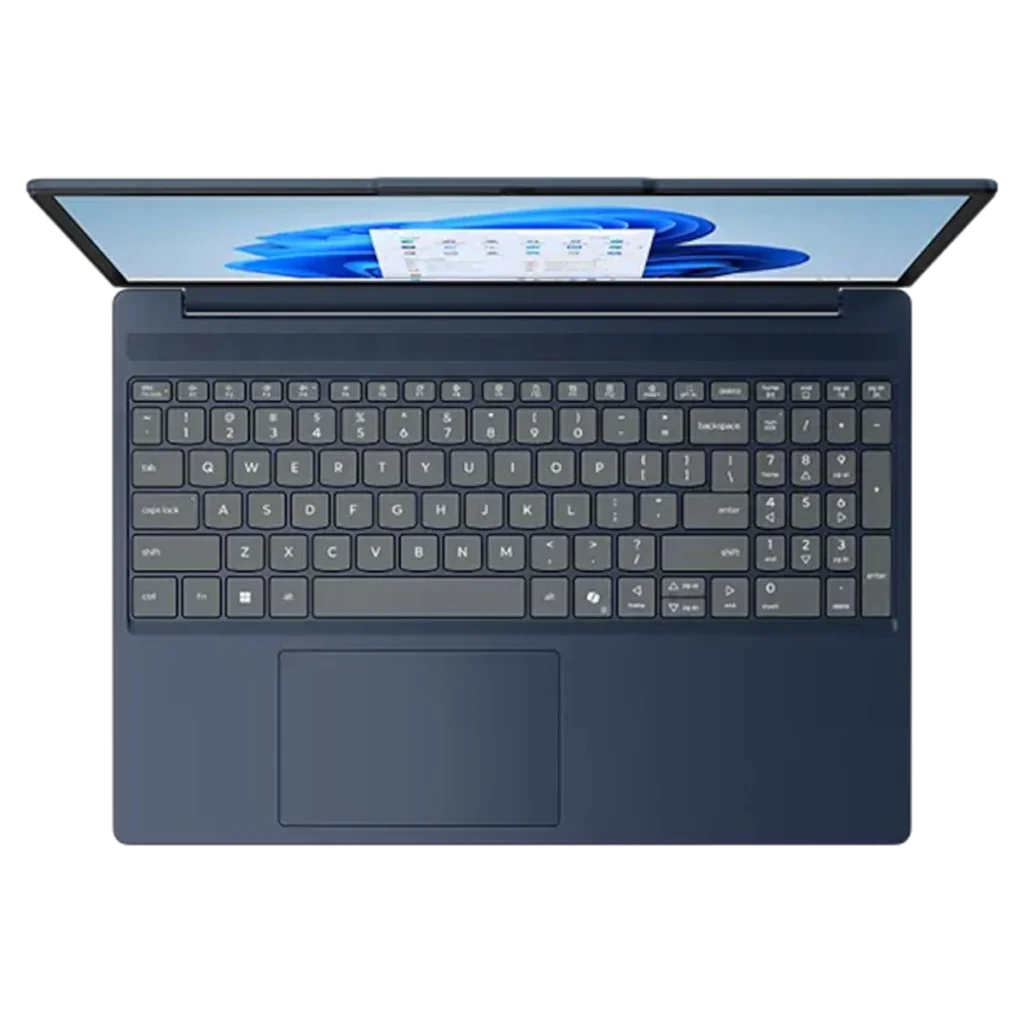
Yes, the Lenovo IdeaPad Slim 3 is a good laptop for everyday work, as long as you buy the 2026 15IWC11 with the better screen. At $499.99 you get a 120Hz touchscreen, a 1080p IR webcam, a backlit keyboard and a 60Wh battery, per Lenovo.com. That is a strong list for a 15-inch laptop near $500.
The limits are real, though. Its Intel Core 3 to Core 7 chips (Series 3) are built for efficiency and light work. You’ll be happy in Word, Google Docs, Excel and a pile of browser tabs. Heavy creative apps and modern games are a different story.
Lenovo also files the 15IWC11 as an AI PC. Its chip includes an NPU (a small processor for AI tasks) rated at up to 17 TOPS, and the keyboard has a dedicated Copilot key. For wireless, PSREF lists Wi-Fi 6 with Bluetooth 5.3 or Wi-Fi 7 with Bluetooth 5.4, depending on the configuration. The body passed 21 MIL-STD-810H test items in Lenovo’s testing, which covers the bumps of a backpack and a busy desk.
Office work and the number pad
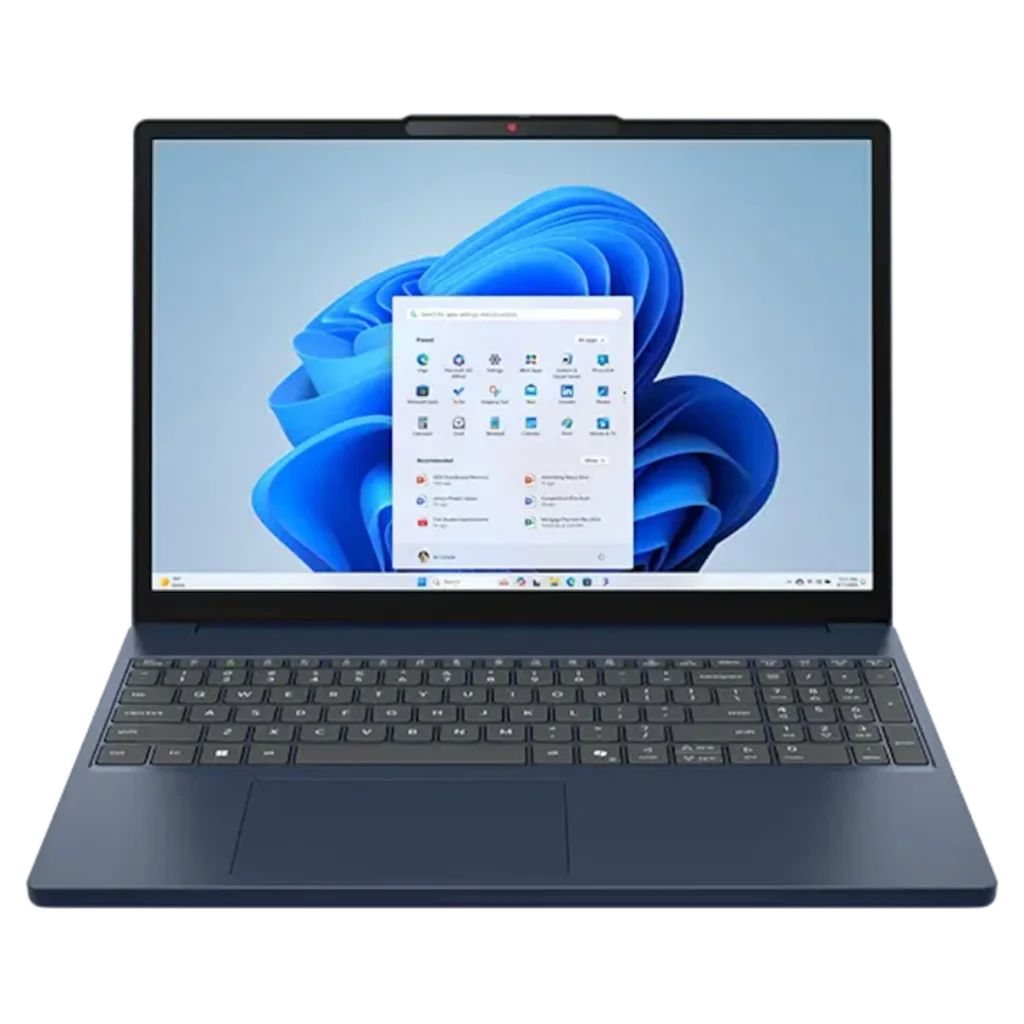
The 15-inch keyboard includes a full numeric keypad, which Lenovo lists on the PSREF sheet alongside a Copilot key and 1.3mm key travel. If you enter numbers in spreadsheets all day, that pad saves you from buying a USB keypad. Lenovo’s user guide also notes you can toggle FnLock with Fn + Esc, so the top row works as F1 to F12 or as media keys, whichever you prefer.
Memory matters more than the chip for office work. The $499.99 model ships with 8GB in its single SODIMM slot. Lenovo’s PSREF lists support for up to 32GB of DDR5-5600 in that slot, so you can swap in a 16GB stick later if 8GB starts to feel tight with many tabs open.
Video calls and online classes
The IdeaPad Slim 3 handles remote work well for its price. Every camera option on the 15IWC11 has a physical privacy shutter, per PSREF. You can choose a 720p camera, a 1080p camera with IR for Windows Hello face login, or a 5MP camera.
The $499.99 Lenovo.com configuration includes the 1080p IR camera, which is a nice extra at this price. Face login is quicker than typing a PIN every time you open the lid. If you present to clients often, the 5MP option is worth checking for when you configure.
Display and streaming
With the 120Hz touch panel, the IdeaPad Slim 3 is a comfortable Netflix and YouTube machine. Lenovo rates it at 400 nits of brightness with 100% sRGB color, and the 16:10 shape gives you more vertical space than the older 16:9 Gen 8 screens.
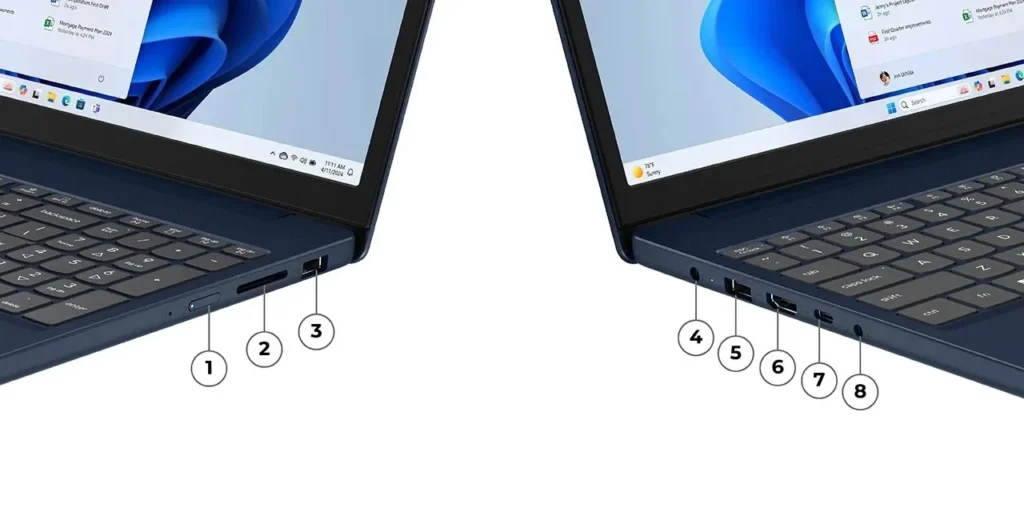
Sound is the weak spot. Lenovo lists two 2W speakers with Dolby Audio, which is fine for calls and casual videos. For movies in bed, headphones will sound far better. Plugging into a 4K TV or monitor works best over USB-C, which Lenovo lists with DisplayPort 1.2. The HDMI port is version 1.4, and PSREF caps it at 4K and 30Hz, which makes a mouse cursor feel sluggish on a big screen.
How long does the Lenovo IdeaPad Slim 3 battery last?
Lenovo claims up to 18.5 hours with the 50Wh battery and 19 hours with the 60Wh battery on the 2026 IdeaPad Slim 3i 15, measured during local 1080p video playback at 150 nits. Video playback at low brightness is a light load, so expect fewer hours with heavy browsing, video calls and a brighter screen.
Here is how Lenovo’s own battery claims compare across generations. Note that Lenovo used different tests for the older models, so compare like with like.
| Model | Battery | Lenovo claim | Lenovo test |
|---|---|---|---|
| 15IWC11 (2026) | 50Wh | 18.5 hr | Local 1080p video at 150 nits |
| 15IWC11 (2026) | 60Wh | 19 hr | Local 1080p video at 150 nits |
| 15IRH10R (Gen 10) | 50Wh / 60Wh | 14.5 hr / 17 hr | Local 1080p video at 150 nits |
| 15IRU8 (Gen 8) | 47Wh | 12 hr / 8.1 hr | Video at 150 nits / MobileMark 2018 at 200 nits |
| 15ABR8 (Gen 8) | 47Wh | 12 hr / 10 hr | Video at 150 nits / MobileMark 2018 at 200 nits |
On the same video test, the 2026 model’s 50Wh battery claim (18.5 hours) beats the Gen 10’s 60Wh claim (17 hours). That points to a more efficient chip, and it’s the clearest reason to pick the newest generation.
Charging is quick. Lenovo’s Rapid Charge Boost promises two hours of use from a 15-minute charge. The user guide says a normal charge takes 2 to 4 hours, while rapid charge mode in Lenovo Vantage gets you to 80% in under an hour.
You don’t have to carry the round barrel charger, either. PSREF lists USB Power Delivery at 45W to 65W on the USB-C port, so a USB-C laptop charger in that range can top it up. That makes one charger for your phone and laptop a realistic setup for a dorm room or a work bag.
What are the downsides of the IdeaPad Slim 3?
The biggest downsides of the IdeaPad Slim 3 are a dull base screen, a single memory slot, an old-style barrel charger, a mostly plastic body and modest speakers. None of these is a dealbreaker at $499.99, but each one matters if you were hoping for a premium feel.
- Base screen. The entry panel covers only 45% NTSC color at 60Hz. Avoid configurations that list it.
- Single memory slot. With one SODIMM stick, the memory runs in single-channel mode, which limits graphics speed. The 2026 model drops the Gen 10’s soldered-plus-slot design, so the memory always sits on one stick.
- Barrel charger. PSREF lists a “65W round tip” adapter in the box. The USB-C port also accepts 45W to 65W power delivery, so a USB-C charger works too, though the included one is the old round plug.
- Plastic build. Lenovo lists a PC-ABS bottom, and the lid is aluminium or PC-ABS depending on the model. If you want metal and a sturdier feel, our list of Lenovo ThinkPad laptops is a better place to look.
- Speakers. Two 2W speakers are fine for calls and thin for music.
- Short base warranty. Some configurations ship with one year of coverage. Check the warranty line before you buy.
What are common issues with the Lenovo IdeaPad Slim 3?
Most common issues with the Lenovo IdeaPad Slim 3 come from buying the wrong configuration, and Lenovo’s own spec sheets show where the traps are. Use this table to check a listing before you order.
| Issue | Which models | How to avoid or fix it |
|---|---|---|
| Dull, washed-out screen | Base 45% NTSC panels on most generations | Choose the 100% sRGB 120Hz touch panel or OLED |
| Can’t add more RAM | Gen 8 (15IRU8, 15ABR8): soldered, not upgradable | Buy 16GB up front, or pick the 2026 15IWC11 with a slot |
| Slow with many tabs | 8GB configurations | Upgrade to 16GB (the 15IWC11 slot takes up to 32GB) |
| Tiny storage | 128GB UFS option on the 15IWC11 | Pick a model with an M.2 SSD of 256GB or more |
| Laggy 4K monitor | HDMI 1.4 caps at 4K and 30Hz | Connect the monitor through USB-C (DisplayPort 1.2) |
| Function keys act as media keys | All with FnLock | Press Fn + Esc to toggle FnLock |
| Wrong laptop arrives | Listings that hide the model code | Check the code on the label or with “wmic csproduct get name” |
Two “IdeaPad Slim 3i 15” laptops also sell side by side on Lenovo.com. The $499.99 one is the 15IWC11, and the $1,399.99 Copilot+ PC is the 15IPH11 with a Core Ultra 7 355. Same name, very different price.
Can the IdeaPad Slim 3 handle gaming?
The IdeaPad Slim 3 can run light and older games, but it is a poor gaming laptop. The 15IWC11 uses integrated Intel Graphics, and its single memory stick runs in single-channel mode, which holds graphics performance back further.
Browser games and older, lighter titles are realistic. New 3D games will struggle. If gaming is a priority, look for a laptop with a dedicated graphics card instead, and check our roundup of the best laptops for options at different budgets.
IdeaPad Slim 3 vs Slim 5, Slim 3x and rivals
The IdeaPad Slim 3i is the cheapest of these at $499.99, the Slim 3x adds a Snapdragon chip and soldered 16GB of memory for $749.99, and the Slim 5 line costs more for a nicer build. Here is how Lenovo’s current US prices line up as of October 28, 2026:
| Model | Chip | Memory (as listed) | Screen (as listed) | Lenovo.com price, Oct 28, 2026 |
|---|---|---|---|---|
| IdeaPad Slim 3i 15 Gen 11 | Intel Core 5 315 | 8GB, one slot | 15.3″ WUXGA touch, 120Hz | $499.99 |
| IdeaPad Slim 3 15 Gen 10 (AMD) | AMD Ryzen 5 8540U | 8GB, soldered | 15.3″ WUXGA touch, 300 nits, 60Hz | $549.99 |
| IdeaPad Slim 3x 15 Gen 10 | Snapdragon X1-26-100 | 16GB LPDDR5X, soldered | 15.3″, 300 nits, 60Hz | $749.99 |
| IdeaPad Slim 5a 16 Gen 11 (AMD) | AMD | See Lenovo.com | 16″ | $799.99 |
| IdeaPad Slim 5i 16 Gen 10 (Intel) | Intel | See Lenovo.com | 16″ | $929.99 |
The Slim 3x gives you more memory, though its listed screen is dimmer and slower than the Slim 3i’s 120Hz touch panel. The Slim 5 models make sense if you want a bigger, better-built machine and can spend $300 more. For a sharper screen and a premium feel, our guide to Lenovo Yoga laptops covers models with OLED displays. Outside Lenovo, Apple’s budget option is worth a look too; our MacBook Neo review covers how it stacks up for students.
How much does the IdeaPad Slim 3 cost, and which configuration should you buy?
The 2026 IdeaPad Slim 3i 15 starts at $499.99 on Lenovo.com as of October 28, 2026. That is a sale price; Lenovo shows an “est value” of $1,049.99. Prices for this laptop move a lot, especially around Black Friday, so check the date on any price you see.
| Configuration (Lenovo.com) | Chip | RAM / storage | Screen | Price, Oct 28, 2026 |
|---|---|---|---|---|
| 83RR003BUS | Core 5 315 | 8GB / 512GB | 15.3″ WUXGA touch, 120Hz, 400 nits | $499.99 (sale) |
Our recommended setup is the 120Hz touch panel, an M.2 SSD of 512GB, and 16GB of memory. The $499.99 83RR003BUS hits two of those three, plus a 1080p IR camera, a backlit keyboard and the larger 60Wh battery. Its 8GB is the one weak point, and the single slot lets you upgrade later.
Before you order from any store, run this five-point Slim 3 Listing Check:
- Model code: look for 15IWC11 (2026). Gen 8 codes like 15IRU8 or 15ABR8 mean an older machine with soldered memory.
- Screen: “100% sRGB” and “120Hz” in the display line, or OLED.
- Memory: 16GB is ideal; 8GB is fine only on the 15IWC11, since its slot takes up to 32GB.
- Storage: an M.2 SSD of 256GB or more.
- Battery and extras: 60Wh, a backlit keyboard and a 1080p IR camera are nice bonuses the $499.99 model already has.
Skip any configuration with the 45% NTSC panel, 128GB of UFS storage, or 4GB to 8GB of soldered memory on an older generation. Those three choices are the easiest to regret later.
Should you buy the Lenovo IdeaPad Slim 3?
Buy the 2026 Lenovo IdeaPad Slim 3i 15 if you want a cheap, light 15-inch laptop for school, office work and streaming, and you can get the 120Hz touch version near $500. Skip it if you need more power or a premium build.
Buy it if:
- You work in Office, Google Docs and the browser most of the day
- You want a number pad for spreadsheets
- You want long battery life and quick charging for classes or travel
- You can buy the 120Hz touch configuration near $500
Skip it if:
- You play modern games (get a laptop with dedicated graphics)
- You edit photos or video (consider a Lenovo Yoga with OLED)
- You want a metal, sturdier build (look at the IdeaPad Slim 5 or a ThinkPad)
- The listing is an older Gen 8 model at full price
FAQs
Q. Is the Lenovo IdeaPad Slim 3 good for students?
Yes, the 2026 IdeaPad Slim 3i is a good student laptop for notes, research papers and online classes. It starts at 3.51 lb with the IPS screen, Lenovo claims up to 19 hours of video playback, and the 15-minute Rapid Charge Boost covers forgotten charging. Engineering and design software will push it too hard.
Q. Which is better, the Lenovo IdeaPad Slim 3 or the Slim 3i?
They are the same laptop family. The “i” marks an Intel chip, and the plain Slim 3 uses AMD on Lenovo’s US store. Compare by generation instead: a 2026 Gen 11 Slim 3i with a 120Hz touch panel beats a 2023 Gen 8 model of either type.
Q. Is the Lenovo IdeaPad Slim 3 touch screen?
Only some configurations have a touchscreen. On the 2026 15IWC11, the 100% sRGB 120Hz panel is touch, while the base 45% NTSC panel and the OLED are non-touch, per Lenovo’s PSREF. Check the listing for the word “touch” and the refresh rate before you buy.
Q. Is 16GB RAM enough on the IdeaPad Slim 3?
Yes, 16GB is plenty for the IdeaPad Slim 3’s everyday jobs: dozens of browser tabs, Office apps, video calls and streaming. The 15IWC11 takes up to 32GB in its single DDR5 slot, so you can start with 8GB and upgrade to 16GB later if needed.
Q. Can you upgrade the RAM in the IdeaPad Slim 3?
It depends on the generation. The 2026 15IWC11 has one DDR5 SODIMM slot that takes up to 32GB. The Gen 10 15IRH10R pairs 8GB of soldered memory with one slot. The Gen 8 15IRU8 and 15ABR8 have soldered memory that can’t be upgraded at all.
Q. Is the Ryzen 7 IdeaPad Slim 3 worth it?
The Ryzen 7 IdeaPad Slim 3 listings with a Ryzen 7 5825U or 7730U are the older Gen 8 15ABR8, with soldered memory and a 47Wh battery. That model is only worth it at a deep discount. Check the model code, and compare it with the 2026 Slim 3i at $499.99.
Q. Is there a Lenovo IdeaPad Slim 3 Chromebook?
Yes, Lenovo sells an IdeaPad Slim 3 Chromebook that runs ChromeOS. It is a different product from the Windows IdeaPad Slim 3, built for browser-based work and web apps. If you need full Windows programs like Microsoft Office desktop apps, choose the Windows model instead.
Q. Does the IdeaPad Slim 3 have a backlit keyboard?
Some configurations do. Lenovo’s PSREF lists backlit and non-backlit keyboards for the 2026 15IWC11, and the $499.99 83RR003BUS on Lenovo.com includes the backlight. Check the keyboard line in the listing before you buy, because the backlight is an option on this model. A backlit keyboard helps in dim lecture halls and late-night work.