
 Shikha Kumari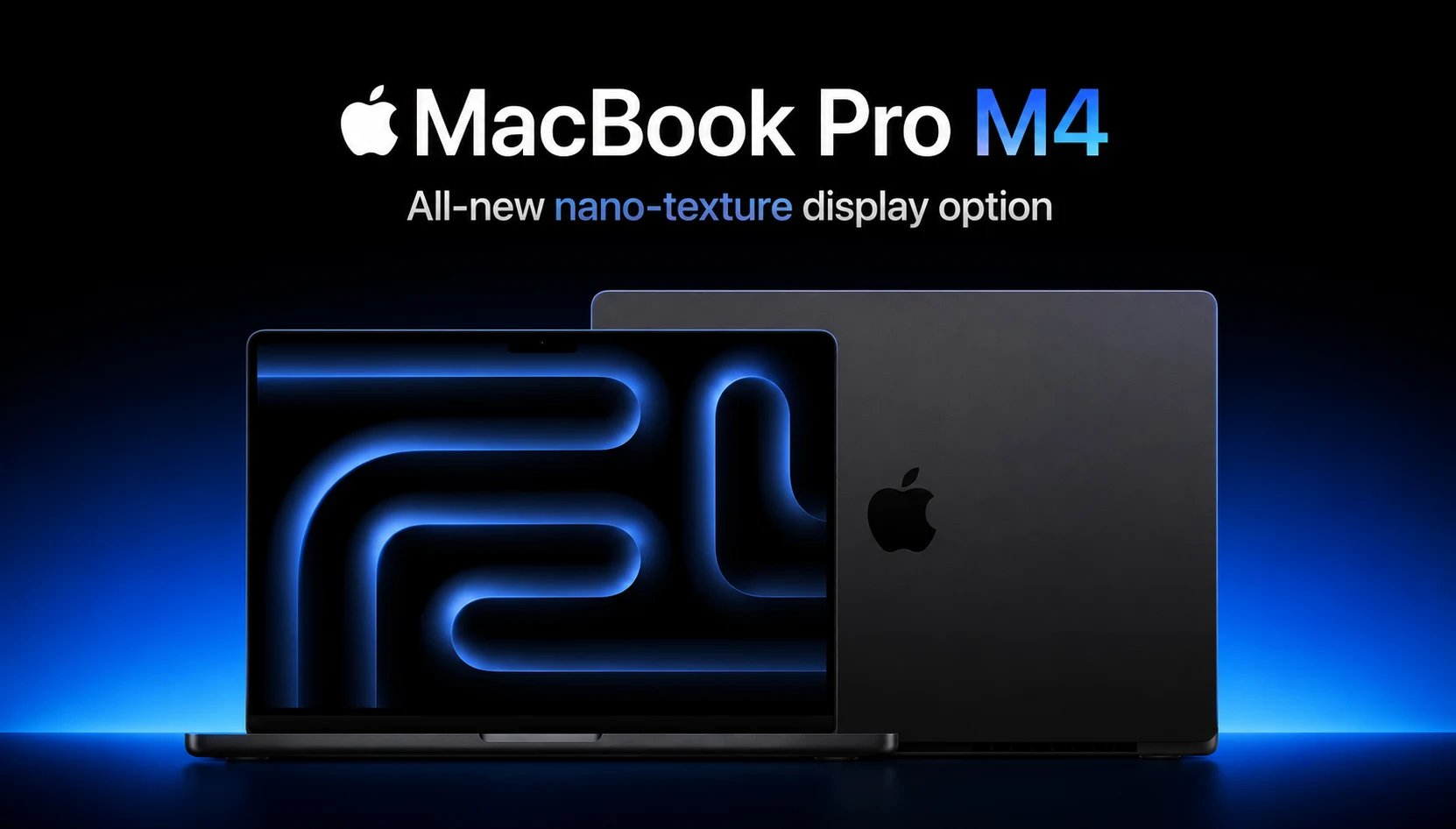
There’s a moment—and most MacBook owners know exactly what it feels like—when you open your laptop, pull up a heavy video project or a 40-tab browser session, and nothing lags. Not even a flicker. If you’ve never felt that, the MacBook Pro M4 might be what changes that for you.
Introduced in late 2024 and still dominating the professional laptop conversation well into 2026, the MacBook Pro M4 is probably the most complete laptop Apple has ever made. It doesn’t just iterate on its predecessors; it redefines what a laptop should be in this day and age. This is a high-end computer with a Liquid Retina XDR display with a new nano-texture on it, and the chips are so good that the competition can’t compete with them.
In this MacBook Pro M4 review, we’re going to get past some of the marketing talk and do the real things: is the performance worth the price premium? How does the camera upgrade compare to the chips? And most importantly of all, should you go for it in 2026? Let’s get into it.
MacBook Pro M4 at a Glance: Quick Verdict
Bottom Line: The MacBook Pro M4 is a premium powerhouse with industry-best single-core CPU performance, a stunning display, and battery life that lasts a full day. It is the best laptop for creative professionals, developers, and power users. For casual users, it may be overkill– but it’s hard not to want one.
MacBook Pro M4 Price
First, the elephant in the room comes up, because premium price tags always raise eyebrows.
The MacBook Pro M4 line starts at $1,599 for the 14-inch base model (and here’s a good, simple one for the new one), where Apple actually nailed it: it includes 16GB of unified memory in the entry price.
Here is how pricing breaks down:
| Model | Starting Price |
| MacBook Pro 14″ (M4) | $1,599 |
| MacBook Pro 14″ (M4 Pro) | $1,999 |
| MacBook Pro 16″ (M4 Pro) | $2,499 |
| MacBook Pro 14″/16″ (M4 Max) | From $3,499 |
When you start configuring, adding more RAM, upgrading the SSD, or going for the nano-texture display, costs can escalate quickly. But the base configurations are really usable in a way that previous M-chip base models were not.
For professionals seeking high-end pricing or for those in businesses where compute power directly impacts output, the MacBook Pro M4 price is reasonable. For students or casual users the MacBook Air M3 or M4 is the better choice.
MacBook Pro M4 Comparison
This is the most practical question most buyers face. Here’s how to think about which chip is right for you:
| Feature | M4 | M4 Pro |
| Best For | Students, writers, light creative work | Videographers, developers, architects |
| CPU Cores | 10 | Up to 14 |
| GPU Cores | 10 | Up to 20 |
| Max RAM | 32GB | 48GB |
| Memory Bandwidth | ~68 GB/s | 120 GB/s |
| Thunderbolt | TB4 | TB5 |
| Starting Price | $1,599 | $1,999 |
Tip: The addition of a third Thunderbolt port (up from two on the previous base model) is a welcome quality-of-life improvement for users with multiple peripherals. MagSafe charging remains one of Apple’s best features, magnetic, satisfying, and one of the most elegant charging options for any laptop. Wi-Fi 6E and Bluetooth 5.3 add to the wireless connectivity picture, making for quick, reliable connections in modern networks.
MacBook Pro M4 Design & Build Quality
If you have held a recent MacBook Pro, you know what it feels like. Apple hasn’t changed the industrial design, and, frankly, that’s okay. The machined aluminum unibody remains one of the best-feeling objects in consumer electronics. It’s precise, it’s premium, and it feels like it could last a decade of everyday use.
The Space Black (only M4 Pro and M4 Max) finish is now something of a cult favorite, a little shadowy, and yet it can look very pretty in some lighting. Silver is clean and timeless.
The keyboard is a joy. Key travel is excellent, backlighting is even, and Touch ID in the top right corner of the keyboard is something you don’t know about until you’ve tried to log in to a Windows machine and felt frustration.
The notch is something that divides opinion. On the 14-inch, it is more prominent. On the 16-inch, it is more natural because of the larger canvas. It’s not a dealbreaker at all macOS handles it with grace, but it’s worth knowing.
From a weight perspective, it is approximately 3.5 lbs, and on the 16-inch, it is 4.7 lbs. Not quite light enough but still light enough to carry in a bag.
MacBook Pro M4 Display
Here’s where Apple continues to set the bar high, and so is the M4. The 14-inch and 16-inch models have Liquid Retina XDR mini-LED displays. The 14-inch has a native resolution of 3024 × 1964 at 254 ppi, while the 16-inch has a resolution of 3456 × 2234 at 254 ppi. ProMotion adaptive refresh rate technology works on 24Hz to 120Hz; scrolling through documents is buttery smooth, and static content saves battery life.
Key display highlights:
- 1,000 nits sustained brightness for SDR content (a major step up from previous generations)
- 1,600 nits of peak brightness for HDR content—think sunlight-readable.
- XDR contrast: 1,000,000:1 contrast ratio, with local dimming zones for deep blacks.
- P3 wide color gamut with True Tone technology
But the headline feature of this generation? Nano-texture display, for this generation.
This optional matte glass coating helps to diffuse ambient light instead of reflecting it. If you’re working around windows, under fluorescent lights in offices and everywhere where lighting is uncontrolled, nano-texture is truly transformative. It eliminates the mirror-like glare that has plagued glossy screen users for so long without the severe muting of color accuracy that traditional matte coatings do. Colors stay vivid, blacks deep.
Watching Dune: Part Two on this screen, particularly on the 16-inch screen, approaches a cinematic experience. Color-critical content creators will find the accuracy of the display to be exceptional for professional use.
MacBook Pro M4 Performance
This is where the MacBook Pro M4 becomes genuinely difficult to compete against.
The M4 Base Chip
The M4 Base Chip. The entry-level M4 chip has a 10-core CPU (4 performance cores, 6 efficiency cores) and a 10-core GPU. Compared to the M3, Apple claims 1.8x faster CPU performance and 2.2x faster GPU performance. In real-world use that means:
- 4K video exports, which took minutes to produce, now take seconds
- Advanced machine learning tasks are handled natively without needing external cloud computing
- Smooth multitasking across dozens of applications simultaneously.
The M4 Pro Chip
With the M4 Pro, you can unlock a 14-core CPU with 10 performance + 4 efficiency cores, a 20-core GPU and 120GB/s memory bandwidth. This is the sweet spot for most professionals; videographers, software engineers, architects, and 3D artists will find this chip handles almost everything they’ve got thrown at it without breaking a sweat.
The M4 Max Chip
The M4 Max is for a specific type of user who knows exactly who they are. With up to 16-core CPU, up to a 40-core GPU and up to 546 GB/s memory bandwidth, this chip is designed for 8K video editing, complex ML model training, and scientific computing workloads. It has up to 128GB of unified memory.
Single-Core Supremacy
One metric that consistently emerges across benchmark reviews is single-core CPU performance. The M4 generation holds the top position in the market for single-core speed by a significant margin, and that matters because most everyday application tasks (browser rendering, code compilation, creative app operations) are single-threaded by default.
Thermal Performance
Unlike many high-performance laptops that throttle under sustained load, the MacBook Pro’s cooling system manages heat efficiently. Performance in benchmark tests remains stable across extended sessions, which is essential for professionals doing time-sensitive rendering work.
MacBook Pro M4 Camera: Finally, a Webcam Worth Talking About
For years, MacBook Pro webcams were a known weakness, respectable but not exceptional. The M4 generation changes that.
All MacBook Pro M4 models now ship with a 12MP Center Stage camera, a significant upgrade from the previous 1080p (approximately 2MP) shooter. The practical impact is immediately obvious on video calls:
- Center Stage uses machine learning to automatically keep you in the frame even when you move around. It’s subtle and surprisingly effective and not robotic.
- Desk View mode on M4 Pro and M4 Max models, which takes the wide-angle lens to create a bird’s-eye view of your desk surface. It’s truly useful for remote demonstrations and whiteboard-style presentations.
- The quality in standard video calls is noticeably sharper and with more dynamic range and low-light handling.
The downside is, though, that while the 12MP sensor handles stills well, video recording is limited in a way that some professional videographers may find restrictive. But this camera is a big step forward for business use, streaming, and content creation on Zoom or Webex.
MacBook Pro M4 Connectivity
The M4 Pro and M4 Max configurations in the MacBook Pro are the first with Thunderbolt 5, and it is not a trivial upgrade.
What Thunderbolt 5 brings:
- Up to 120Gbps bandwidth (3x faster than Thunderbolt 4)
- Support for external GPU enclosures with full bandwidth utilization
- External display support: up to 2 6K displays over Thunderbolt simultaneously
- Dramatically faster data transfer to NVMe SSDs and high-speed storage arrays.
If video professionals (who have large RAW footage libraries and engineers looking to sync large codebases) are able to do so in a meaningful way, this connectivity upgrade will speed up workflows.
Full port overview:
| Port | MacBook Pro 14″ M4 | MacBook Pro 14″/16″ M4 Pro/Max |
| Thunderbolt | 3 × USB-C (TB4) | 3 × USB-C (TB5) |
| HDMI | 1 × HDMI 2.1 | 1 × HDMI 2.1 |
| SD Card Slot | 1 × SDXC | 1 × SDXC |
| MagSafe | MagSafe 3 | MagSafe 3 |
| Headphone Jack | 1 × 3.5mm | 1 × 3.5mm |
The addition of a third Thunderbolt port (up from two on the previous base model) is a welcome quality-of-life improvement for users with multiple peripherals. MagSafe charging remains one of Apple’s best features, magnetic, satisfying, and still one of the most elegant charging solutions on any laptop.
Wi-Fi 6E and Bluetooth 5.3 round out the wireless connectivity picture, delivering fast, reliable connections in modern networks.
MacBook Pro M4 Battery Life: All Day, Every Day
The MacBook Pro M4 line promises up to 24 hours of battery life, the longest ever in a Mac at the time it came out.
Real-world testing shows a similar picture: for mixed workloads (writing, browsing, light video editing, video calls), the 14-inch and 16-inch M4 Pro models run 15-18 hours. For streaming or productivity, 20+ hours is in reach.
This matters more than spec sheets. Charging anxiety, the low-grade anxiety about your laptop’s battery percentage, goes away with the M4 MacBook Pro. You stop thinking about outlets. You stop putting bricks in your bag.
As a reference, previous generations of the MacBook Pro already dominated the battery life against Windows. The M4 generation maintains that lead and also delivers more performance. It’s a remarkable combination.
MacBook Pro M4 Software
The MacBook Pro M4 has macOS Sequoia, and the M4 chip’s 16-core Neural Engine makes it the ideal platform for Apple Intelligence, Apple’s integrated AI feature set.
What Apple Intelligence brings in practice:
- Writing Tools: An AI editor integrated into apps, tap to proofread, rewrite in different tones, or summarize long documents.
- Enhanced Siri: More conversational, better at multi-step requests, deeper app integration.
- Notes transcription: Real-time audio transcription directly in the Notes app.
- Photo Cleanup: Object removal and photo enhancement powered by on-device ML.
- ChatGPT integration: Optionally route Siri queries to ChatGPT for web-aware answers.
These aren’t gimmicks. For the right workflows, content creation, research, and document-heavy work, Apple Intelligence adds a lot of useful value.
The broader macOS Sequoia platform is stable, fluid, and refined. App compatibility is excellent. Cross-device continuity (Handoff, iPhone Mirroring, Universal Clipboard) makes everything in the Apple ecosystem work seamlessly for users who already own an iPhone and iPad.
One important note: Apple Intelligence is available in English on devices with an M4 chip. Support for other languages is still being expanded, but international users should check if their language is available.
MacBook Pro M4 Pros and Cons
Pros
- Unmatched single-core CPU performance: nothing else on the market beats it.
- Nano-texture display is a real innovation for bright-environment users.
- 24-hour battery life: charging anxiety is no longer an issue.
- 12MP Center Stage webcam: finally, a webcam that matches the laptop’s caliber.
- Thunderbolt 5 on Pro/Max models: future-proofed connections.
- 16GB RAM is standard on the base model: the value proposition improved meaningfully.
- Apple Intelligence integration: AI features that make a real difference in workflow value.
- Thermal efficiency: sustained high performance without throttling or excessive heat.
- macOS ecosystem: seamless integration with iPhone, iPad, and Apple services.
Cons
- Expensive: base price accessible; configured price can spiral significantly.
- No upgradeable RAM or storage: you must configure it correctly at purchase.
- SSD speeds on the base M4 are slower than expected relative to M4 Pro configurations.
- Desk View webcam mode feels experimental for now.
- Apple Intelligence limited to English (expanding, but not universal yet).
- No OLED display: OLED fans may prefer competing machines for pure black contrast.
- Heaviest MacBook in the lineup: not as portable as MacBook Air.
Who Should Buy the MacBook Pro M4?
If you are:
- A video editor or motion graphics artist who works with high-resolution footage.
- A software developer who runs virtual machines or Docker containers or compiles large codebases.
- A music producer who runs complex DAW sessions with dozens of tracks and plugins.
- A 3D artist or architect who works with GPU-intensive rendering software.
- A data scientist or ML engineer who wants fast, local model training.
- A professional who pays close attention to battery life as much as anything.
- Someone who has been on a MacBook Pro that is older than the M2 generation and will experience the performance jump like it is today.
Consider alternatives if you are:
- A casual user. web browsing, emailing, and streaming, the MacBook Air M4 at $1,099 is a smarter buy.
- A budget-conscious buyer, Refurbished M2 or M3 MacBook Pro is great value.
- A hardcore gamer, Windows gaming laptops with dedicated GPUs are still better for gaming specifically.
Final Verdict
The MacBook Pro M4 is Apple’s most complete laptop to date, and that statement holds true even as the M5 starts to arrive at the entry level. It combines outstanding CPU performance with a display that creative professionals will truly appreciate, a battery that minimizes anxiety, and a webcam that finally represents the machine’s premium tier.
The nano-texture display is probably the most underrated device Apple has ever released. The Thunderbolt 5 upgrade on Pro/Max models puts connectivity on board for the future in ways that will matter in the next three years much more than they do today. And the move to 16GB standard RAM on the base model shows Apple listening to legitimate criticism.
Are there other ways to use it that are cheap? Yes. And yes, for casual users that don’t need that kind of performance. But when you work well and demand a machine to do all the hard work that you throw at it and keep it charged for a full day and it does it without losing a lot of energy and time, can it be done, and why?
The answer is the MacBook Pro M4.
Disclaimer: This review is based on published specifications, independent benchmark data, and expert editorial analysis. Pricing is based on Apple’s official U.S. pricing as of publication. Configurations and prices may vary by region.
Frequently Asked Questions (FAQs)
Q. Is the MacBook Pro M4 worth buying in 2026?
A. Yes. The MacBook Pro M4 has great performance, long battery life, and a high-quality display that makes it a great choice in 2026.
Q. What is the MacBook Pro M4 price, and is it worth it?
A. The MacBook Pro M4 is priced at $1,599. It is very competitive for pros, and casual users can opt for the more affordable MacBook Air M4.
Q. What’s new about the MacBook Pro M4 camera?
A. It has a 12MP Center Stage camera for high-quality video, better low-light performance, and automatic framing during calls.
Q. How does the MacBook Pro M4 compare to the M4 Pro?
A. The M4 Pro offers more CPU and GPU power, Thunderbolt 5 support, and higher memory capacity, making it better for demanding applications as well.
Q. Does the MacBook Pro M4 support Apple Intelligence?
A. Yes. All MacBook Pro M4 models have Apple Intelligence features, including Writing Tools, smarter Siri, transcription and AI-powered photo editing.